How do I access the Client Area?
Hashtags: #login #access #sign-in
Accessing the Client Area is very simple. Follow these steps to access:
- Go to www.sitioshispanos.com
- Press the “Sign in” button located at the top right corner.

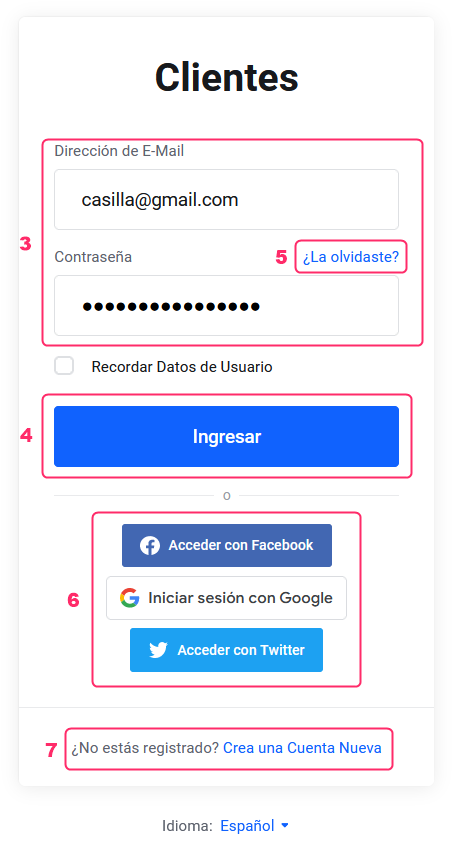
- Sign in with the email and password you chose when registering as a client.
- Press the “Sign in” button.
- If you don’t remember your password you can recover it from the “Forgot it?” link.
- You can link access to the Client Area with your Google, Facebook, or Twitter account to be able to sign in with their credentials.
- If you haven’t registered as a client yet you can do so from the “Create a New Account” link.