How to add individual contacts
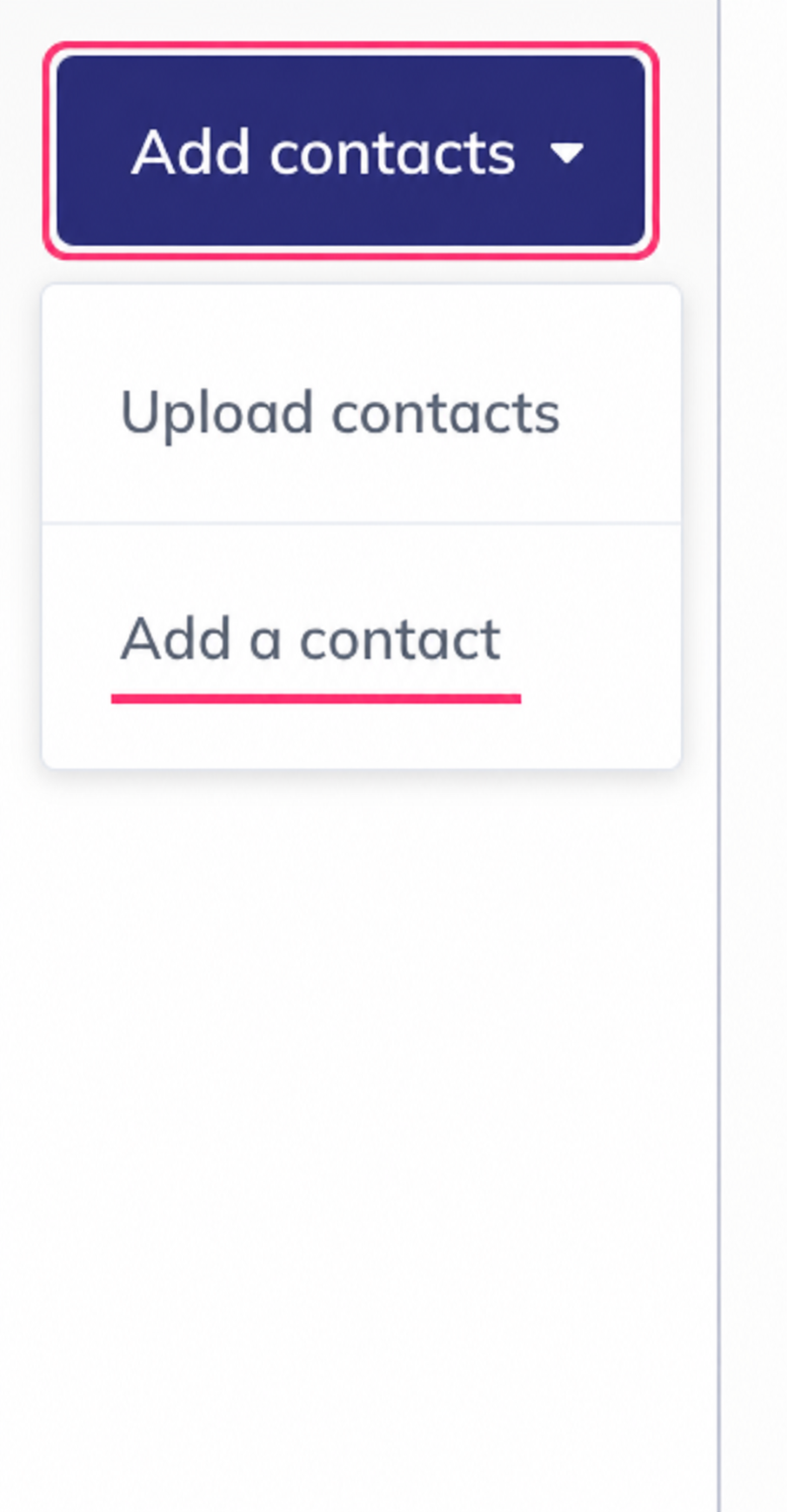
To add an individual contact you must choose the option Add a contact.
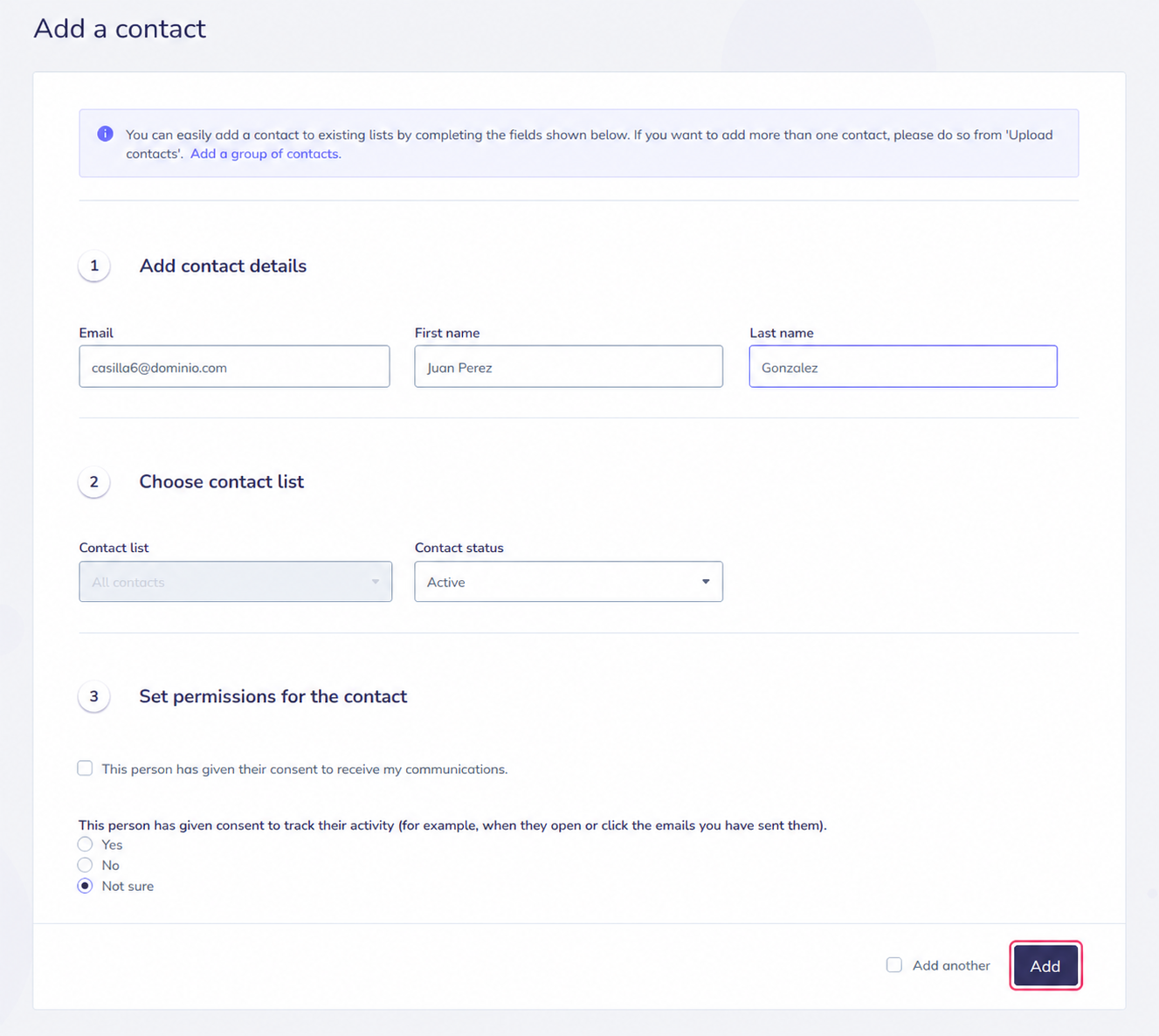
- On this screen you will need to fill in the contact’s details.
- You can choose which list to add them to, if you have more than one.
You can also set their status as active, inactive, with a complaint, etc. - It’s important that you check the contact’s consent to receive your emails.
- Below you can choose the status of consent for tracking or monitoring received emails
- Finally, with the Add button, you can save the new contact and, if you want to create another contact immediately afterwards, you can do so by checking the checkbox on the left Add another.