How to create Mail templates?
Email templates will allow you to create much more attractive and interactive designs for your emails.
Our platform will present an example template or model which you can edit using a graphical editor.
On the other hand, if you already have a design created elsewhere (in HTML), you can import it and even edit the HTML code using an internal editor in our platform.
To access the template editor go to Campaigns=>Email Templates.
Then, on the right side of the screen, press the Create template button.
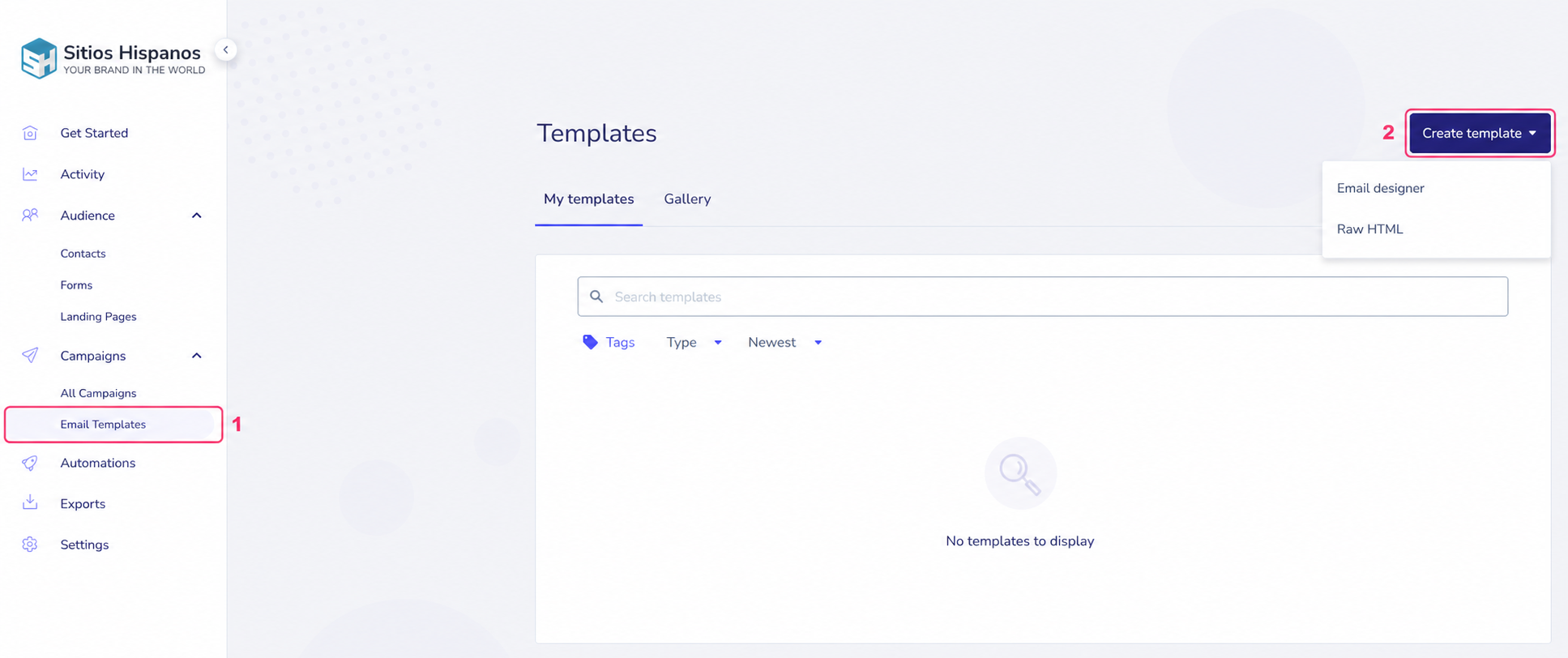
When pressing the Create template button, you will see the two options mentioned above:
- Email designer: Opens the graphical template editor.
- Raw HTML: Opens the HTML editor to modify your template’s code.
In the following link you will see how the Graphical Template Editor works:
If you want to learn more about the HTML Template Editor follow this link:
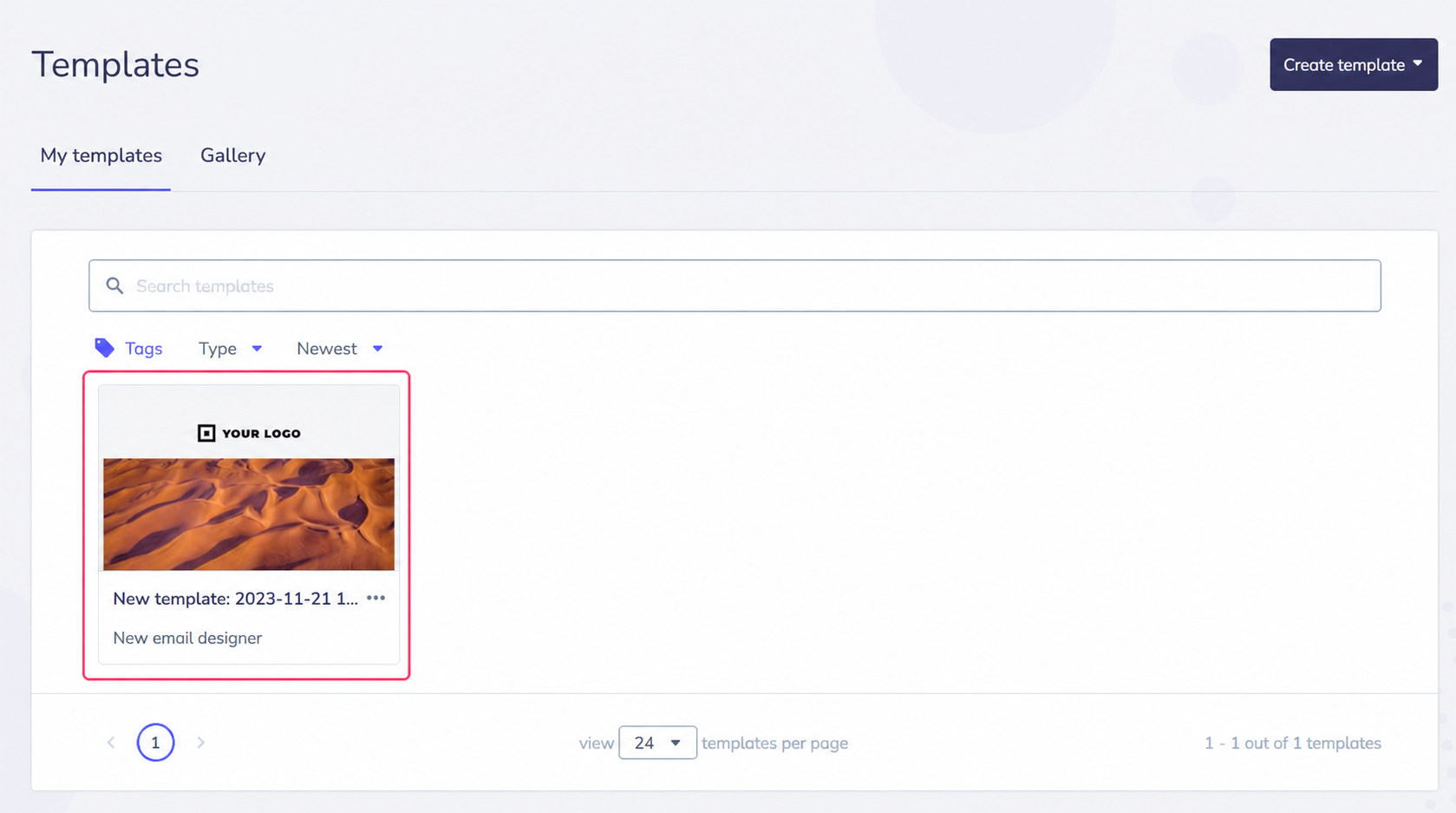
After finishing creating a template you will see it in the central list.