How to configure Domain Redirects in Plesk?
A Domain Redirect allows you to display the website of any other domain. Redirects can be created on a domain or subdomain.
Follow these steps to create a Redirect:
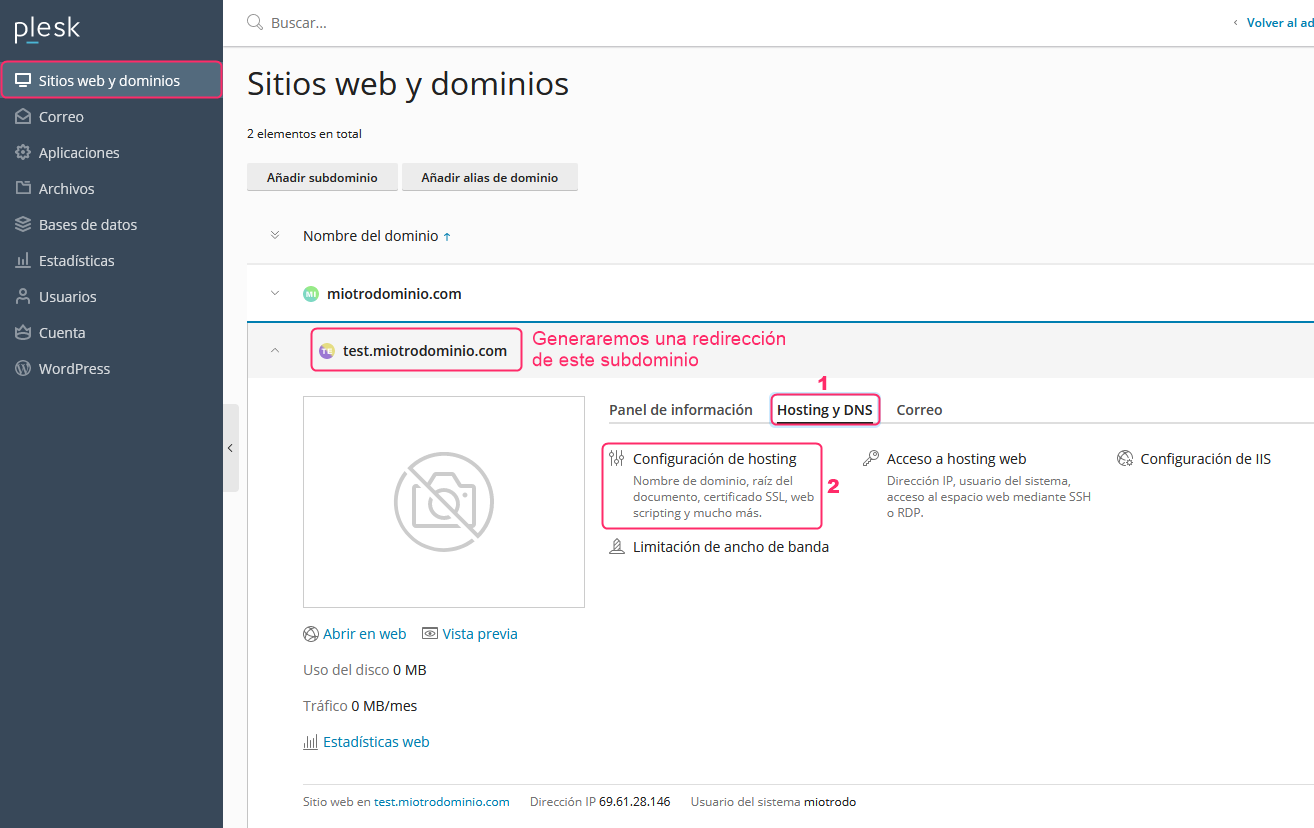
- From Websites & Domains, in the left menu, choose the domain or subdomain you want to redirect.
Then click the Hosting & DNS option and then go to Hosting Settings.
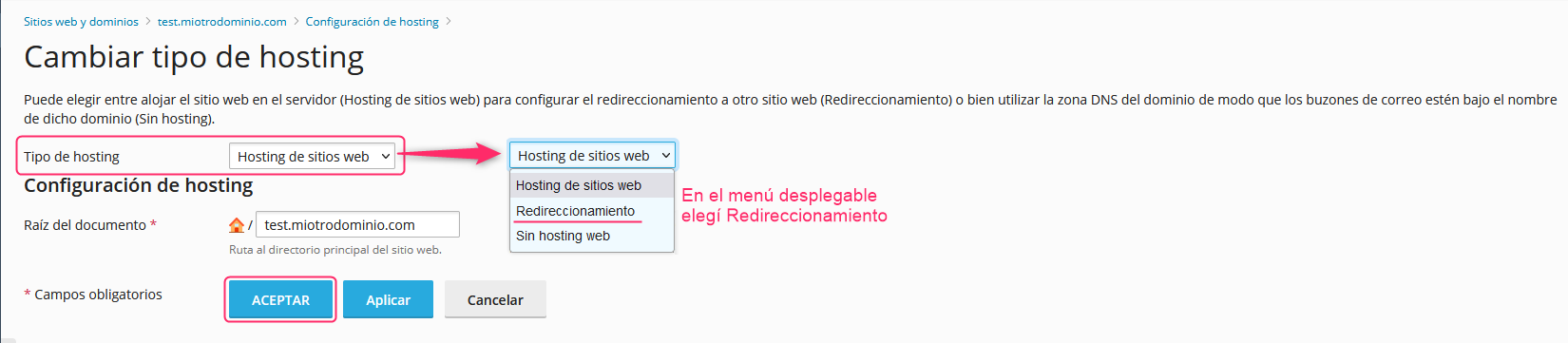
- On the new screen, you will see the Hosting Type option. In the dropdown menu choose Redirection.
Then save the change with the OK button.