How do I create scheduled tasks?
To view or create scheduled tasks (Cron Jobs) follow these steps:
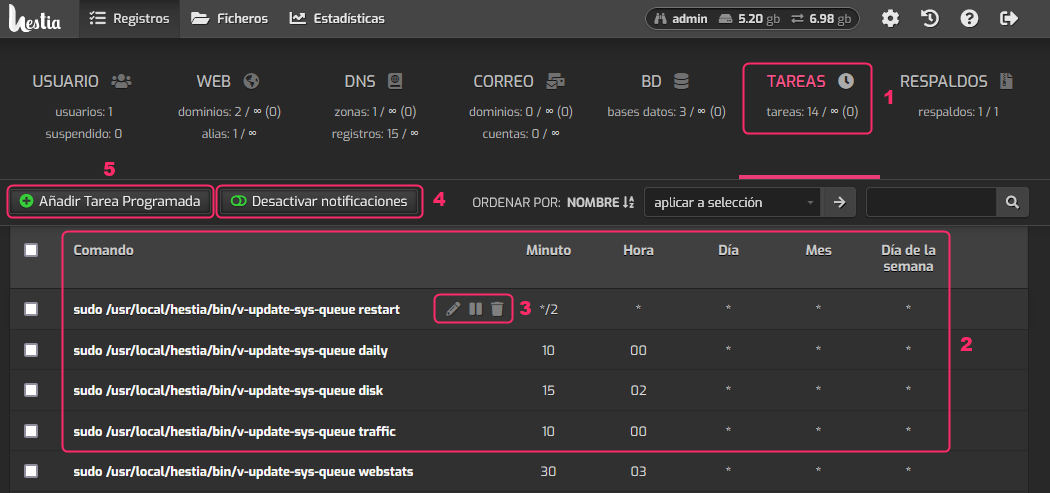
- First, go to the TASKS area.
- You will see the list of scheduled tasks already created with their current configuration.
- Each task will have a floating menu with which you can modify, suspend, or delete the scheduled task.
- With the Disable notifications button you can turn off the emails that are sent when the task runs.
- Finally, with the Add Scheduled Task button, you can create a new task.
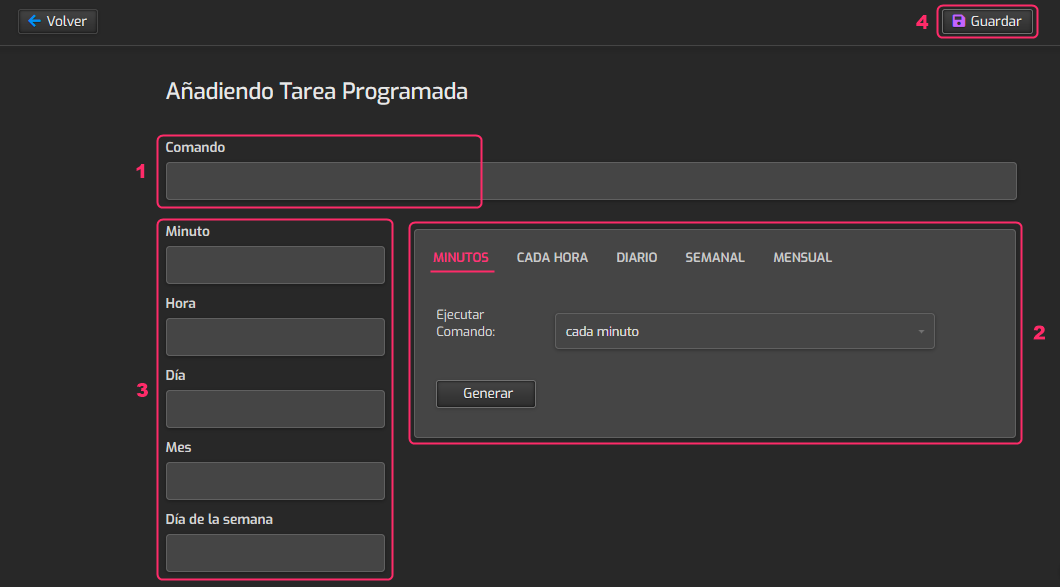
On the scheduled task configuration screen you will find:
- The field where you should write the command or task you want to run.
- In this field you can generate the time format for when the task will run. Choose the execution time and press the Generate button.
- You will see the execution time format of the scheduled task according to what you configured in step 2.
- Once you have everything configured, save the changes with the Save button.