
How to view my domain as HTTPS in my browser in Plesk?
Hashtags: #htaccess #SSL #secure #redirect
This guide assumes that the SSL Certificate has already been installed on the hosting account.
If you have not yet enabled the SSL Certificate on your account, you can do so by following the steps in this guide: How to install an SSL Certificate in Plesk?
If you have already installed the SSL Certificate, it is recommended that your domain always shows the secure version (https) in the browser. This automatic redirection to https can be done in two ways:
- From your account control panel.
- By editing the htaccess file in the website’s root directory.
Redirecting to HTTPS from the Plesk Control Panel:
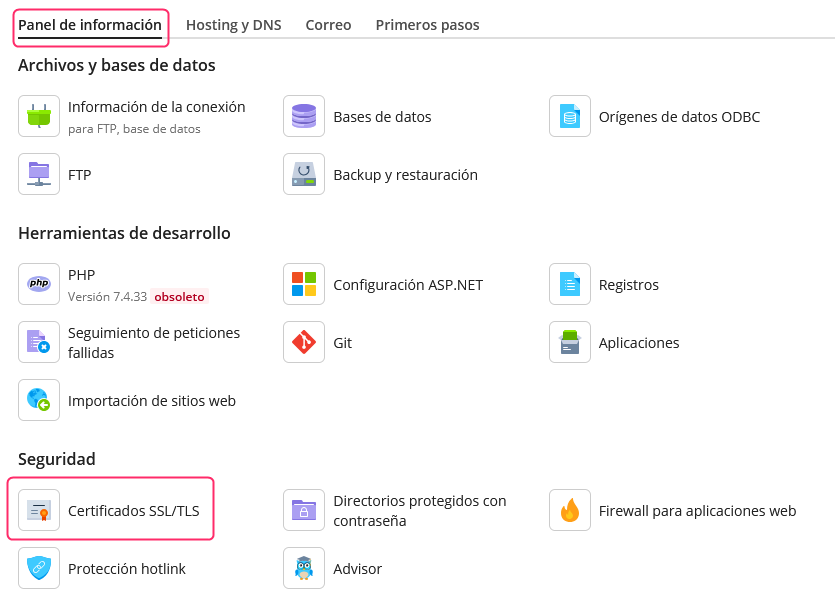
- Log in to your control panel and then click the Information Panel tab.
- In the screen options access SSL/TLS Certificates.
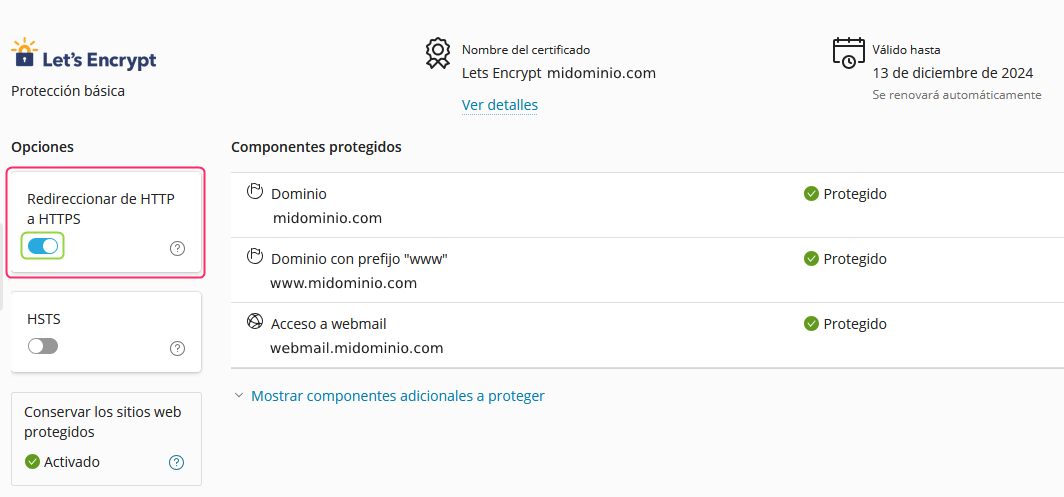
- On the left of the screen you will see an option called Redirect from HTTP to HTTPS. Enabling that option will make the domain always display the secure https mode.
Redirecting to HTTPS from the htaccess file:
It may happen that the method from the control panel does not work for some reason.
Another possible method to generate an automatic redirection to https is by adding a line to the htaccess file that you will find in the /httpdocs directory or the root directory of your website.
RewriteEngine On
RewriteCond %{HTTPS} off
RewriteRule ^(.*)$ https://%{HTTP_HOST}%{REQUEST_URI} [L,R=301]
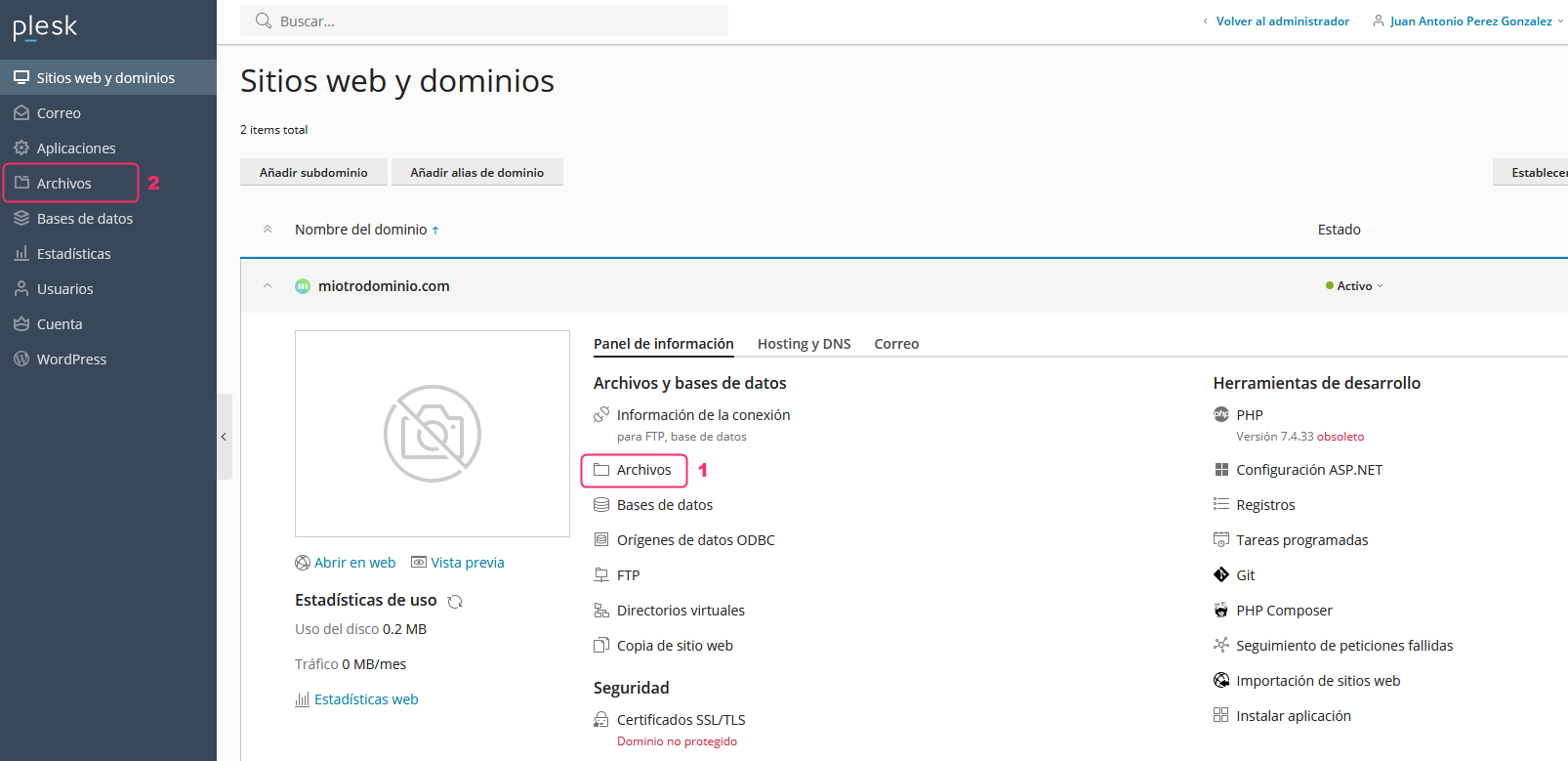
- You will find the File Manager on the main screen of the control panel. You can access it from the Files button marked as point 1 or from the left menu, marked as point 2.
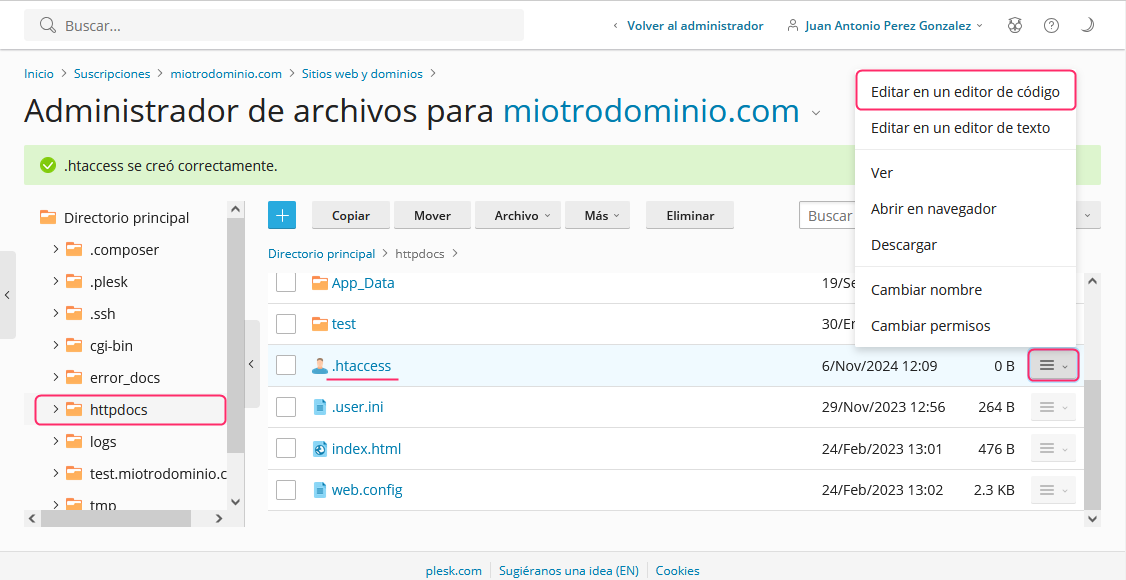
- Once in the File Manager, look for the “httpdocs” directory or the root directory where your website is created.
When you find the .htaccess file you will need to edit it by pressing the options button on the right and choosing the Edit in a code editor option.
- At the top of the file, add the code you will see below:
RewriteEngine On
RewriteCond %{HTTPS} off
RewriteRule ^(.*)$ https://%{HTTP_HOST}%{REQUEST_URI} [L,R=301]
Editing the htaccess file from an FTP Client:
The same procedure can be done by connecting via FTP instead of using the File Manager.
To access via FTP follow the steps in the following guide:
FTP sessions in Plesk