
How to create a package?
In this section we will show how to create a package or plan to assign to your domains.
After accessing the WHM of your Reseller plan, go to “Packages” => “Add a Package”.
Below, we will explain the options in this instance.
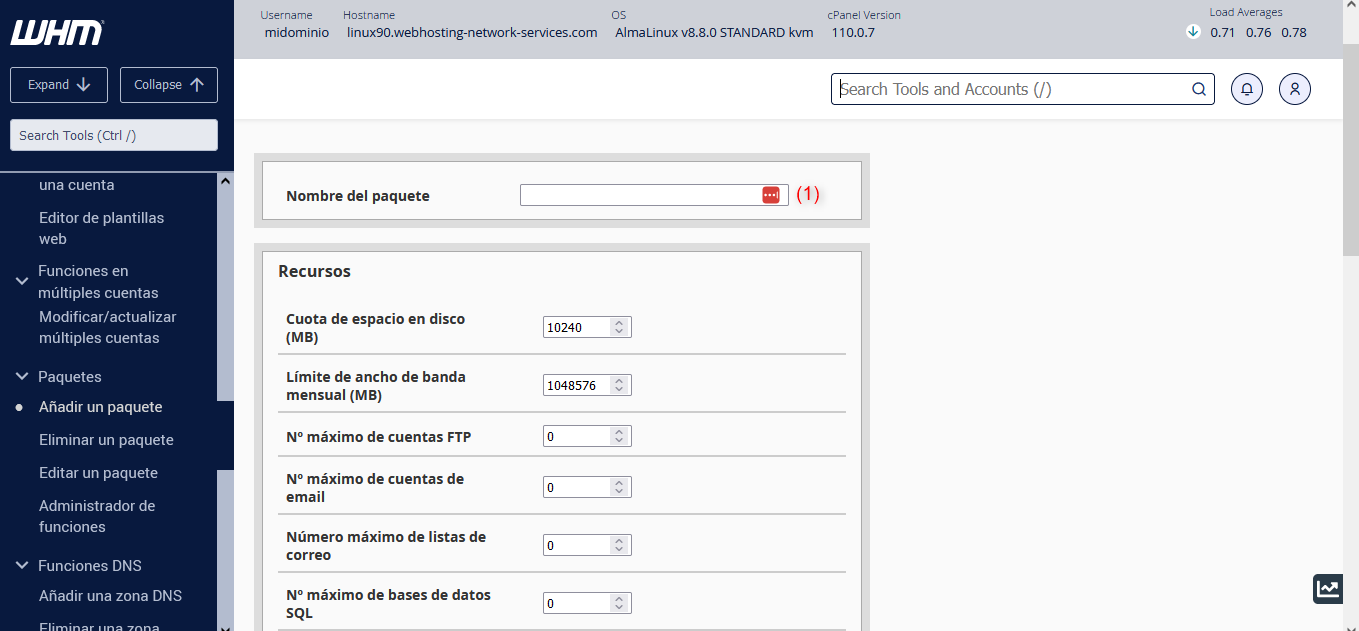
- Disk quota (MB): indicates the disk space limit that the package will have, expressed in megabytes.
- Monthly bandwidth limit (MB): indicates the monthly bandwidth limit that the package will have, expressed in megabytes.
- Maximum number of FTP accounts: indicates the maximum number of FTP accounts that can be created in cPanel.
- Maximum number of email accounts: indicates the limit of mailboxes that can be created in cPanel.
- Maximum number of mailing lists: used to configure how many mailing lists can be used in the package.
- Maximum number of SQL databases: indicates the limit of databases that can be created from cPanel with this package.
In (1) you can name the package to differentiate it.
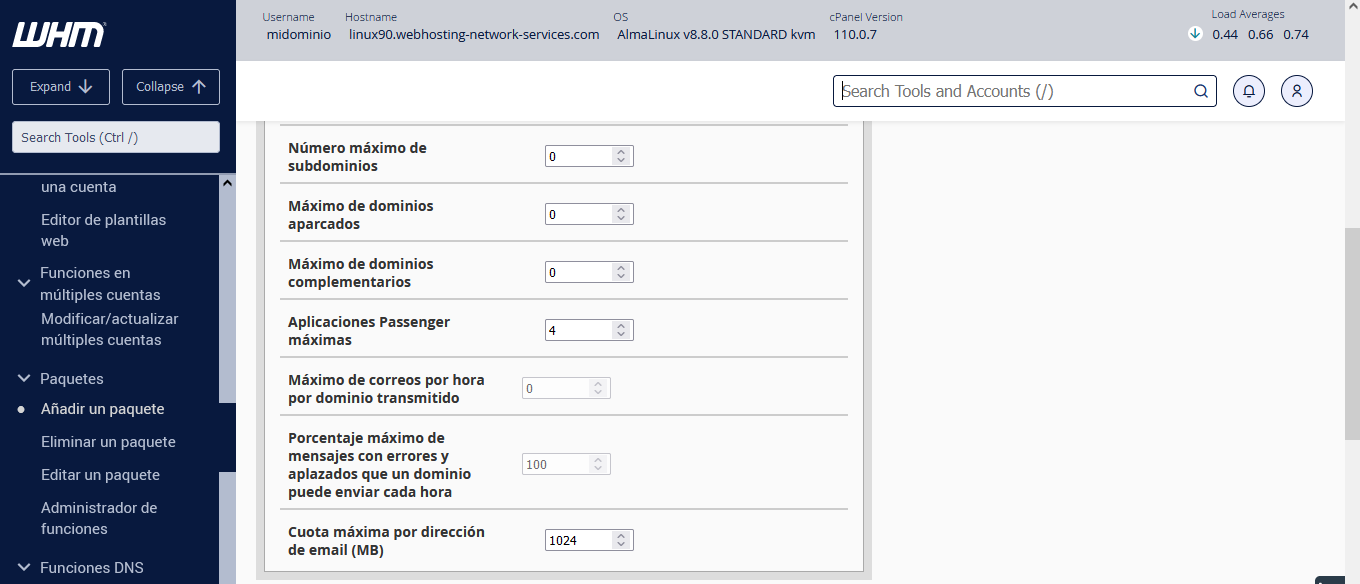
- Maximum number of subdomains: indicates the maximum number of subdomains for the package.
- Maximum parked domains: indicates the maximum number of ALIAS or parked domains for the package.
- Maximum addon domains: indicates the maximum number of additional domains for the package.
- The rest of the options are best left at their defaults, unless you want to edit and specify another value in Maximum quota per email address (MB).
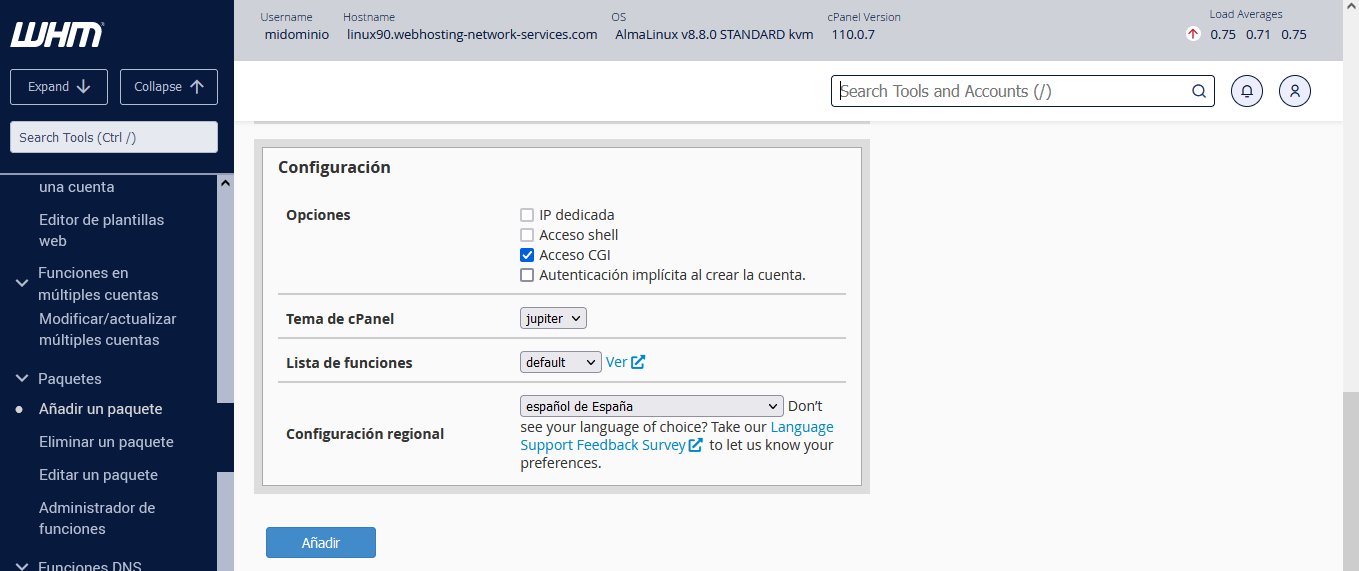
The options in the image above are best left at their defaults as suggested by cPanel. Use the “Add” button to create the package.