How do I monitor the server load?
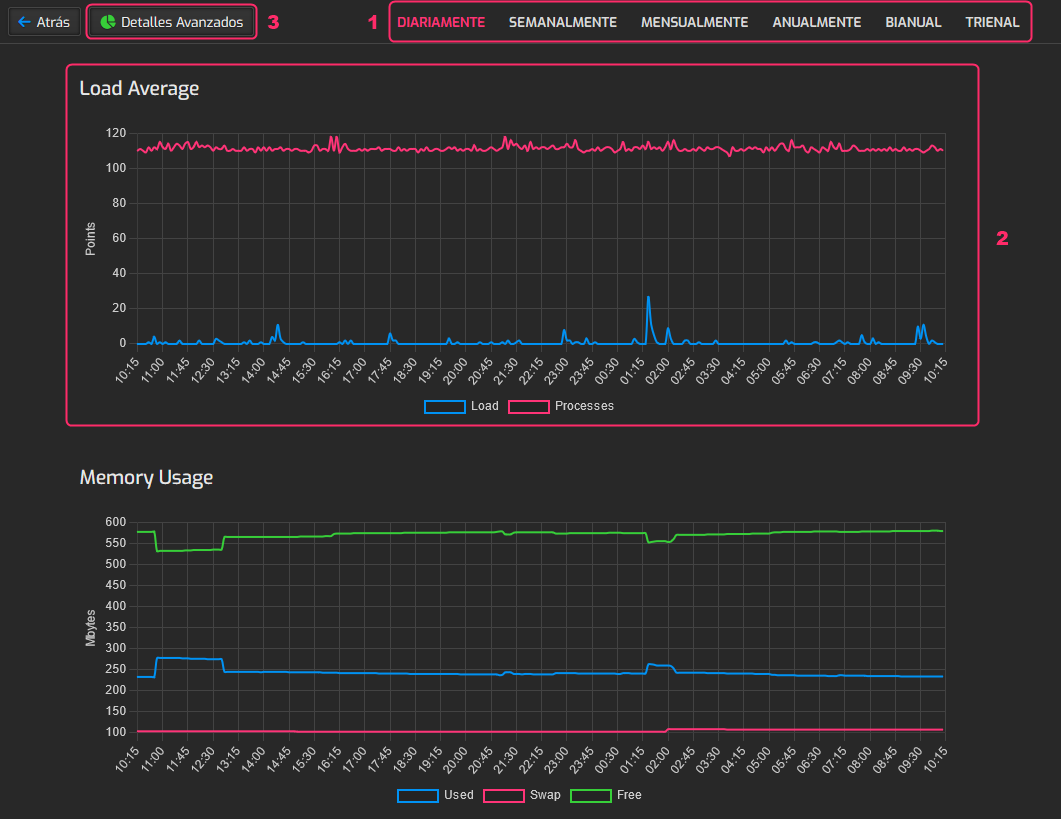
The Task Monitor allows you to view the server load across its different services, showing CPU usage, RAM, bandwidth, etc.
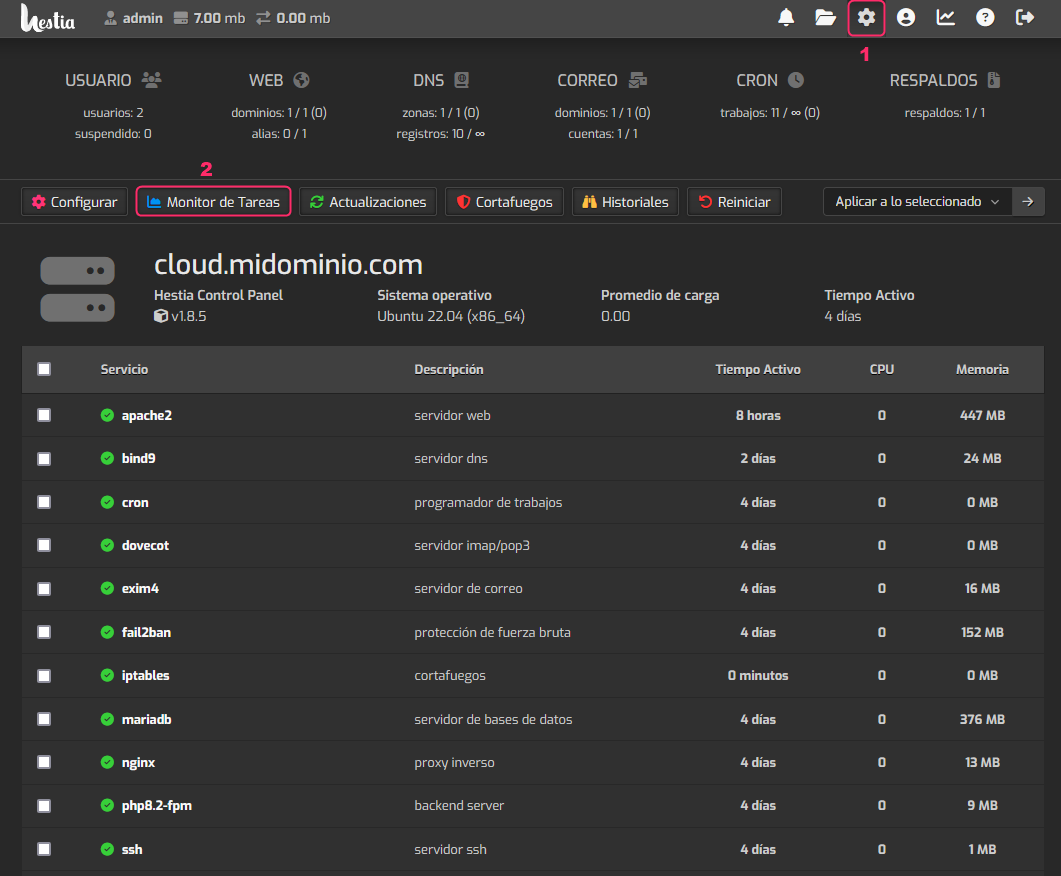
To access the Task Monitor, follow these steps:
- Click the gear icon in the top menu.
- Then, go to Task Monitor.
On the Task Monitor screen you will see the following information:
- You’ll see a time selector to analyze the load at that moment.
- You’ll see load graphs: overall, by hardware component, and by service.
- If you click the Advanced Details button, you’ll see an image of the server load at that moment, as it would appear via SSH.