
How do I recover my access to the Client Area?
Hashtags: #password #password #login #reset
If you forgot your password, follow these steps to recover it:
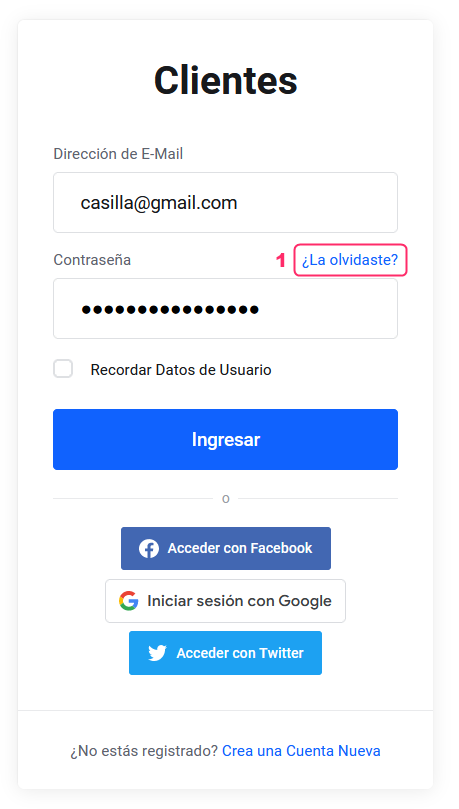
- On the login page of the Client Area, select the option “Forgot it?”.
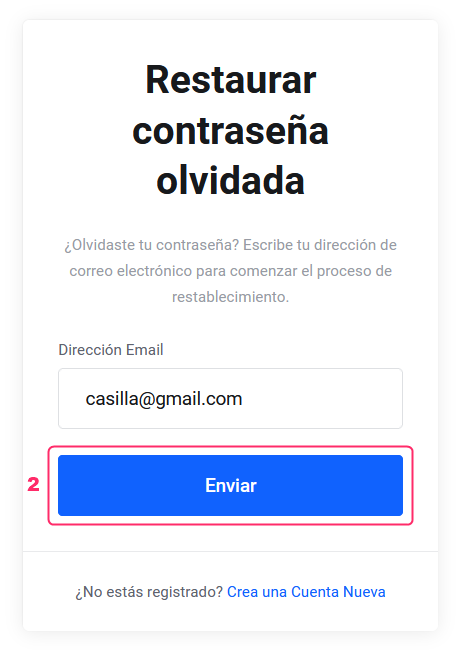
- On the new screen, enter the email address you registered with and press the “Send” button.
- You will receive an email with a link to start the process of creating a new password.