How to configure automatic email forwarding in HestiaCP?
To create automatic email forwards from one mailbox to another, follow these steps:
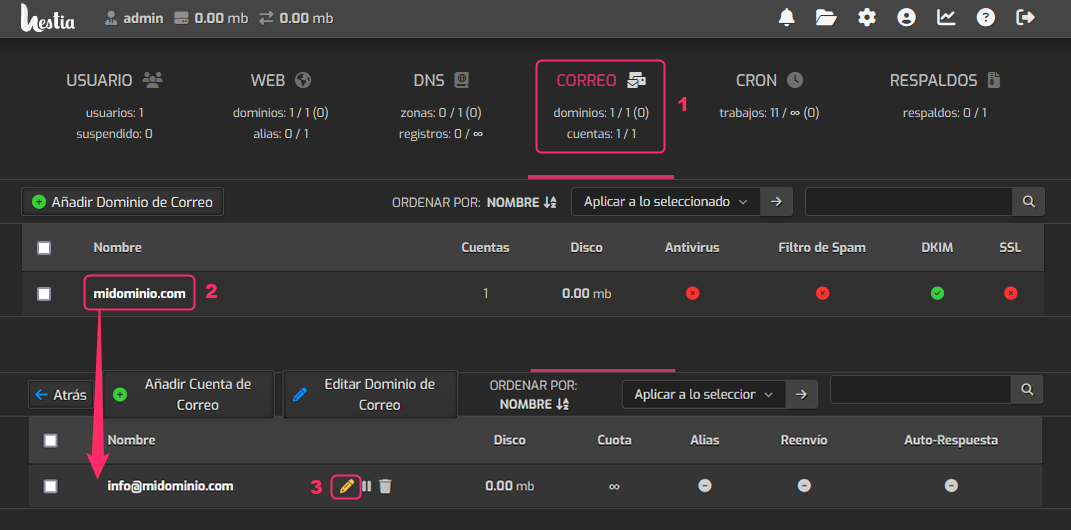
- Go to the MAIL section within the account you want to modify.
- Click on the domain of the mailbox you want to modify.
- You will see the list of created mailboxes. On the right, click the pencil icon for the mailbox you want to modify.
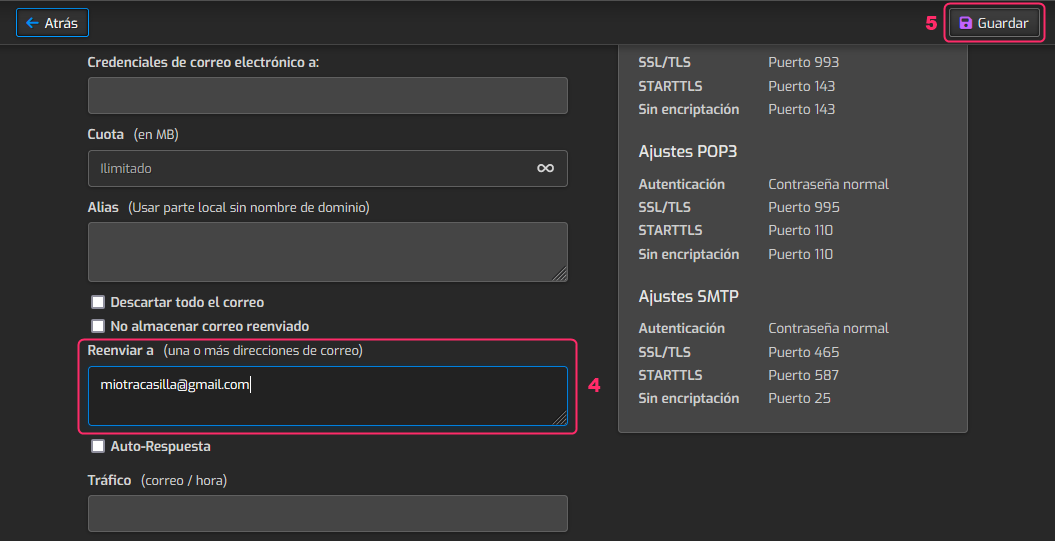
- In the mailbox configuration options, find the “Forward to” option. Enter the mailbox to which you will forward the emails.
- Finally, save the changes using the Save button, which is at the top right.