How do I download fiscal invoices?
If you want to download the fiscal invoice for a plan or service, follow the steps below:
- Log in to your Client Area.
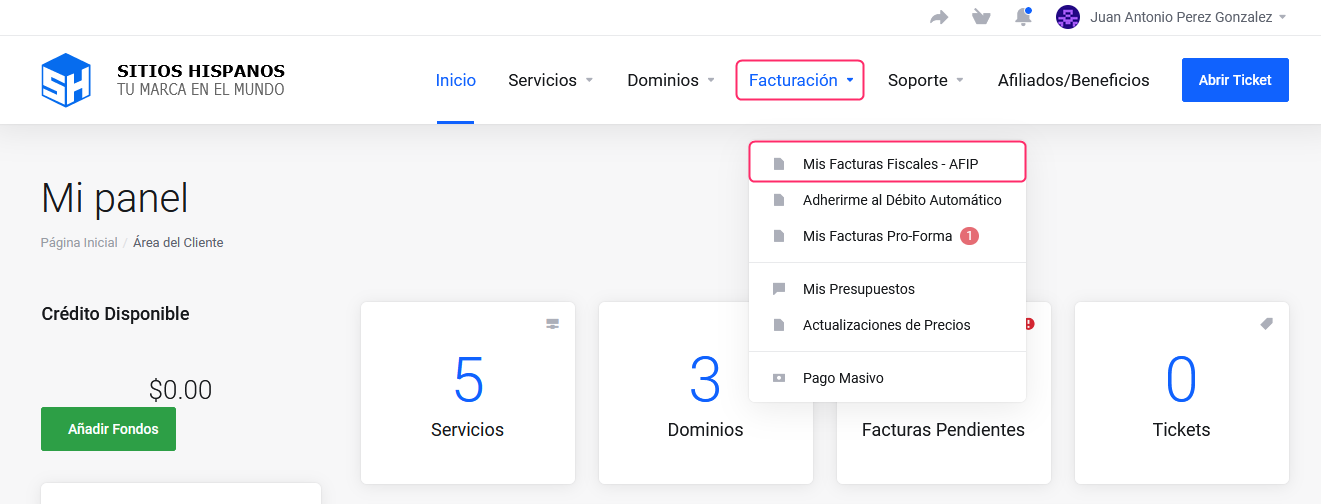
If you don’t remember how to access it follow this link: How to access the Client Area - In your Client Area click on “Billing” in the menu and select “My Fiscal Invoices - AFIP”.
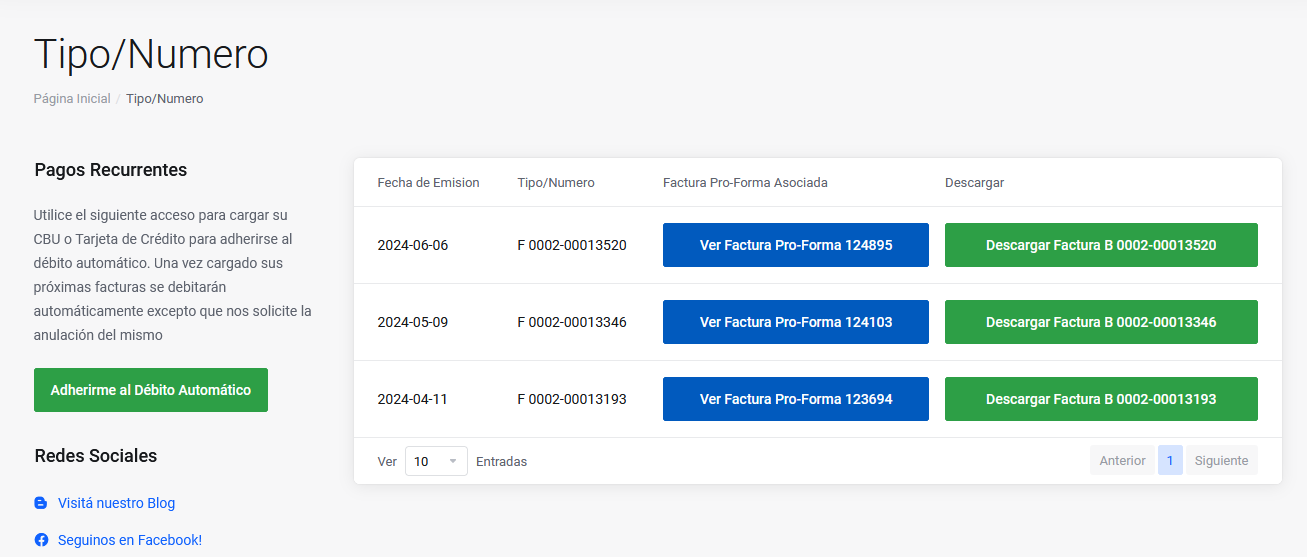
- You will find all the generated fiscal invoices.
You can view them by pressing the blue button or download them by pressing the green button.