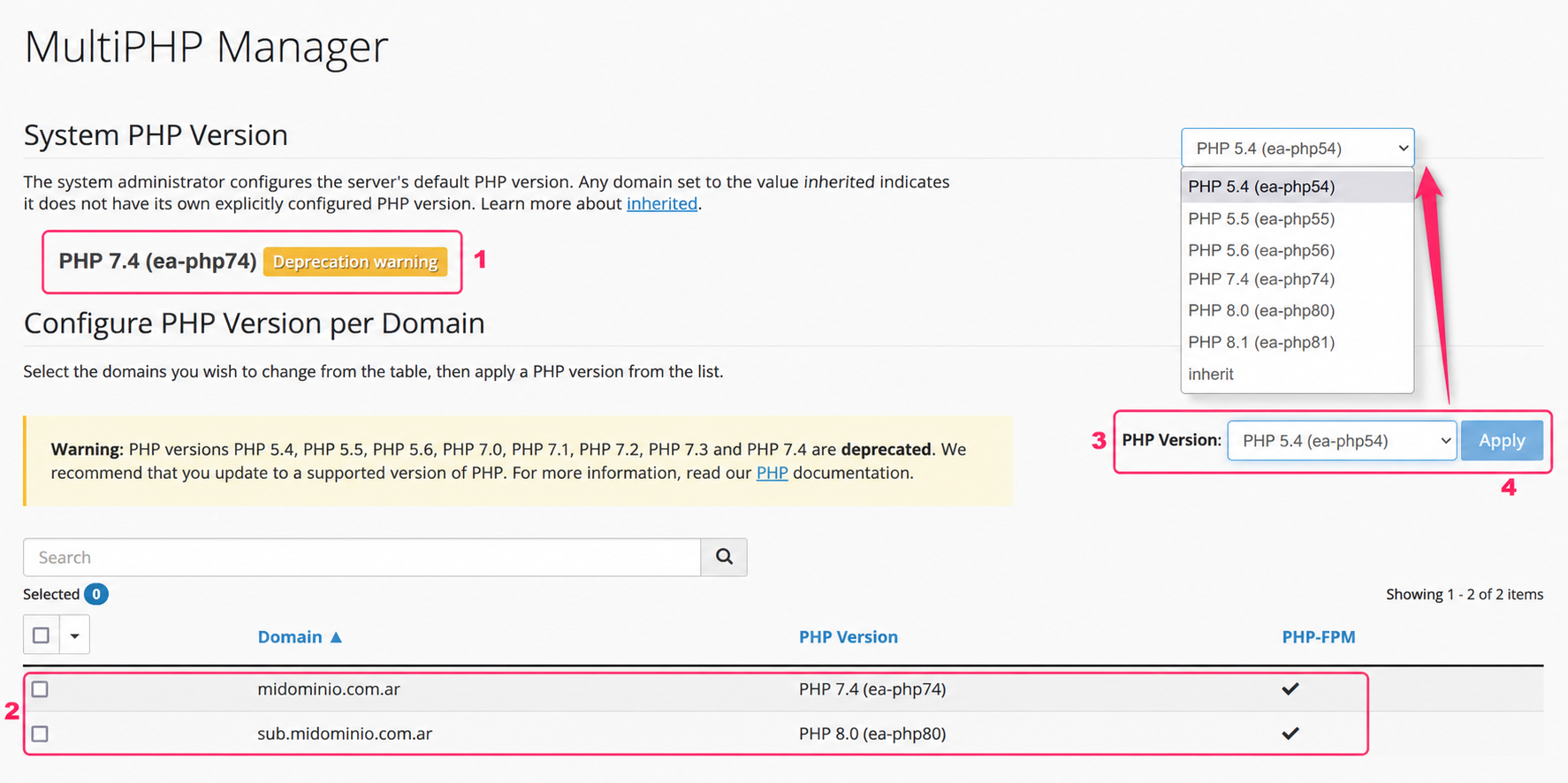
How to change the PHP version in cPanel?
Hashtags: #cPanel #MultiPHP #Manager
Below we will show you how to change the PHP version that your hosting plan’s website will use.
To change the PHP version you must access the MultiPHP Manager tool in the Software box of the control panel.
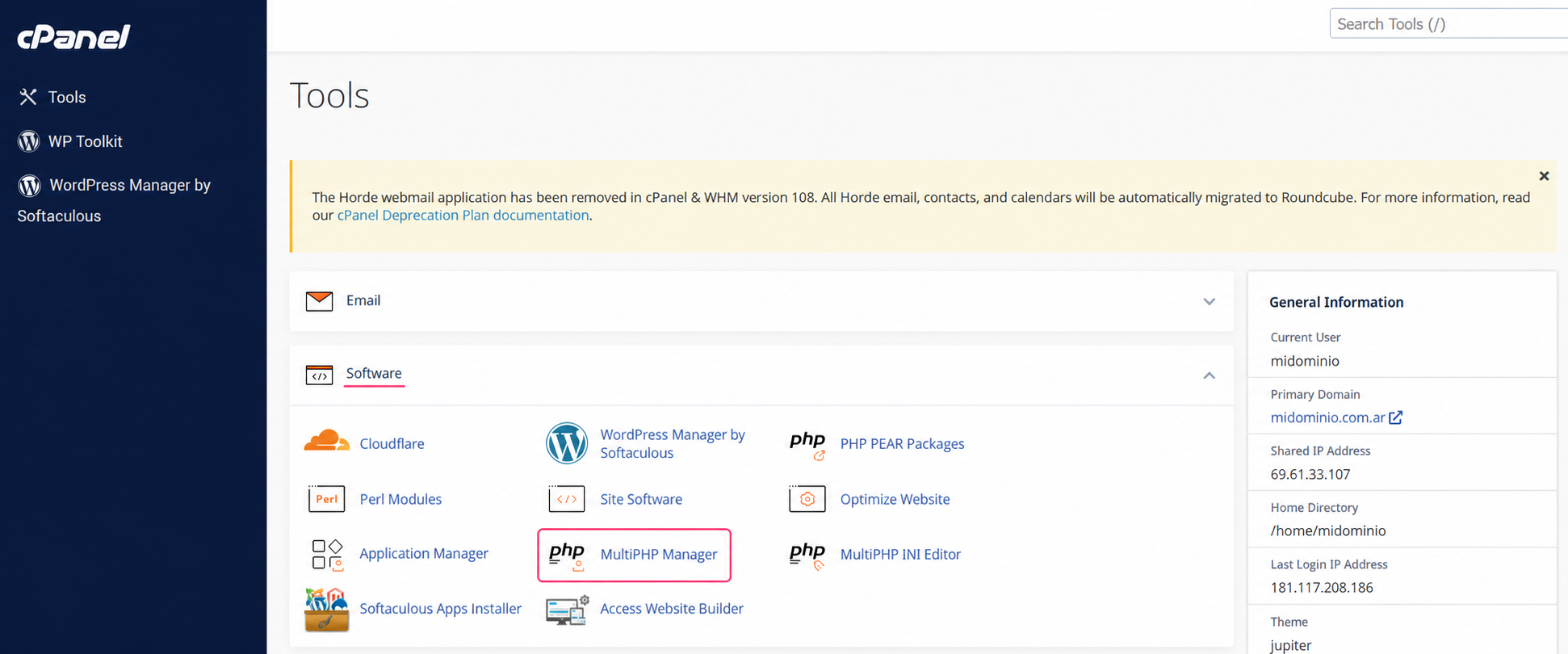
On the MultiPHP Manager screen you will see:
- The PHP version used by the server. If you do not choose a specific PHP version for your website, this PHP version will be used.
- Next, you’ll see the list of domains and subdomains on your account along with the PHP version they are currently using. To change the PHP version of your website you must check the box on the left.
- In the PHP Version selector you can choose the new PHP version you want to use for the account checked above.
- Use the Apply button to save the change. This process may take a few minutes.