
How do I create my own DNS on .ar domains?
In addition to using our DNS, you can also create custom DNS with your own domain. Once created, you can delegate these DNS to your domains.
Below we show you how to do this for .ar domains registered at nic.ar.
Steps to create DNS on .ar domains:
- Log in to nic.ar with your username and password.
Search for your domain and click the “DELEGAR” button.
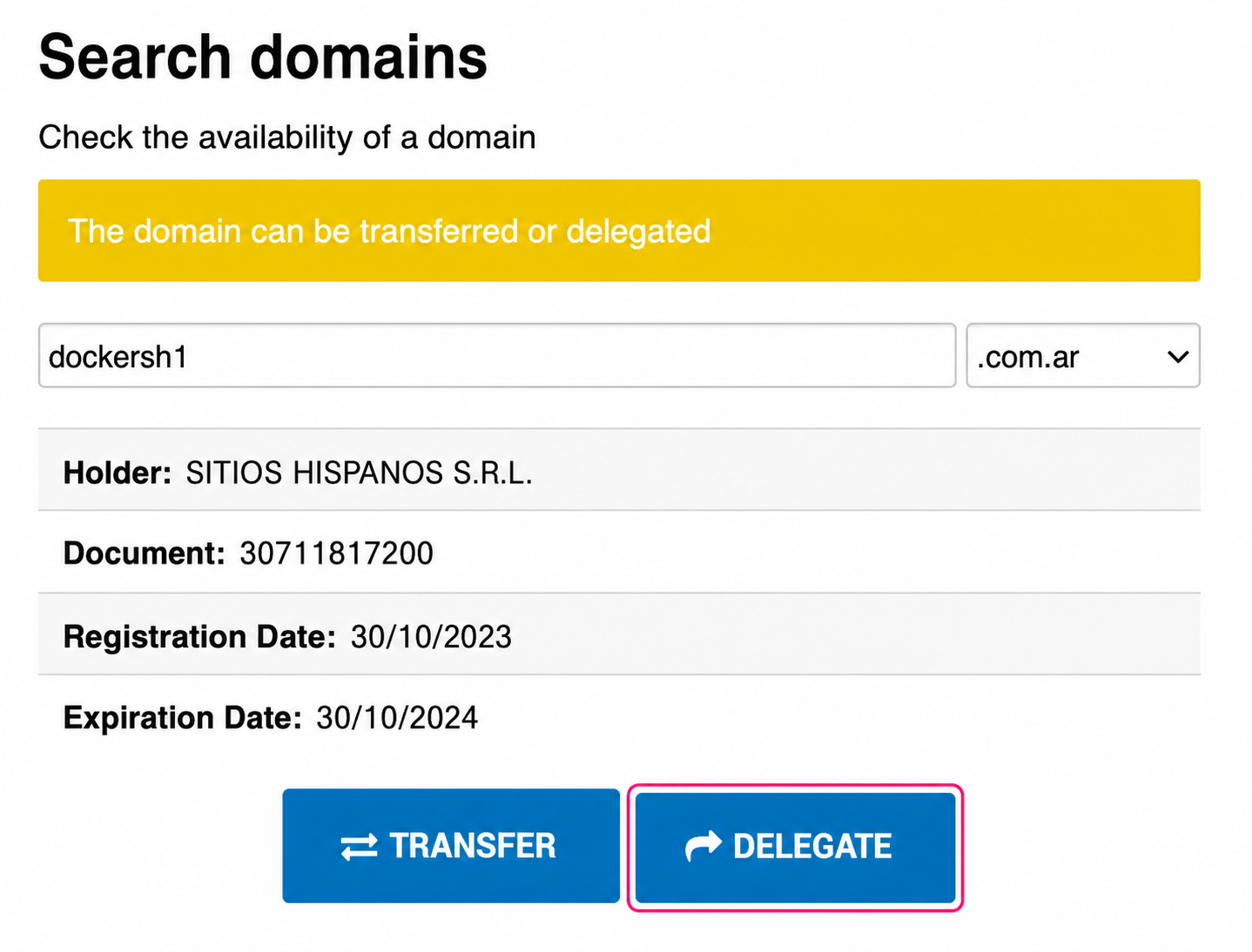
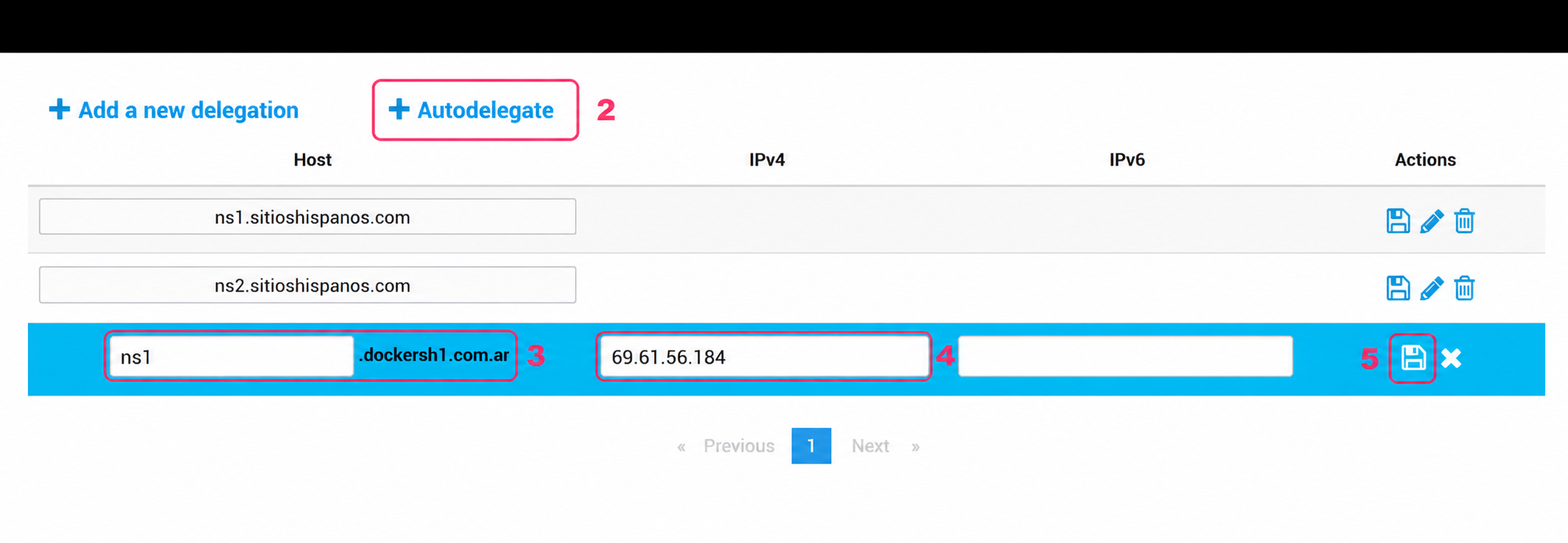
- On the DNS delegation screen, click “Autodelegar”.
The DNS configuration options will open. - Create the name of the first DNS using your domain.
In our example we’ll create: ns1.dockersh1.com.ar. - Enter the IP address of the server the DNS should point to.
- If your DNS will point to a cloud server, use its IP.
- If they will point to a shared hosting server, request the IP from technical support. - Press the floppy disk button on the right to save.
- Repeat steps 2 to 4 to create a second DNS.
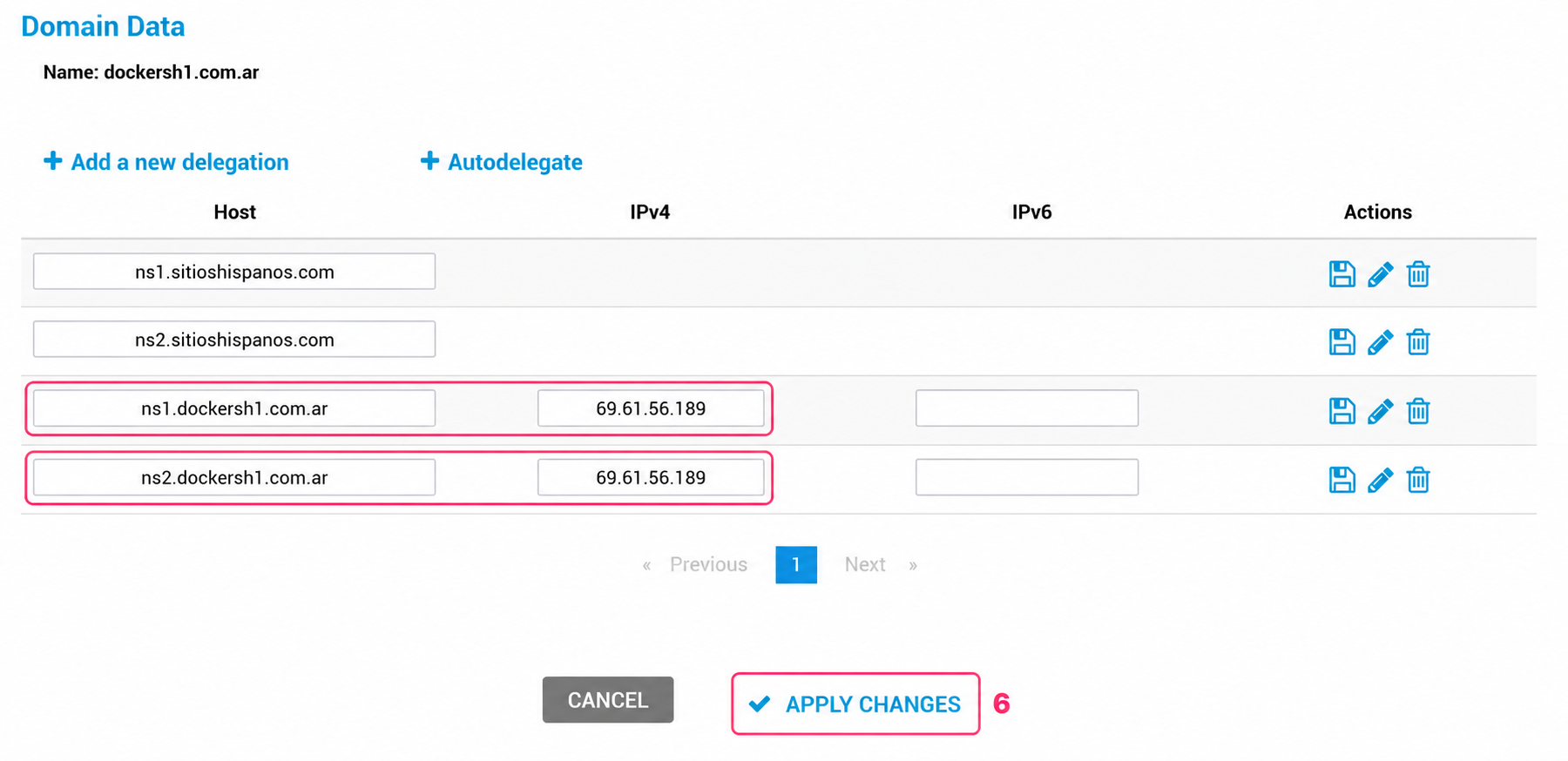
Following our example we’ll create: ns2.dockersh1.com.ar.
- Verify that both DNS appear on the delegation screen with their respective IPs.
Click “APPLY CHANGES” to save your DNS.
That’s it. Once the DNS are created, follow the next guide to delegate your DNS to your domain.
how-to-modify-the-dns-on-nic.ar.md