
How do I enroll in automatic debit?
Hashtags: #invoices #payment
If you want to enroll in automatic debit or recurring payments, follow these steps:
- Log in to your Área de Cliente.
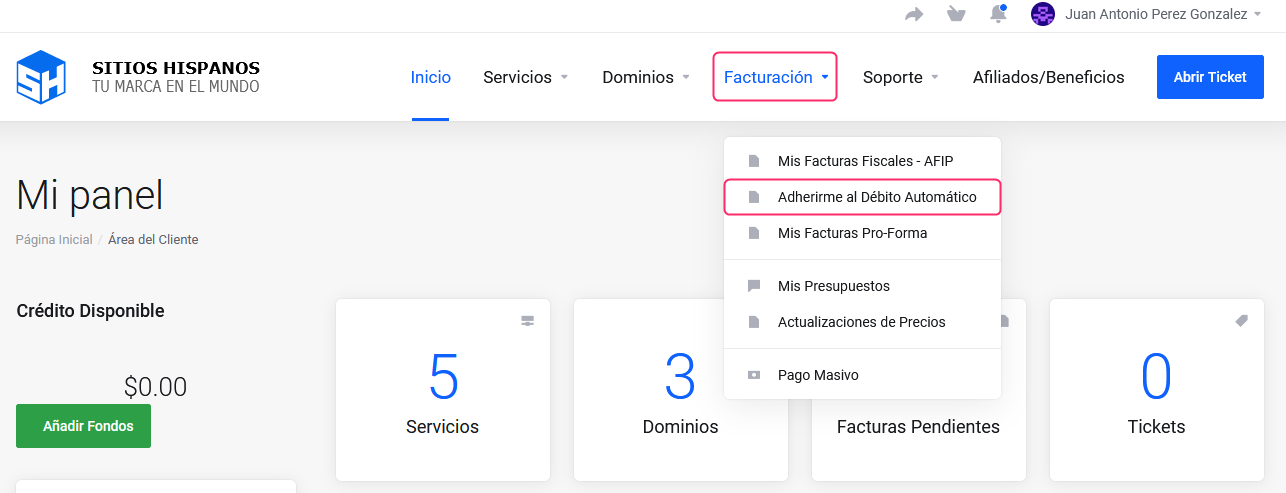
If you don’t remember how to log in follow this link: How to access the Customer Area - In your Área de Cliente click on “Facturación” in the menu and select “Adherirme al Débito Automático”.
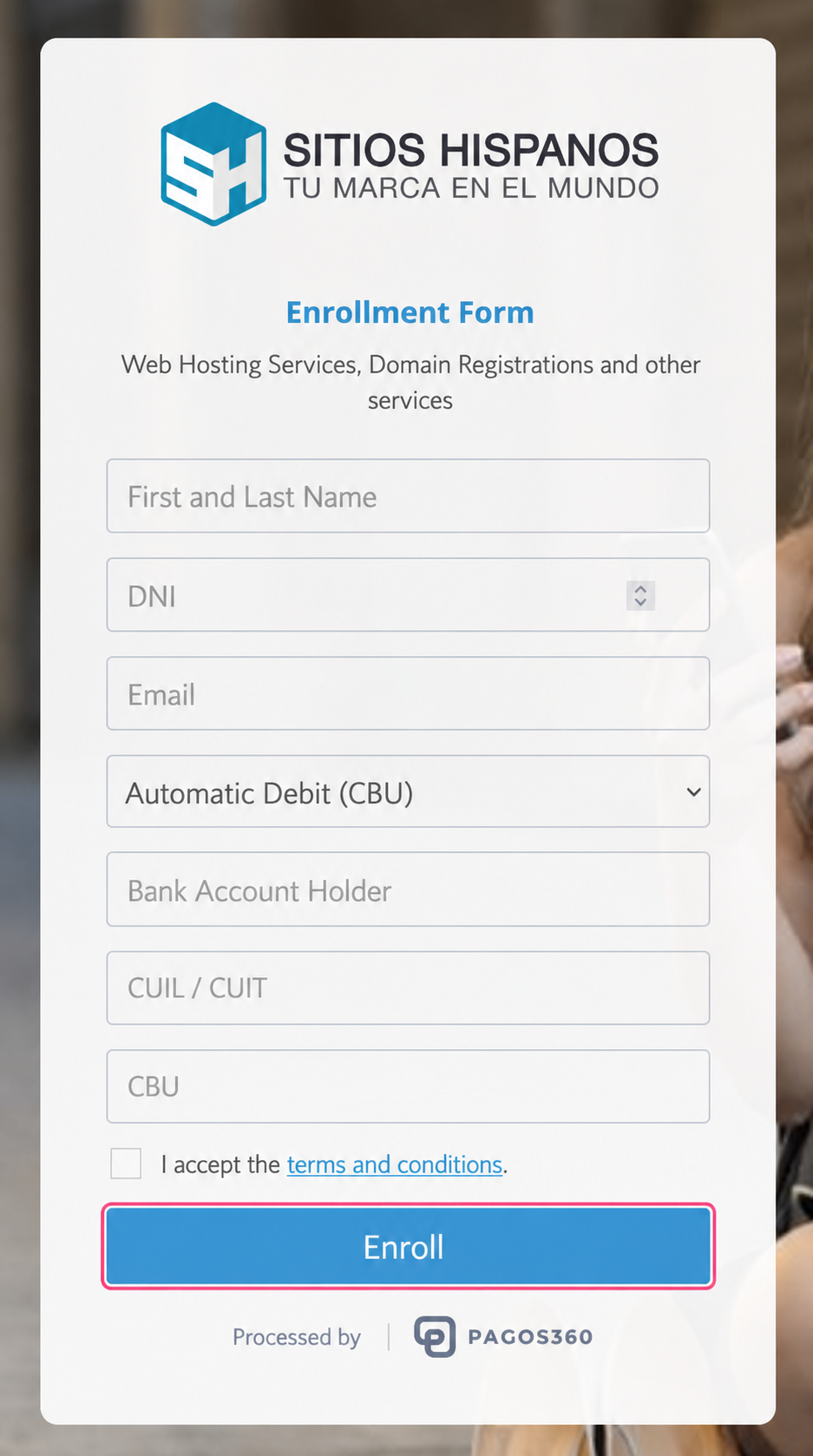
- Then, complete the form with the billing information and press the Adherirse button.
To find out if you have automatic debit activated, check this guide:
How can I tell if I’m enrolled in automatic debit?