How do I change the time zone in Webmail?
Hashtag: #webmail #timezone #changetime
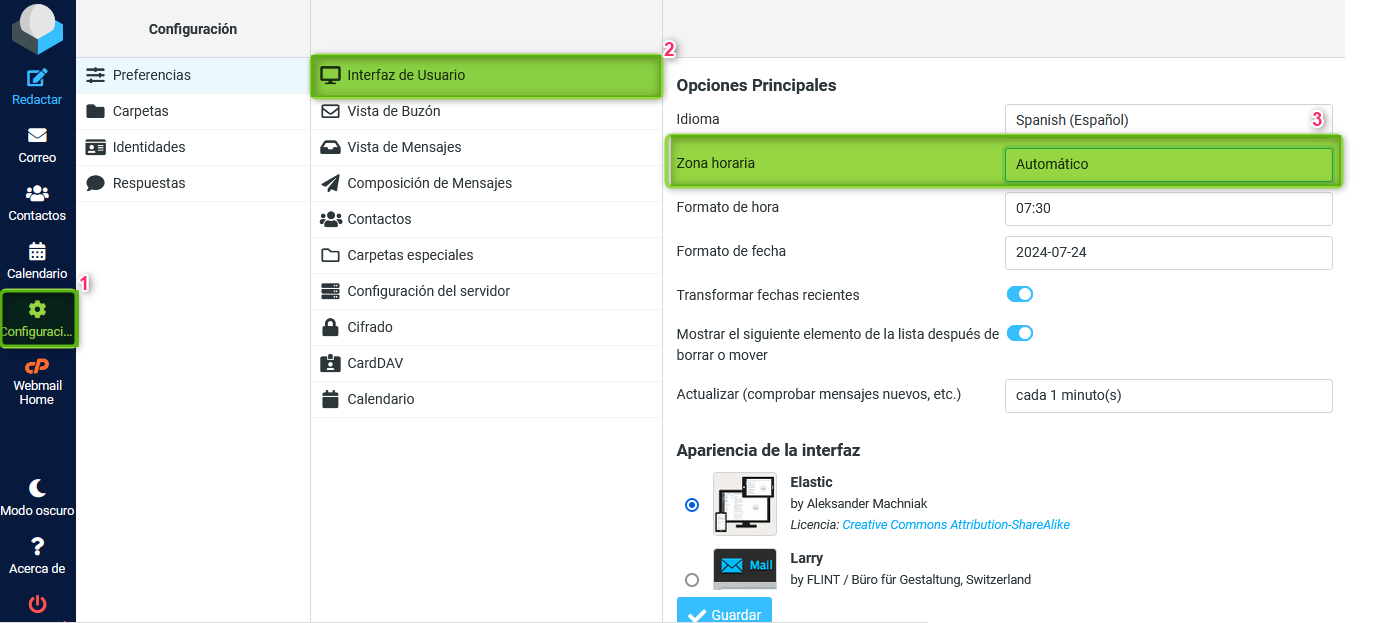
To change the time zone for your emails you need to perform the following steps after accessing your Webmail:
1 - Go to the left column and click on “Settings”.
2 - Then click on “User Interface”.
3 - Under “Time Zone” expand and select the zone you want to configure for your mailbox. Save the changes with the “Save” button.