
How to transfer my domain?
Hashtags: #Transfer #EPP
Transfer a domain to Sitios Hispanos
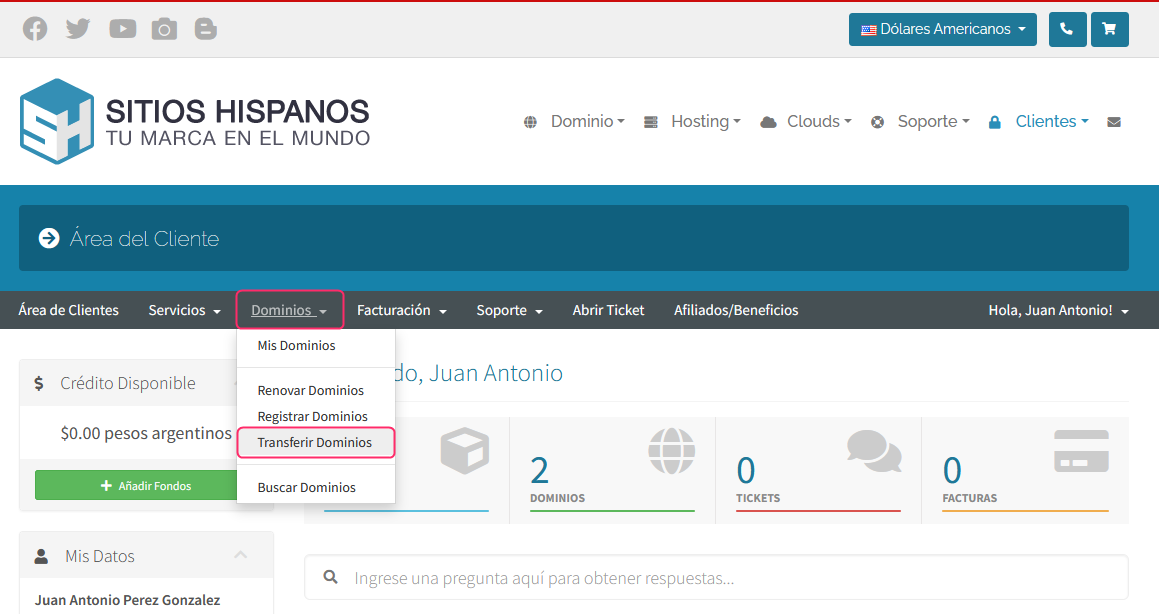
- To start a domain transfer, go to your Client Area, then open the Domains menu and select the Transfer Domains option.
- The system will ask for the domain name to transfer and the EPP or Auth Code that your current provider will give you.
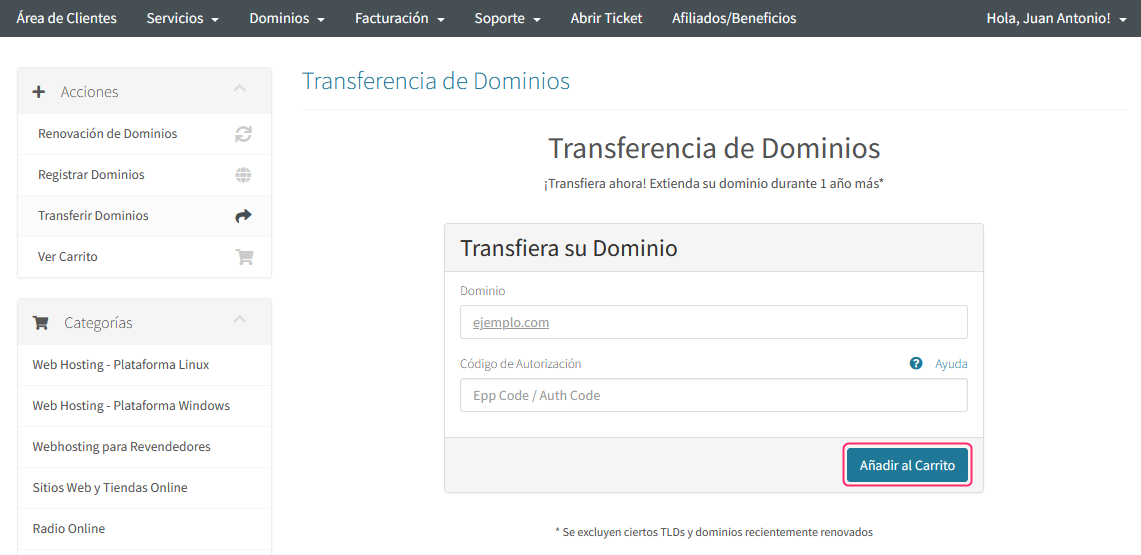
At the end of the transfer request, an invoice will be generated to pay for the domain transfer.
Requirements for the transfer process to complete:
It is very important that the domain to be transferred meets the following conditions. Check the following points with your domain provider:
- If the domain was registered or transferred recently, you must wait 60 days to start the transfer process.
- Do not start the transfer process if the domain is close to its expiration date. If the domain is less than 15 days from its expiration date it is advisable to renew it first.
- The Status or State of the domain must be ACTIVE or OK. The Locked state will not allow the transfer. You can check your domain status using pages like https://whois.domaintools.com.
- Disable the domain’s Privacy option.
- The domain contact information must be complete. The email account must be accessible.
- Obtain the EPP Code or Auth Code of the domain to be transferred.
Once the transfer is initiated, it will be completed within the next 7 days.
Transfer a domain to another provider
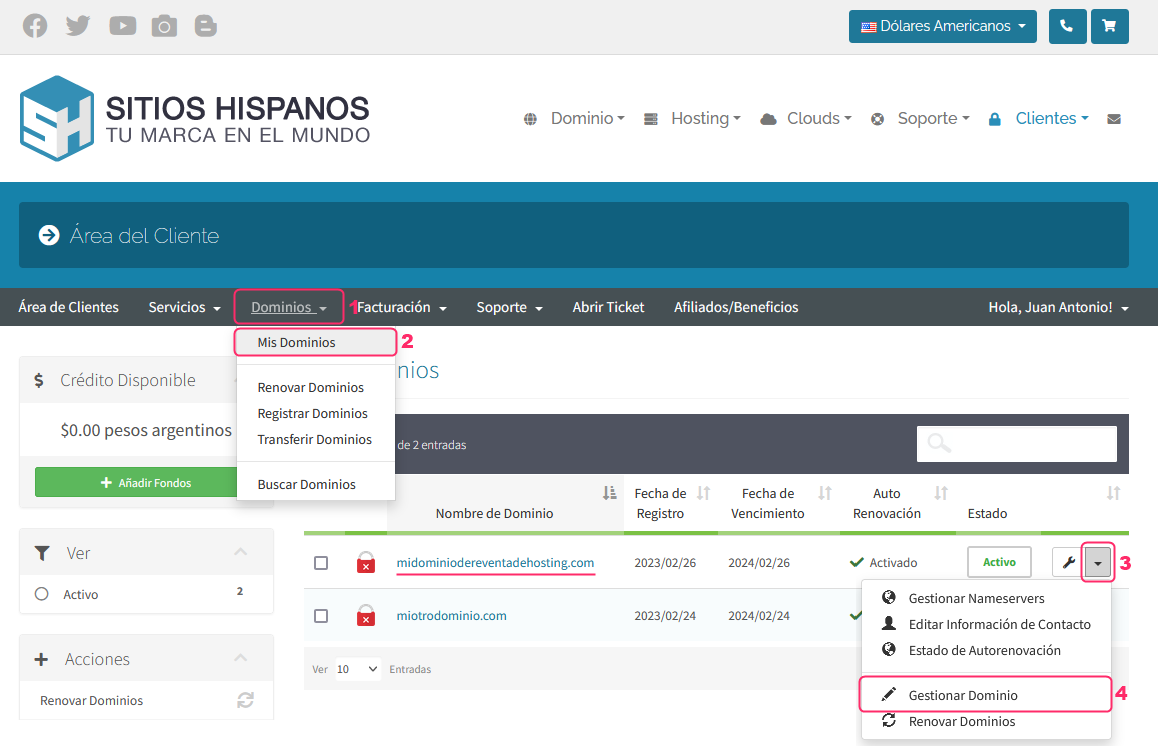
To transfer a domain to an external domain provider you must ensure it meets certain requirements. Go to your Client Area and follow these steps:
- Open the Domains menu.
- Then, go to My Domains.
- Choose the domain you want to transfer and, on the right, open the dropdown menu.
- Go to the Manage Domain option.
Requirements to transfer your domain to an external provider:
- If the domain was registered or transferred recently, you must wait 60 days to start the transfer process.
- Do not start the transfer process if the domain is close to its expiration date. If the domain is less than 15 days from its expiration date it is advisable to renew it first.
- The Status of the domain must be ACTIVE. The Locked state will not allow the transfer.
- Obtain the EPP Code or Auth Code of the domain to be transferred.
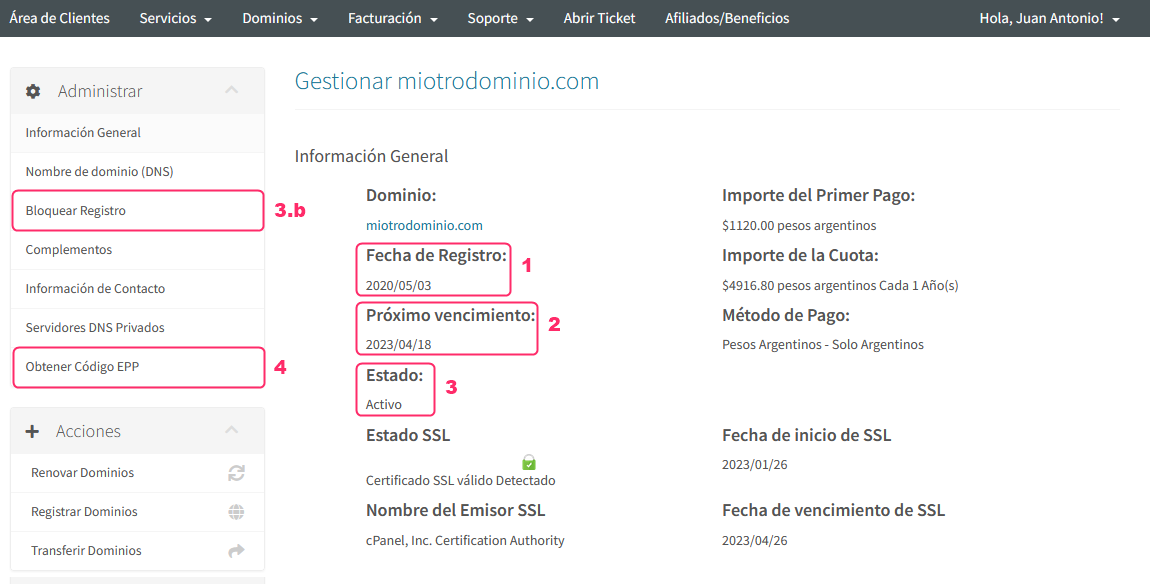
The external domain provider will ask you for the EPP Code or Auth Code to initiate the transfer.
Once the transfer is initiated, it will be completed within the next 7 days.