How do I create a database?
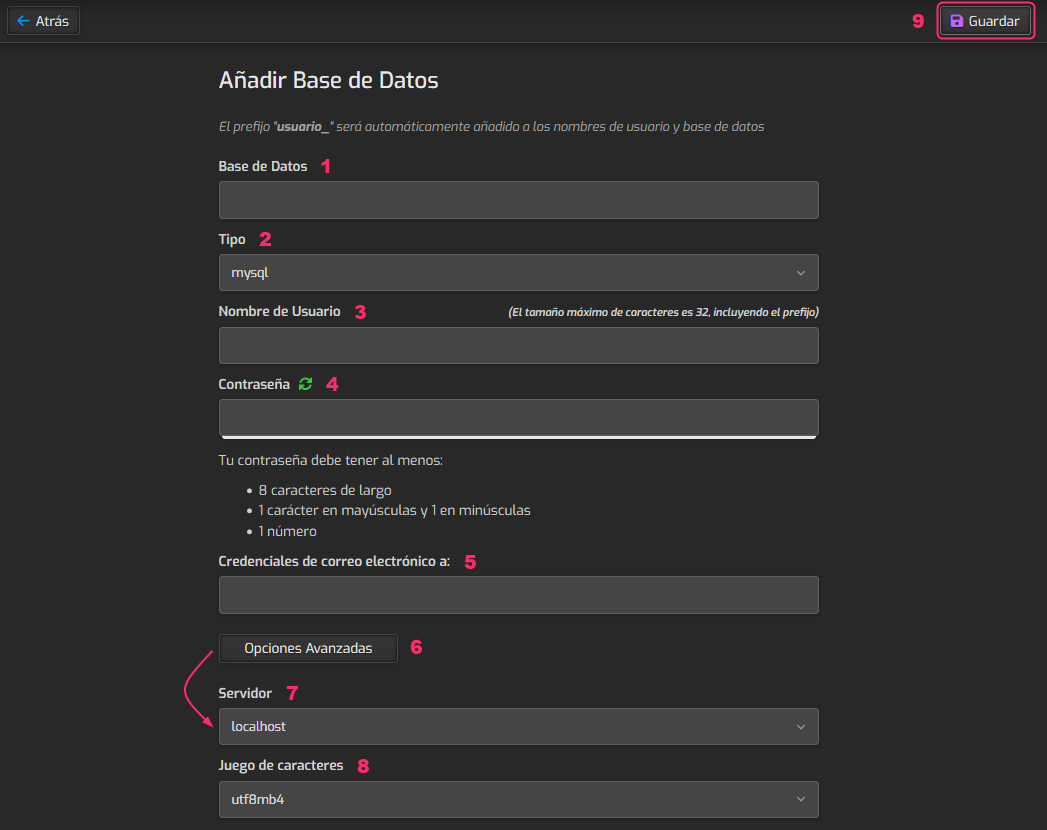
To create a database, follow these steps:
- Access the Databases area.
- You will see the list of created databases.
- Click the Add Database button to create a new database.
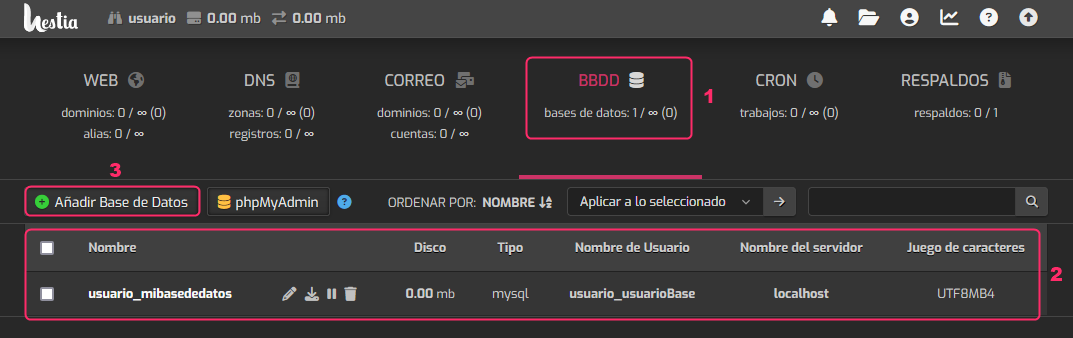
The settings to configure are:
- Enter the database name.
- The database type will always be mysql.
- Enter the username that will connect to the database.
- Set the database connection password.
- You can configure an email inbox to receive password change notifications.
- If you press the Advanced Options button, options 7 and 8 will be shown.
- You can configure the database to be local or remote.
- The character set is usually utf8 or utf8mb4.
- When you have everything filled in, save with the Save button.