How to change the PHP version in Plesk?
Hashtags: #MutliPHP #Manager #version
Below we will show you how to change the PHP version that your hosting plan’s website will use.
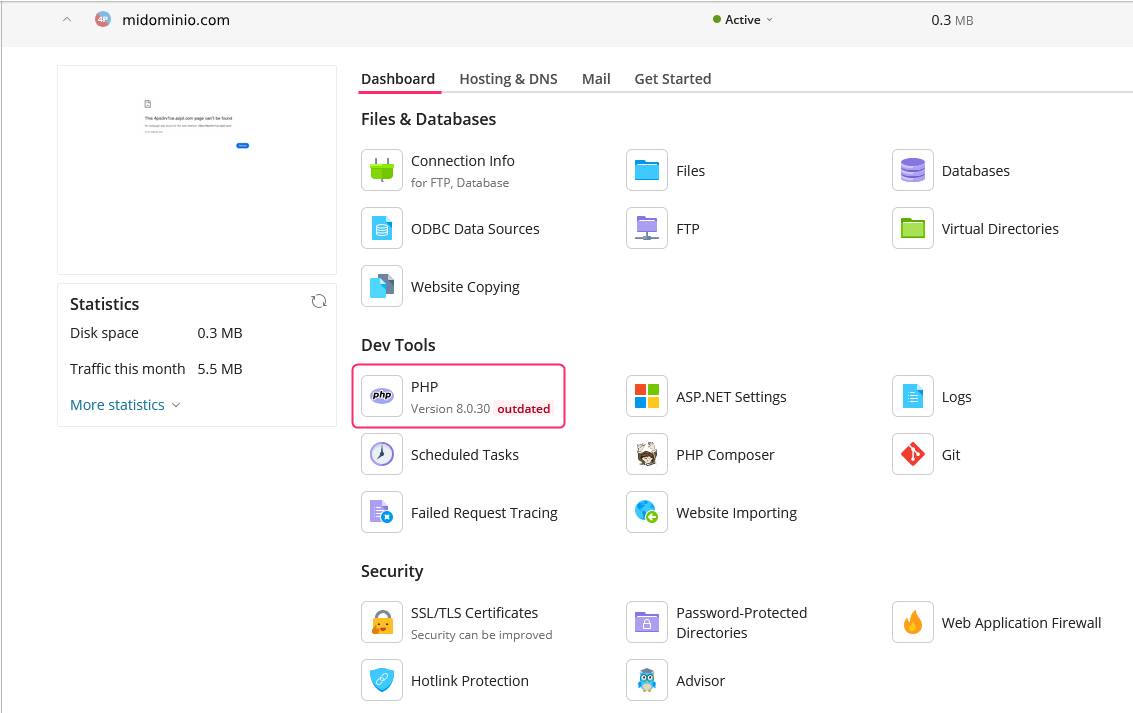
To change the PHP version you must enter the PHP tool, within the options of the Dashboard box, in the control panel.
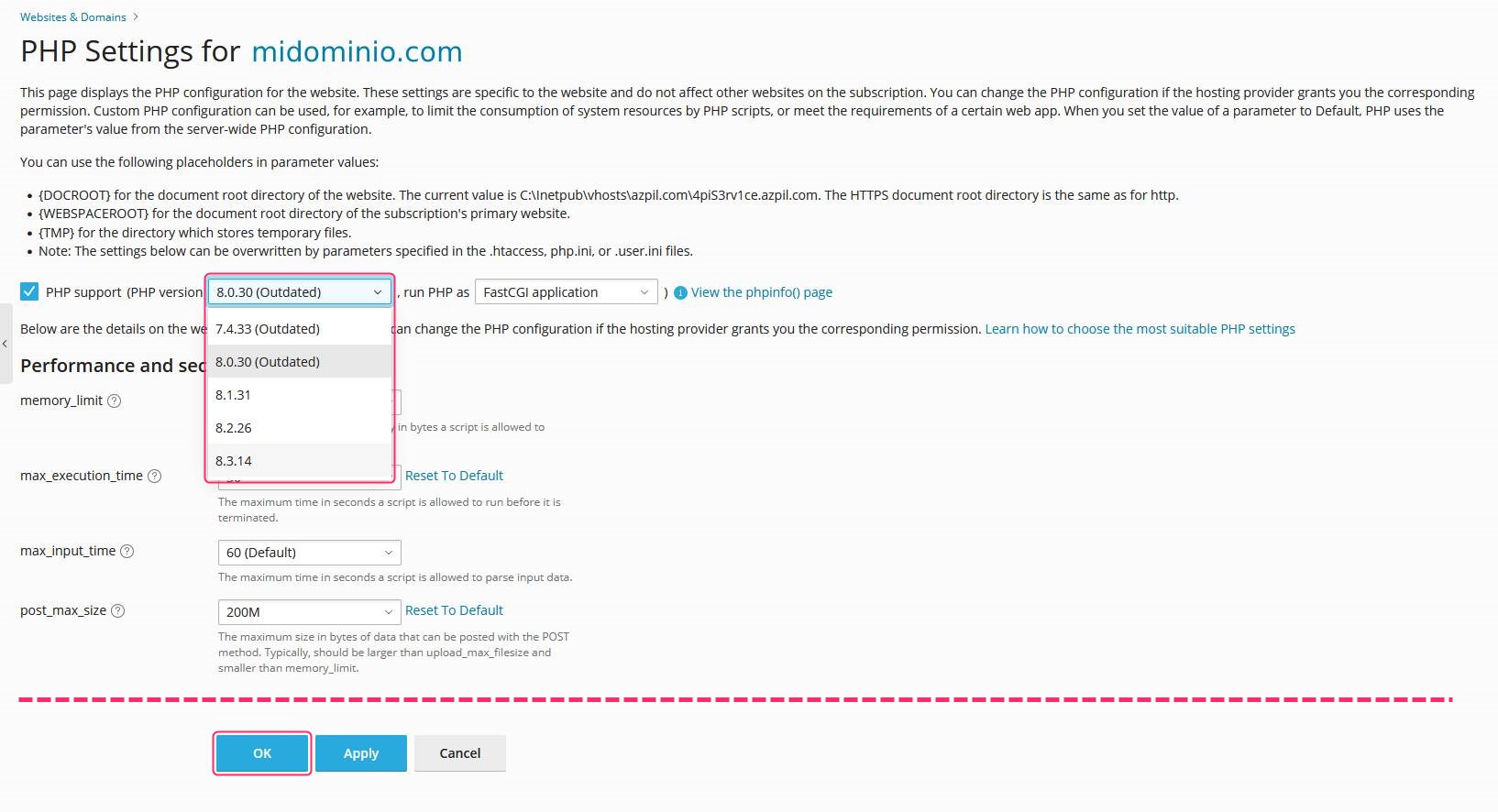
On the PHP Settings screen of your domain you will see a dropdown menu where you can choose the new PHP version you want to use.
At the bottom you will see the OK button to save the change.