How do I create contact lists?
To create contact lists follow these steps:
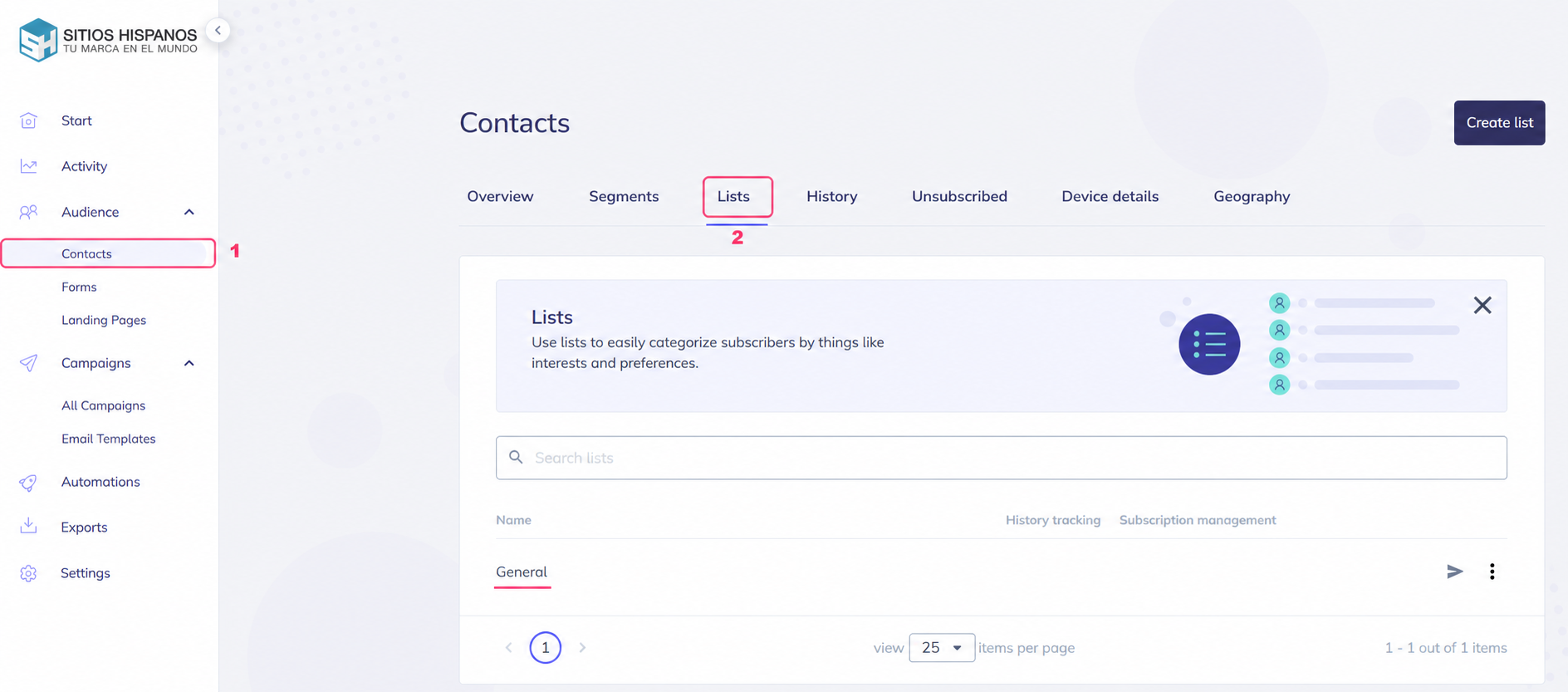
- In the left menu, go to Audience=>Contacts.
- In the central options bar you will see the Lists option. Go to that option.
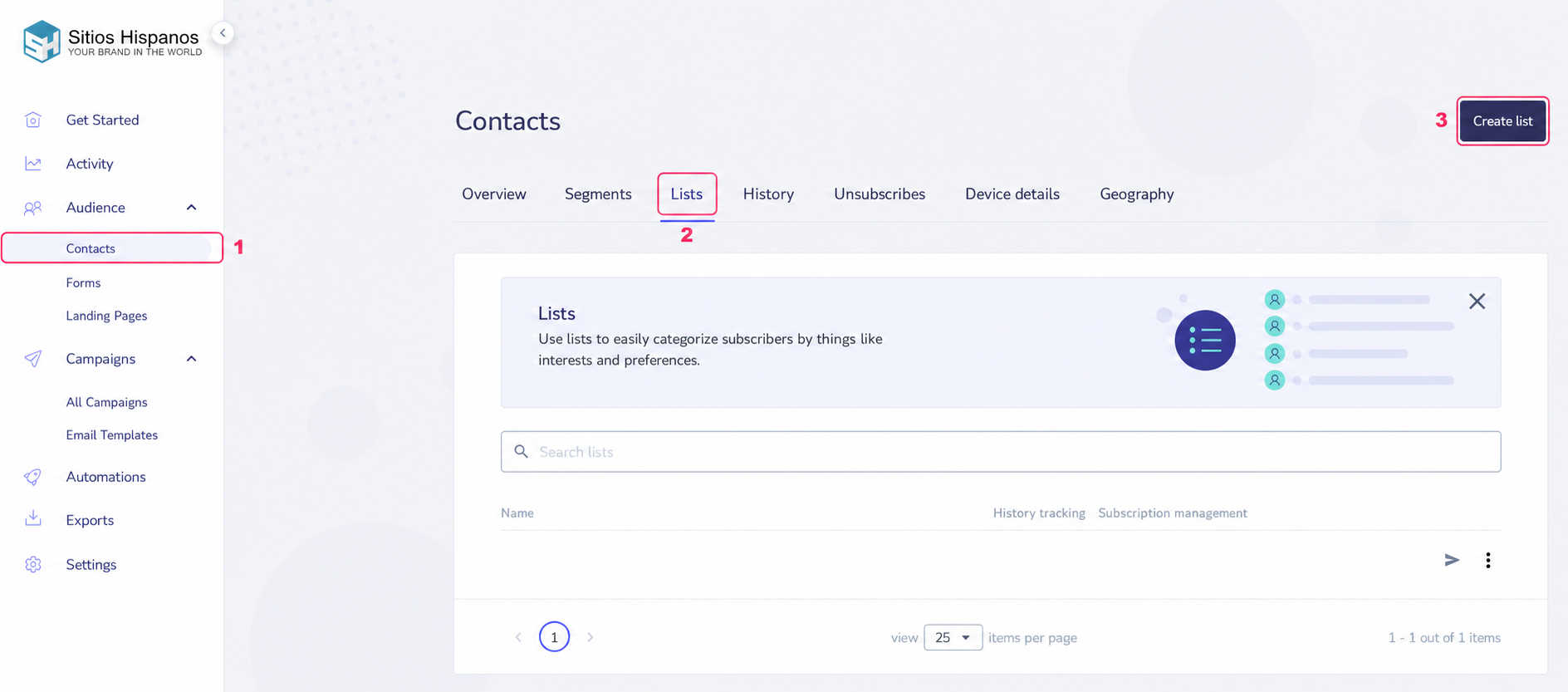
- When choosing Lists you’ll see your created contact lists in the center. At the top right, you’ll see the Create List button.
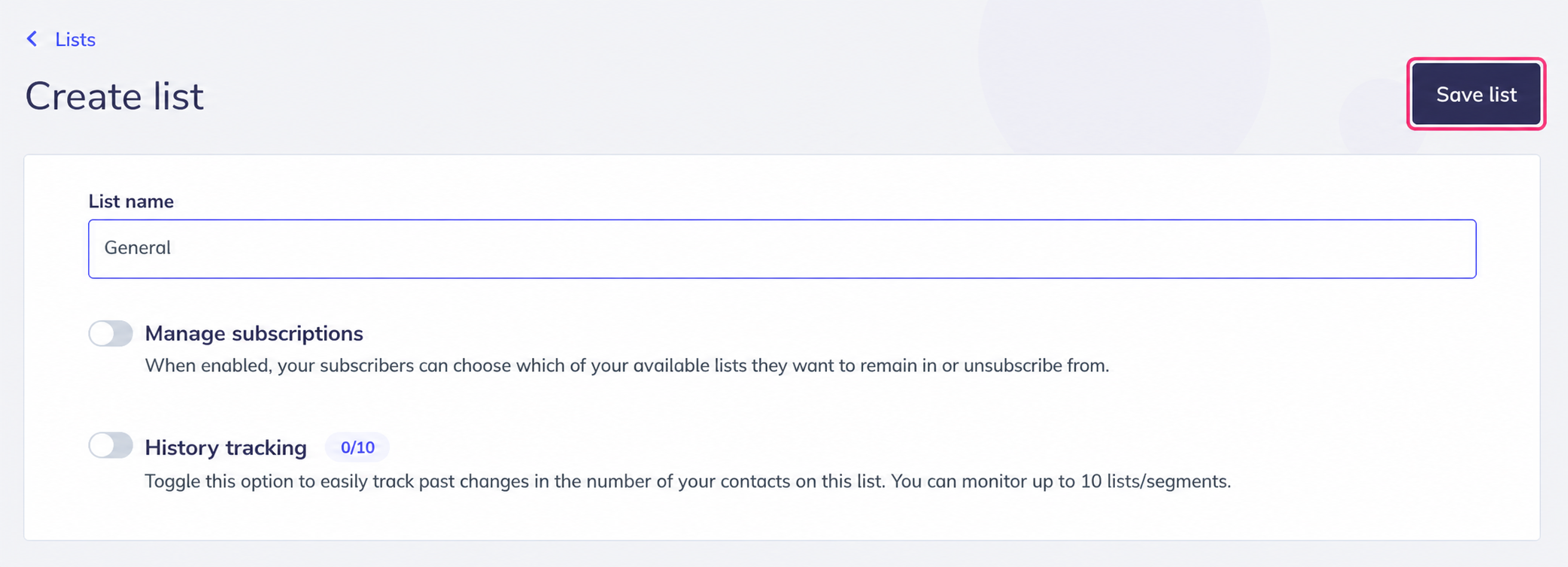
Creating a contact list is quite simple. It will ask you for a name and give you options related to list management.
At the top right, you’ll see the button to save the new list.
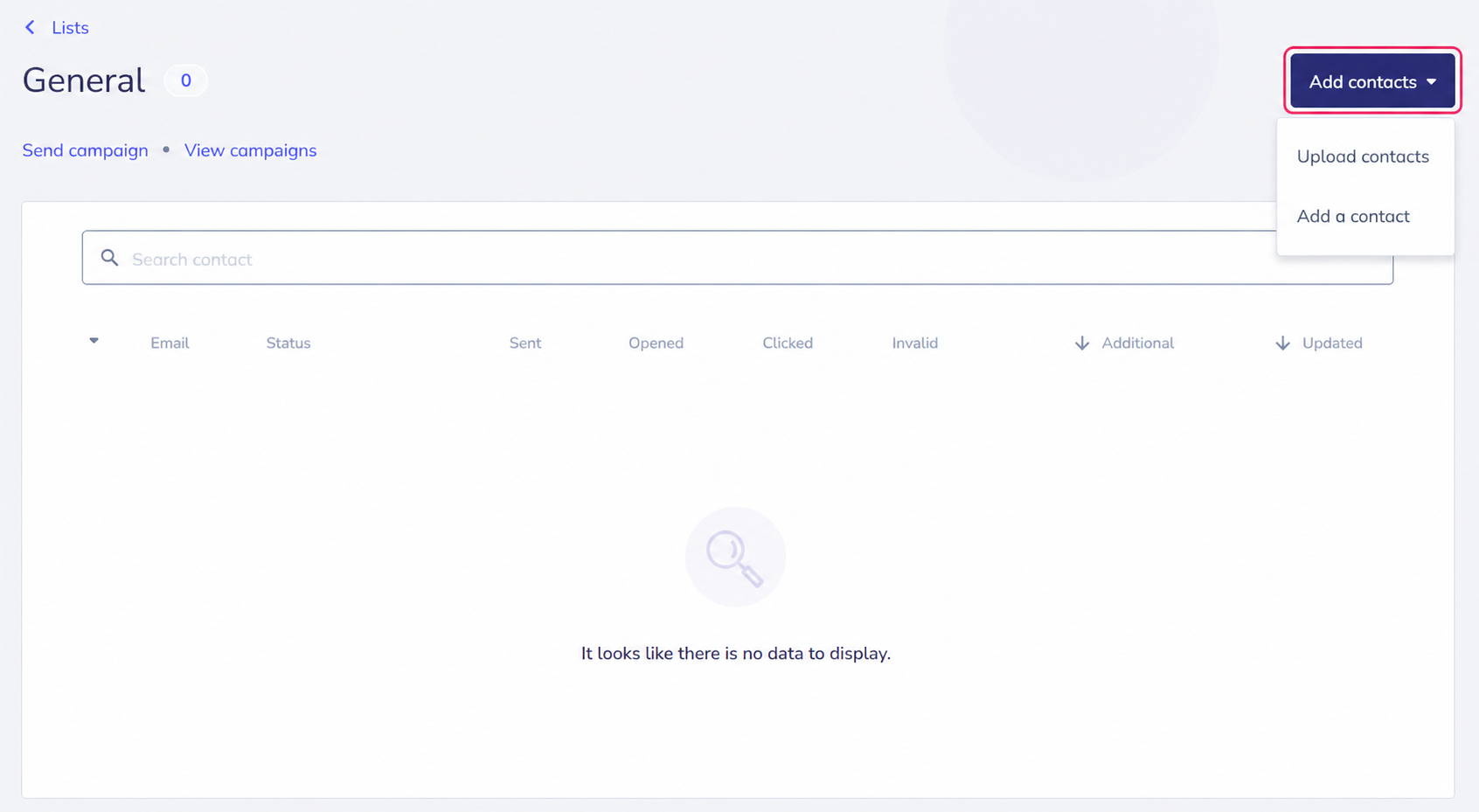
If the list you are creating is your first contact list, a screen will appear to add new contacts. You can add them by pressing the Add contacts button.
Once you have created your contact list you can view it by going to Audience=>Contacts, then to Lists and, in the center of the screen, you will see all your contact lists.
You can enter each one to see the contacts it contains and add new ones.