
How to change the PHP version of an account in HestiaCP?
To change the PHP version used by a created hosting account, follow these steps:
- Within the account to modify, go to the WEB area.
- Then, modify the domain data by clicking the pencil icon.
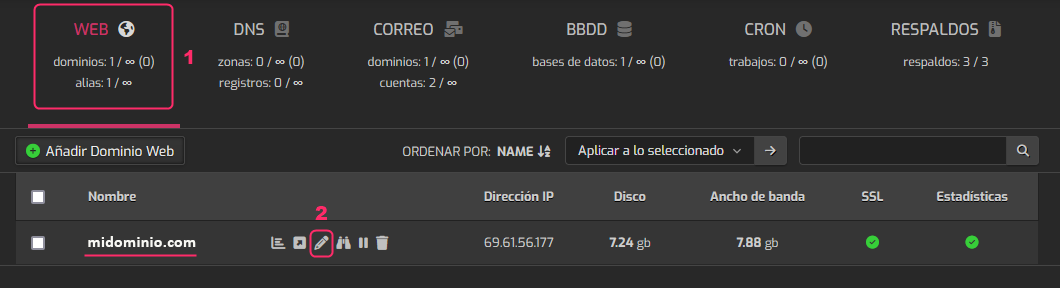
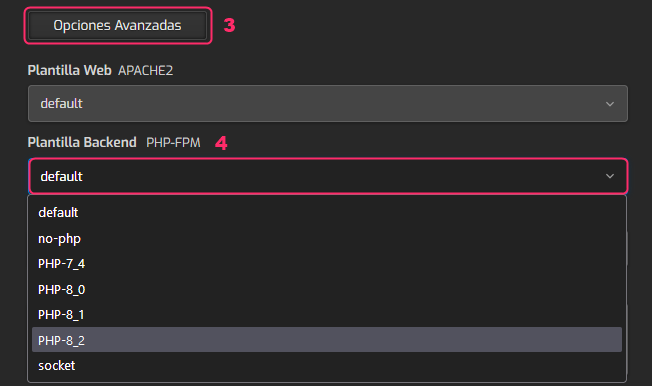
- In the domain configuration area you must scroll down until you find the button that says Advanced Options. Press this button to open more options.
- Among the new options that appear, open the dropdown menu that says Backend Template.
Choose the PHP version your website needs.
- Finally, save the changes by pressing the Save button, on the bar you will see at the very top of the account configuration screen.
