How do I cancel a service?
Hashtags: #CancelService #Cancel #Unsubscribe
If you want to cancel a subscribed plan or service, follow these steps:
- Log in to your Client Area.
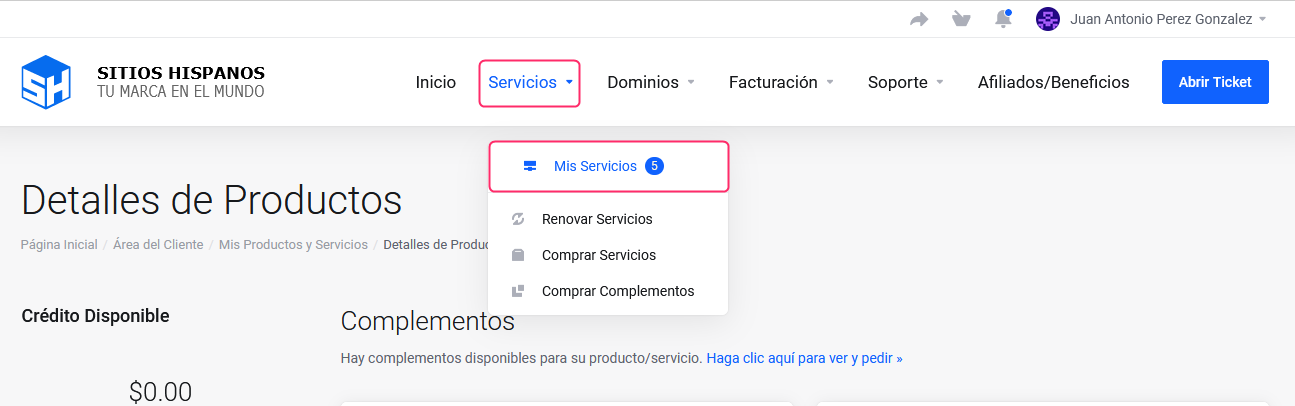
If you don’t remember how to log in follow this link: How to access the Client Area - In your Client Area click “Services” in the menu and select “My Services”.
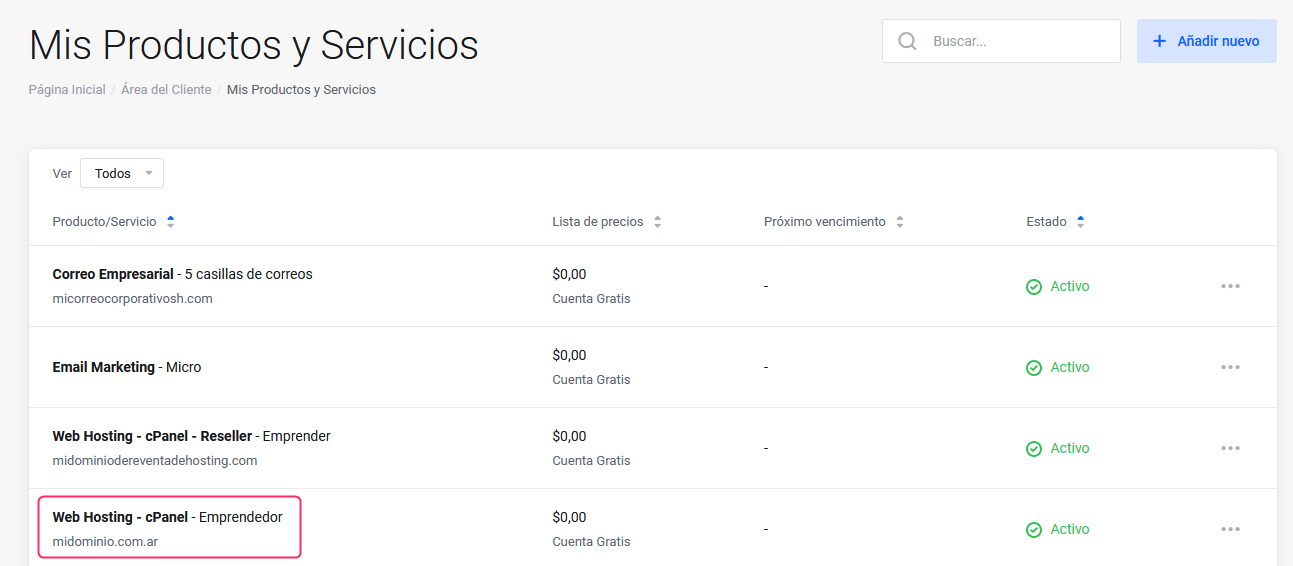
- Click on the plan or service you want to cancel.
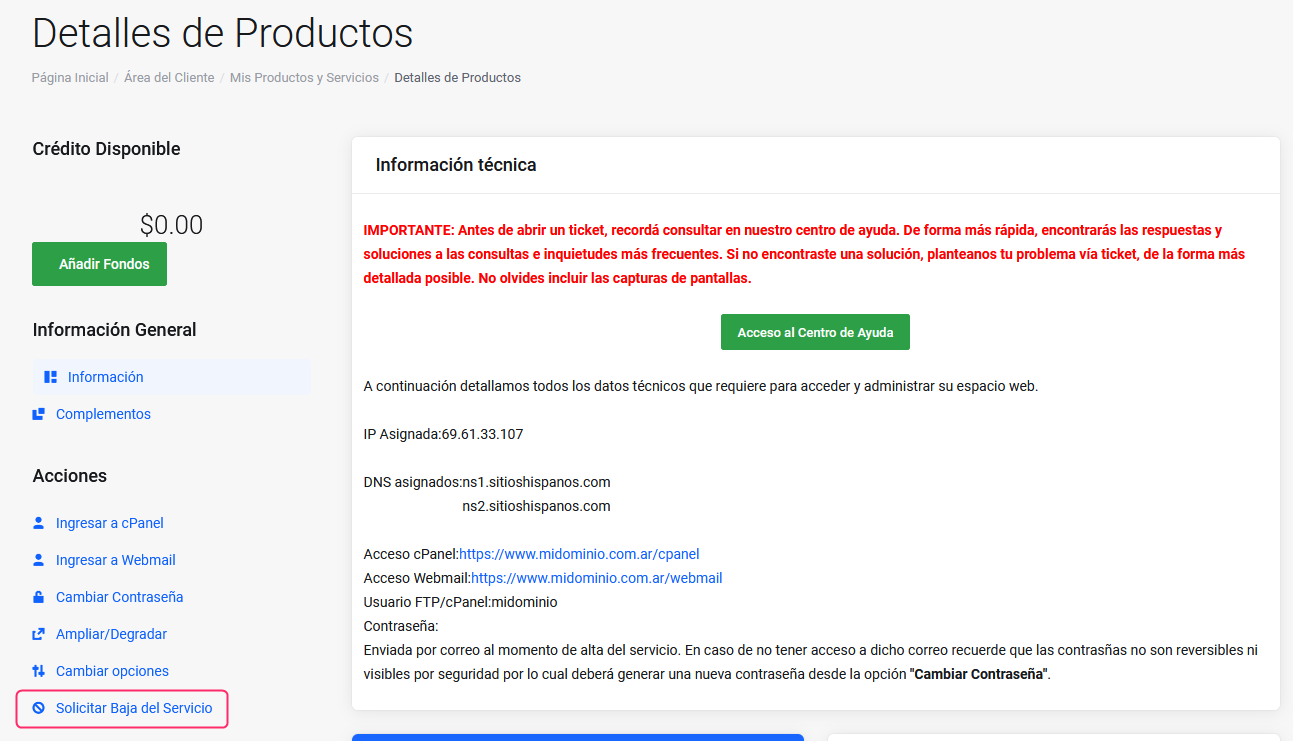
- Select the option Request Service Cancellation that you’ll see in the Actions section of the left menu, on the Product Details screen.
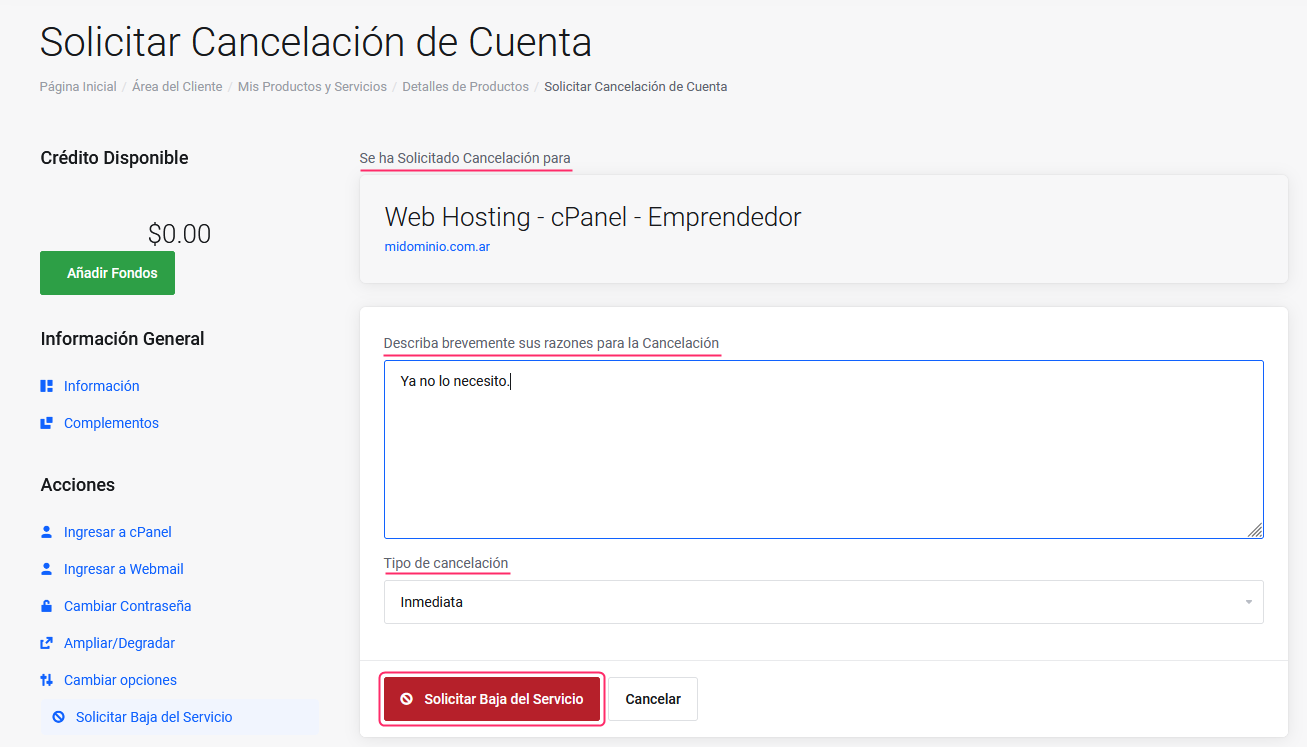
- On the service cancellation screen you will see the following information and options:
- You will see the plan or service you want to cancel.
- Below, you will find a box where you can write a brief reason for cancelling the service. This point is very important to us as it will help us improve the service.
- You can choose an immediate cancellation of the service or at the end of the contracted period.
- When you are ready to proceed with cancelling your plan or service, press the “Request Service Cancellation” button