How to create FTP sessions for a user in HestiaCP?
Normally, an account is accessed via FTP using the credentials of its main User, created for each hosting account.
If you want to give restricted FTP access to certain directories or allow access only via FTP without being able to log into the Control Panel, then you will need to create an Additional FTP Account.
To create an Additional FTP Account follow these steps:
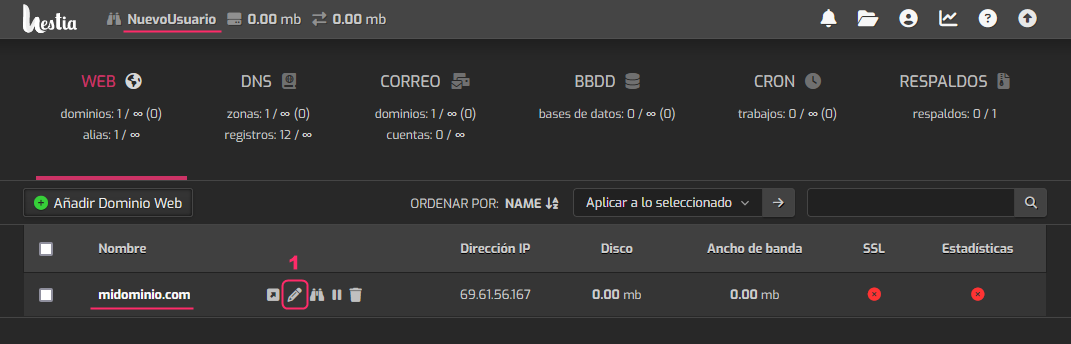
- Log in as the user that has the hosting account you want to give FTP access to.\ To the right of the account’s domain, select the pencil icon to edit it.
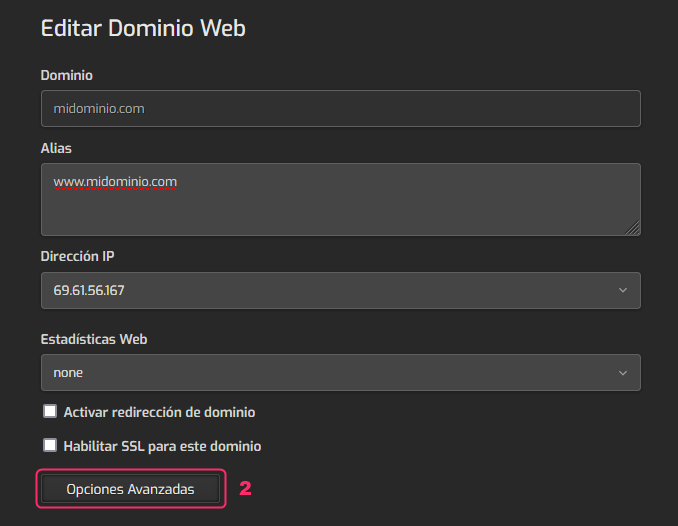
- On the account edit screen click the Advanced Options button.
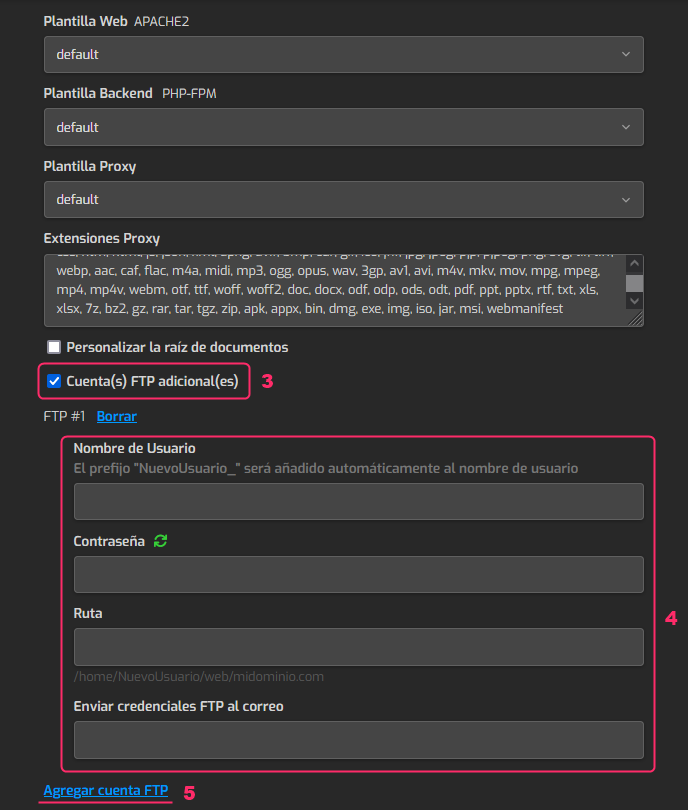
- In the account’s advanced options check the option that says: Additional FTP Account(s).
- Fill in the connection details for this new FTP account.\ In Path, you must choose the directory that this FTP account will be able to access, if you want to restrict access to certain areas.
- By clicking Add FTP Account you can add new FTP accounts like the one you are configuring.
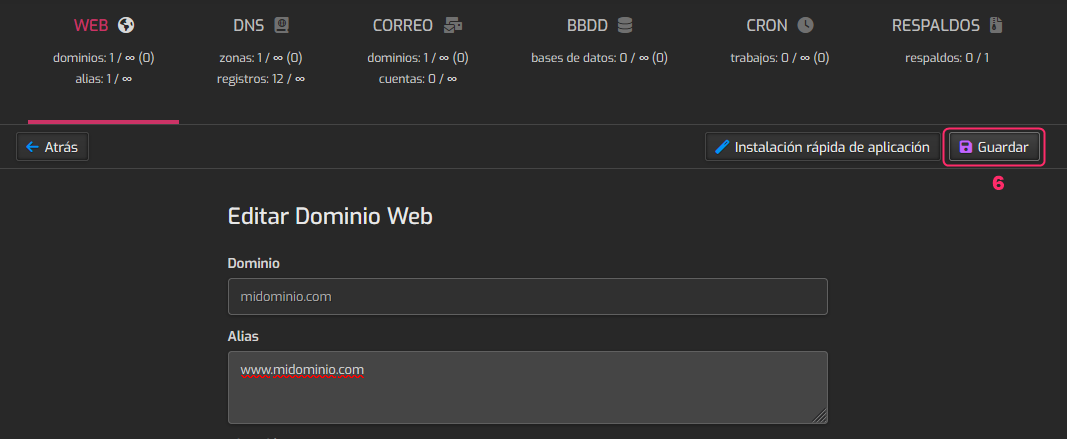
- When you’ve finished configuring the new FTP account go to the top of this screen and press the Save button in the upper right.