How to change password, quotas and other options for my mailboxes in cPanel?
Hashtags: #space #password #limit #maximum #size #key #quota
Below we will show you how to change the password, storage limits and other options for your mailboxes.
There are two ways to access the settings of your mailboxes:
Access from cPanel
- In your browser type the following web address:
mydomain.com/cpanel
Alternatively, you can log in with the web address:
cpanel.mydomain.com
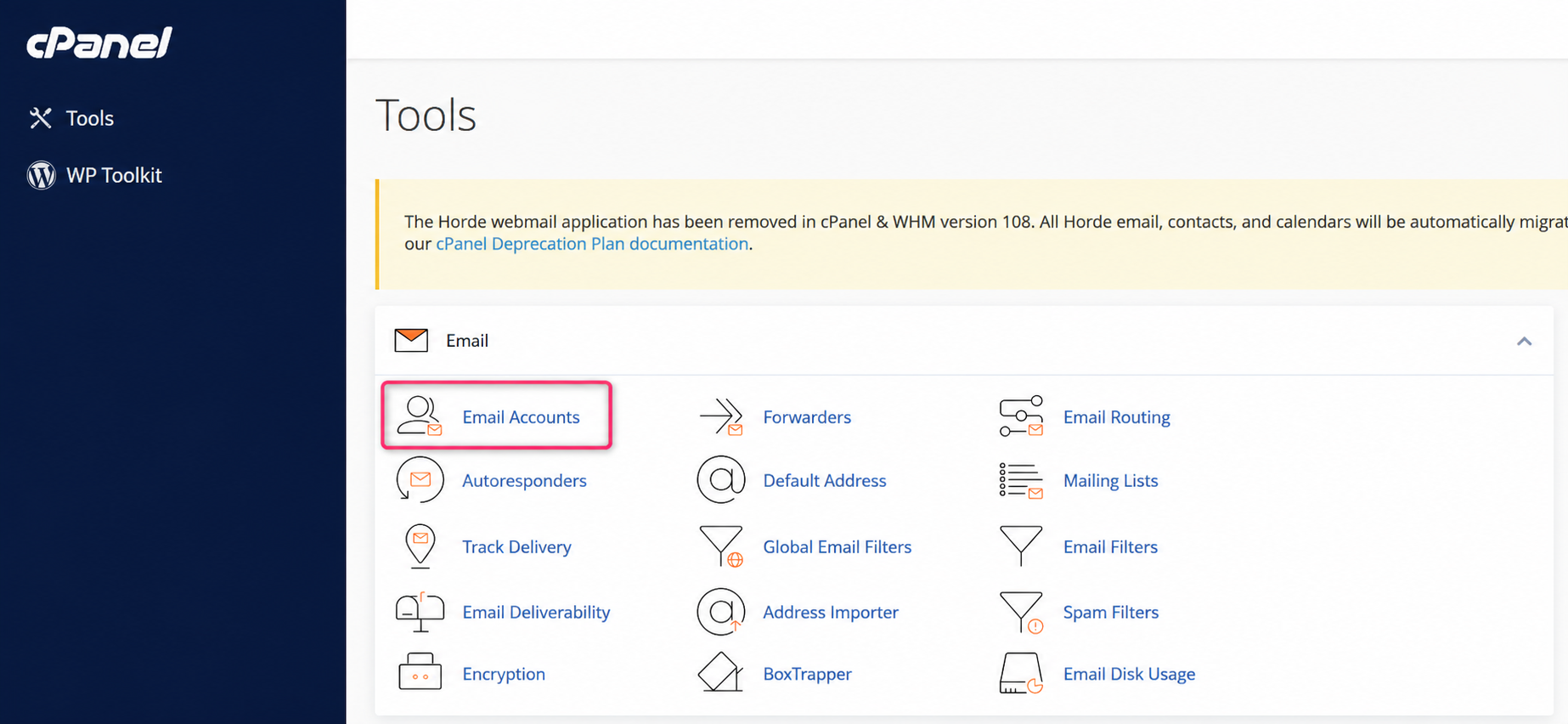
- Once in the cPanel control panel, go to Email Accounts, in the Email box.
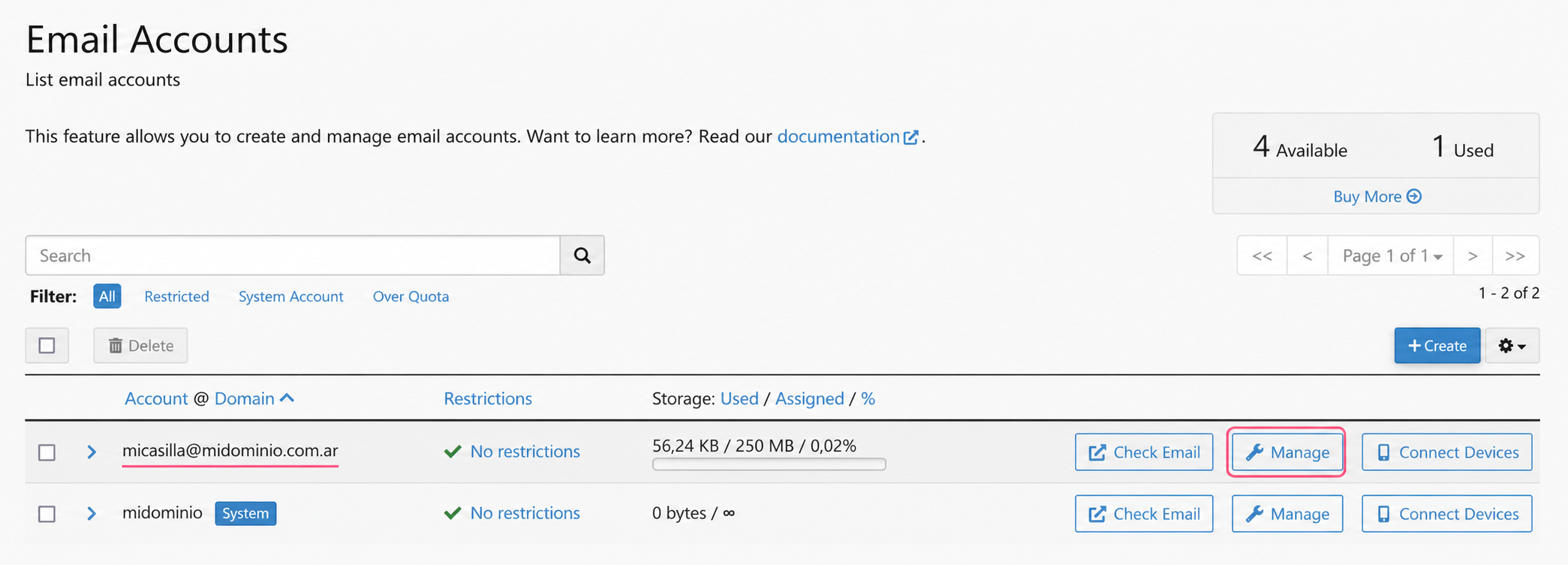
- Once you see your list of created mailboxes press the Manage button on the one you want to modify.
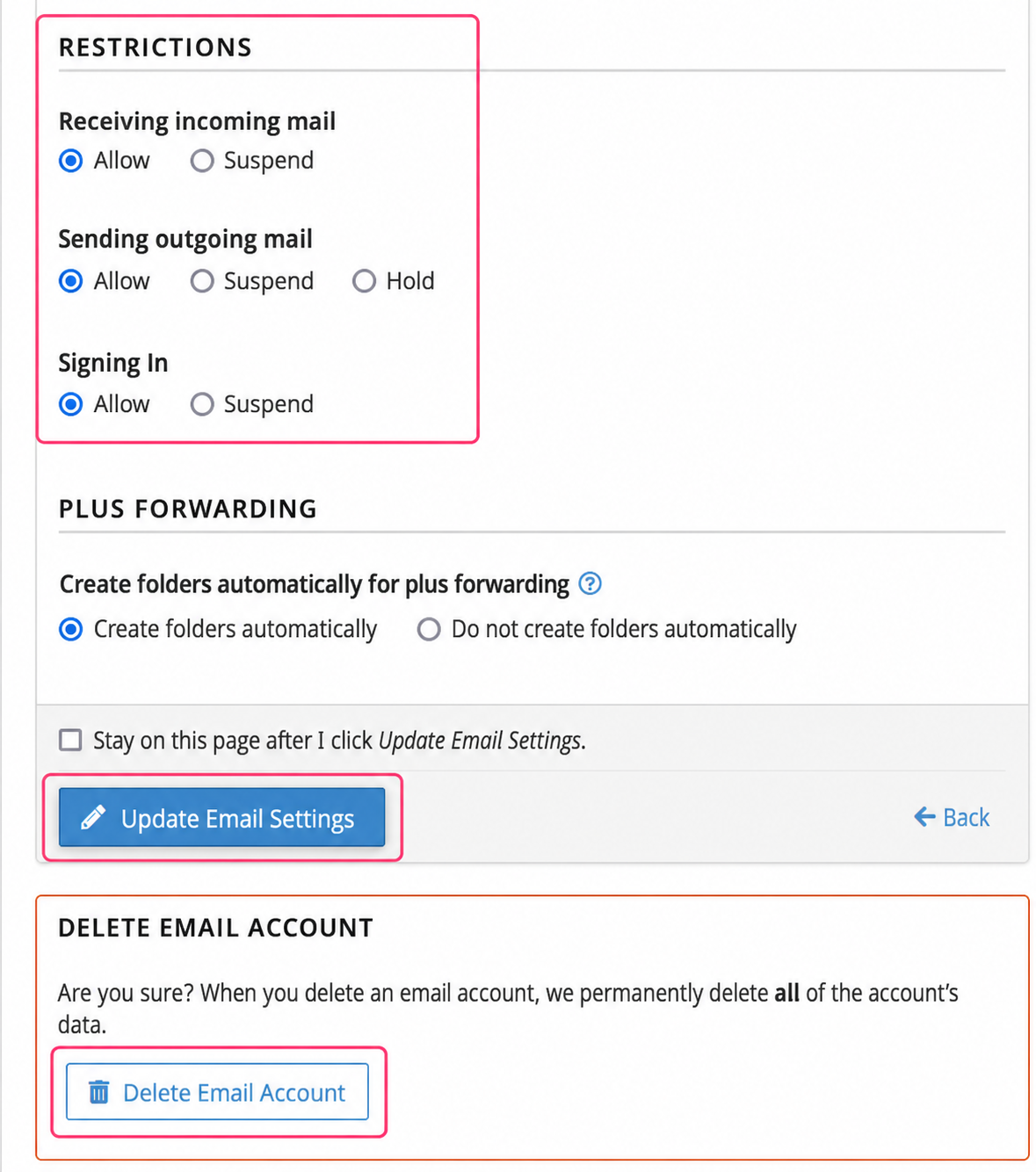
- On the new screen you will see several options that you can modify:
- You can change the mailbox password
- You can modify the maximum storage the mailbox occupies
- You can assign restrictions and permissions
- You can delete the mailbox.
.png)
Access to email account settings from the Client Area
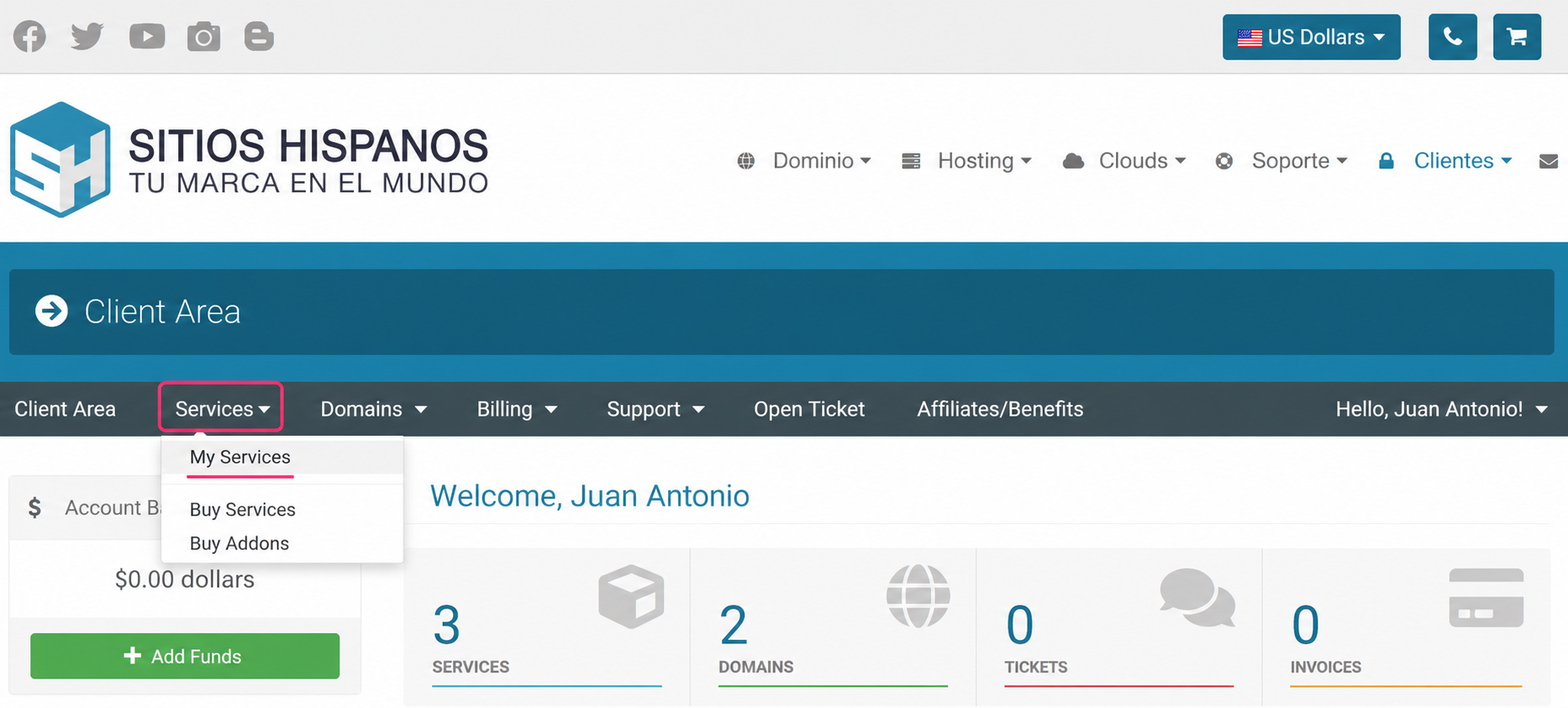
- Log in to your Client Area and click on Services, then on My Services
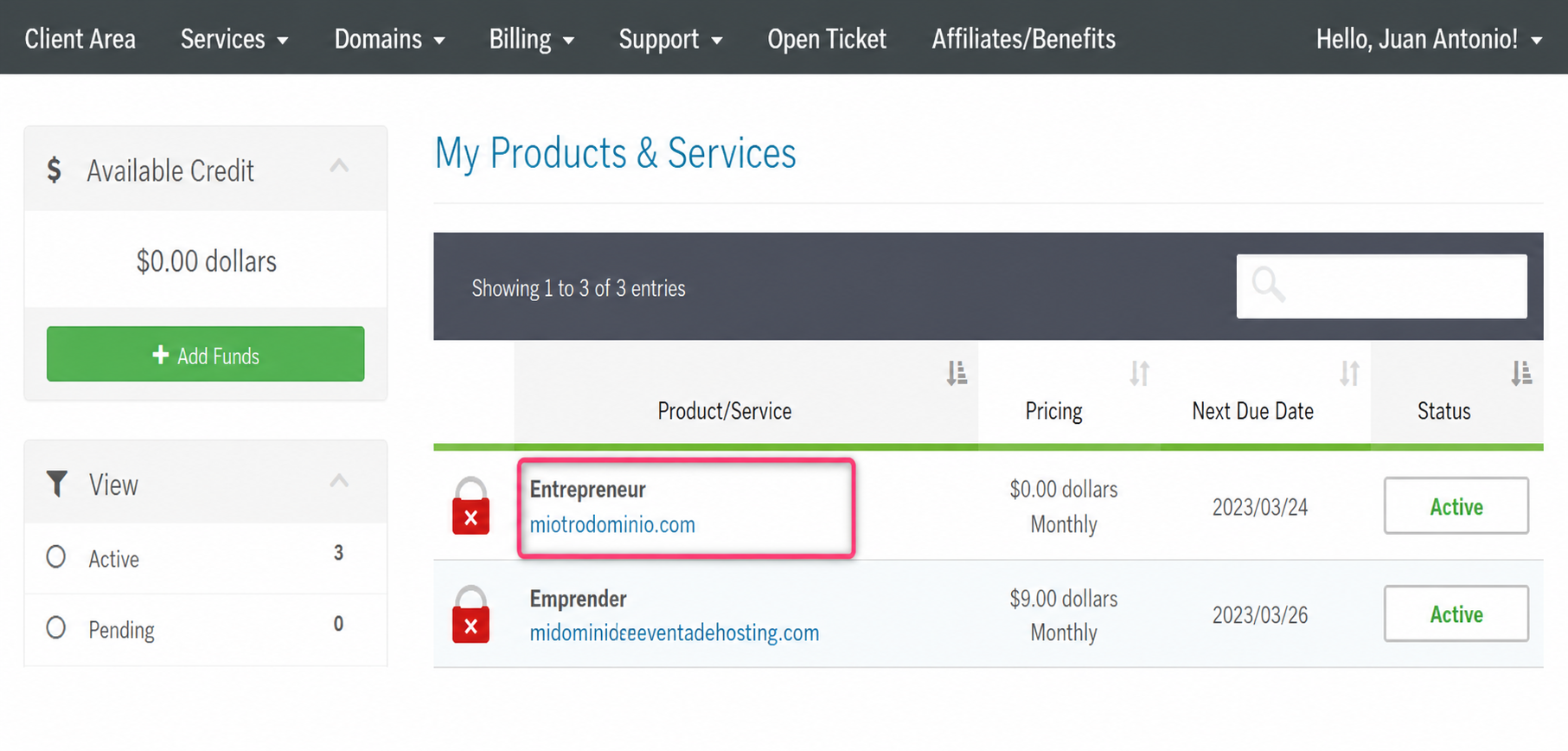
- From the list of hosting plans, enter the one whose mailbox you want to modify
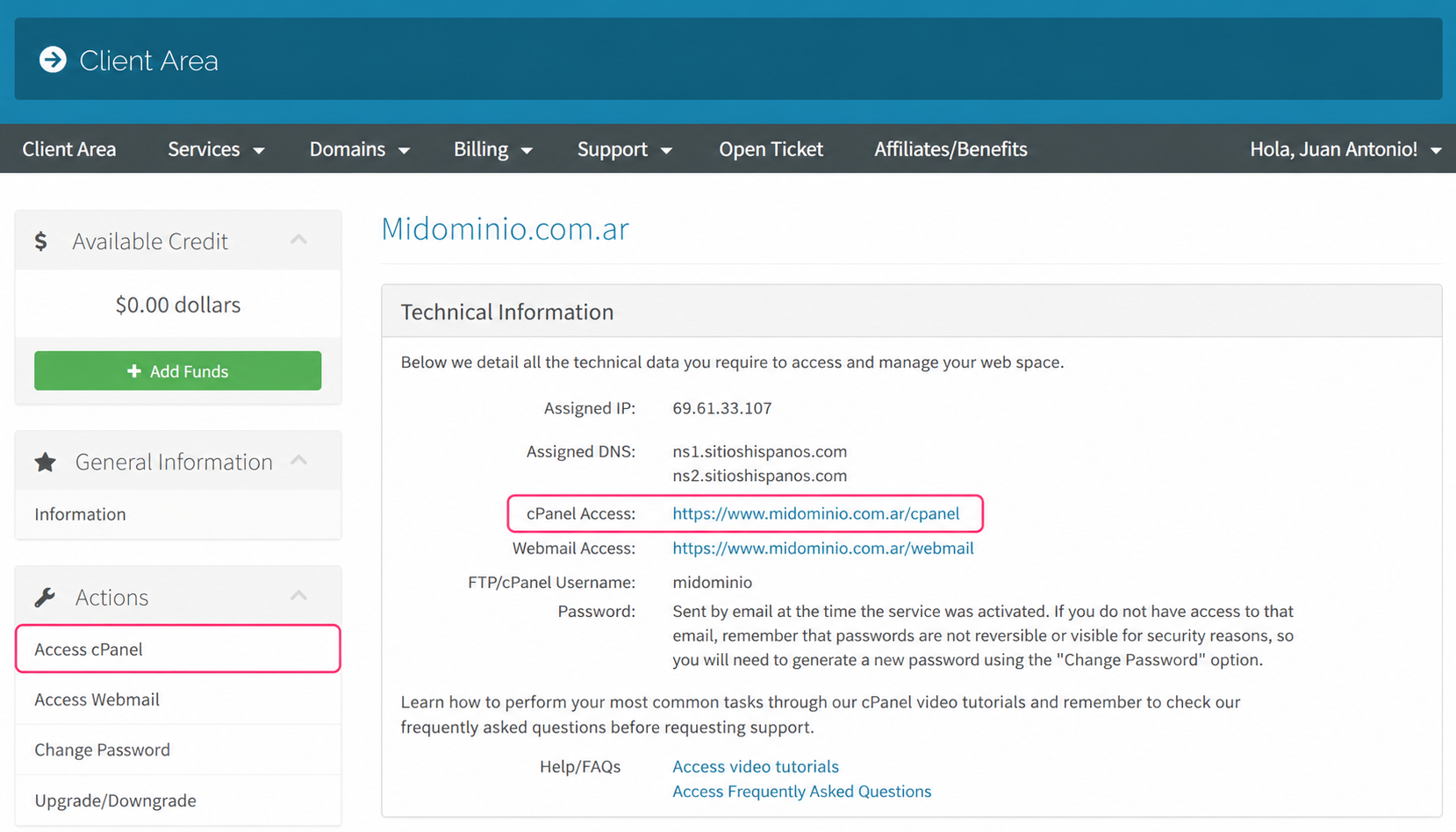
- On the new screen you will see the option to enter the cPanel control panel
You will also see, in the central Technical Information box, the direct link to the panel from your browser.
.png)
- Once in the cPanel control panel, go to Email Accounts, in the Email box.
- Once you see your list of created mailboxes press the Manage button on the mailbox you want to modify.
- On the new screen you will see several options that you can modify:
- You can change the mailbox password
- You can modify the maximum storage the mailbox occupies
- You can assign restrictions and permissions
- You can delete the mailbox.
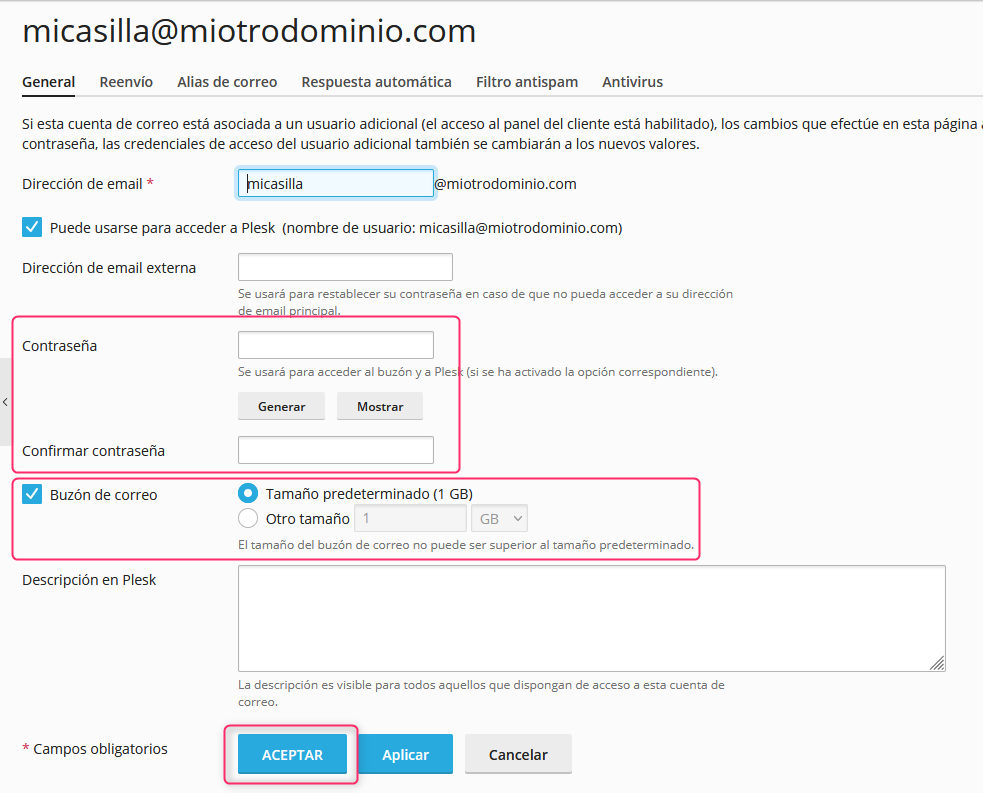
Change password and other options in Plesk
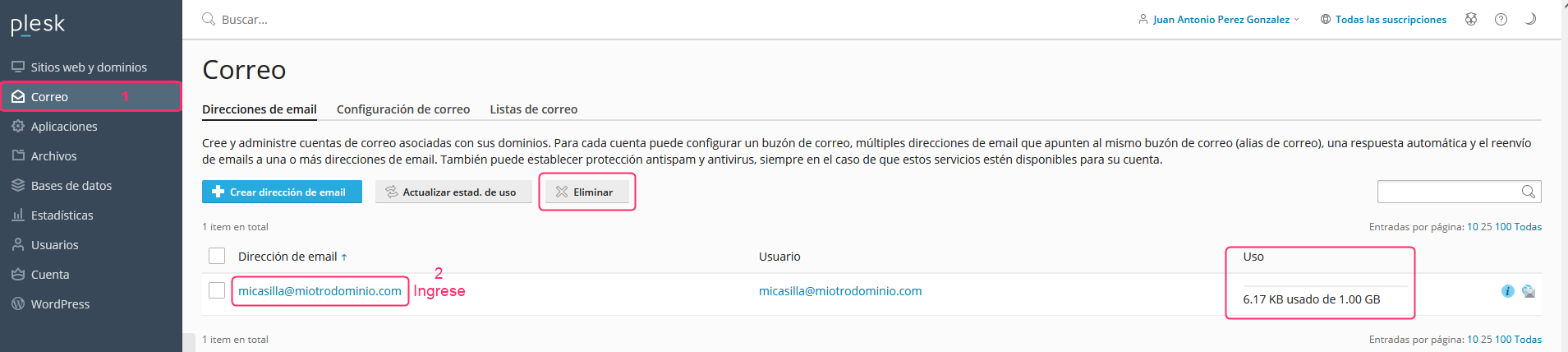
- When entering Plesk from your Client Area choose the Mail option in the left menu. You will see the list of created mailboxes, the space they occupy and a button to delete them
- Click on a mailbox and you will be able to modify its data.
On the new screen you will see several options that you can modify:
- The mailbox name
- A secondary mailbox for password recovery
- Changing the mailbox password
- The maximum storage limit that the mailbox can occupy.
Pressing the ACCEPT button will save the changes made.