How to configure automatic email forwarding?
Below we will show you how to set up automatic email forwarding.
By configuring an email forwarder you can automatically forward emails that arrive in one mailbox to another mailbox.
Accessing the Forwarders tool
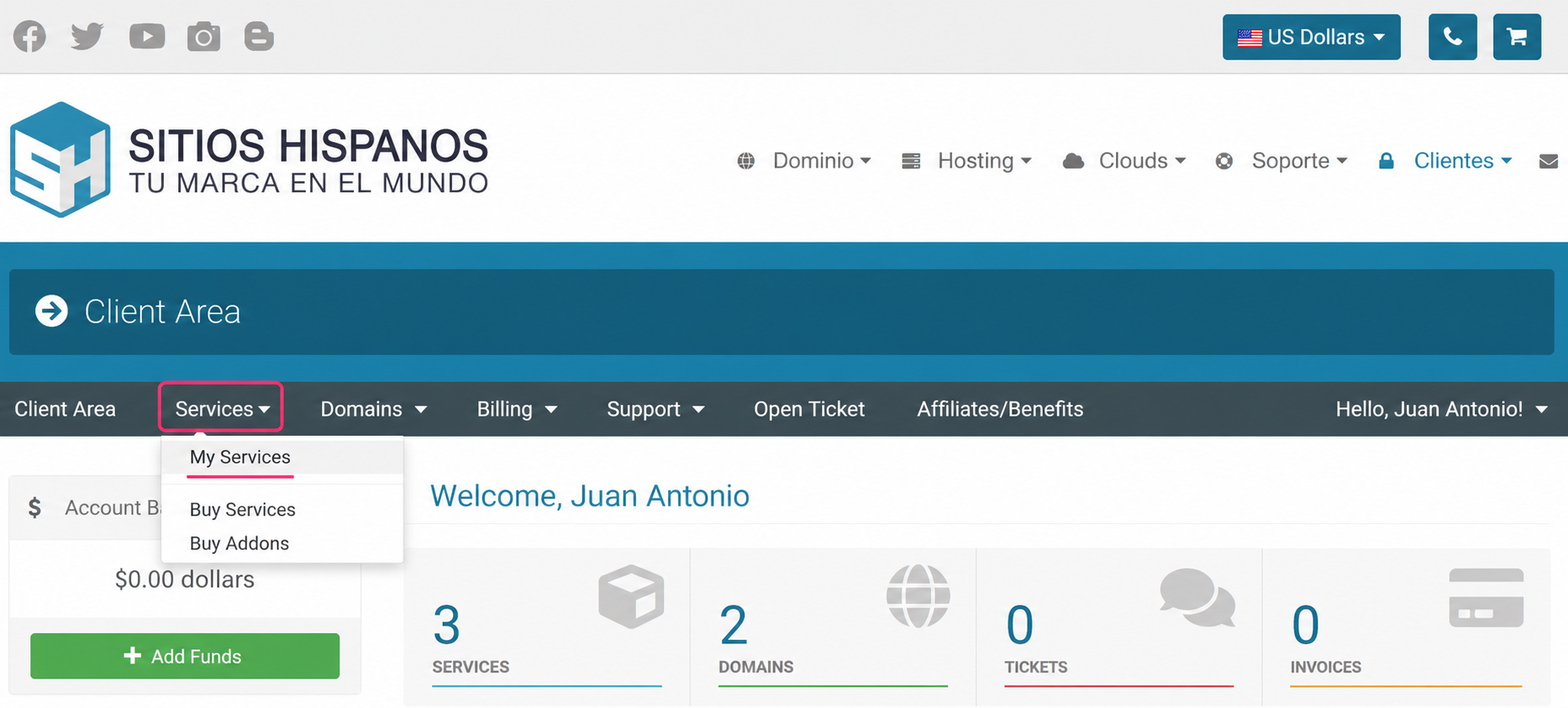
- Log in to your Client Area and click Services, then My Services
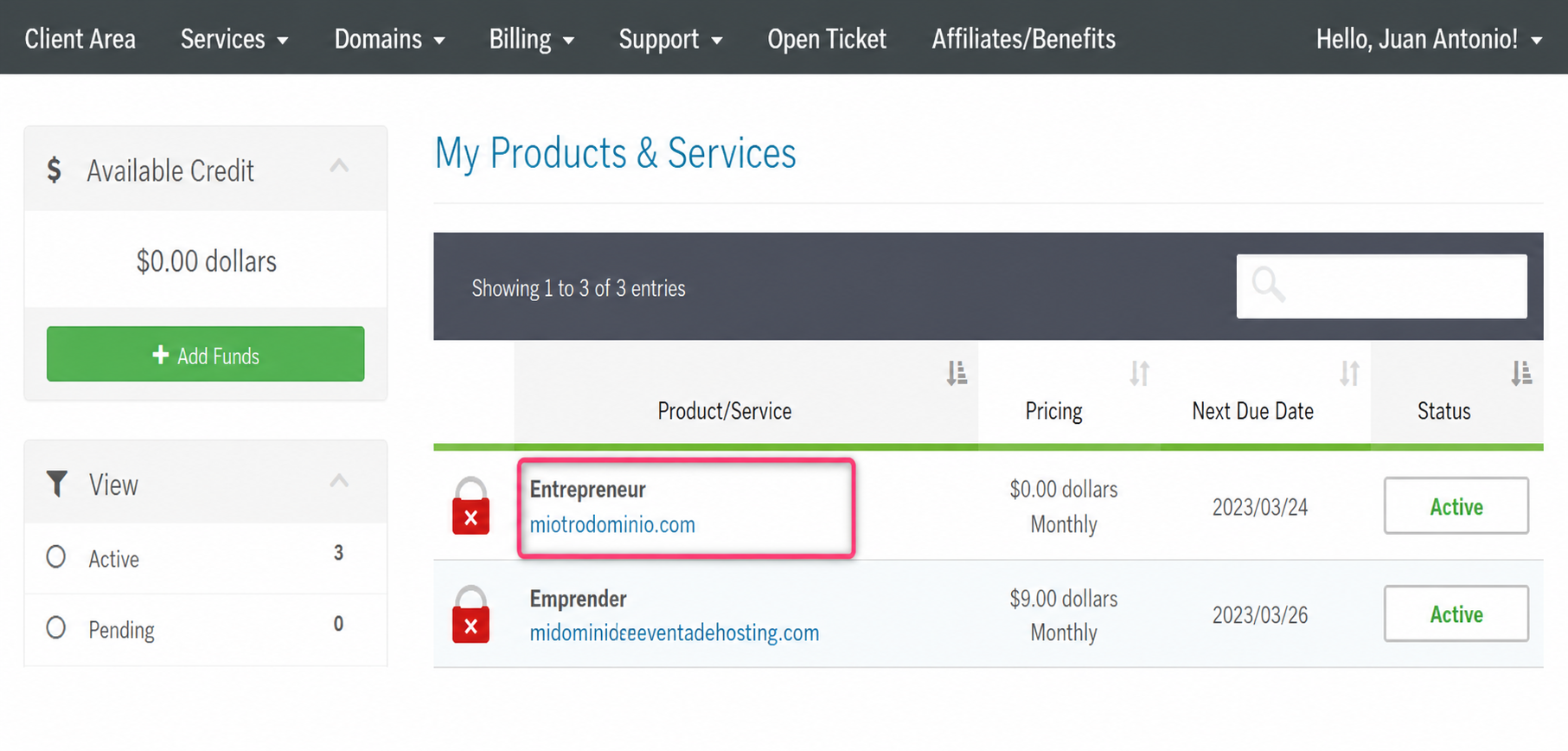
- From the list of hosting plans, enter the one where you want to enable a Forwarder
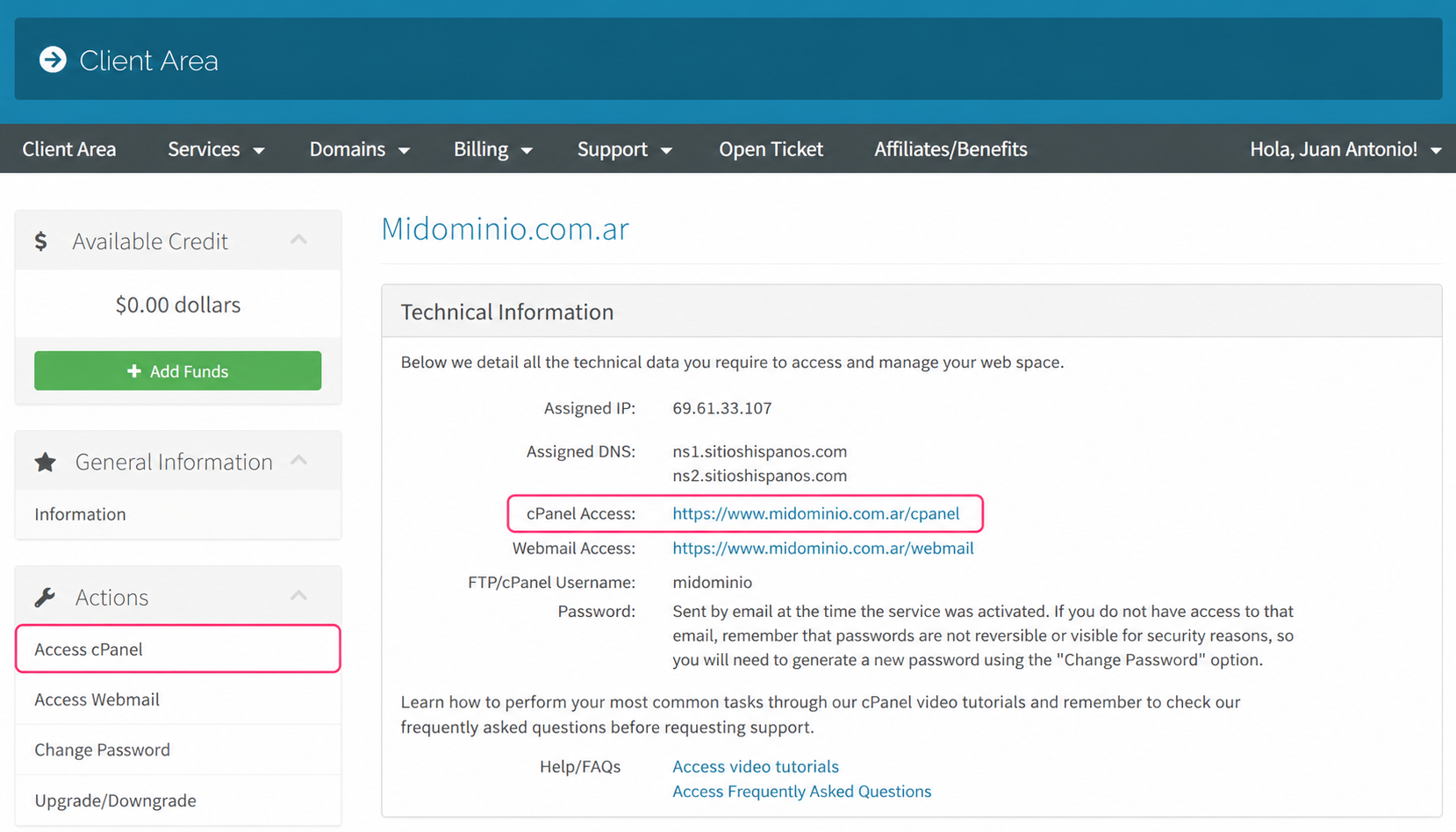
- On the new screen you will see, in the Actions box on the left, the option to enter the cPanel control panel. You will also see, in the central Technical Information box, the direct access to the panel from your browser.
- Once in the cPanel control panel go to Forwarders, in the Email box
.png)
- In the configuration screen define the domain with which your forwarders will be generated. Then choose to create an individual forwarder for a mailbox or a domain forwarder for all mailboxes of a domain.
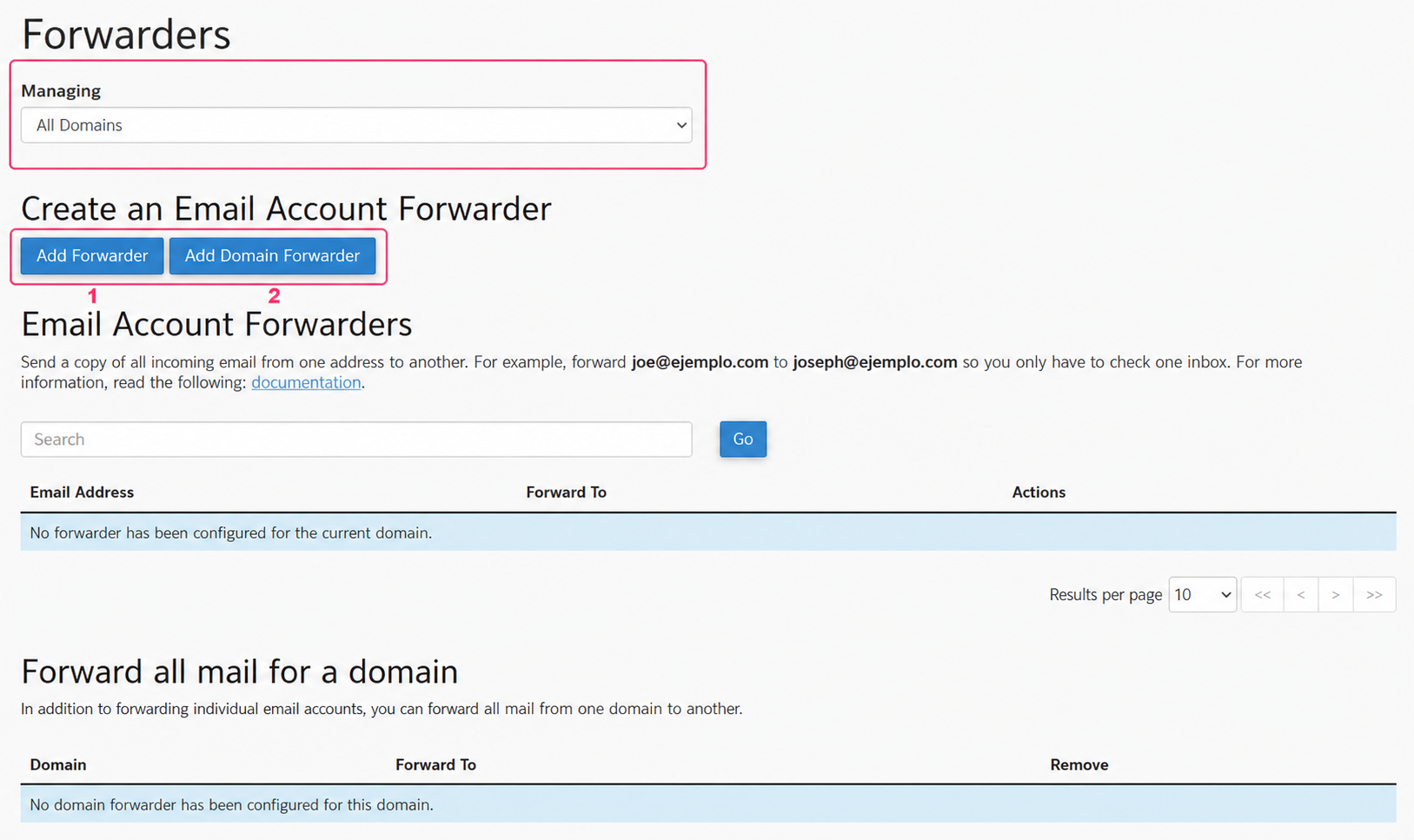
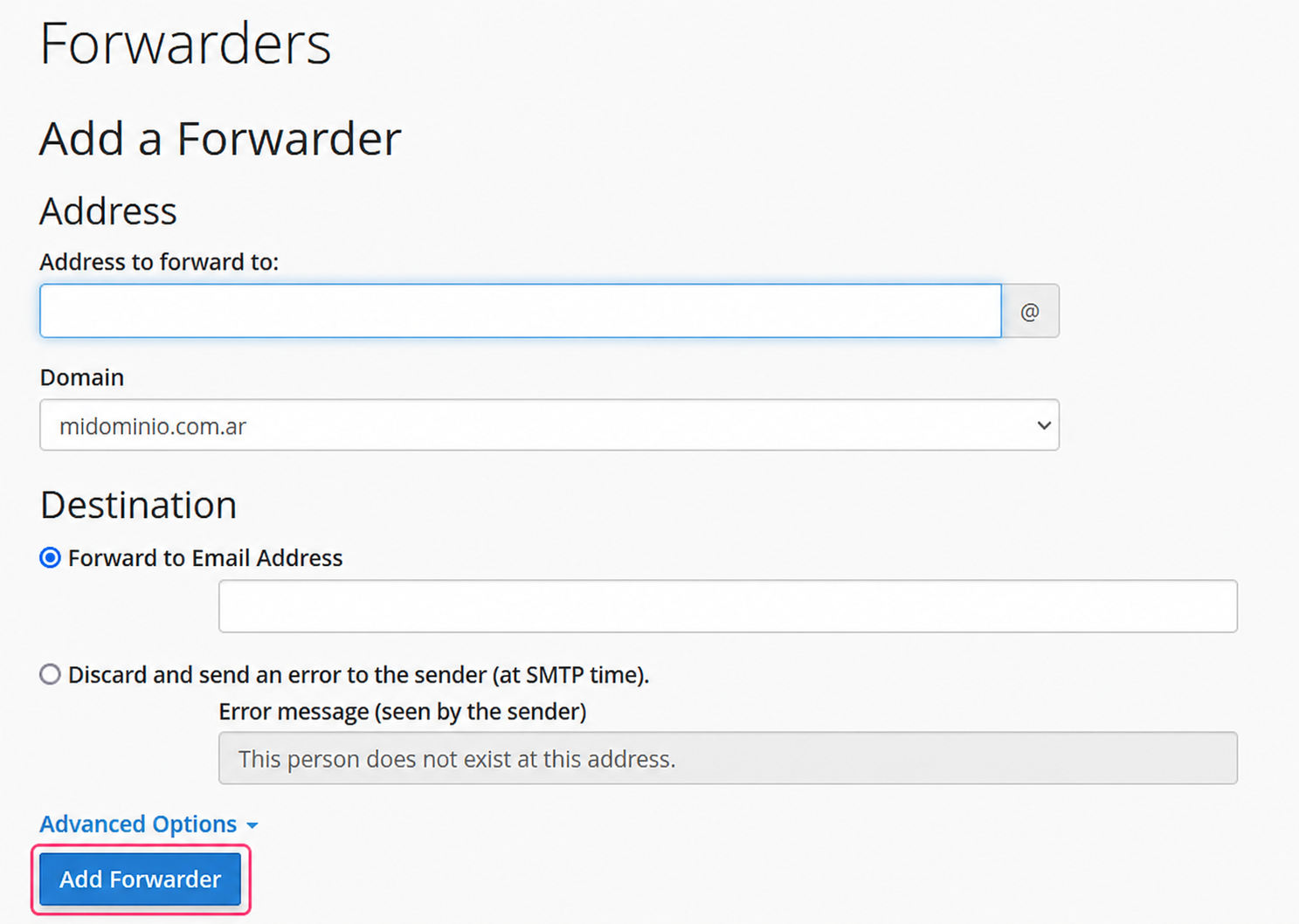
Individual forwarder:
The individual forwarder will ask you to configure the mailbox that will forward your emails and to which mailbox to forward them.
Use the Add Forwarder button to save your forwarder.
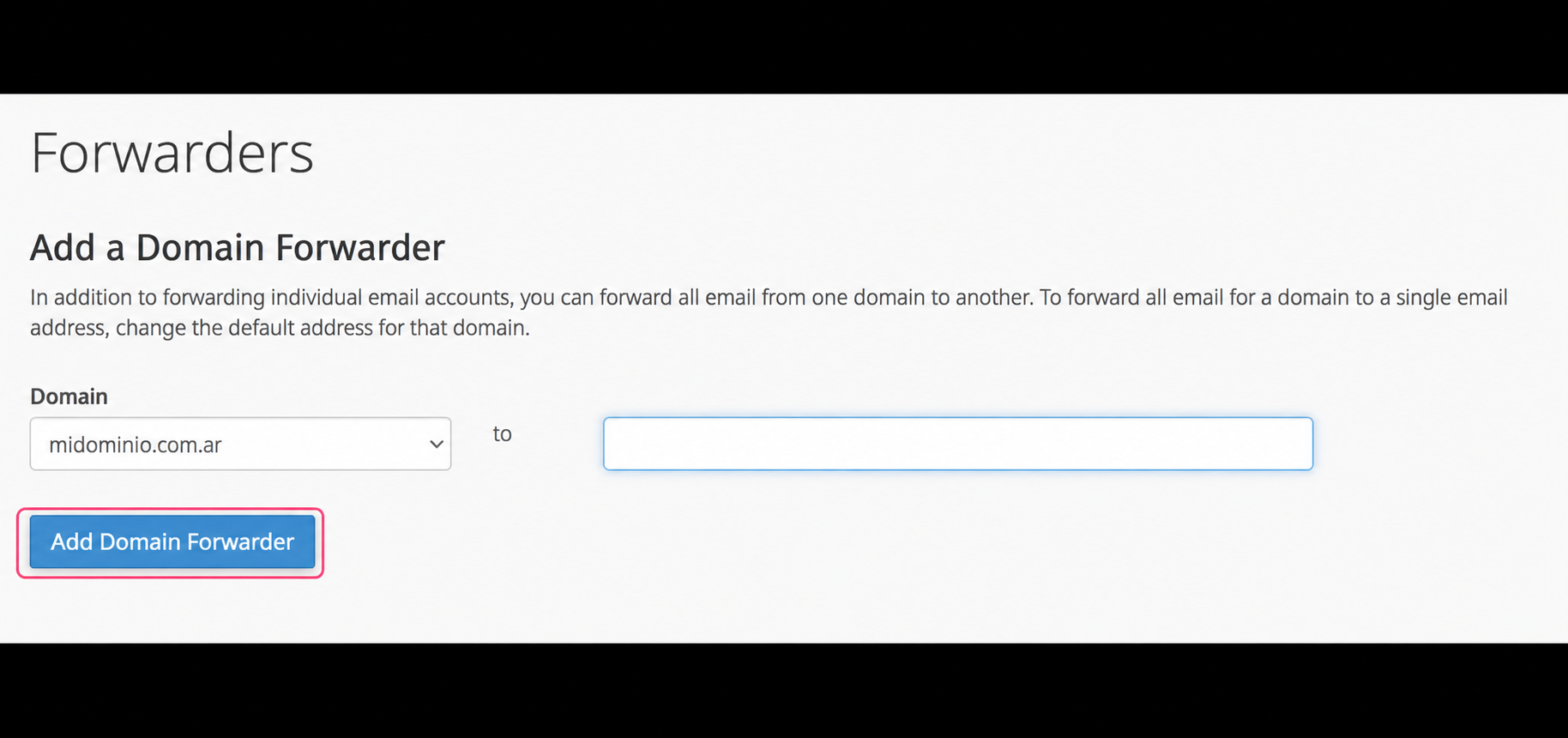
Domain forwarder:
The domain forwarder will allow you to forward all emails that arrive to the mailboxes of your domain to the corresponding mailboxes of another domain.
Use the Add Domain Forwarder button to save your forwarder.