
How to Install an SSL Certificate in Plesk?
SSL certificates are very important for online shopping portals or sites that need to encrypt sensitive information transferred between the user and the website.
They are also important to prevent security warnings that browsers may display.
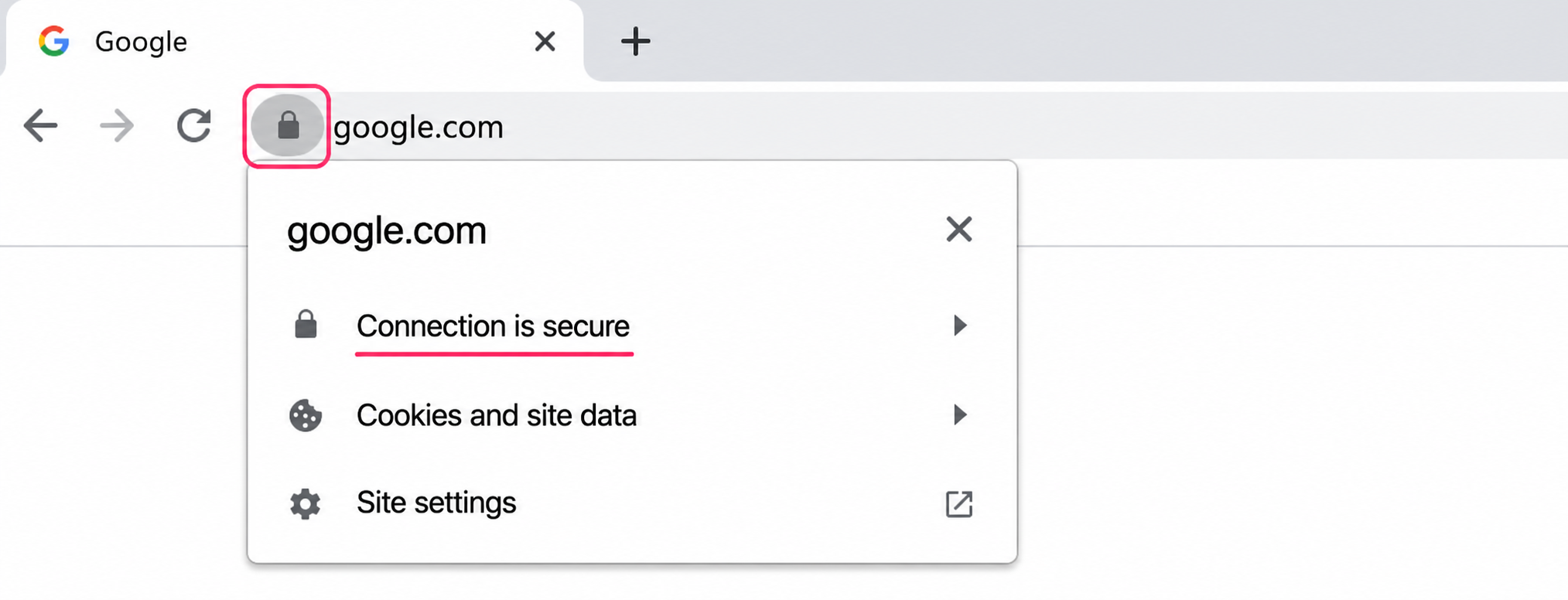
Website protected by its SSL certificate
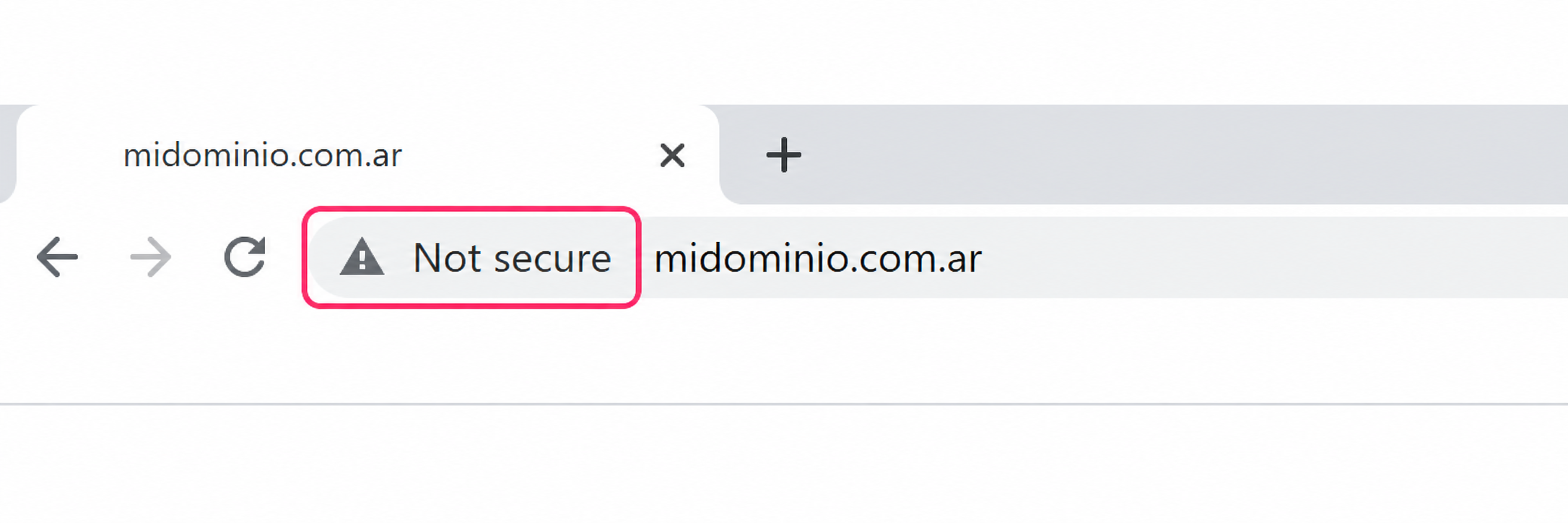
Website without an SSL certificate
To install the SSL certificate in Plesk follow these steps:
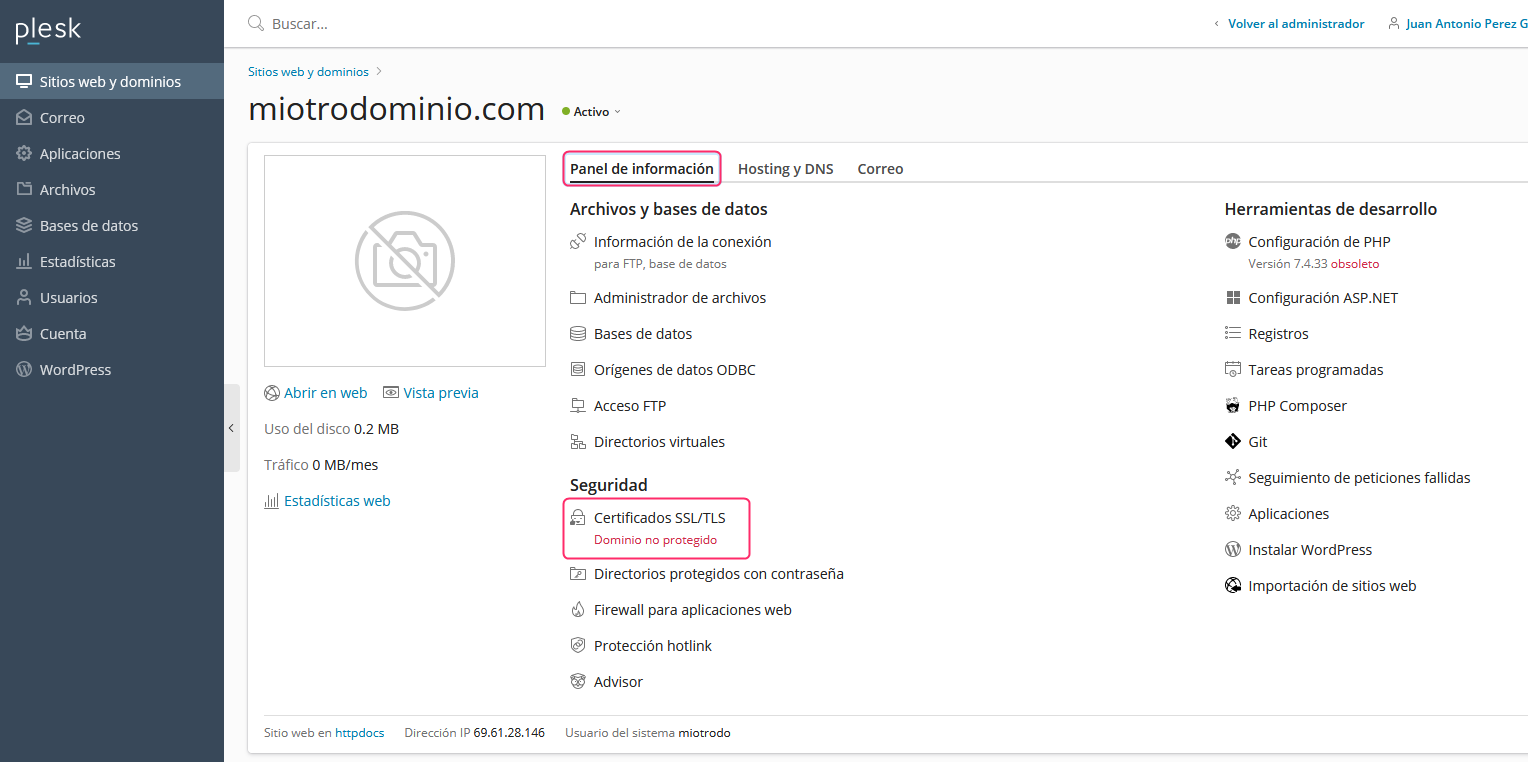
- First, check the current status of your SSL coverage. From the Information Panel tab, select SSL/TLS Certificates. Enter to view the SSL certificate in more detail.
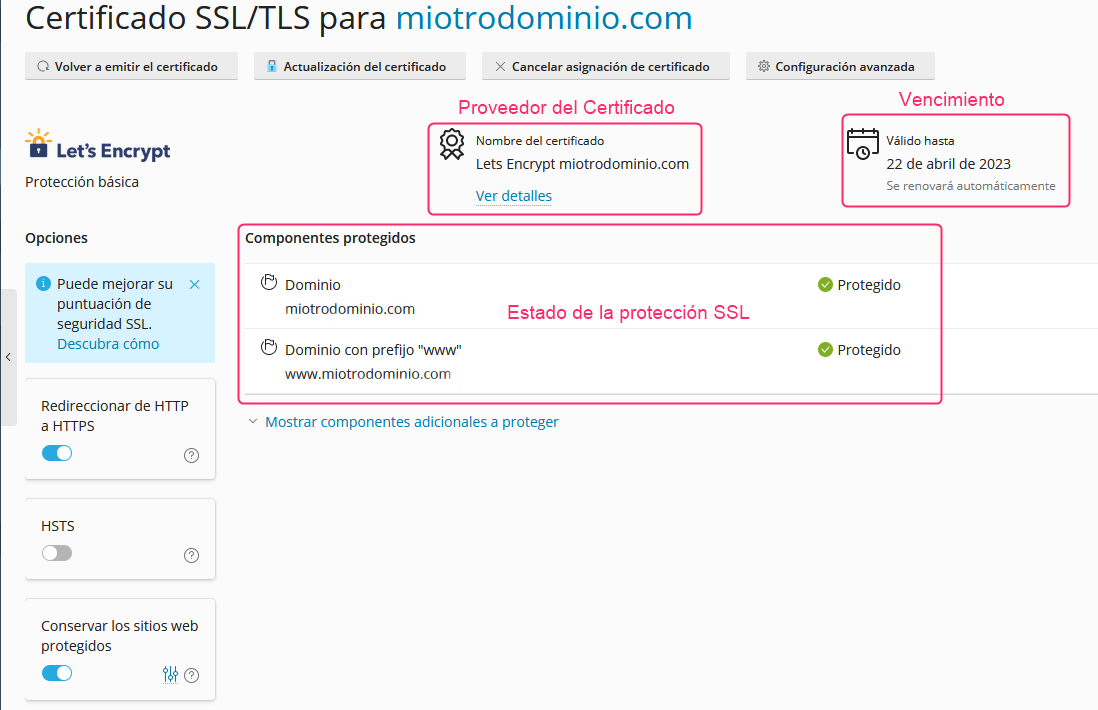
On the new screen you will see the coverage status for each domain and subdomain, the certificate expiration, and the SSL certificate provider.
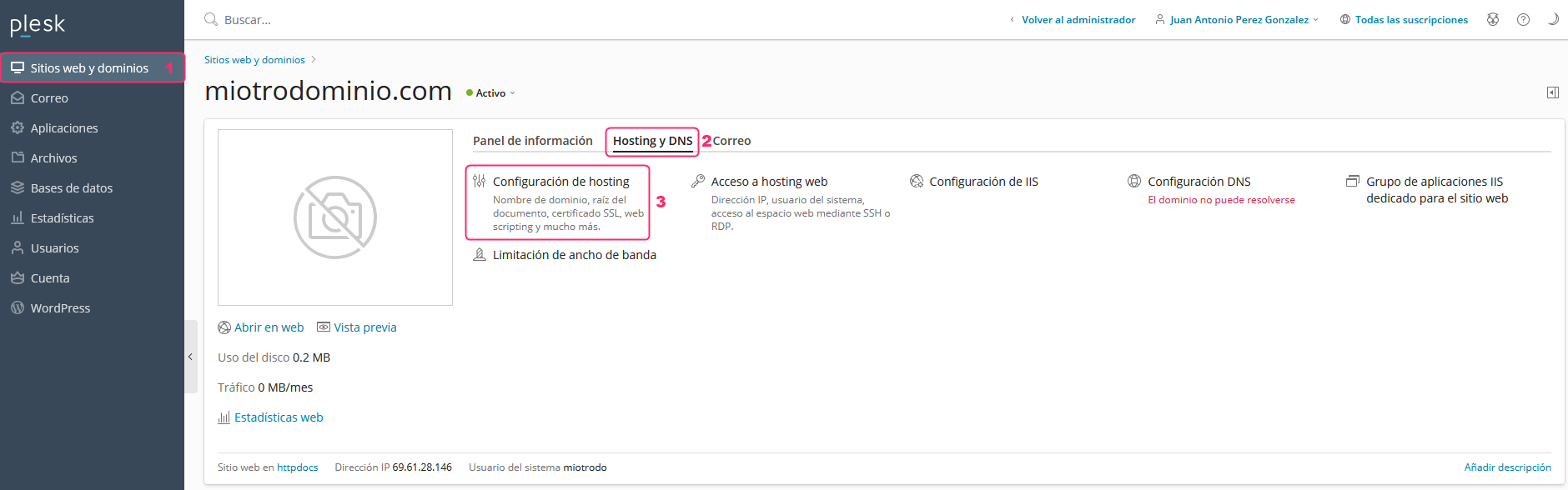
- If you don’t have the SSL certificate installed, return to the control panel main page, under Websites & Domains in the left menu.
Then click the Hosting & DNS tab and then go to Hosting Settings.
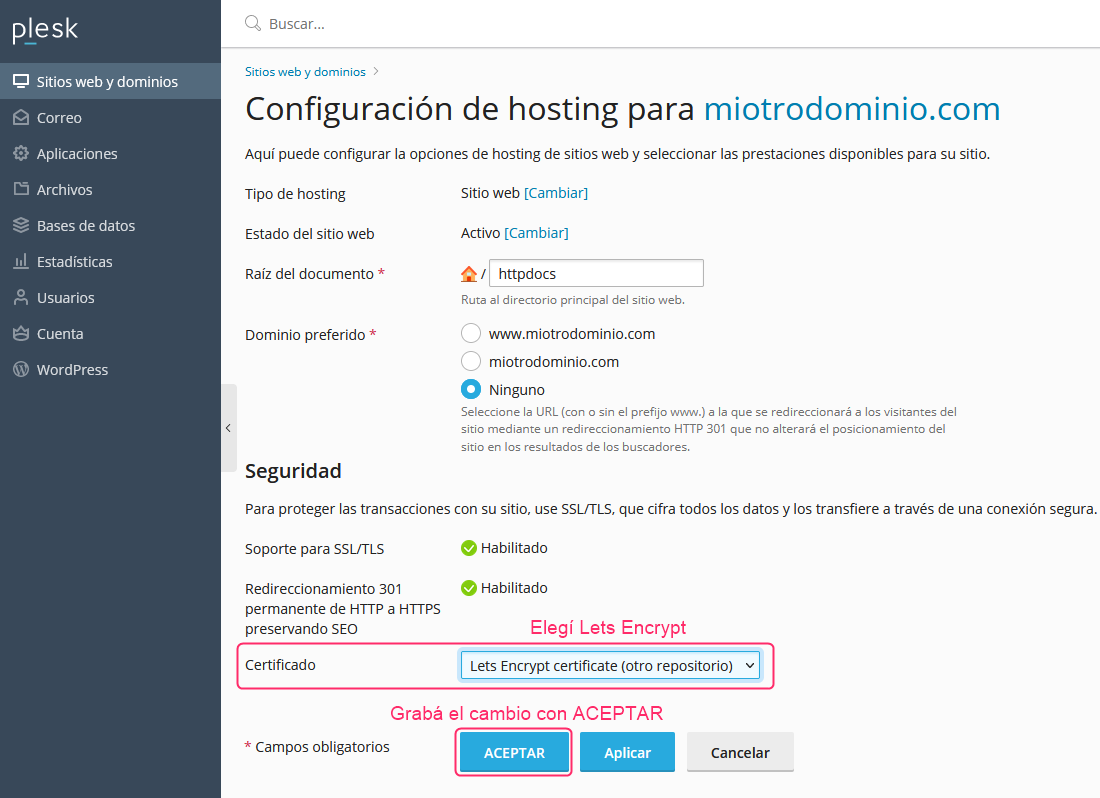
- On the configuration screen find the Certificate dropdown and choose Lets Encrypt.
Then, at the bottom, save the change with the OK button.
That’s it, your hosting account will be protected by the SSL certificate.