How to connect via FTP in cPanel?
To connect via FTP to your account you will need an FTP client. There are several programs of this type and you can use any to connect. A popular FTP client is Filezilla.
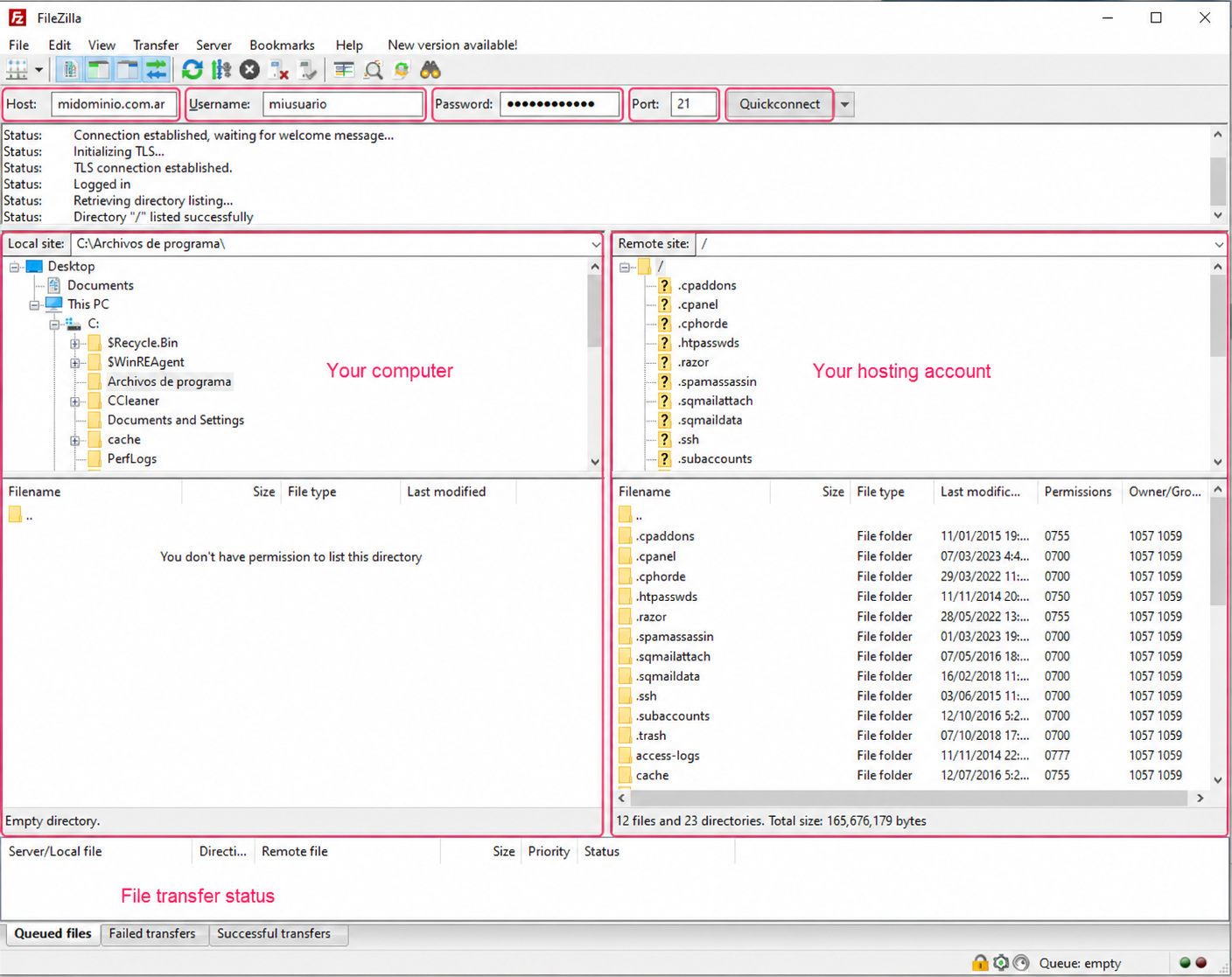
With your FTP client open, the details to connect are:
- Host: midominio.com (enter the account’s primary domain)
- Usuario: usuario de cPanel
- Contraseña: contraseña de cPanel
- Puerto: 21 (or leave empty)
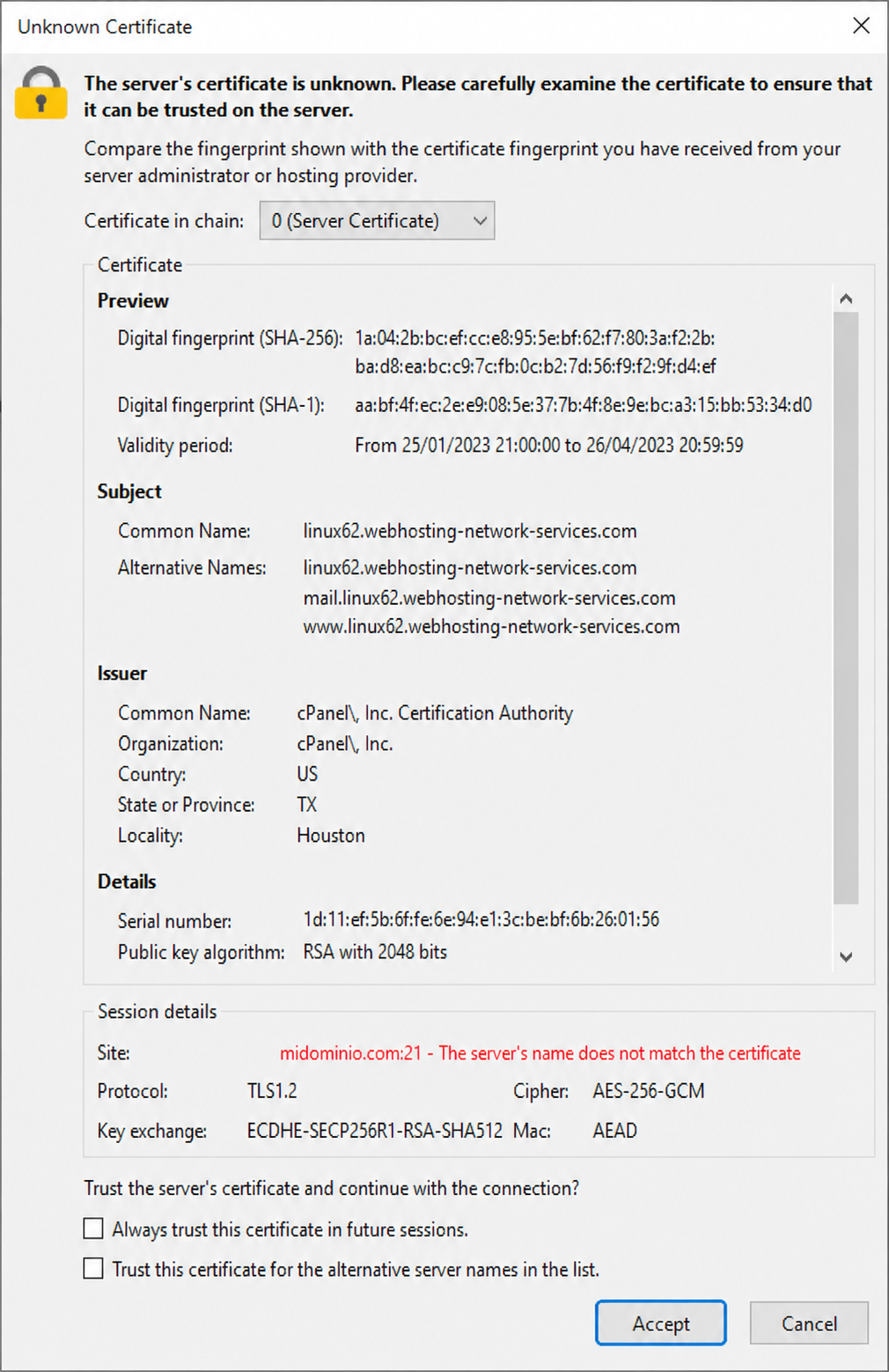
You may see a window similar to the one below when trying to connect. Click Accept to accept the connection.
FTP Sessions
In cases where you don’t want to use your control panel login details to connect via FTP, or you want to give other people access to specific directories, you can create FTP Sessions to provide individualized access.
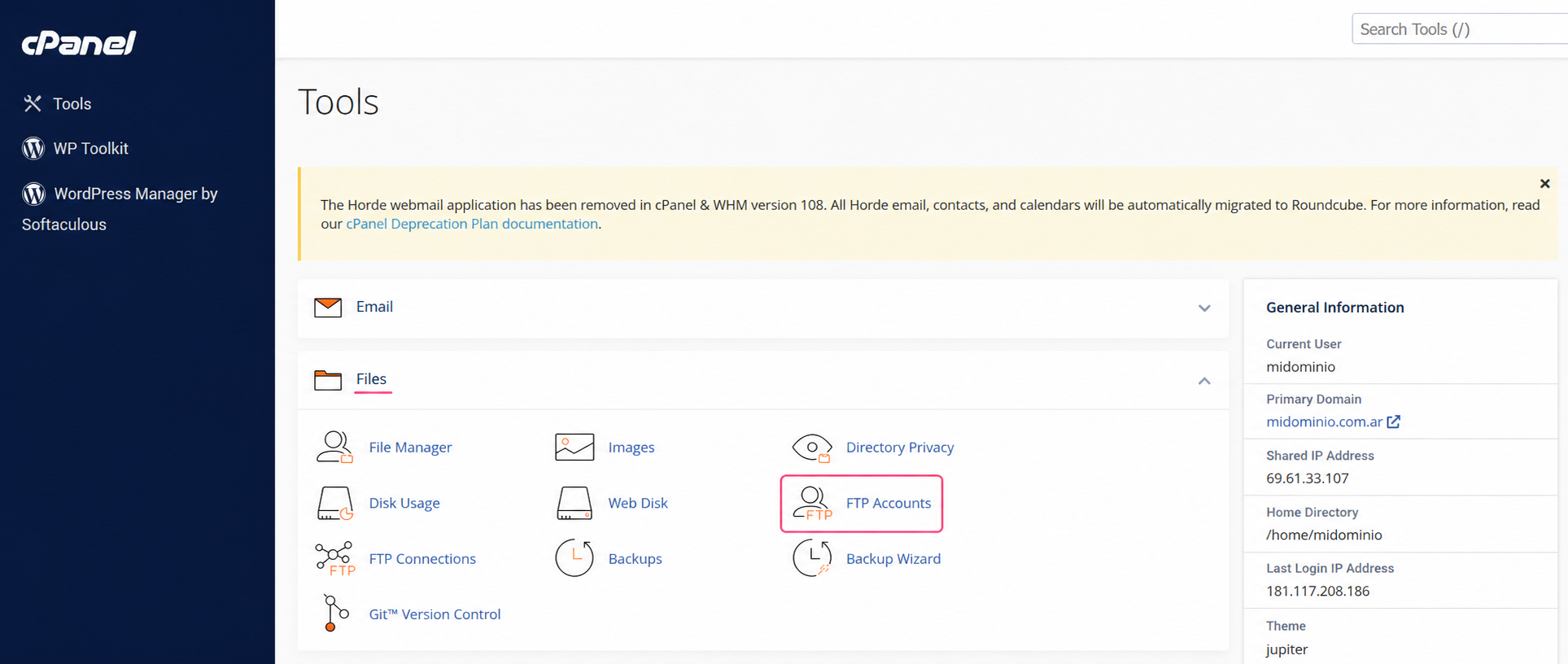
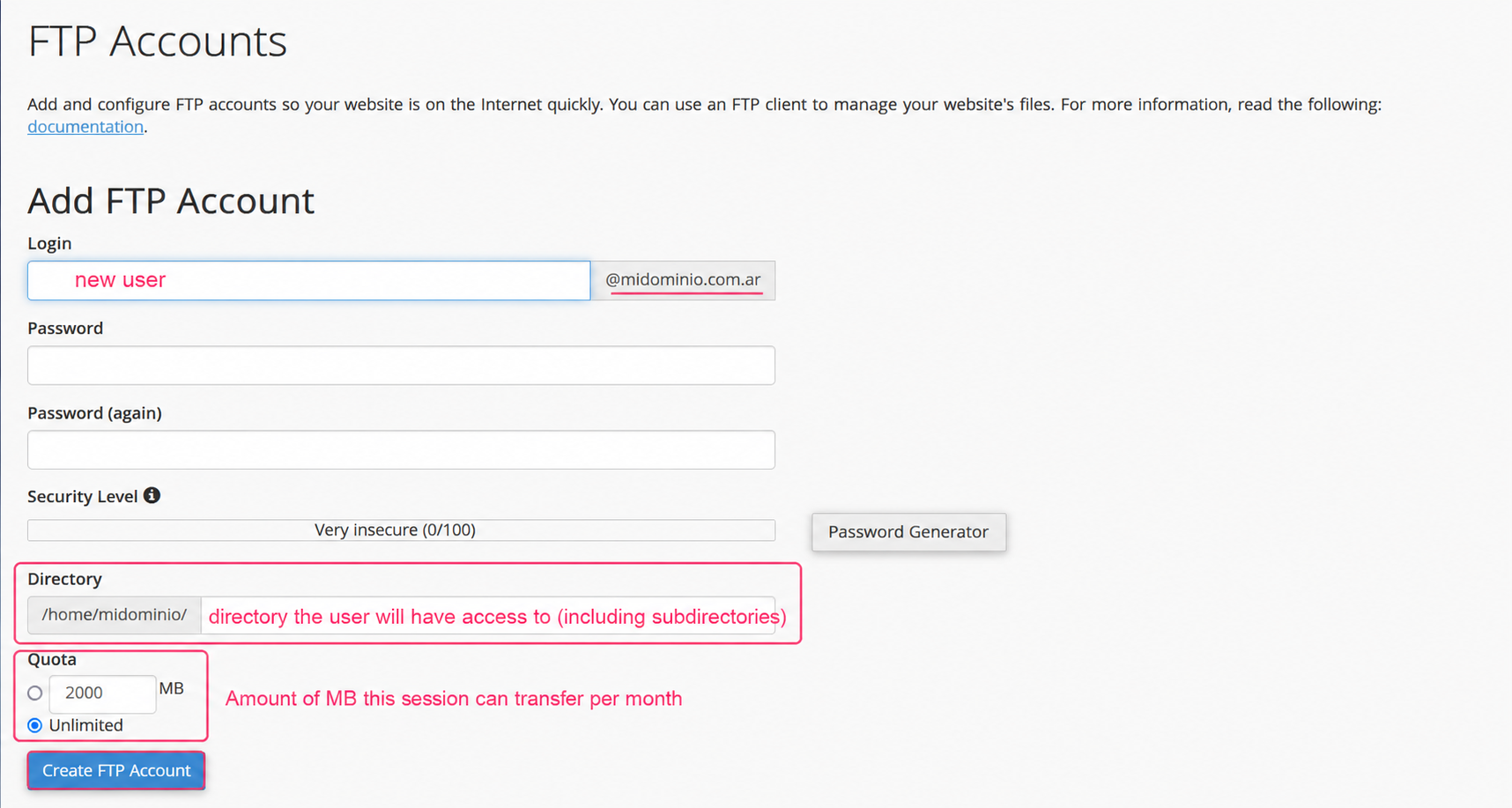
- To create an FTP Session go to FTP Accounts, in the Files section of the control panel.
- You will see the form to create the FTP session. FTP users will be in the format usuario@dominio.
You will see an option to define the directory the user will have access to. For example, to give access only to a subdomain or to public_html.
You can also configure a monthly Quota of bandwidth that the user of this FTP session can consume. At the beginning of each month this limit will reset.
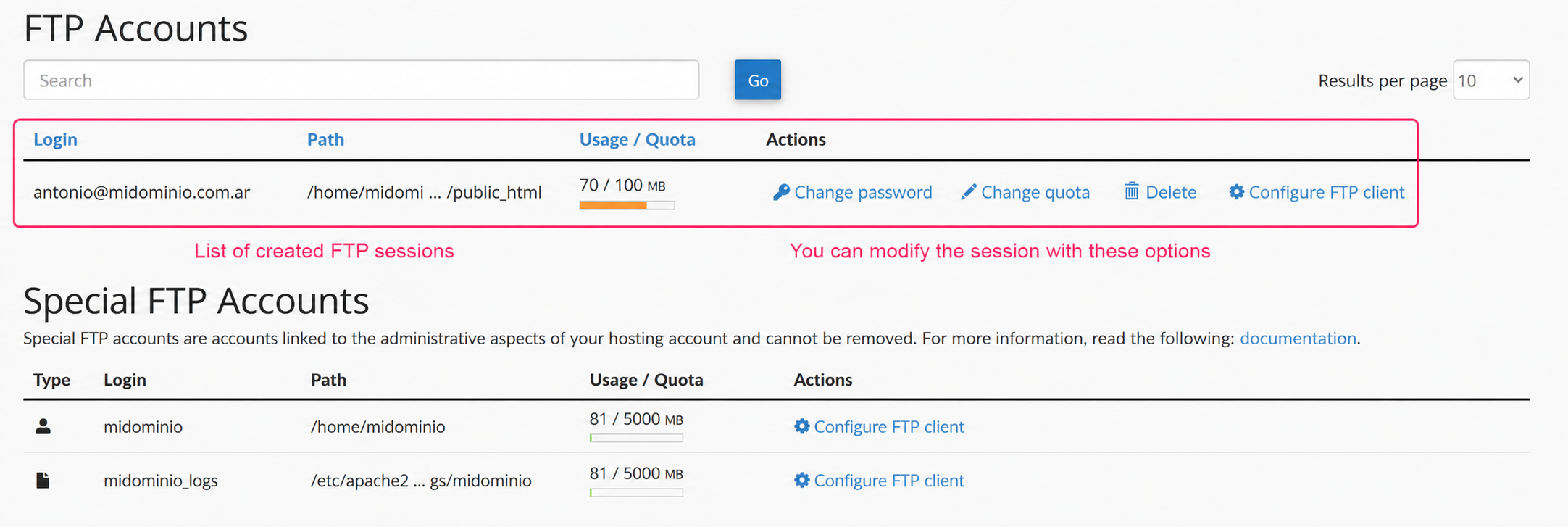
3) Once you have an FTP Session created you will be able to see it in the list, in FTP Accounts, and you can modify session options.