How to keep the mail server on SitiosHispanos and the website on a remote server
To keep the mail server on our servers and your website pointing to a remote server, from the DNS Zone you must follow these steps:
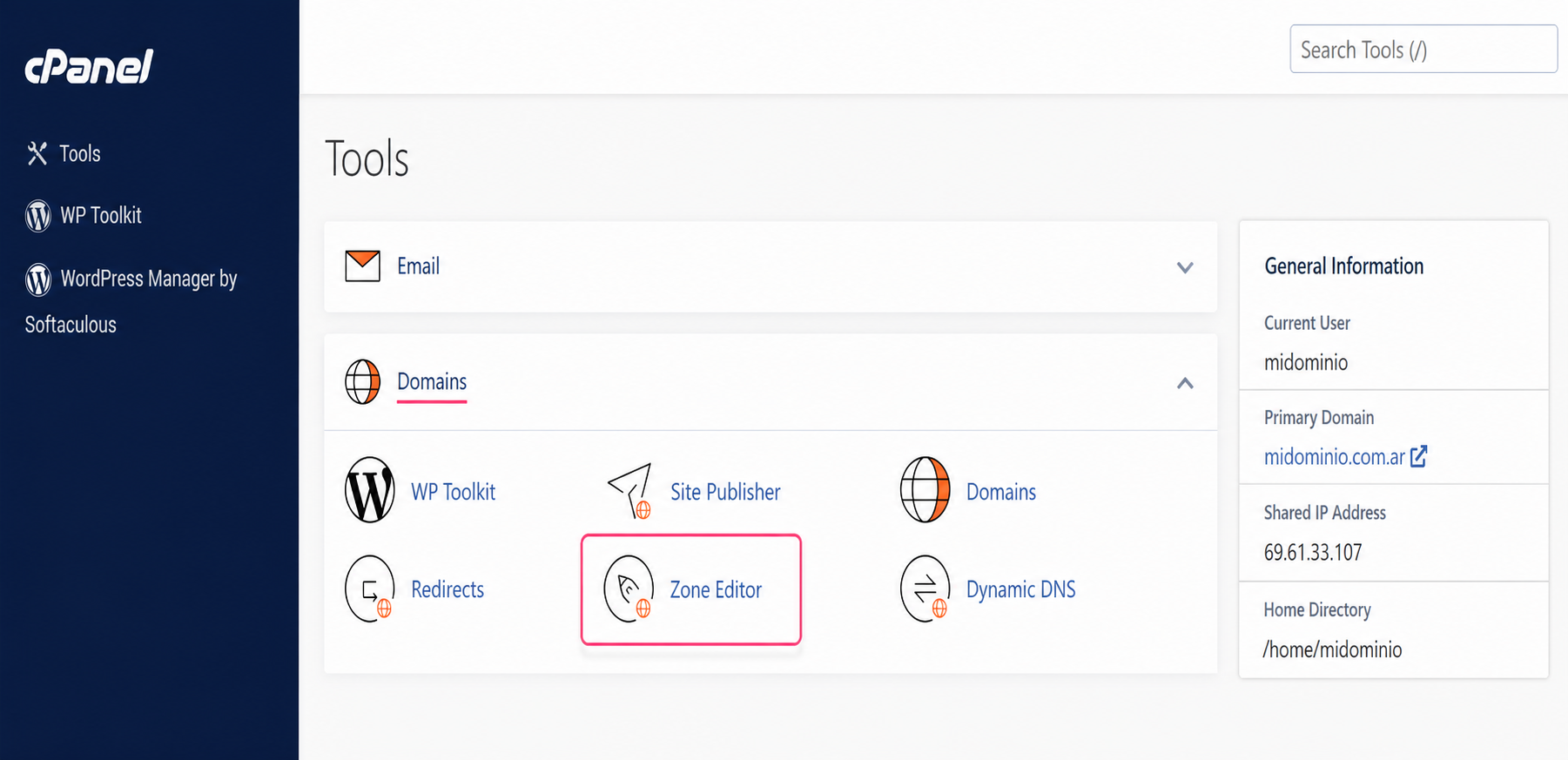
1) In the control panel, go to Zone Editor, inside the Domains box.
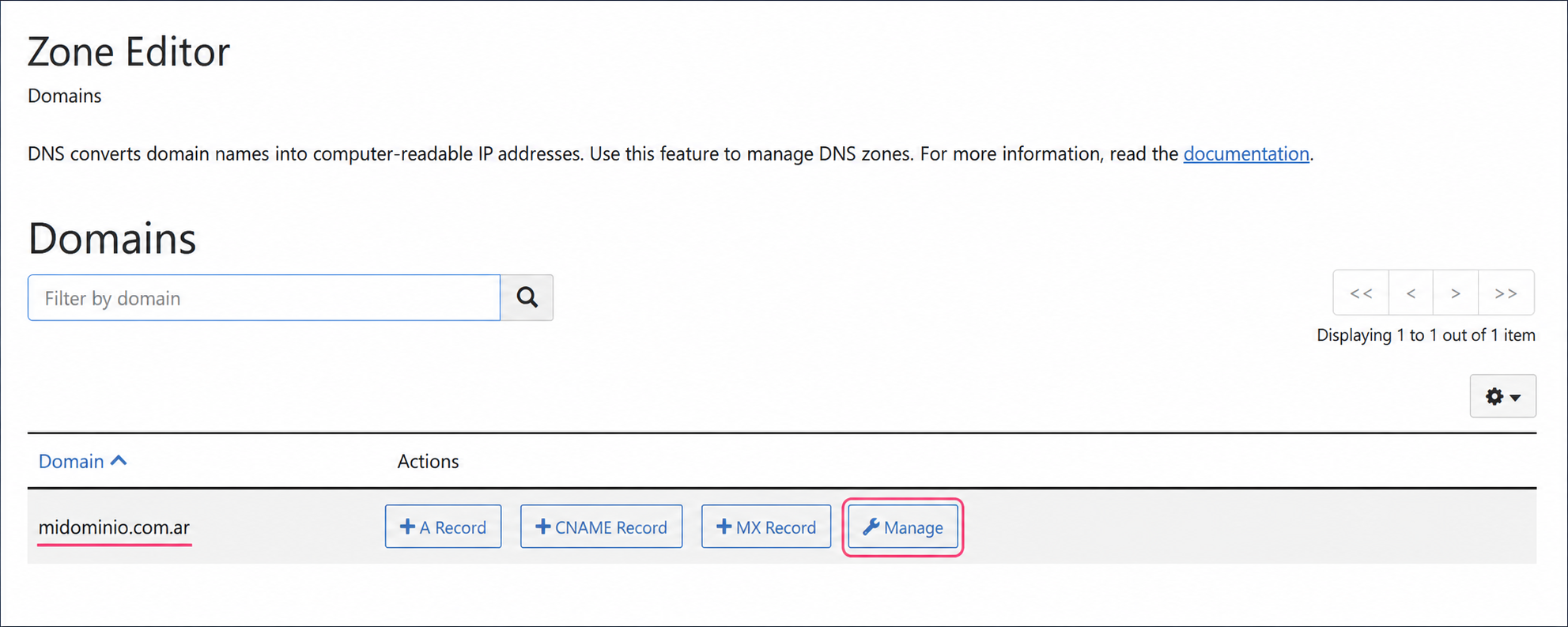
2) Then, press the Manage button on the domain you want to modify.
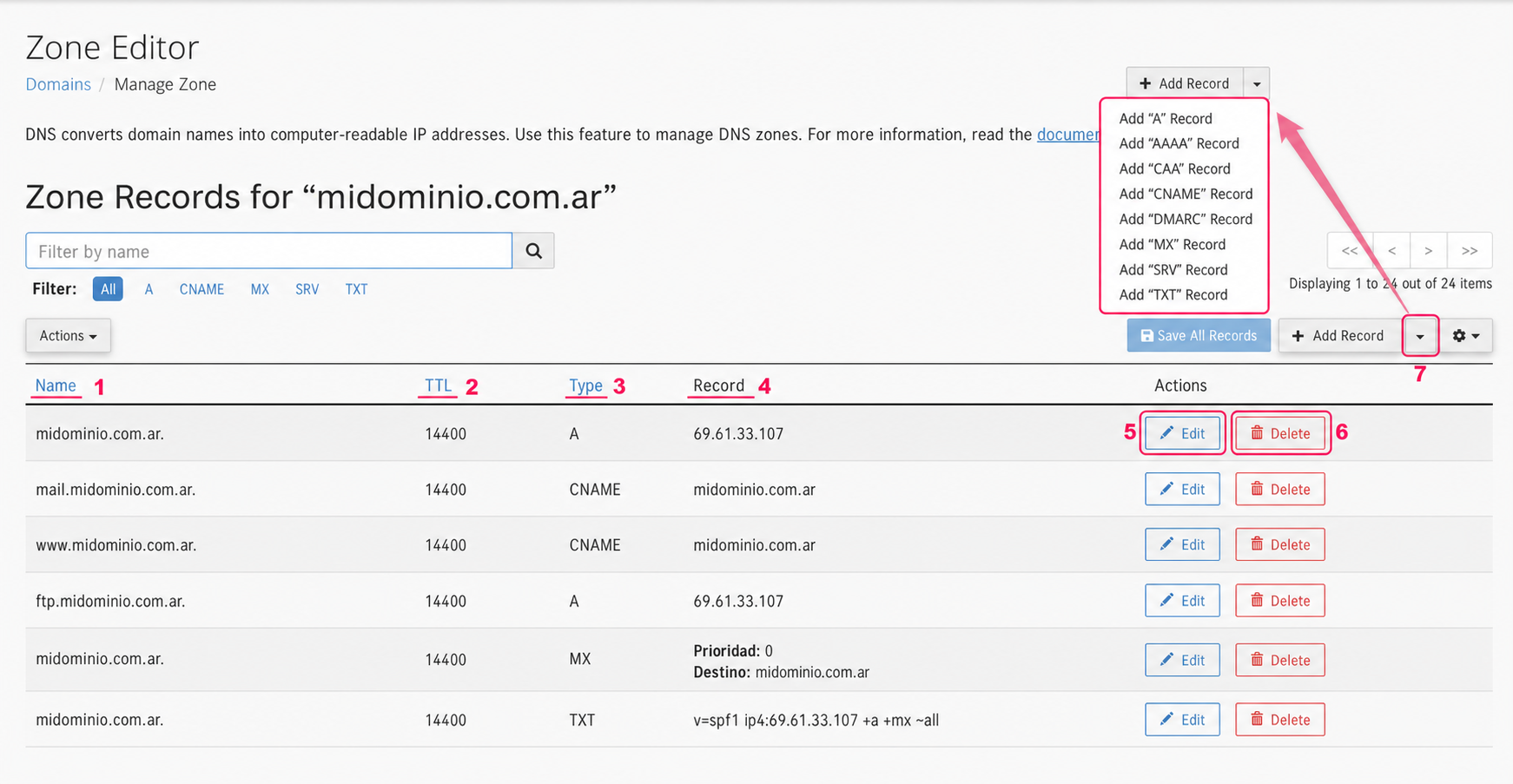
3) You will enter the DNS Zone editor. On this screen you will see many items you should be familiar with:
- In the Name column you will see your domain and all subdomains created in your account. Each domain or subdomain, depending on its Record, will point to one server or another.
- The TTL column will show the time (in seconds) that the record change will take to process.
- The Type column is very important. It defines the Record Type assigned to the domain. Each record (A, CNAME, MX, etc.) allows a specific type of data (IP, domain, string, etc.).
- The Record column defines where the domain or subdomain will point, using the defined record type. This is where you must configure the destination server.
- The Edit button will allow you to edit the record. When you modify it, it will change into the Save Record button.
- The Delete button will remove the record from the DNS Zone.
- At the top right you will see a dropdown menu. This menu will allow you to add a new Record to the DNS Zone.
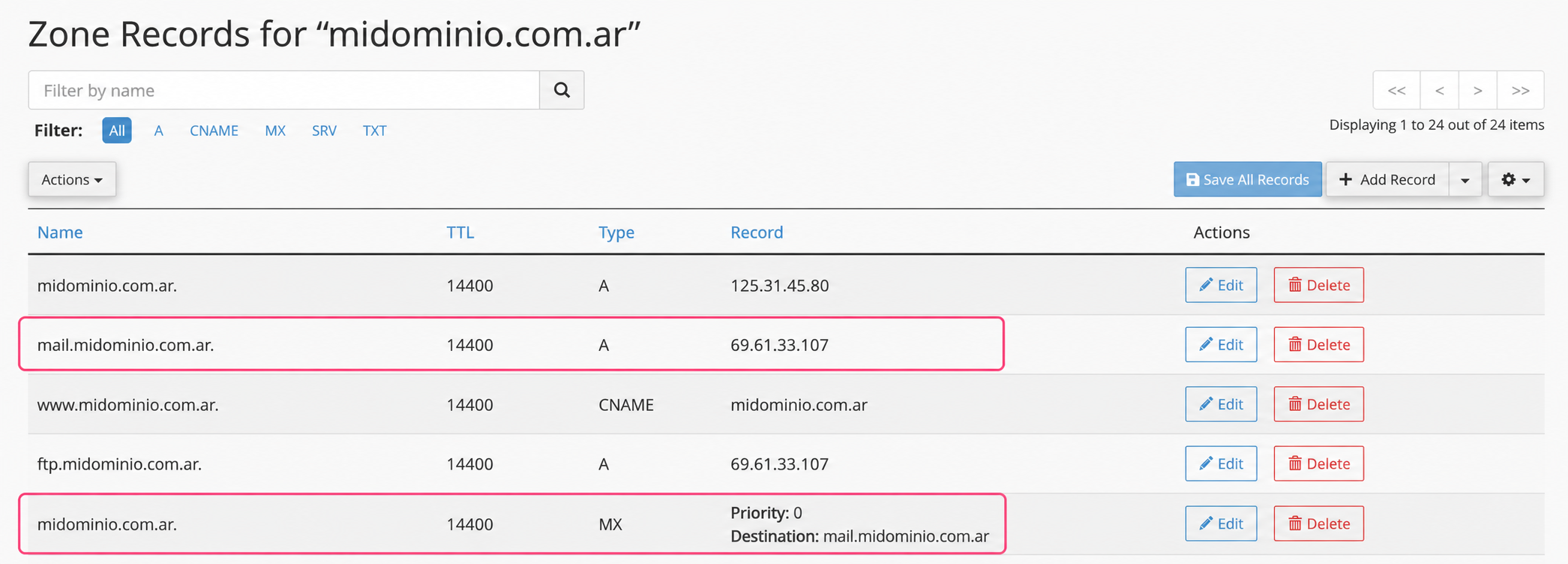
4) In the image you will see a DNS Zone where the main domain points to a remote server.
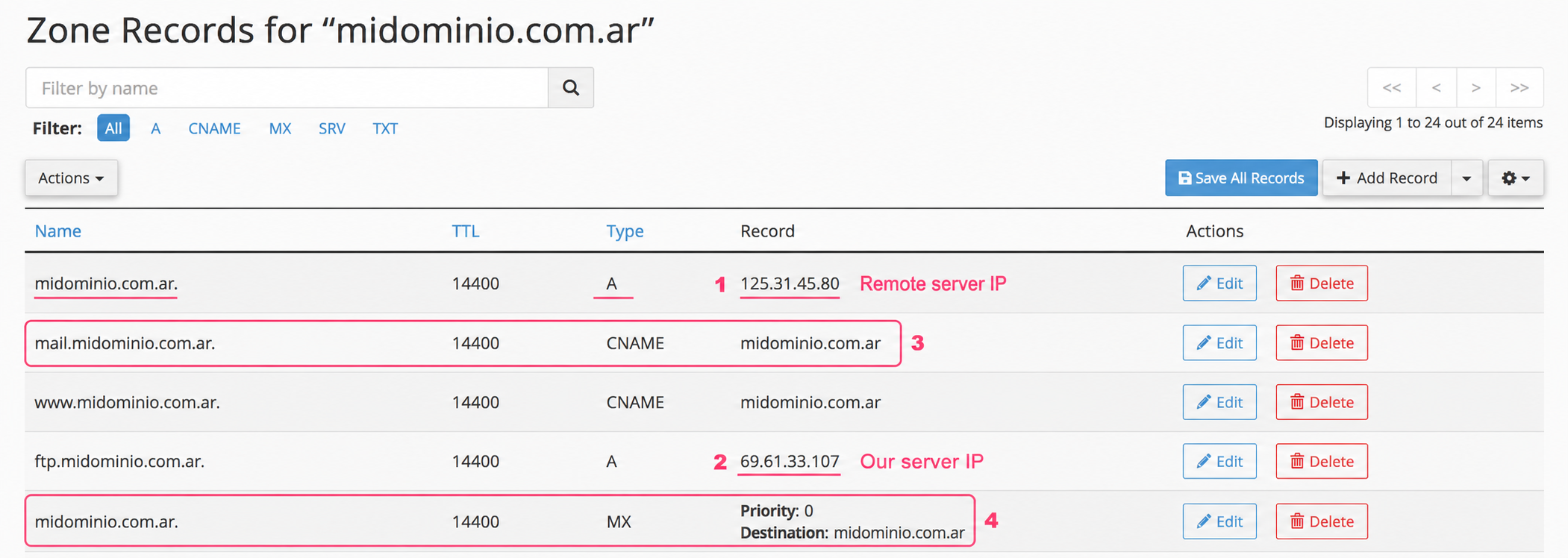
- The main domain points to a remote server with IP 125.31.45.80
- The rest of the account’s subdomains point to our IP 69.61.33.107
- The change you will need to make is to the CNAME record
mail.midominio.com.ar - You will also need to change the MX record that defines the mail server.
5) So the first change you must make is this:
You must edit the CNAME record for mail.midominio.com.ar to an A record.
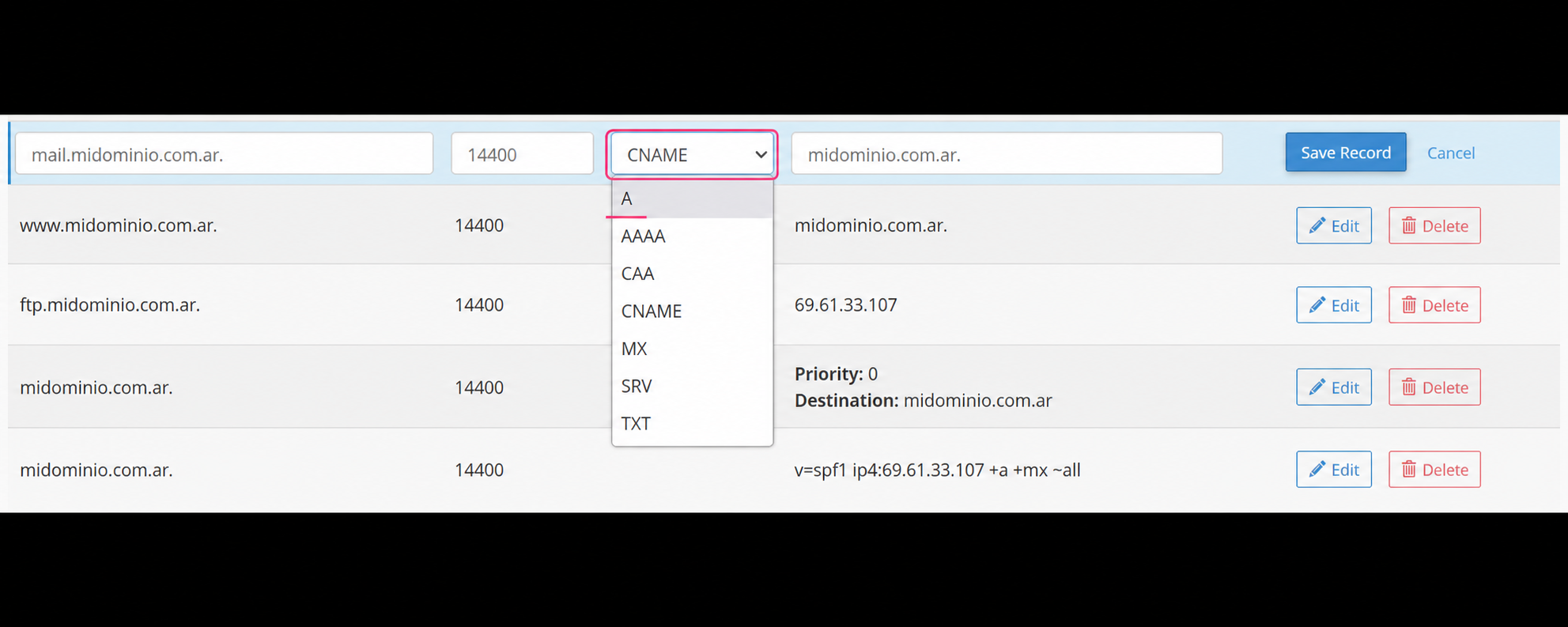
By changing the CNAME record to an A record you will be able to enter the IP number of the SitiosHispanos server (you will obtain it by looking at the other records in the DNS Zone). Then save the change.
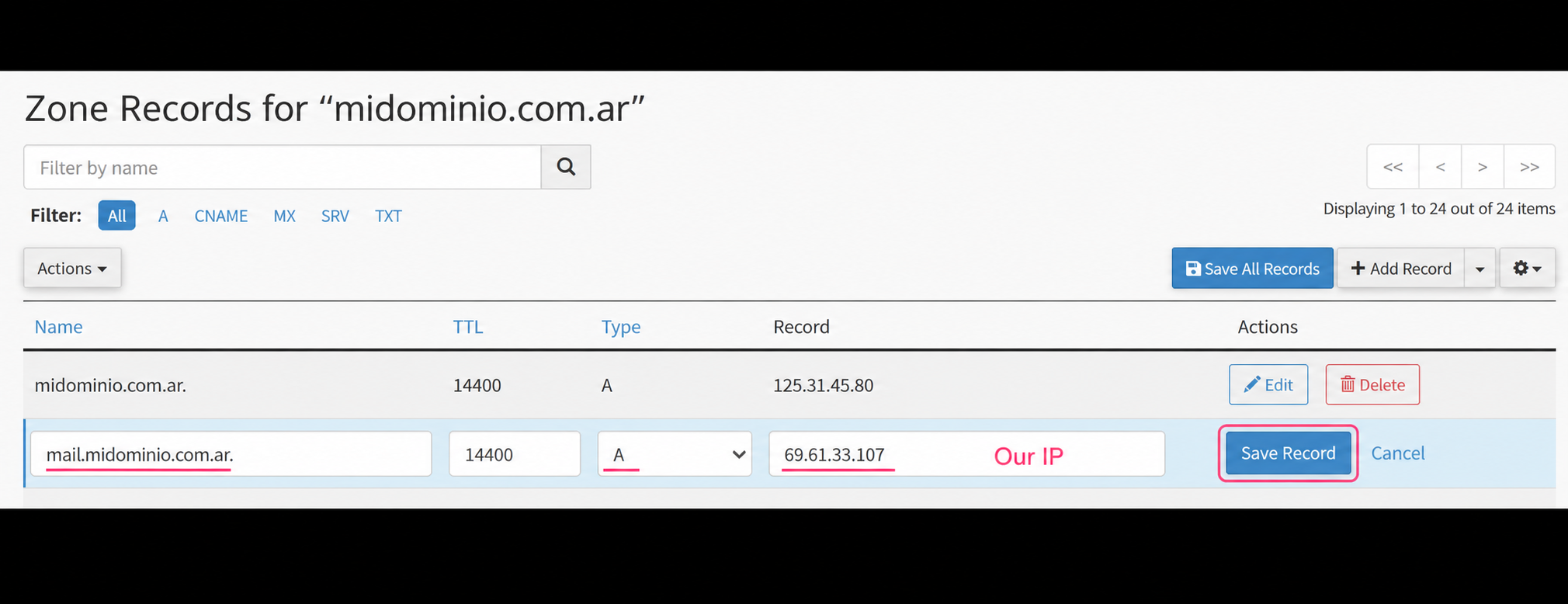
6) In point 1 of the image you will see the previous record already modified and pointing to our server.
Now you need to modify the MX record, where you must change the main domain to mail.midominio.com.ar. This is the record we configured in step 5 above.
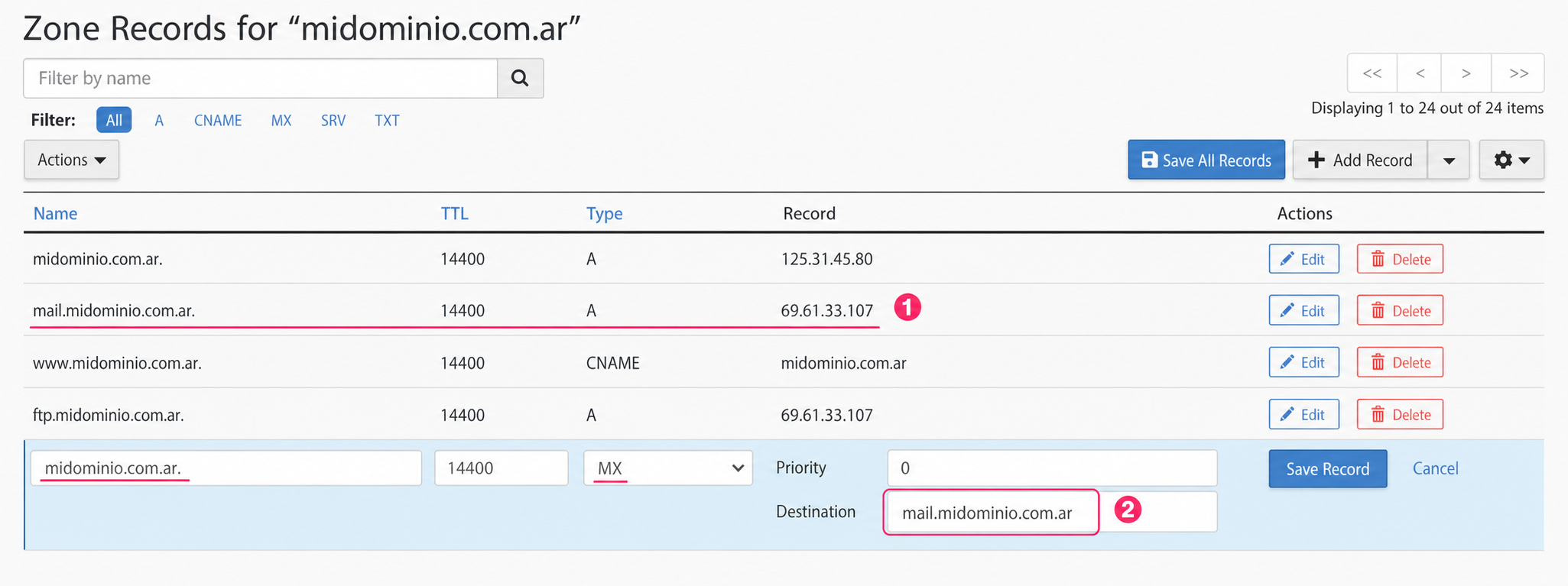
7) That’s it. In your DNS Zone you will have the A record for mail.midominio.com.ar pointing to our IP and the MX record pointing to that A record you created.