How to access the Affiliates and Referrals area?
Did you know you can earn a commission by referring our services? It’s very easy — below we explain how to do it.
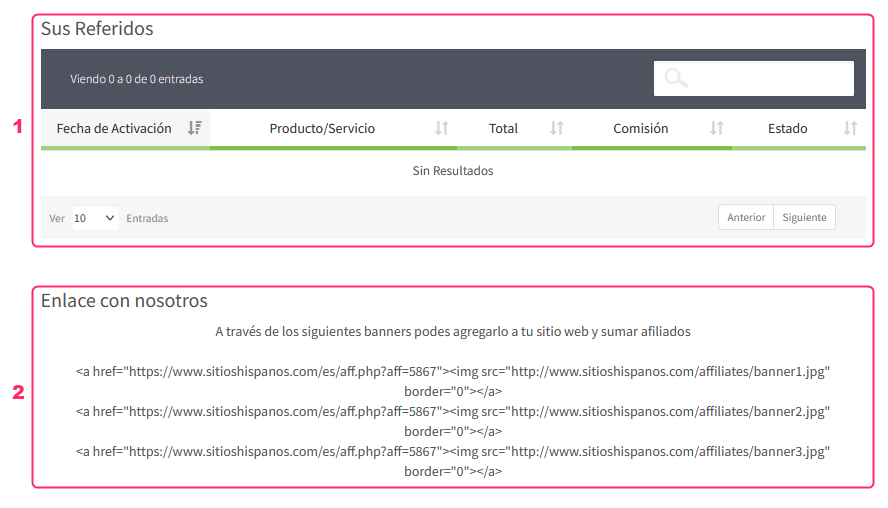
To be able to refer our services and earn affiliates, go to your Client Area and then click on the Affiliates/Benefits option in the gray menu.
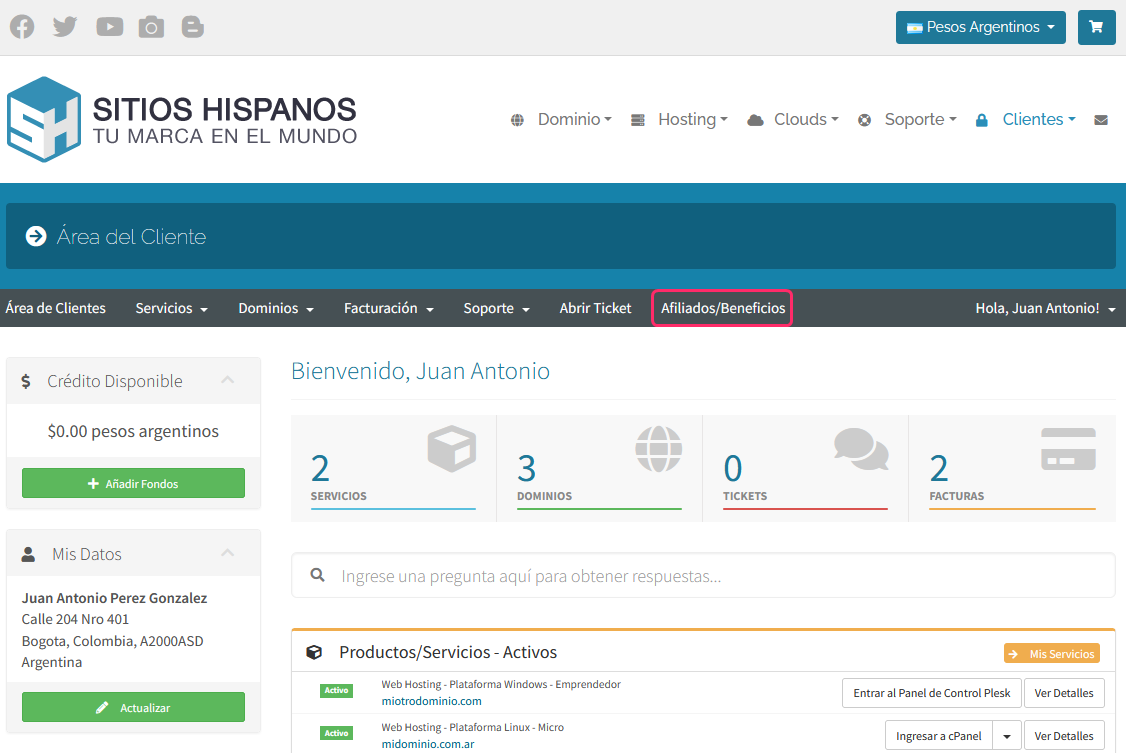
On the affiliates screen you will see the following information:
- First, you will find the statistics of your affiliations, such as the number of affiliates, the number of clicks made on your referral link, and the conversion rate so far.
- Below, you will see your link to refer our services.
You must give this link to any potential client you know.
If the user registers with us through that link, they will be added as your affiliate or referral. You will earn a commission for each service that this new client purchases. - In this section you will see information about your commissions.
You will see information such as accumulated commissions, balance, amount withdrawn, etc.
The red button Request Money will allow you to withdraw the money accumulated from your commissions, but you must take into account the minimum balance required to withdraw that money.
You will see this informed just below this button.
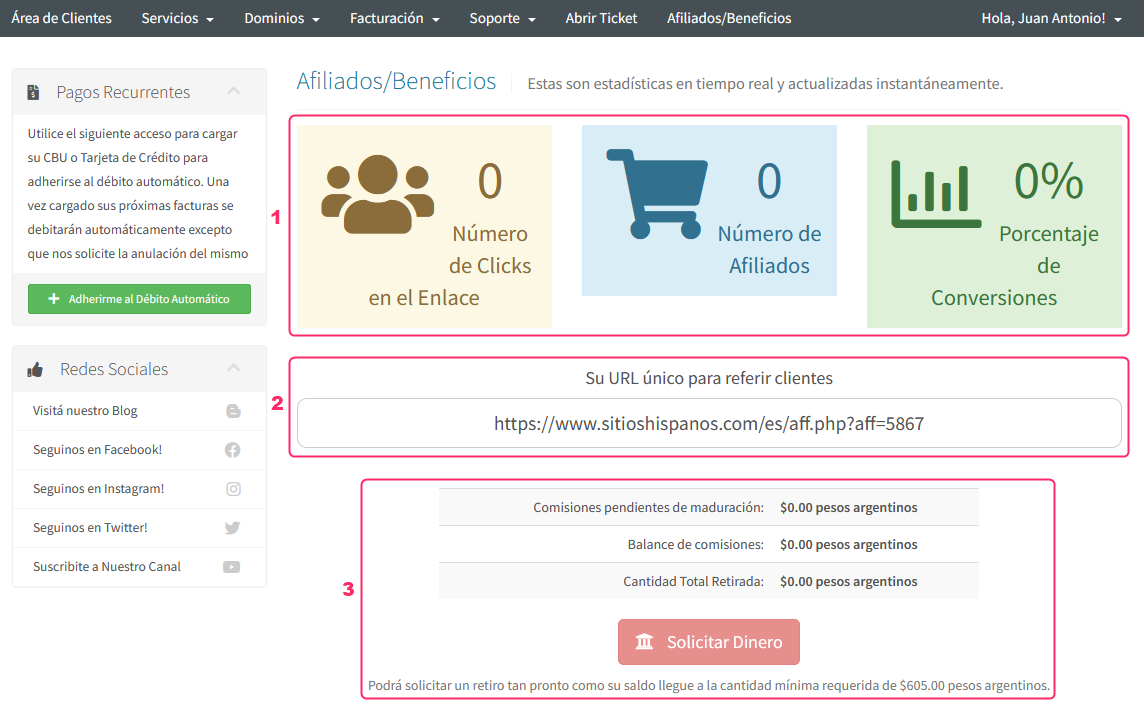
On the same affiliates screen, at the bottom, you will find the last two important areas:
- First you will see the list of referred accounts.
In this box you will see information about each affiliation, such as the activation date, commission earned, and the status of the referred product. - Finally, you will see some banners that you can add to your website.
These will work similarly to the link shown above.
Any user who registers and orders a service on SitiosHispanos after entering from your banner will be added as a referral and will give you a commission for each service they hire.