
How to change the password for the Client Area?
To change the Client Area password follow these steps:
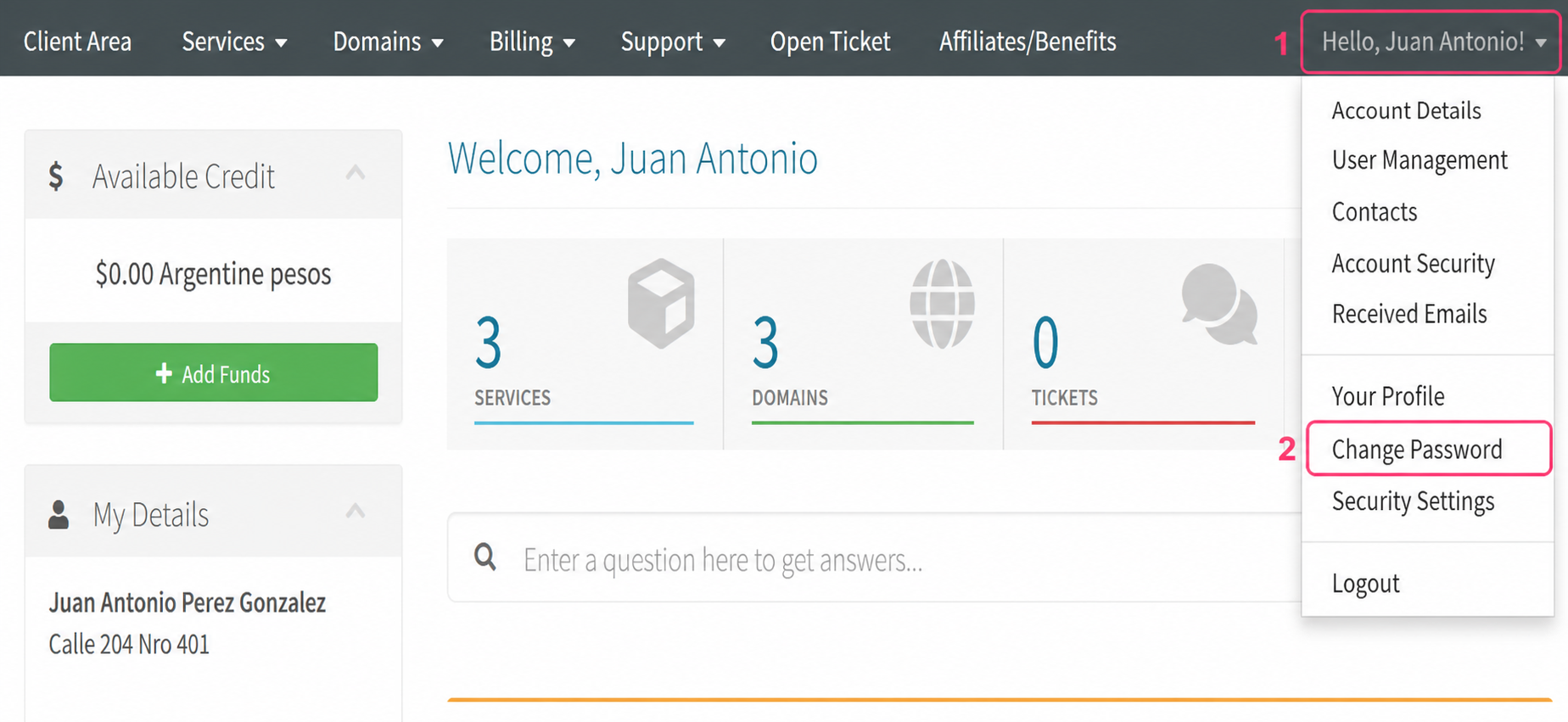
- From the Client Area open the right-hand menu with your name.
- Select the Change Password option.
On the new screen complete the following steps:
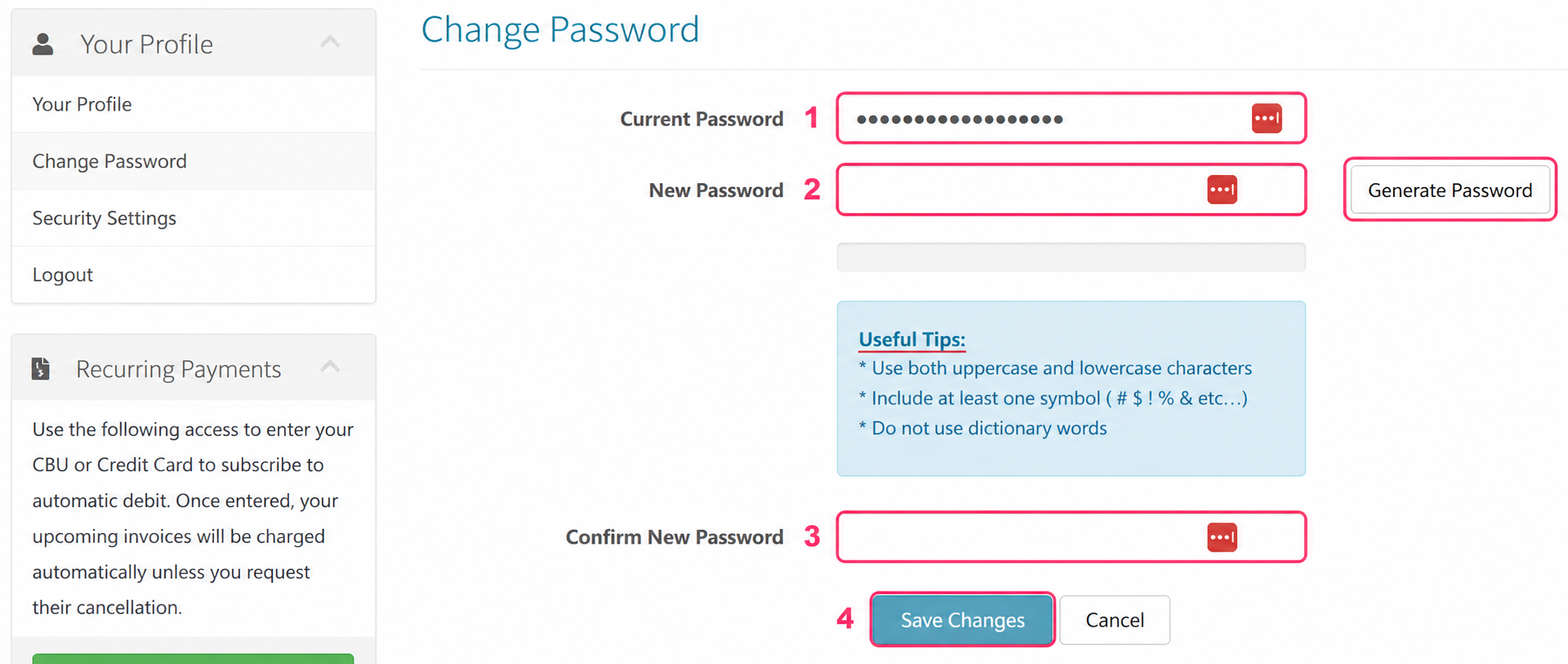
- Enter your current password.
- Enter a new password or generate one at random with the Generate Password button.
- Confirm the chosen new password.
- Save the change by pressing the Save Changes button.