How to view my notification history?
From your Client Area you can view all the notifications and notices generated by the system such as billing notices, service activations and renewal reminders, among others.
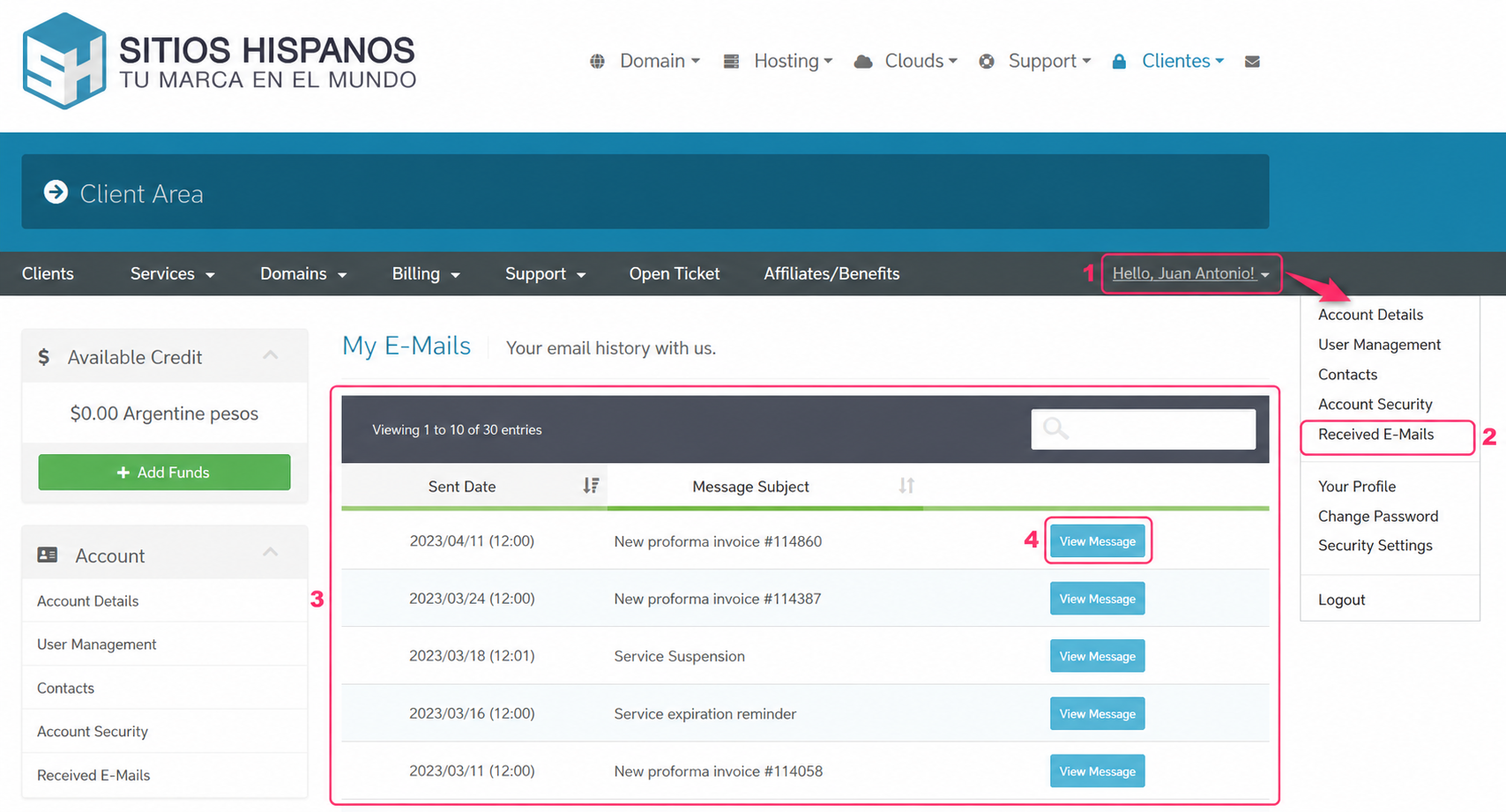
To view your notification history, follow these steps:
- Open the dropdown menu under your username in the gray menu.
- Then, go to the Received E-Mails option.
- You will see all notifications and notices generated by the system, including our responses to support tickets.
- With the View Message button you can view the message in detail.
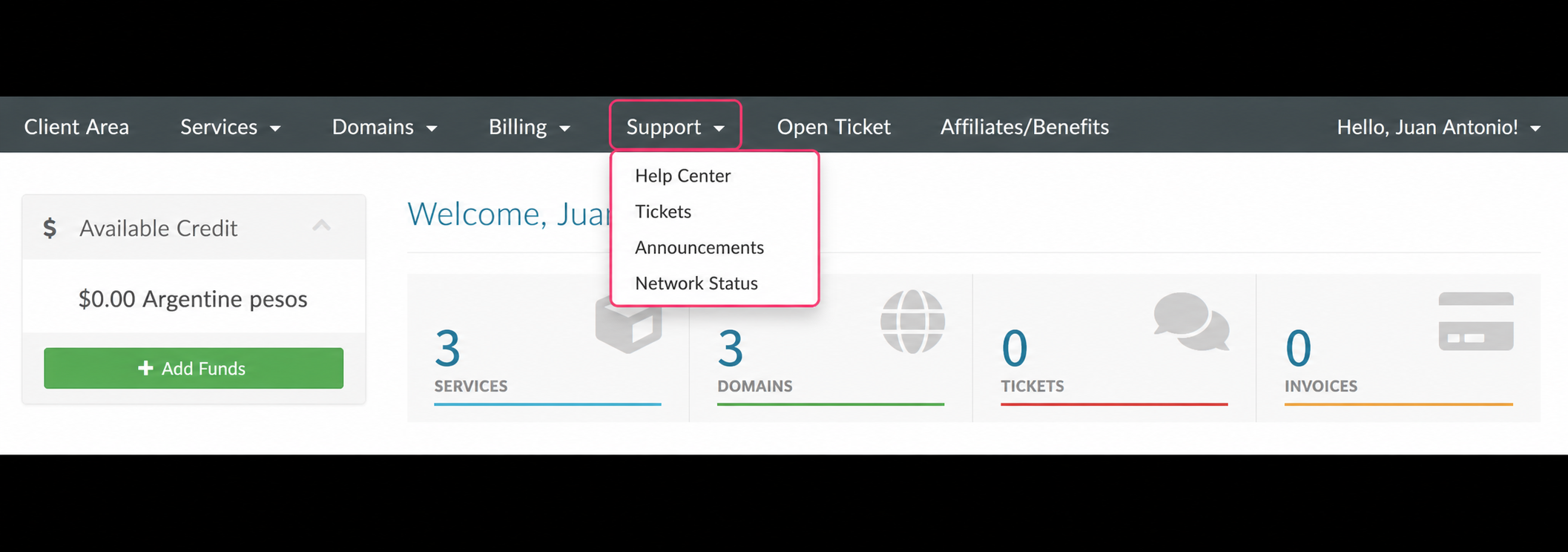
Remember that, similarly, you can view your support ticket history by going to Support, in the gray menu, and then choosing the Tickets option.