
How to acquire an add-on?
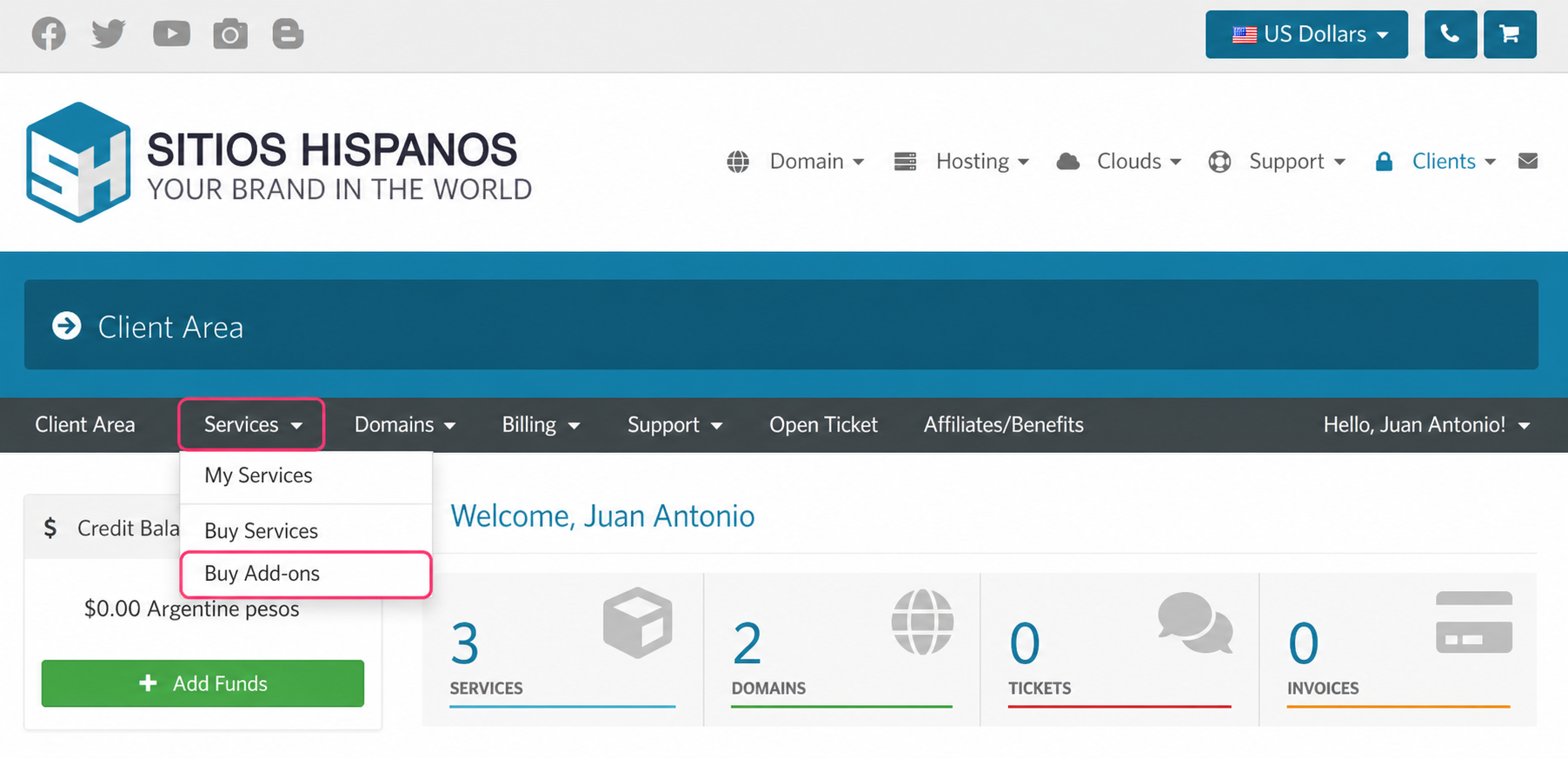
Once inside the Client Area go to the Services=>Buy Add-ons section.
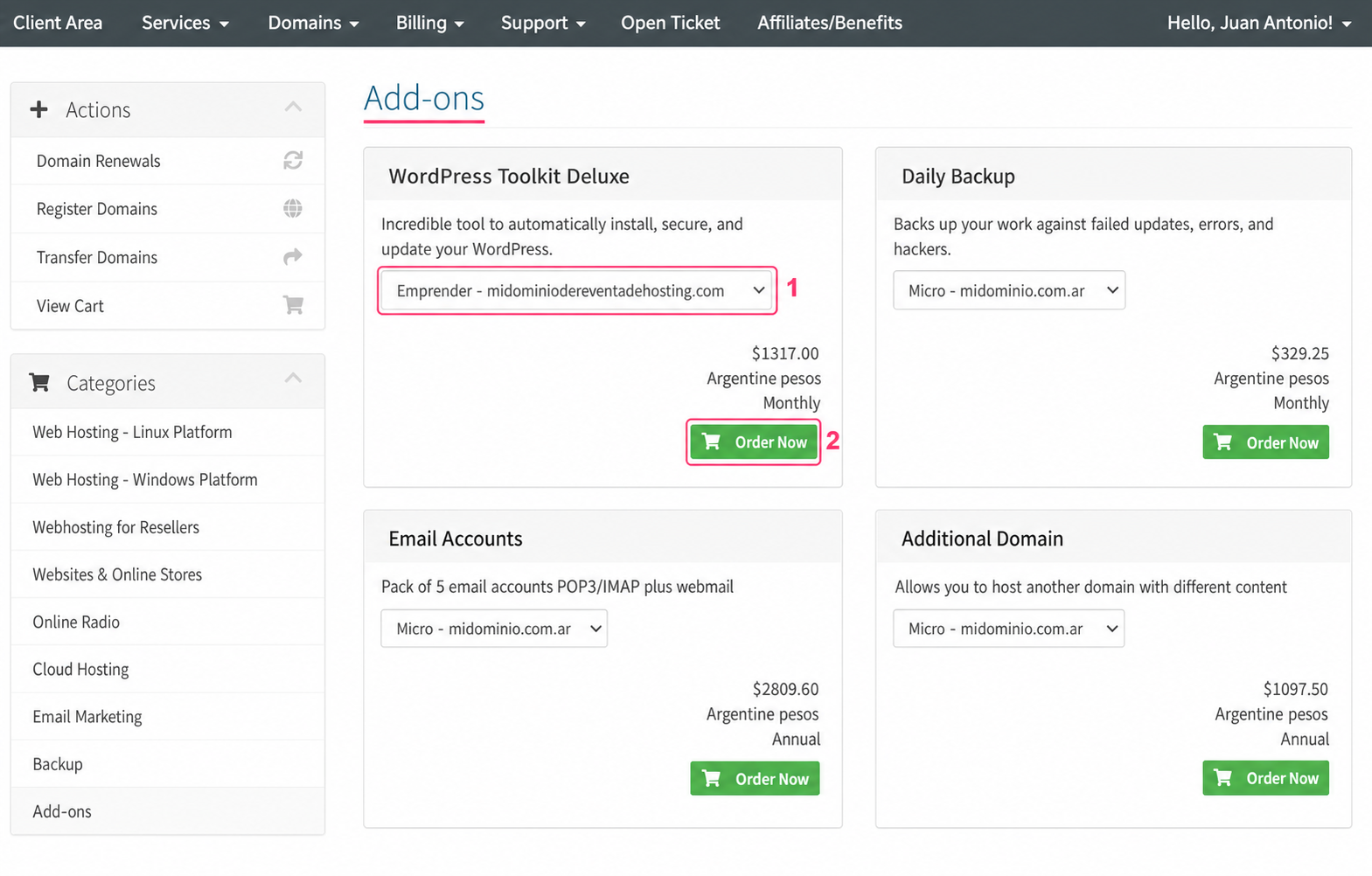
On the new screen you’ll see the add-ons available for your hosting plan.
- If you have more than one hosting plan, you can choose which one to assign the add-on to from the dropdown menu for each.
- With the Order Now button you can add the add-on to your shopping cart.
Then, follow the steps to complete your order as with other services.