How to open a support ticket?
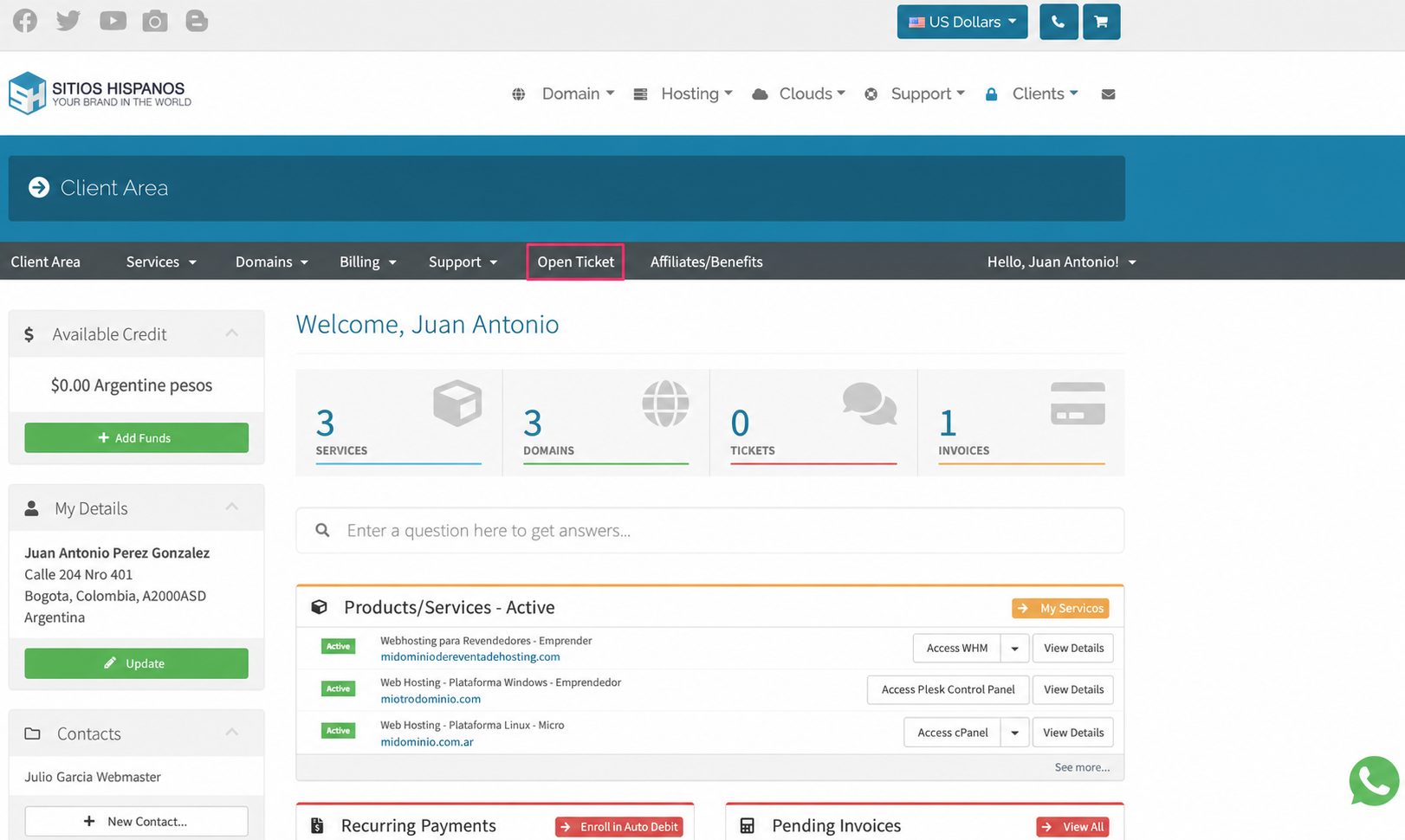
To request support from the different areas, go to Open Ticket in the central gray menu.
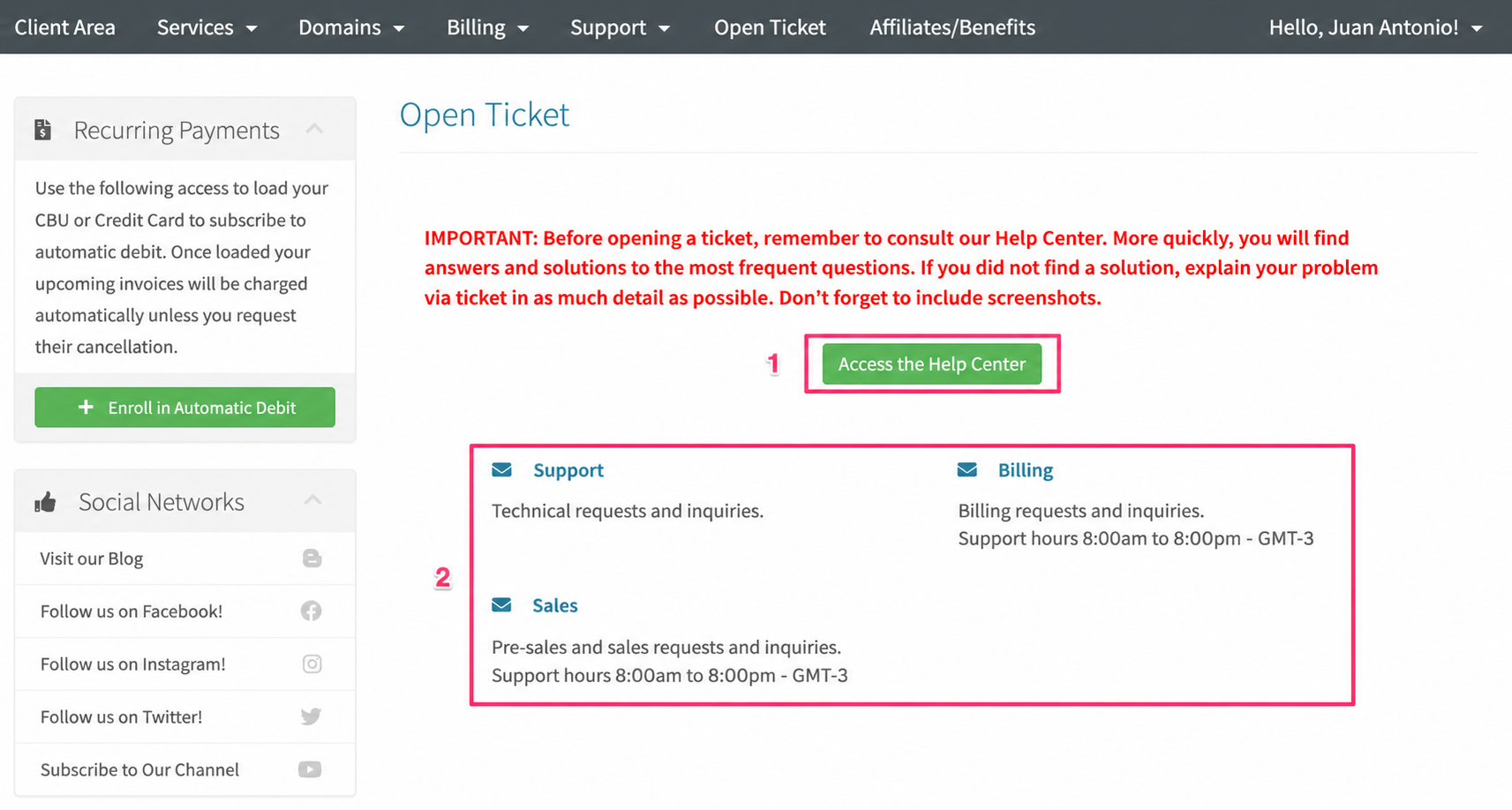
If you open a ticket, you will see a button to access our Help Center and, below, you can choose which support area to direct your inquiry to.
Be sure to read our recommendation in red before opening a support ticket. It is likely that you will find the answer to your problem in our Help Center.
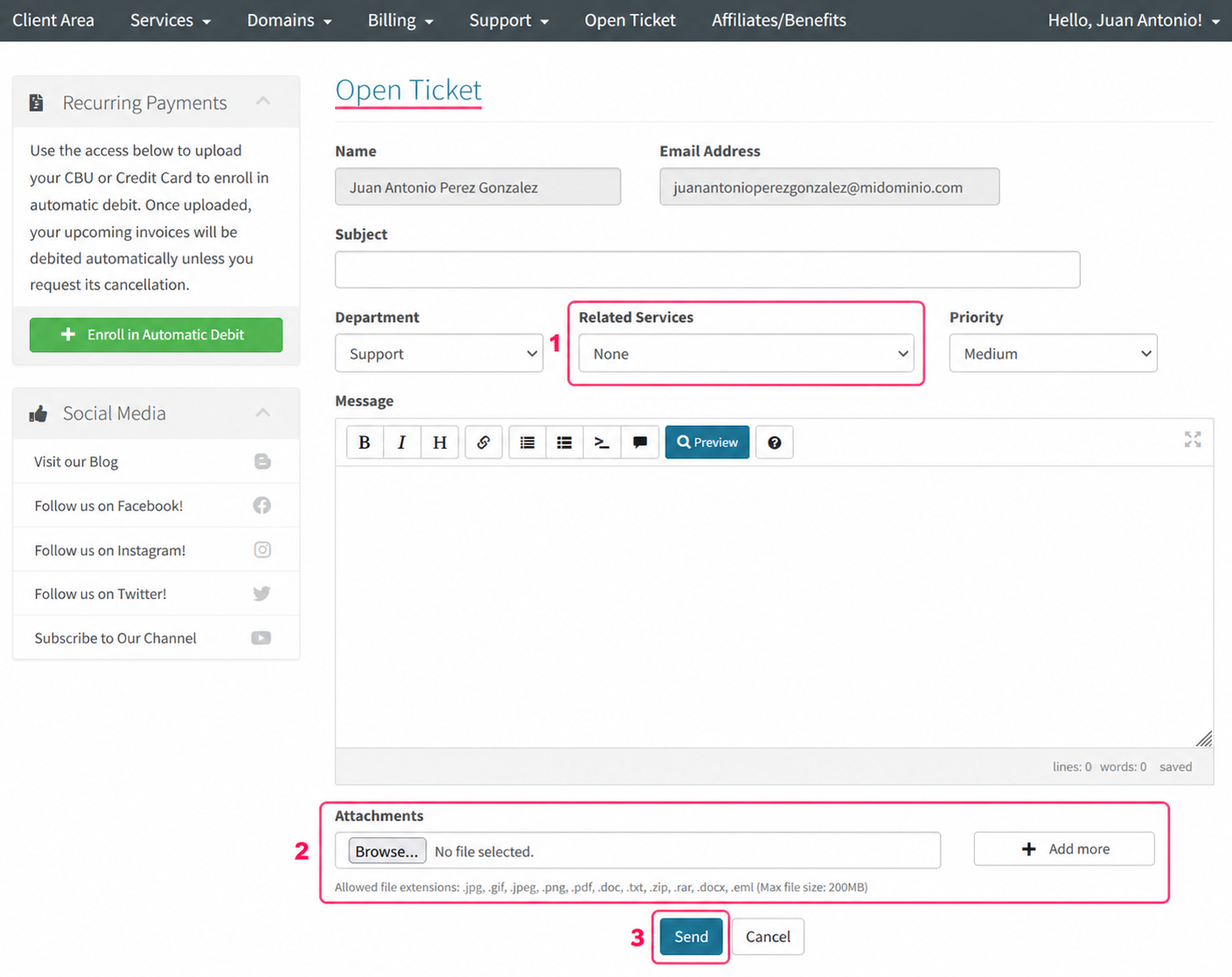
When you choose the support area for your inquiry you will find the text editor.
- This editor will allow you to choose the service to which your inquiry refers. You can select the hosting plan, a domain, etc.
- You can attach files to your inquiry. It’s recommended to attach images of configurations or error screens to facilitate troubleshooting.
- Finally, when your inquiry is ready, press the Send button. It will be saved as a support ticket. You will receive responses in your email inbox.
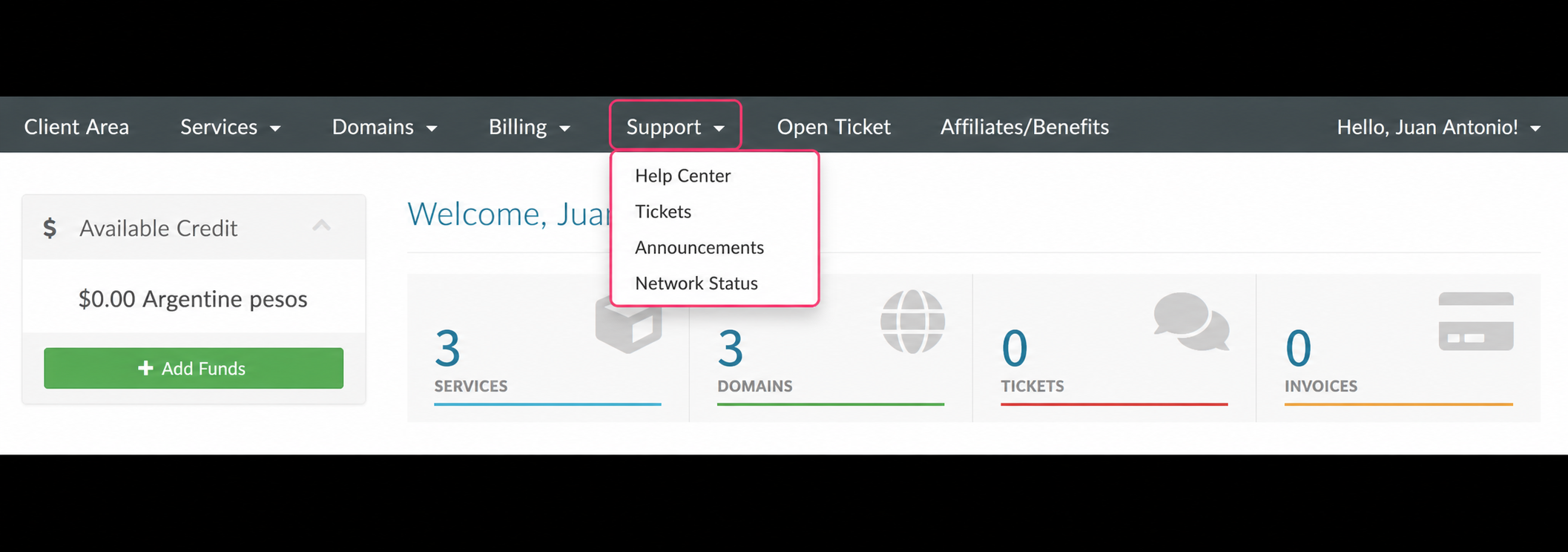
If you want to find a previous ticket or access the Help Center, you can do so from the Support option in the central gray menu of your Client Area.