
How to renew my domain?
To renew a domain follow these steps:
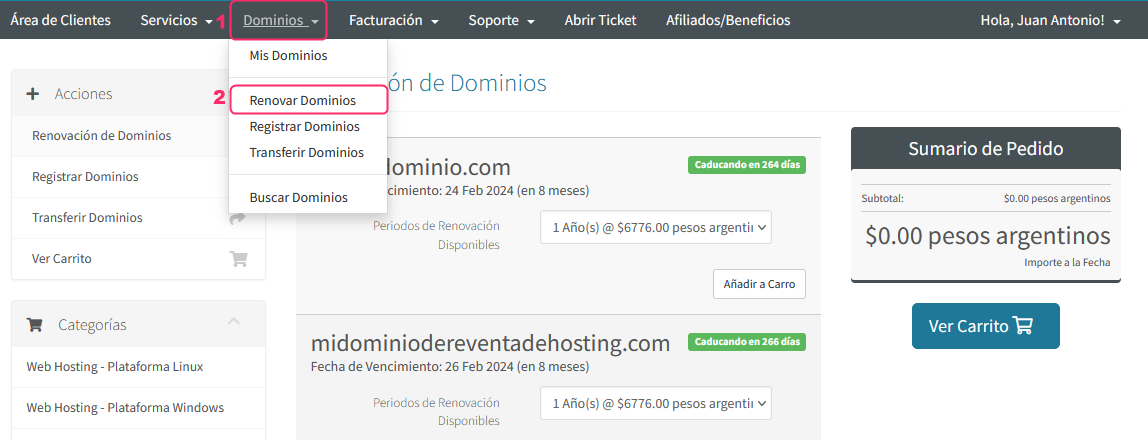
- In the gray menu, go to Domains=>Renew Domains
On the new screen you will see the following information and options:
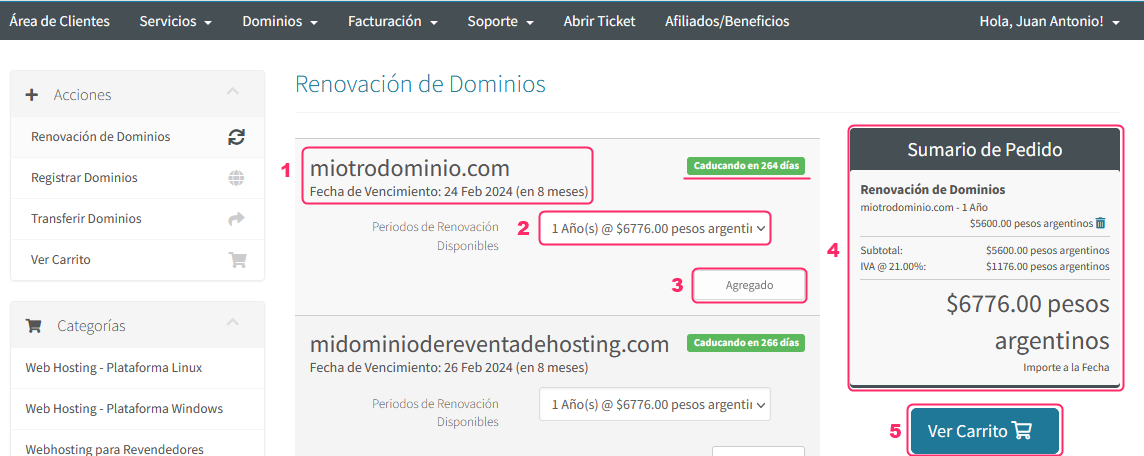
- Choose the domain you want to renew, checking how close it is to expiration.
- Choose the renewal period. The minimum is 1 year.
- Add your order by clicking the Add to Cart button (it will change to Added).
- Review the final price and details of your order.
- Confirm your order by clicking the View Cart button.
You will see your order details on the following screen
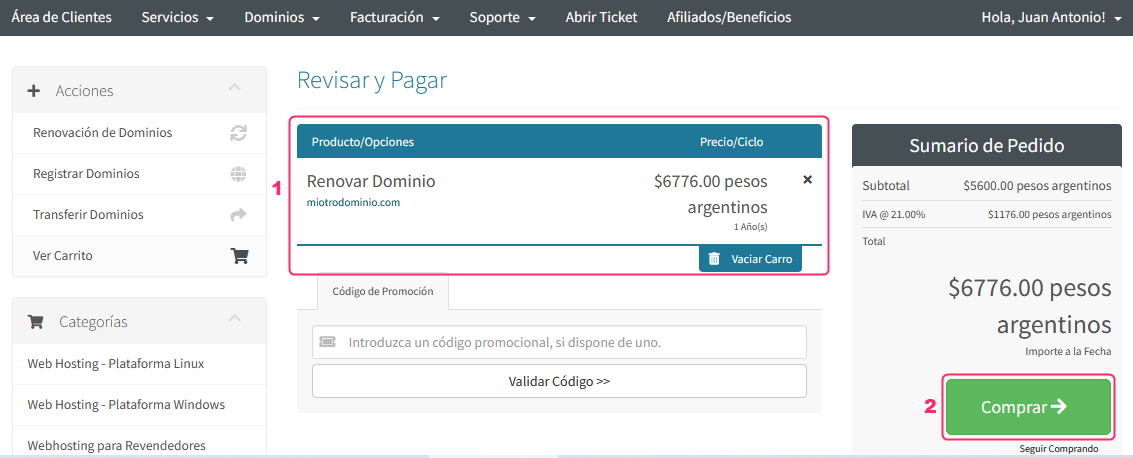
- You will see the ordered product with its price. You can cancel it by clicking Empty Cart.
- Confirm the order by clicking the Buy button.
Once you have reviewed and confirmed all the details you will be able to generate the renewal invoice for the domain.
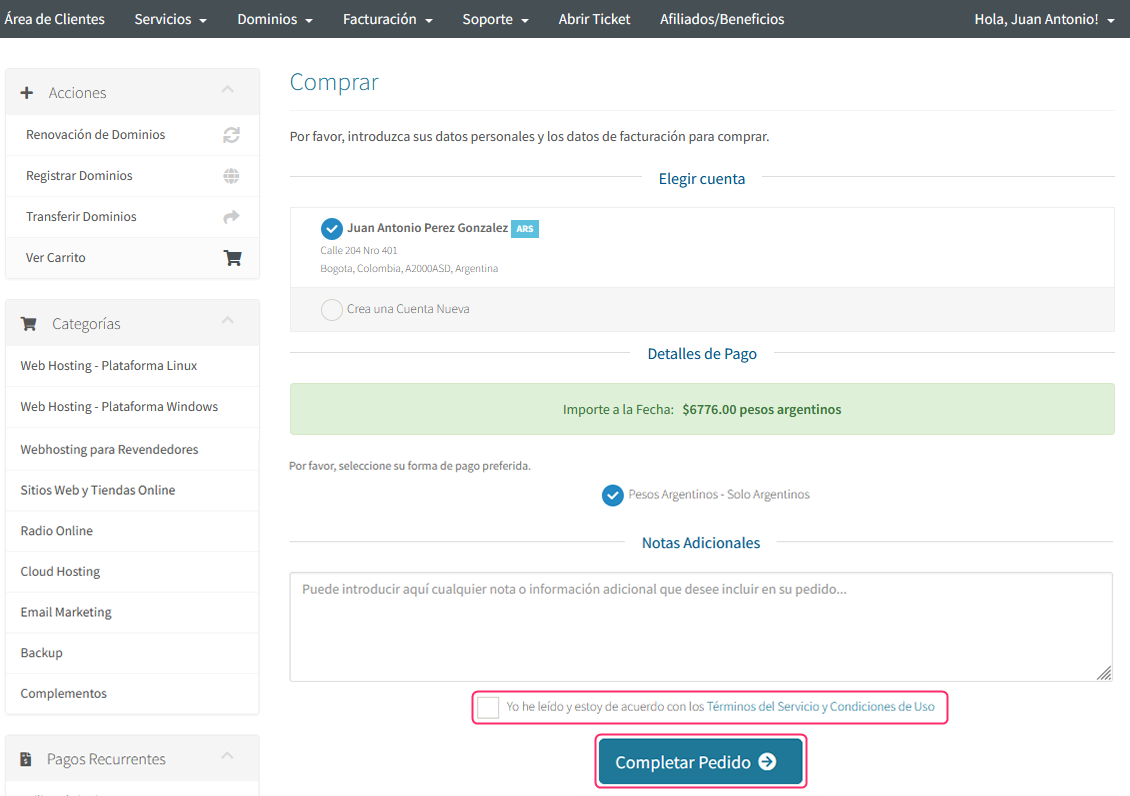
- Check the Terms and Conditions checkbox.
- Complete the operation by clicking the Complete Order button.
- The pro forma invoice for your domain renewal will be generated.
You can also see these same steps in the following video: