
What is PHPMailer and what is it for?
On some servers the PHP mail() function is not available. This function is increasingly commonly disabled on servers as a security measure. It is usually disabled to protect against SPAM, mail spoofing and proxy mail servers.
If any of the hosted websites are compromised by a malicious user, the risks mentioned are avoided.
The PHPMailer library
The PHPMailer library allows us, among other features, to establish an SMTP connection with a mail server. This SMTP server will be the one that actually sends our email.
The project’s official website on GitHub contains documentation with installation and configuration options. Link to GitHub: https://github.com/PHPMailer/PHPMailer
Manual installation of PHPMailer
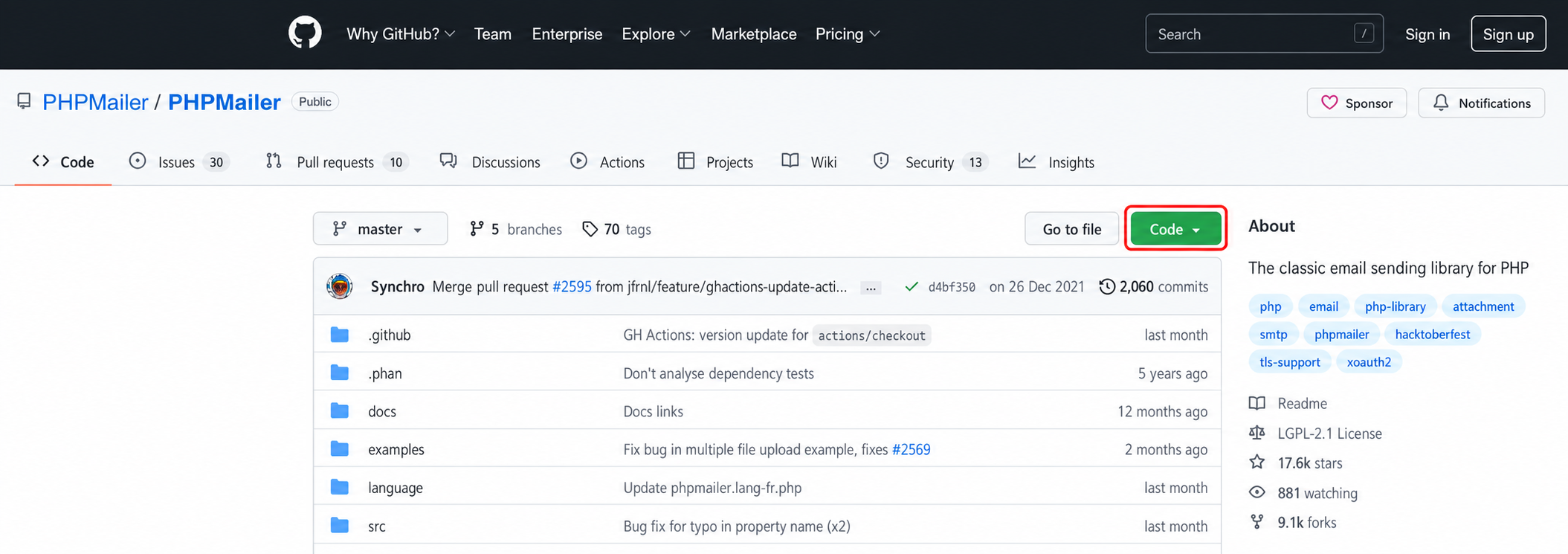
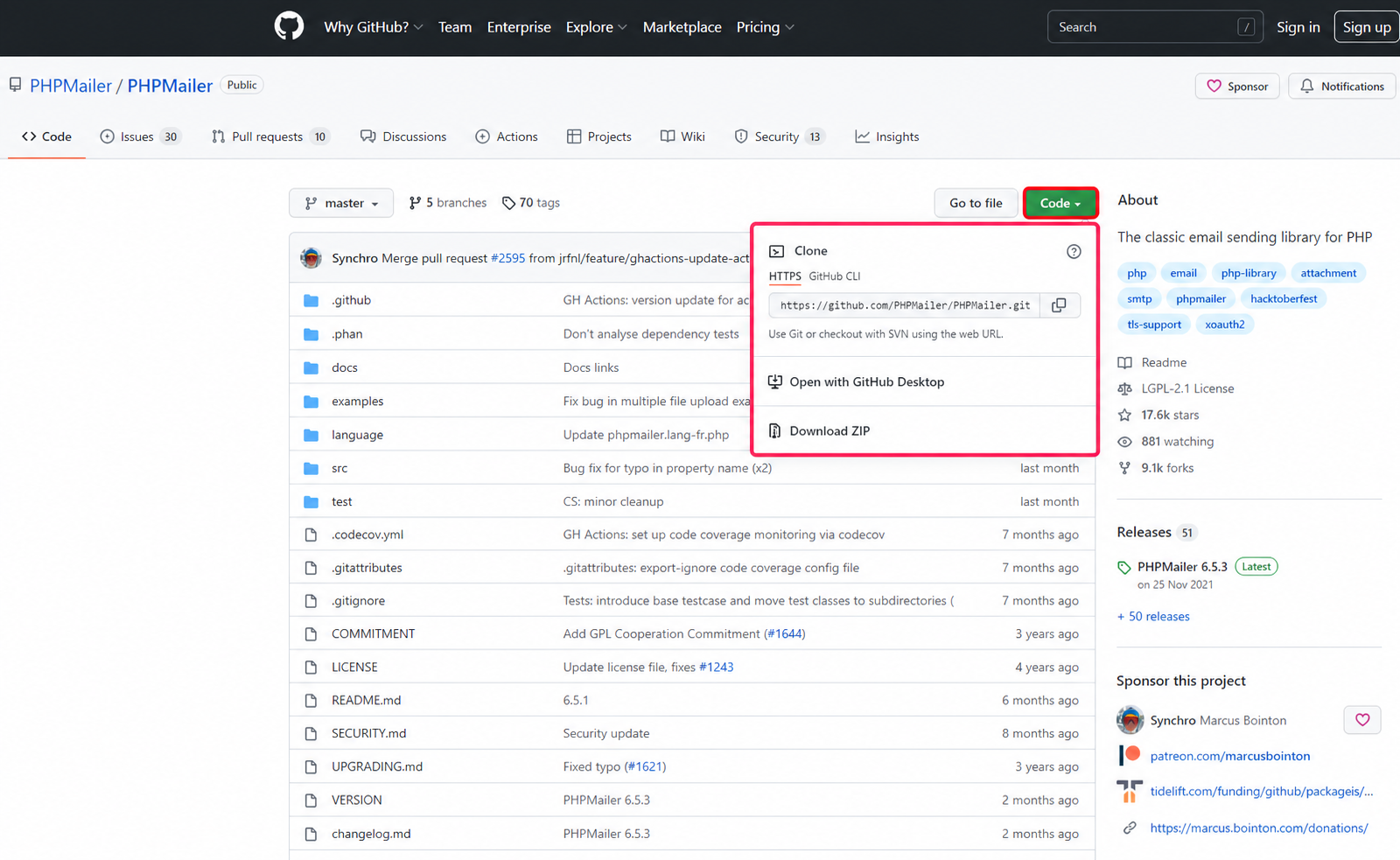
1.- Download the library from https://github.com/PHPMailer/PHPMailer, click the green “Clone or download” button and “Download ZIP”
2.- Unzip the downloaded file “PHPMailer-master.zip” and rename the directory PHPMailer-master to PHPMailer
3.- Copy the PHPMailer directory inside our project.
To verify that the paths are correct, the following should exist from the root of our project: /PHPMailer/src/PHPMailer.php
Simple configuration example
1.- Save the following code in a file ejemplo.php
// Some code<?php
// Show PHP errors (Disable in production)
ini_set('display_errors', 1);
ini_set('display_startup_errors', 1);
error_reporting(E_ALL);

// Include the PHPMailer library
use PHPMailer\PHPMailer\PHPMailer;
use PHPMailer\PHPMailer\Exception;
use PHPMailer\PHPMailer\SMTP;

require 'PHPMailer/src/Exception.php';
require 'PHPMailer/src/PHPMailer.php';
require 'PHPMailer/src/SMTP.php';

// Start
$mail = new PHPMailer(true);

try {
    // SMTP configuration
    $mail->SMTPDebug = SMTP::DEBUG_SERVER;                         // Show output (Disable in production)
    $mail->isSMTP();                                               // Enable SMTP sending
    $mail->Host  = 'CONFIGURAR_SERVIDOR_SMTP';                     // SMTP server
    $mail->SMTPAuth  = true;                                       // SMTP authentication
    $mail->Username  = 'CONFIGURAR_USUARIO_SMTP';                  // SMTP user
    $mail->Password  = 'CONFIGURAR_CONTRASEÑA_SMTP';               // SMTP password
    $mail->SMTPSecure = PHPMailer::ENCRYPTION_STARTTLS;
    $mail->Port  = 587;
    $mail->setFrom('hola@prueba.com', 'Your name');                // Sender of the email

    // Recipients
    $mail->addAddress('prueba@midominio.com', 'Recipient Name');  // Recipient email and name

    // Email content
    $mail->isHTML(true);
    $mail->Subject = 'Email subject';
    $mail->Body  = 'Email content <b>in HTML!</b>';
    $mail->AltBody = 'Plain text email content for mail clients that do not support HTML';
    $mail->send();
    echo 'The message has been sent';
} catch (Exception $e) {
    echo "The message was not sent. Mailer Error: {$mail->ErrorInfo}";
}
2.- Modify the connection parameters, the sender email and the recipient email where we will send our test message.
3.- Upload via FTP or, using the cPanel File Manager, the PHPMailer directory and the ejemplo.php file to the root of the public directory (public_html).
4.- Run the example from https://yourdomain.com/ejemplo.php.\ It will show us the debug output of the process and, if everything went well, we will have received the email. If it shows any error, whether PHP or SMTP connection, we must debug the source of the problem.
In production, remember to disable PHP and SMTP debugging