How to create email accounts from my cPanel control panel?
Below we will show you how to create an email account from the cPanel control panel.
Create a new email account from cPanel
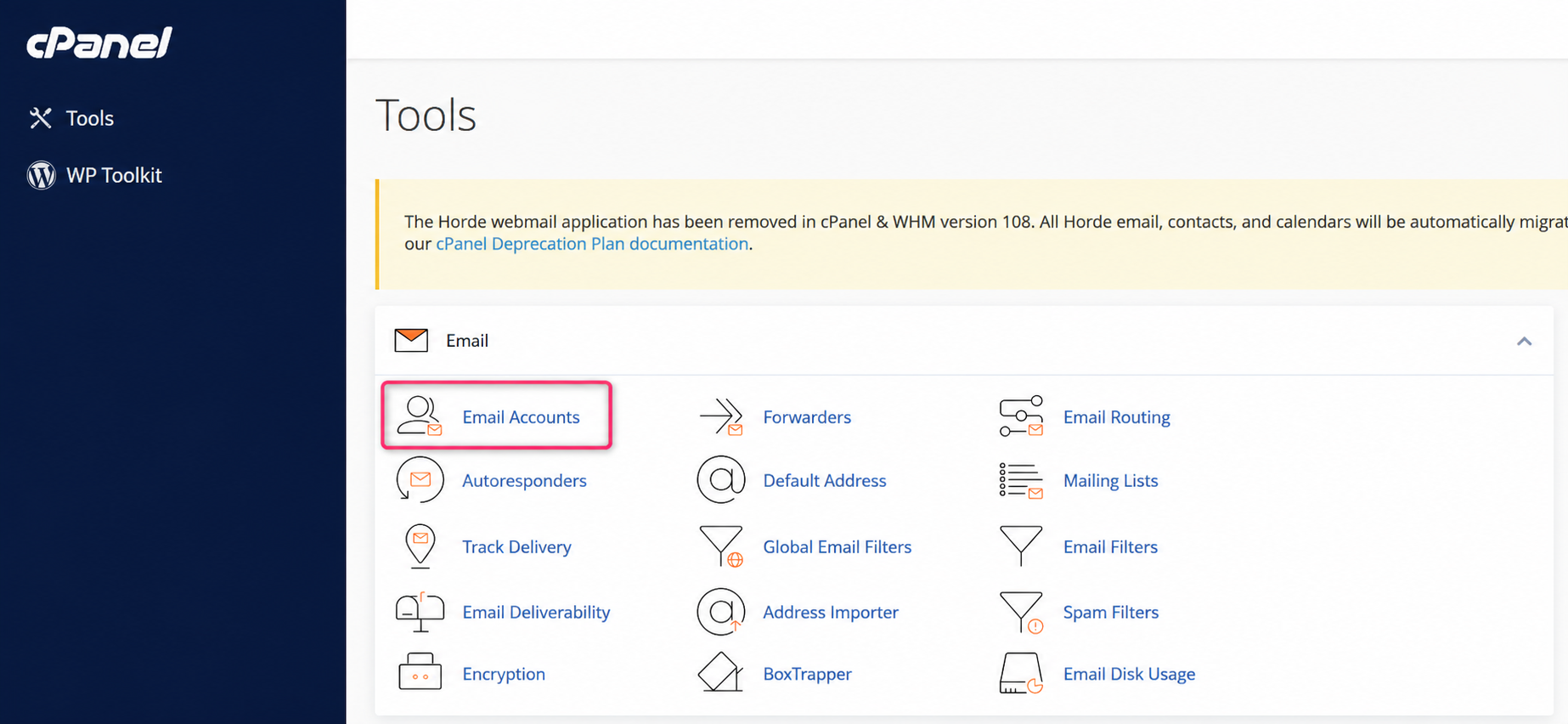
- Once you have logged into your cPanel control panel, you will find the Email box. From the available options, go to Email Accounts.
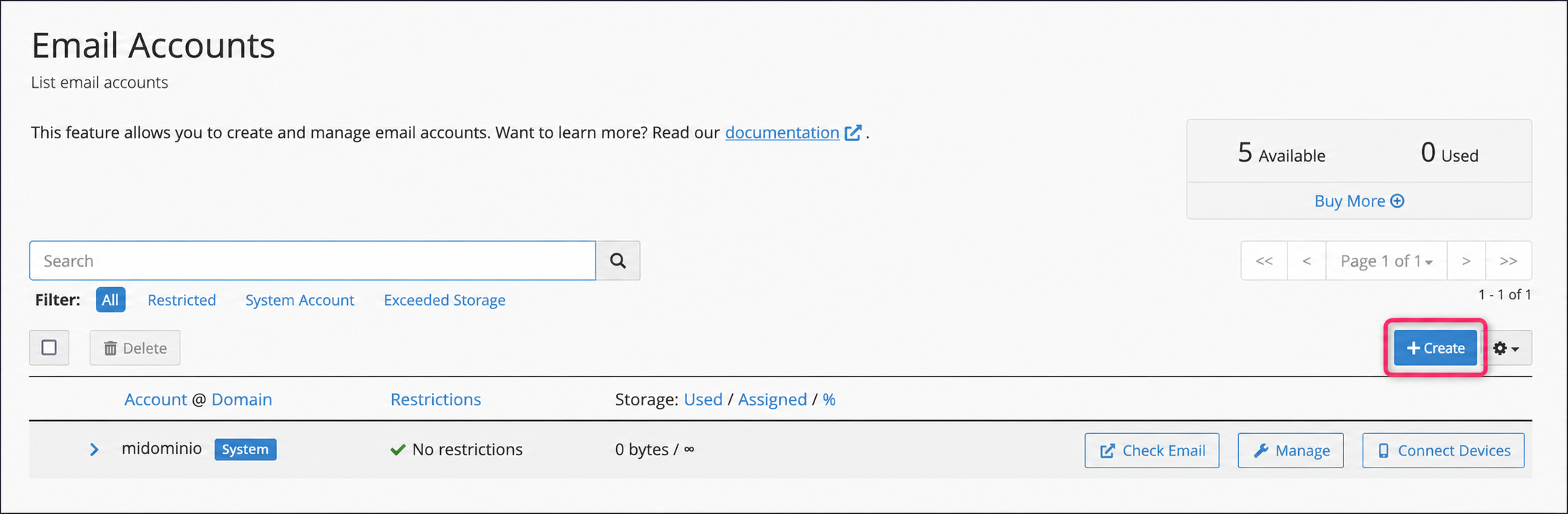
- Then, click the Create button on the right.
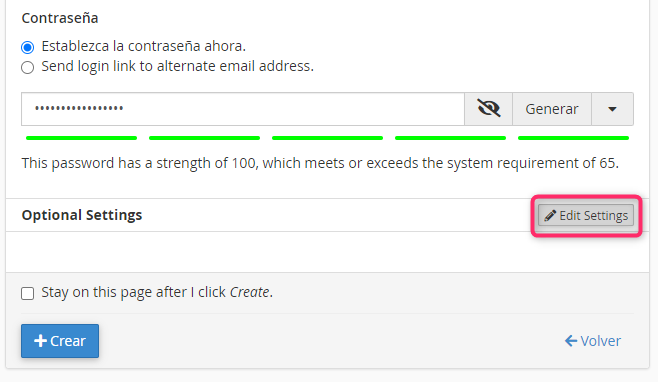
- In the form enter the name of your email account and the password. Finally, by clicking the Create button you will have finished creating your new email account.
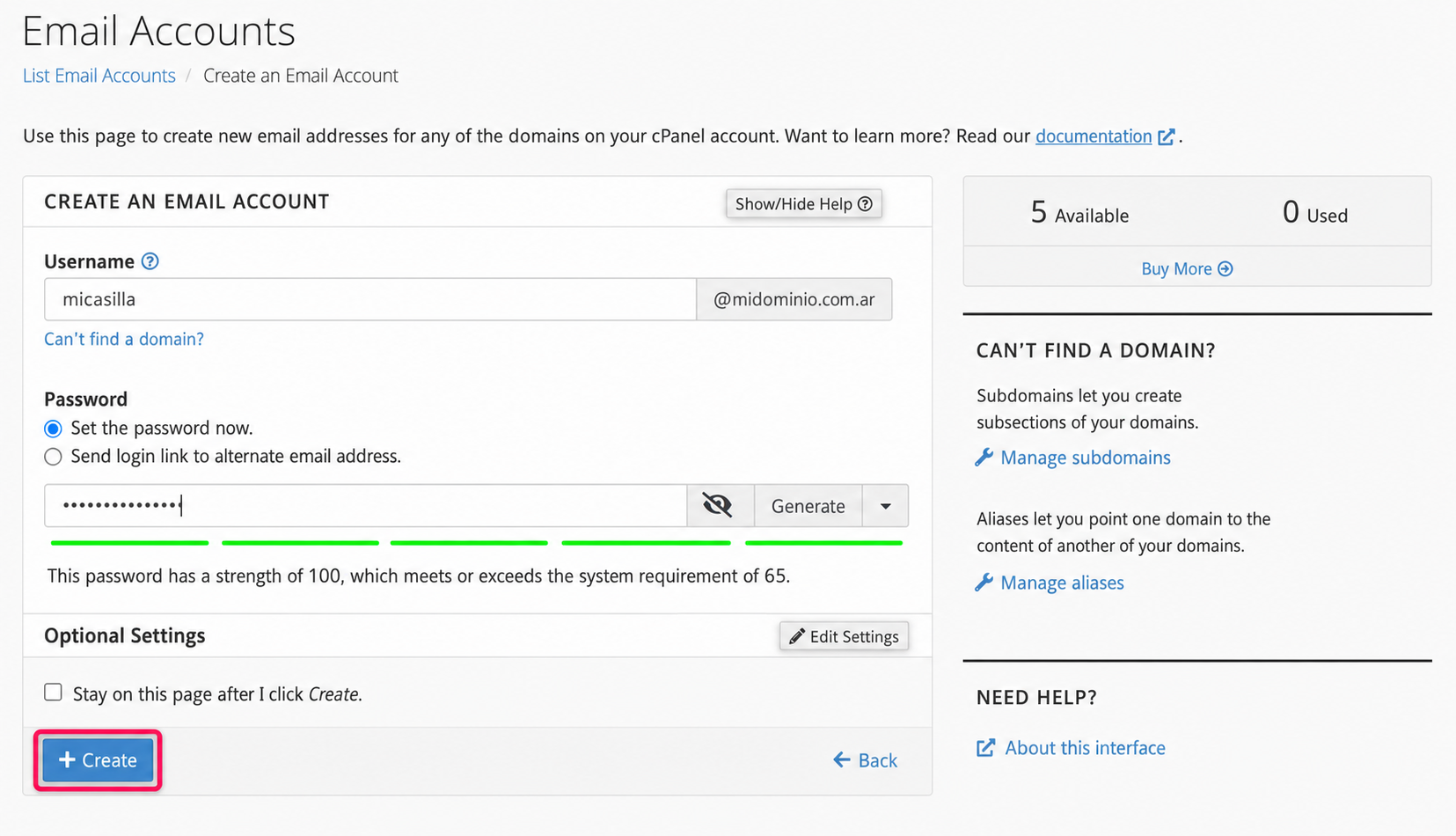
In the account creation form you can modify some parameters of your new email account, such as the maximum disk space you can use. You will find these options by clicking the Edit Settings button in Optional Settings
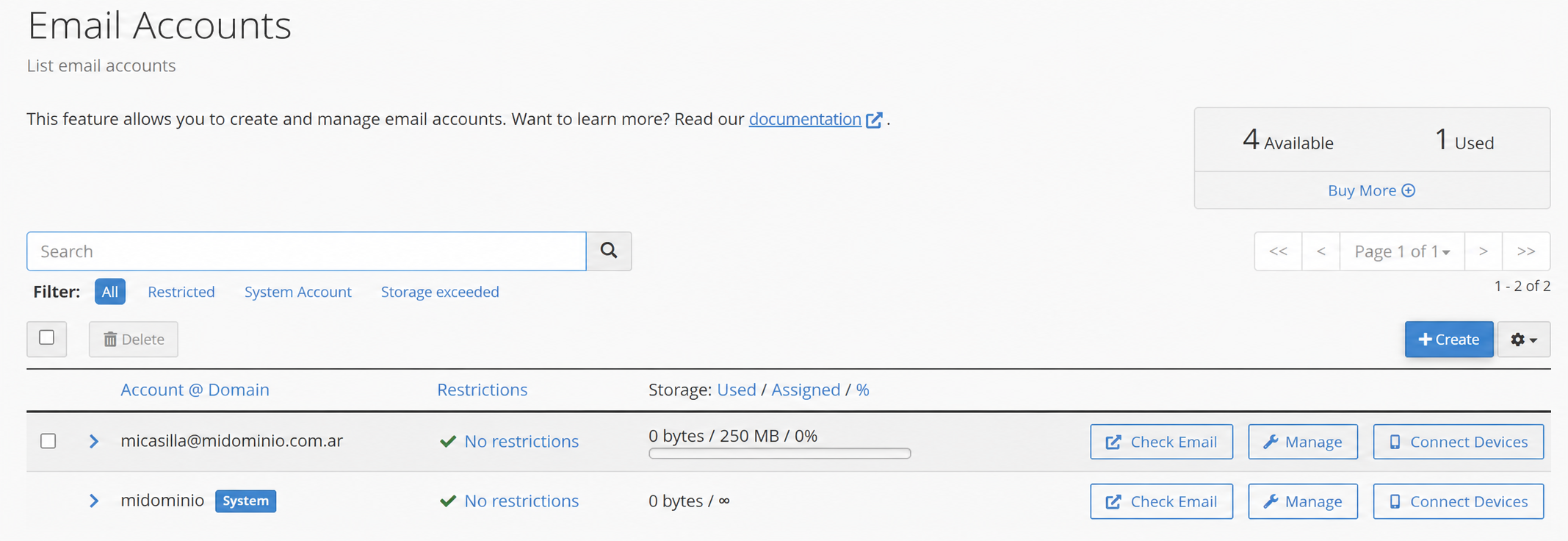
When you return to the Email Accounts area you will see your new account and can access it via Webmail or edit its details.