
How to create a hosting account?
Here we will describe how to create a new account on your reseller plan.
After accessing the WHM of your Reseller plan, go to “Account Functions” => “Create a New Account” in your WHM.
There you will see several options which we will describe below:
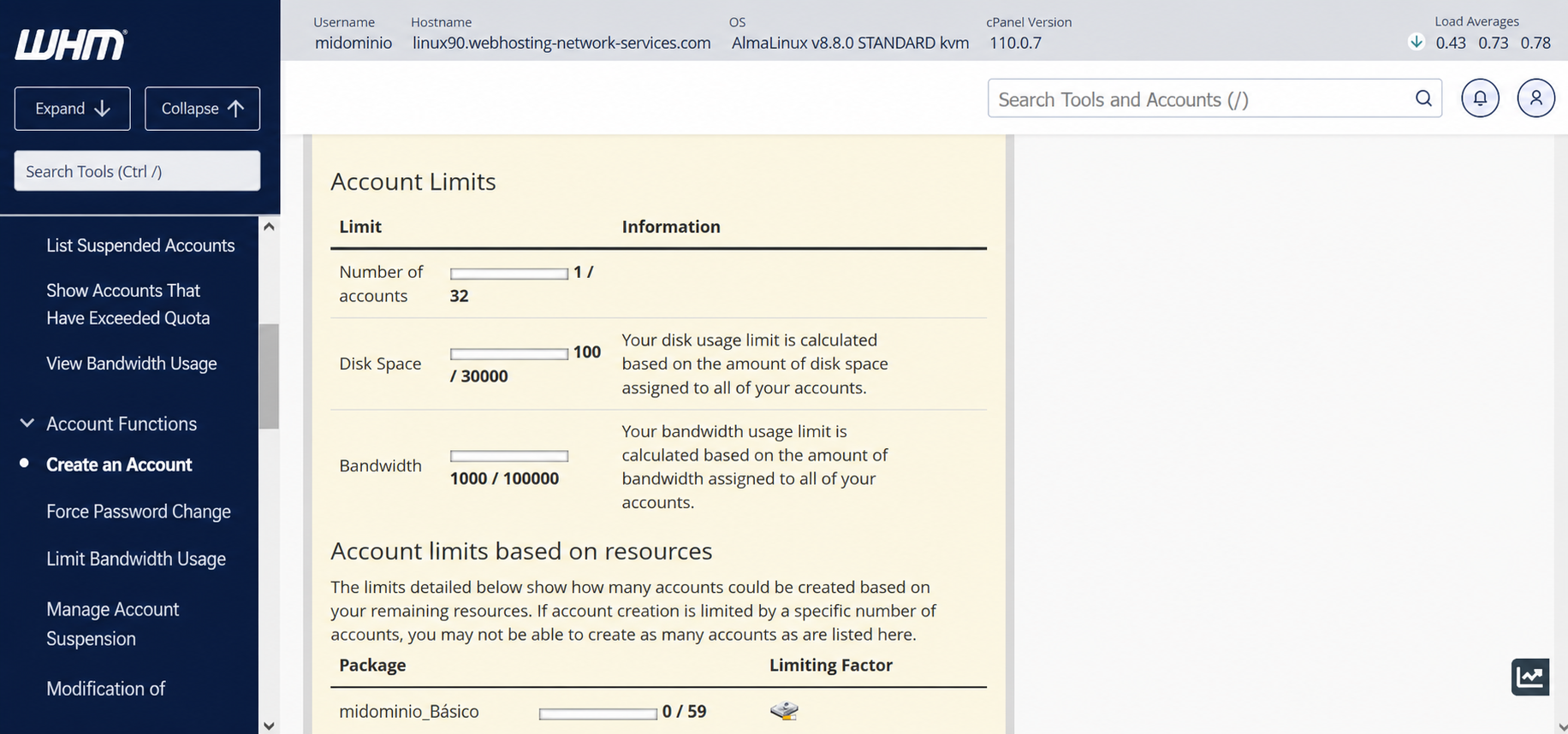
The first thing you will see are the resources used in your reseller plan. There you will see how many accounts you have created, as well as the total amount of disk space or bandwidth reserved for your domains.
It will also show the number of packages used from those you have created.
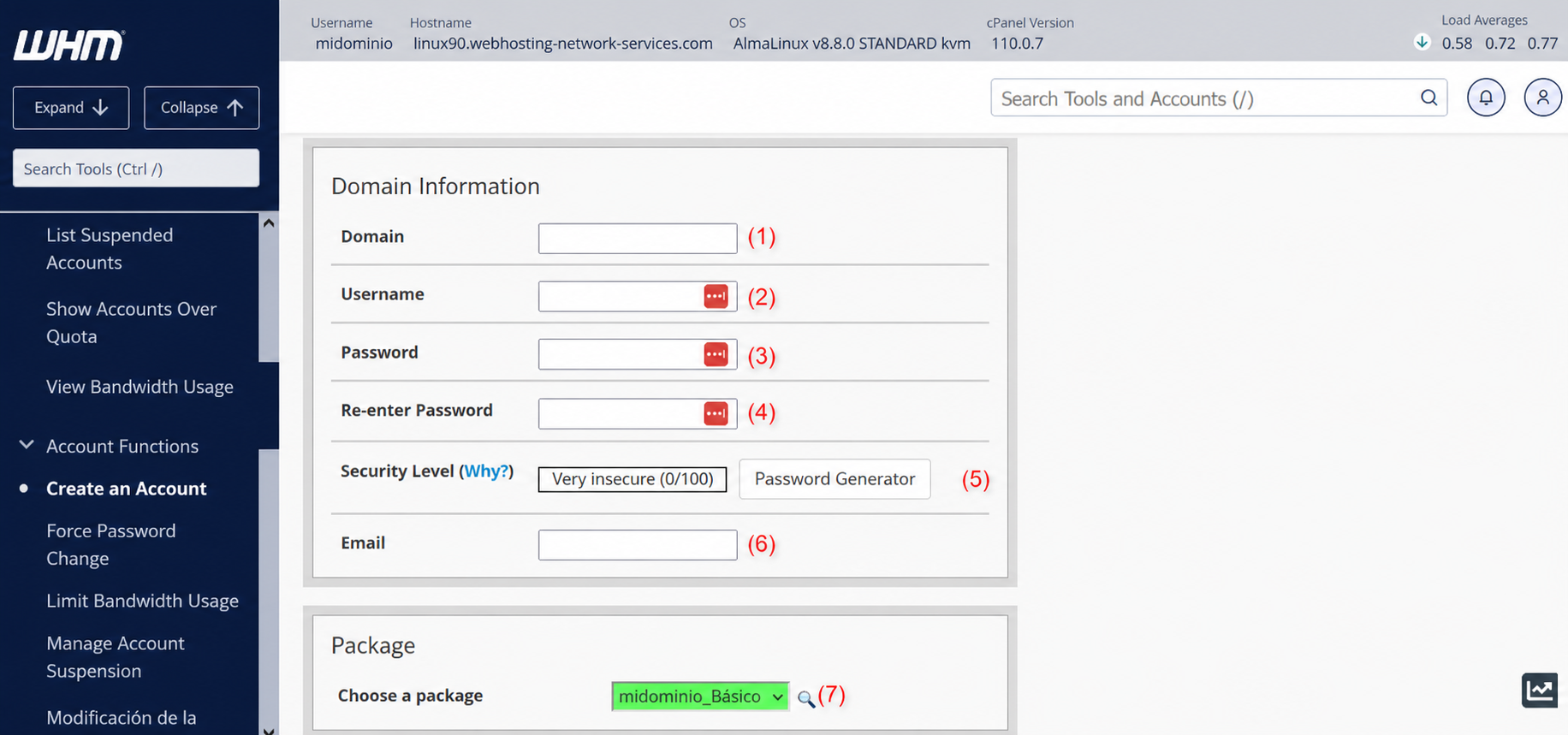
According to the image above:
(1) => Here you enter the domain name to create.
(2) => cPanel username for the domain. One will be created automatically after completing the domain name, but you can edit it and set whatever username you wish.
(3) and (4) => This is where you can generate the cPanel password for the site. You must fill in both fields to confirm. You can also use the “Password Generator” located in (5).
In (5) you will also find the password strength meter. The closer to 100, the more secure your password will be.
(6) => Here you set the email address that will receive all notices from the domain’s cPanel.
(7) => Here you can select the package/plan that the domain will use.
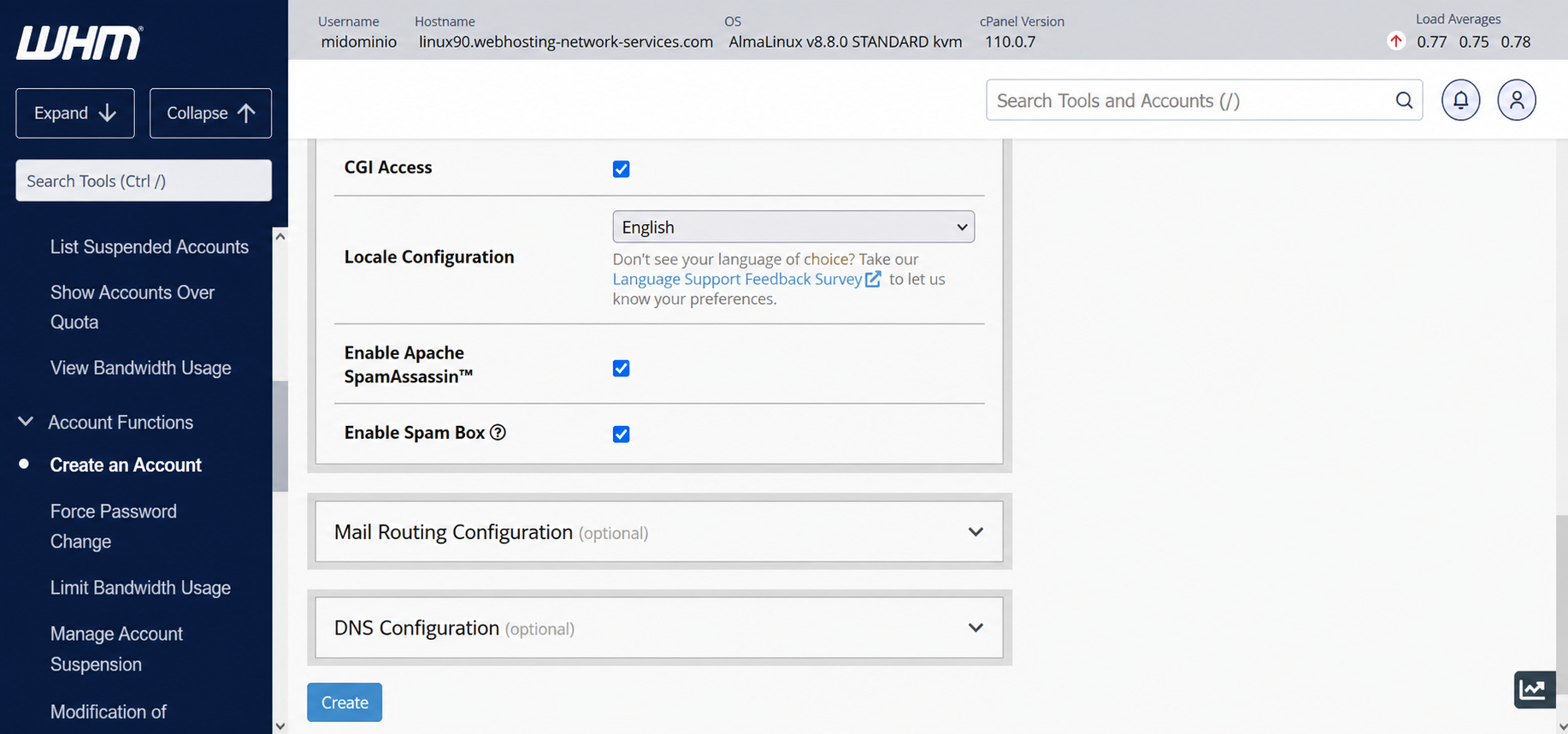
The rest of the configuration shown in the image above is best left at the defaults as suggested by cPanel.