
How to change an account’s password?
You can use this instance of WHM to change the password of any cPanel account.
Once you have logged into WHM, go to “Account Functions” => “Password Modification”.
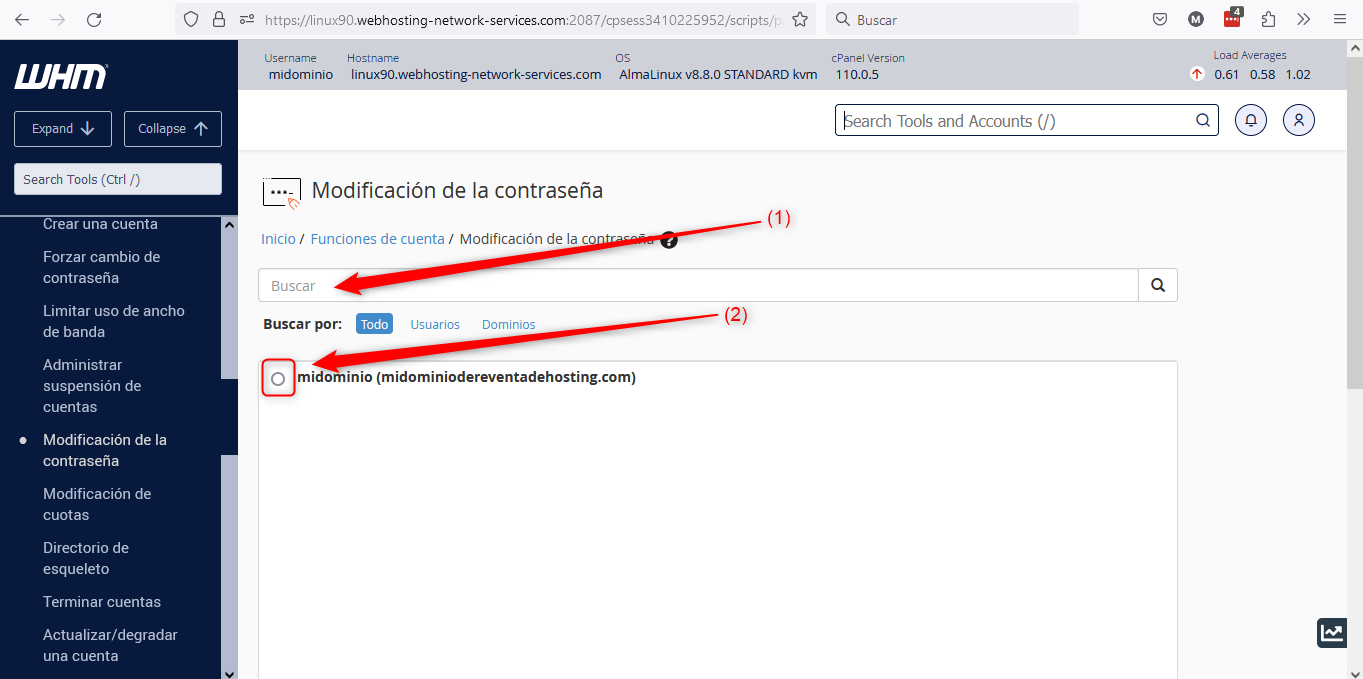
In this first part of the section, if you have many domains and it’s cumbersome to search visually, specify the domain you need to change the password for in (1); then click on (2) to select it.
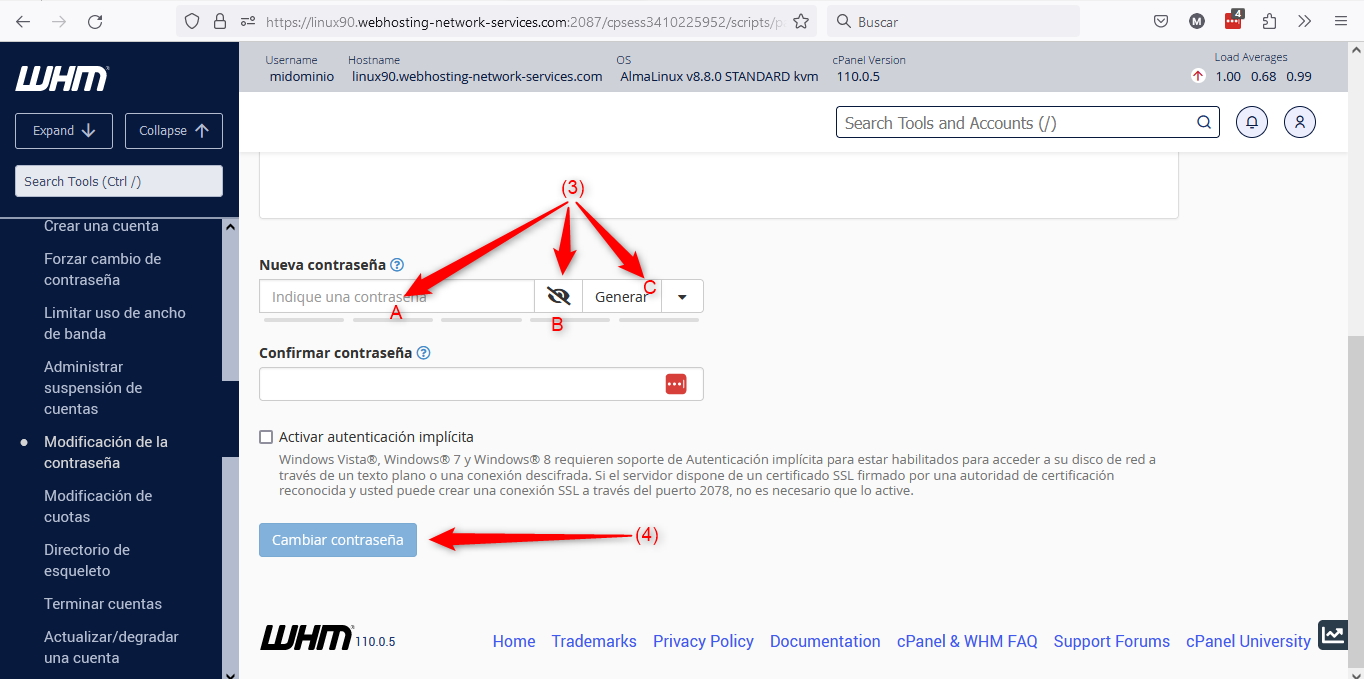
Once the domain is selected, you can enter the desired password at point (3)A. At point (3)B you can choose whether to display that password or not; or you can simply let the system generate a password for you at point (3)C.
Once you have chosen the desired password, save the change with the button indicated at point (4).