
How to suspend and unsuspend an account?
We'll show you in this section how you can suspend and unsuspend your clients' domains in your reseller WHM.
After accessing the WHM of your Reseller plan, go to “Account Functions” => “Manage Account Suspension”.
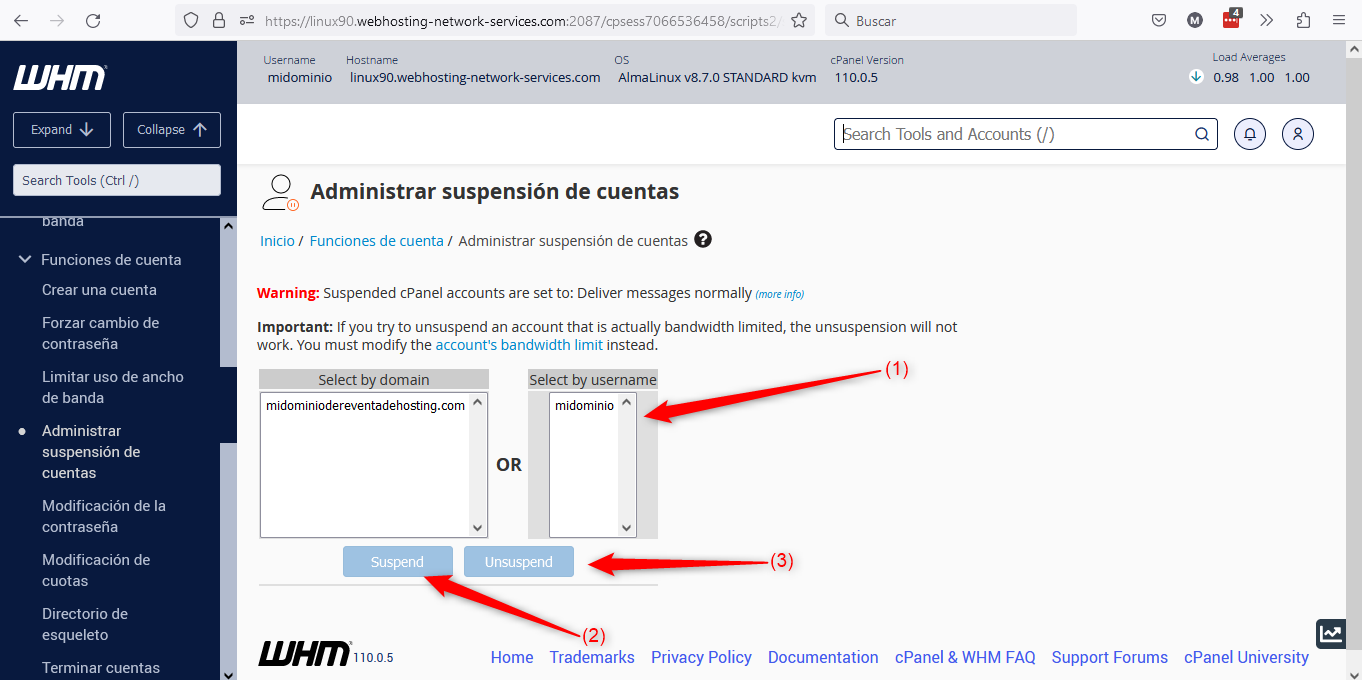
Below we will detail the points in the image:
(1) => This is where you can select the domain you want to suspend or unsuspend. You can search for it by domain name or by cPanel username.
(2) => If you use that button it will suspend the selected site.
(3) => If you use that button it will unsuspend the selected site.