How to Create and Configure Databases in cPanel?
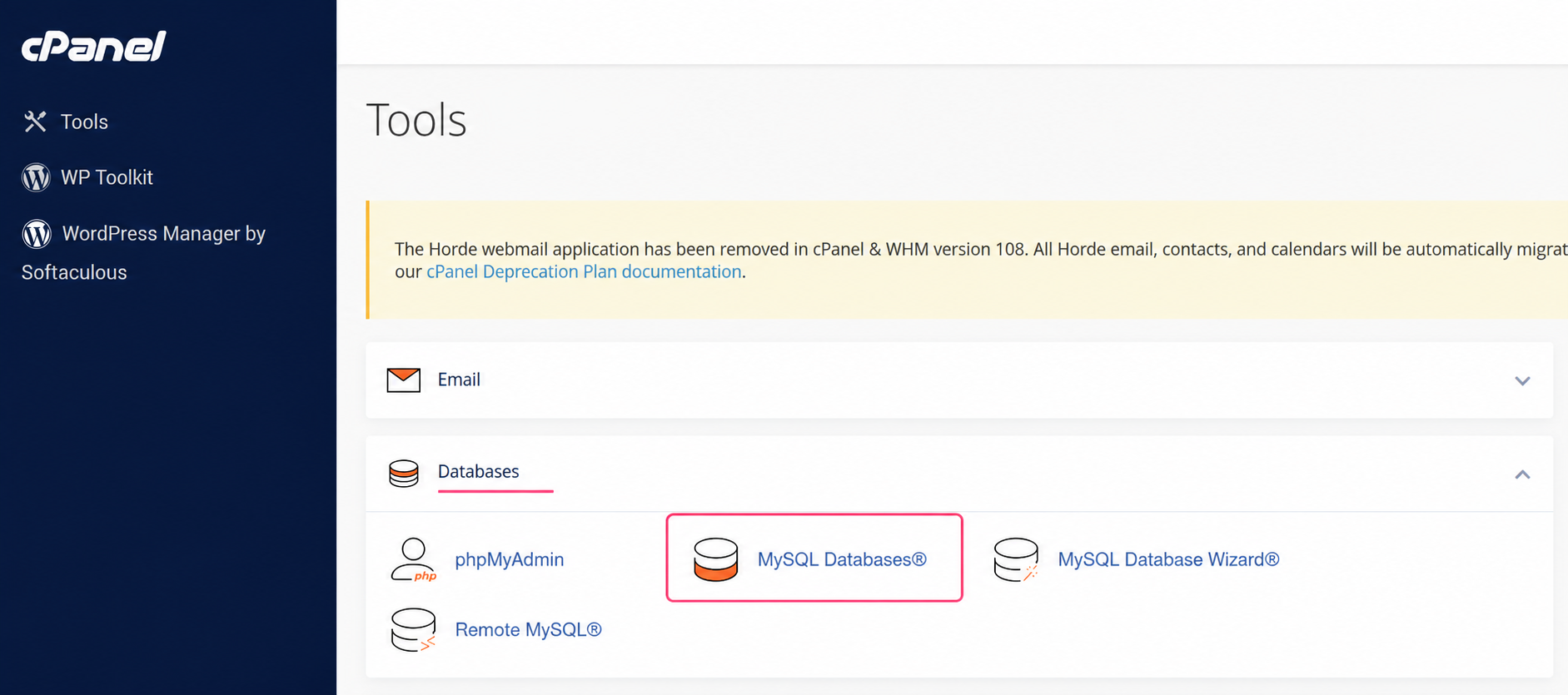
1) To create databases, go to the MySQL Databases tool in the Domains box.
2) In the MySQL databases administration screen you will see several areas:
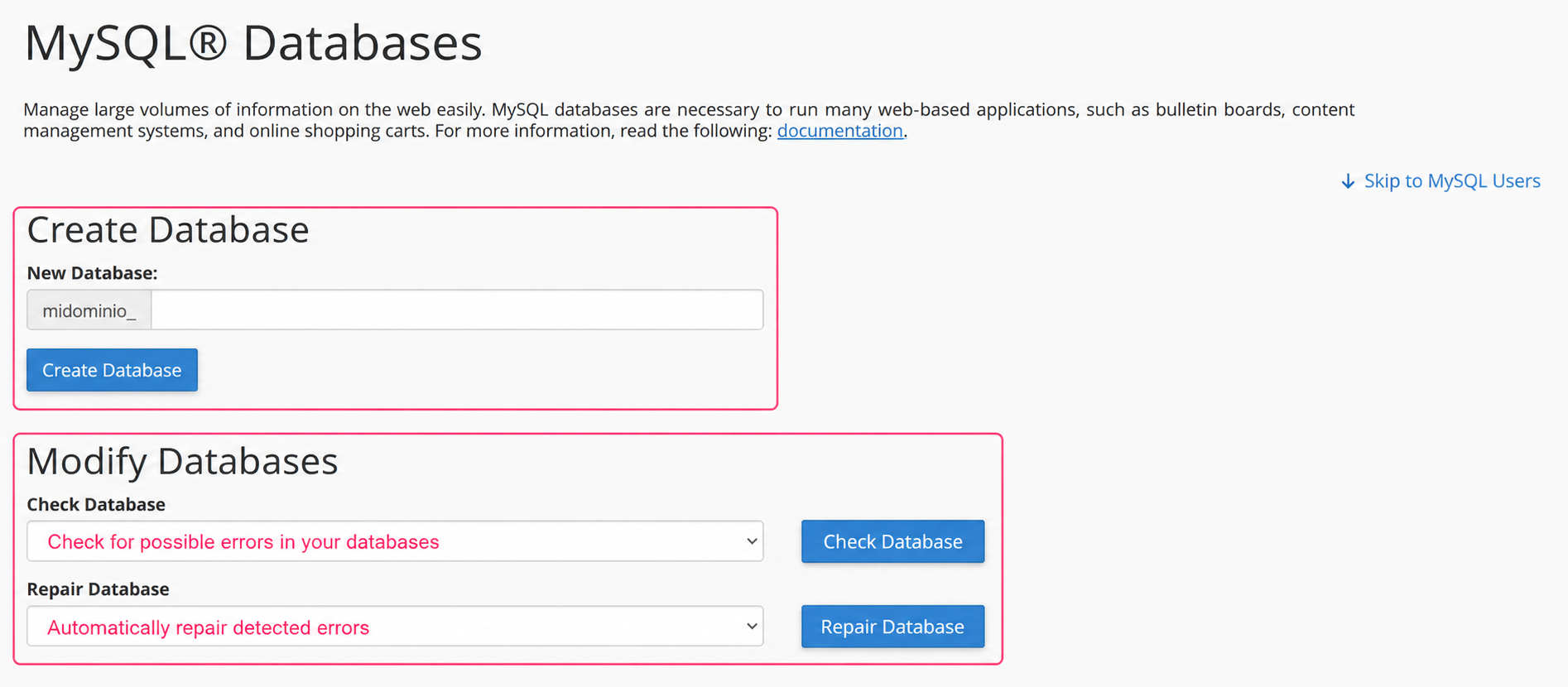
- Create Database: where you can create your database. Databases will use the hosting account username as a prefix.
- Modify Databases: where you can review and repair possible errors in your databases.
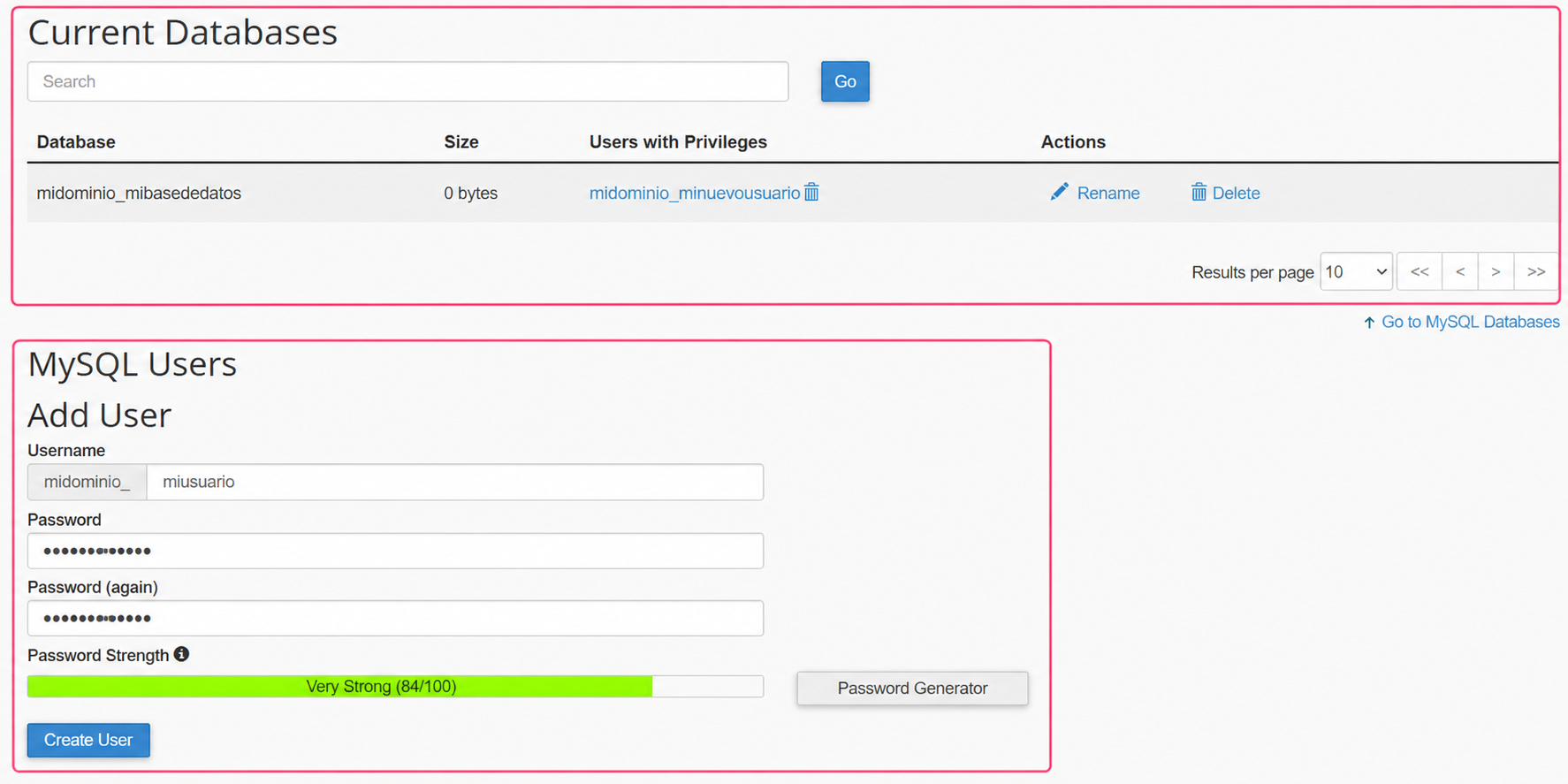
- Current Databases: where you can view and manage the databases you have created. You can see the space they occupy, modify user privileges, rename them or delete them.
- MySQL Users: where you can create the users that will connect to the databases.
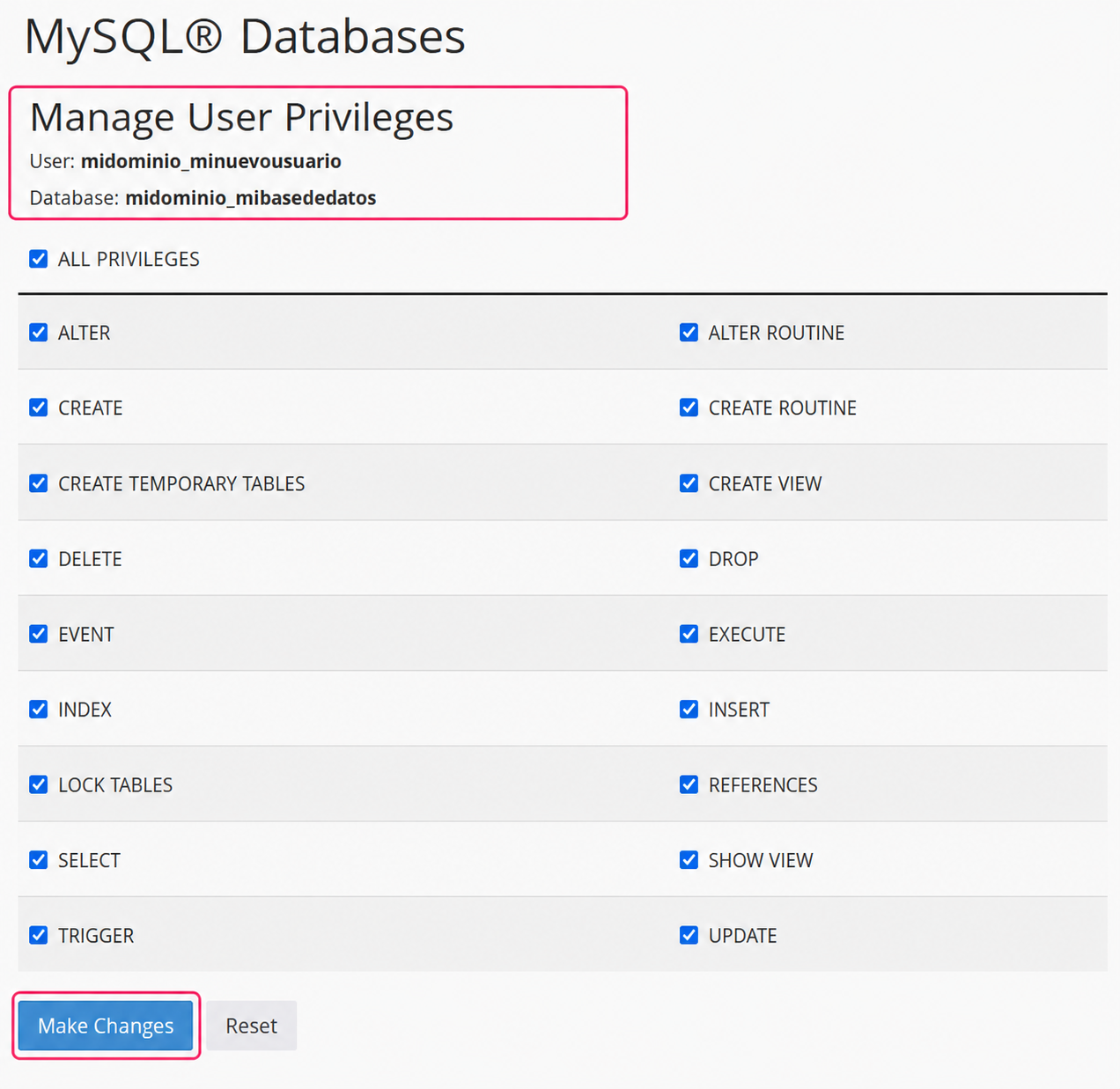
Clicking on the user privileges for a database will display this screen, where you can modify its privileges.
Finally you’ll see:
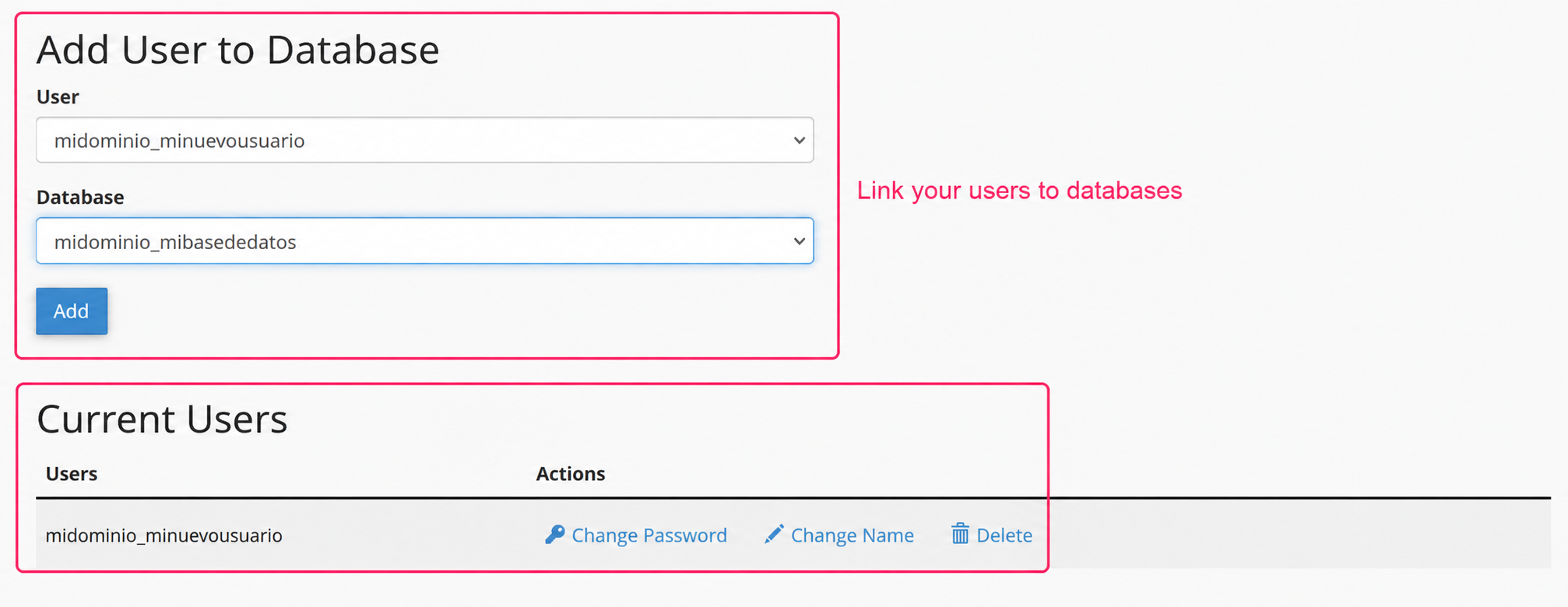
- Add User to the Database: where you can link users to databases.
- Current Users: where you can view created users and modify their details or delete them.