How to configure Domain Redirects in Plesk?
A Domain Redirect will allow you to display the website of any other domain. Redirects can be created on a domain or subdomain.
Follow these steps to create a Redirect:
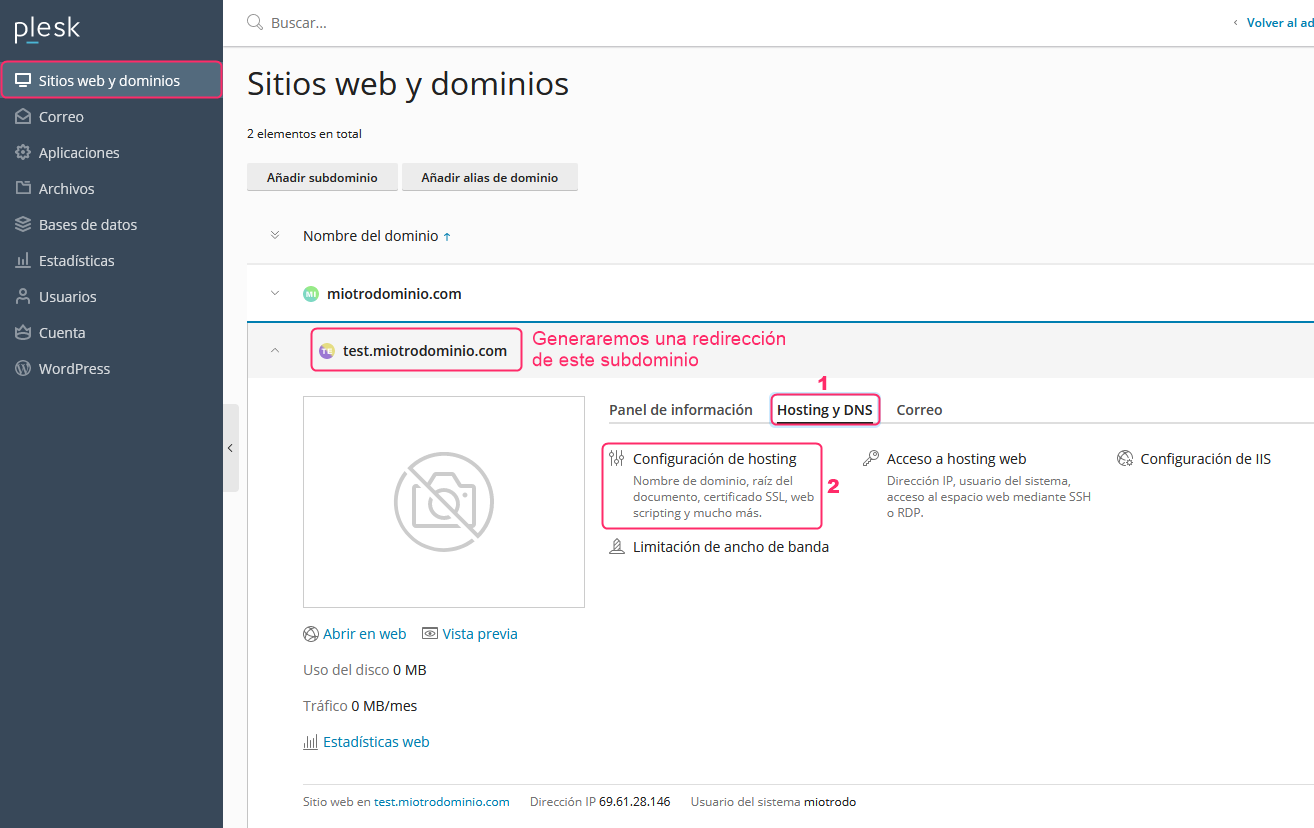
1) From Websites & Domains, in the left menu, choose the domain or subdomain you want to redirect.
Then click on the Hosting & DNS option and then go to Hosting Settings.
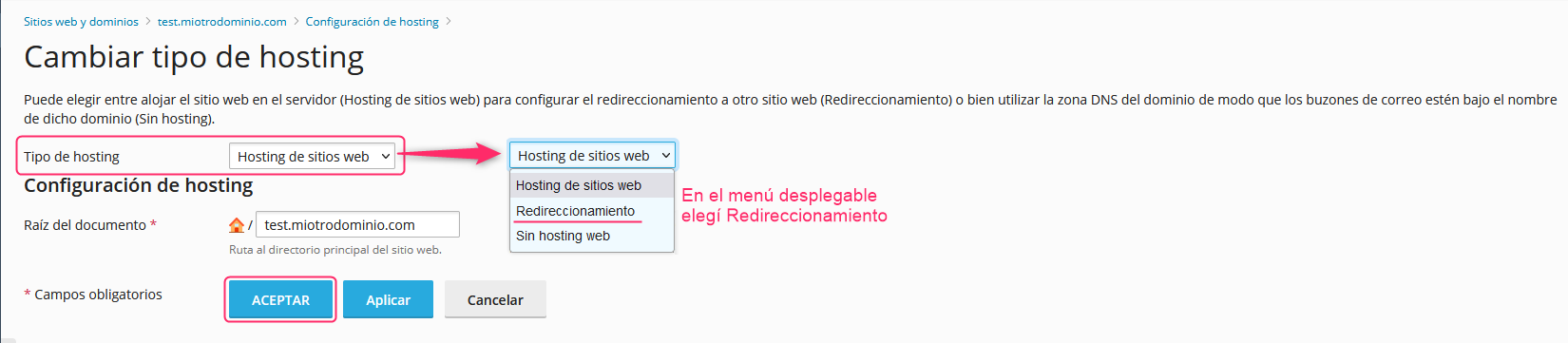
2) On the new screen, you will see the Hosting Type option. In the dropdown select Forwarding.
Then save the change with the OK button.