How to enable or disable ModSecurity in Plesk?
If you find that your website shows a 403, 405, or 406 error, it’s very likely that some element of your site is being blocked by a ModSecurity rule.
ModSecurity is a web application firewall. It blocks certain requests or code executions that it considers dangerous. You can configure ModSecurity to allow or block certain executions, depending on your website’s requirements.
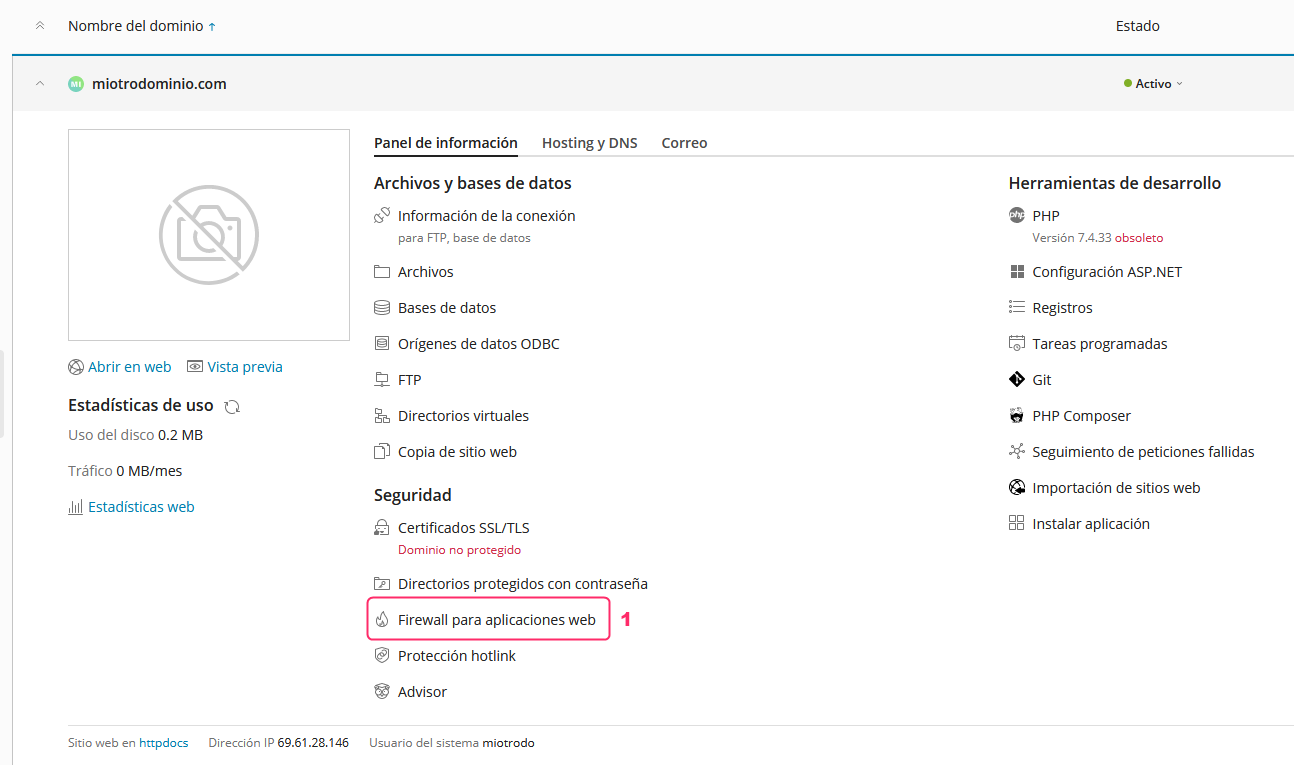
In the Plesk control panel, you can access the ModSecurity configuration by following these steps:
- In the main menu of your account within Plesk, go to Web Application Firewall.
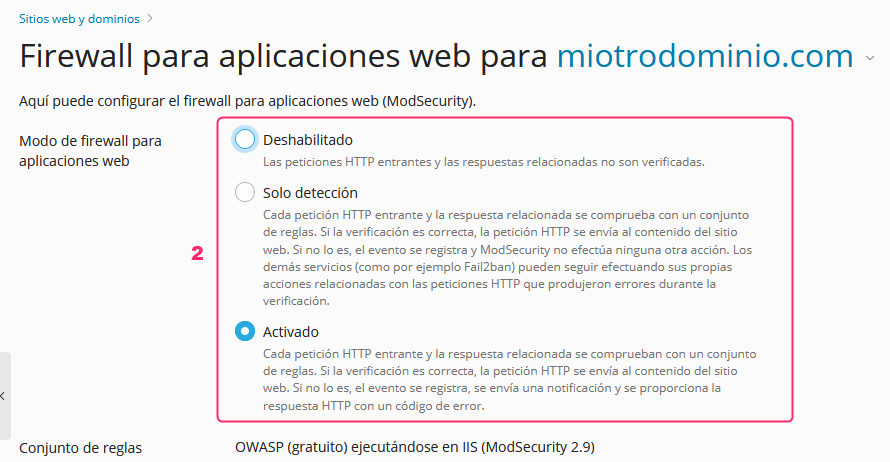
- The first options will allow you to disable or enable ModSecurity or enable it in detection only mode. In this mode it will generate detection logs but will not block the site from running.
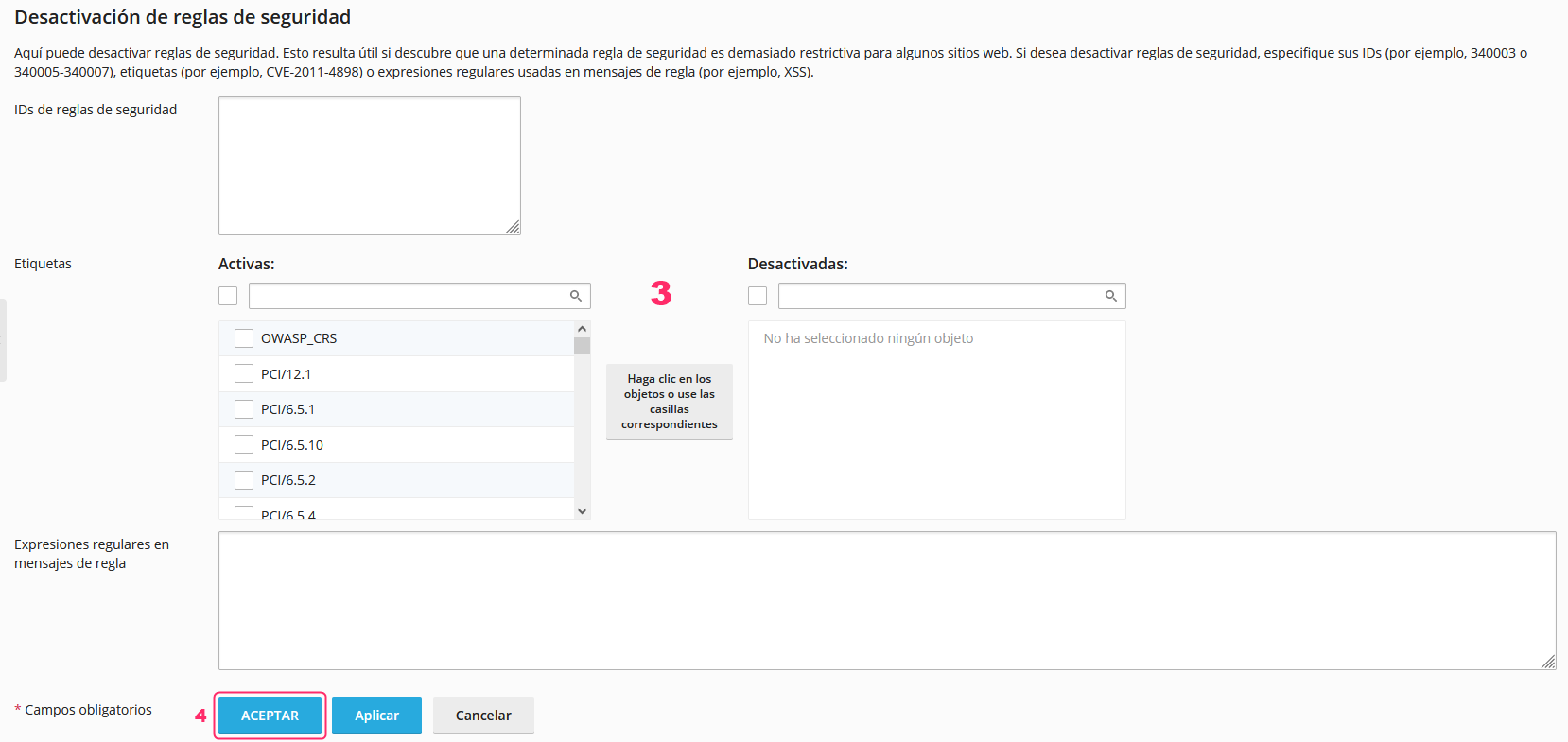
- Below, you’ll find the configuration for ModSecurity rules. This is an advanced section and should only be configured by the webmaster or a specialized technician.
- Once you’ve made a change to the ModSecurity configuration you must save the changes by pressing the ACCEPT button.