
How to Create Subdomains and Aliases in Plesk?
Creating a Subdomain:
A Subdomain is a subdivision of a website under the same domain. Subdomains are typically used to separate functions of a complex web page.
For example, midominio.com could display a main site with product offers, while compras.midominio.com would show the shopping cart to process an order.
Follow these steps to create a Subdomain:
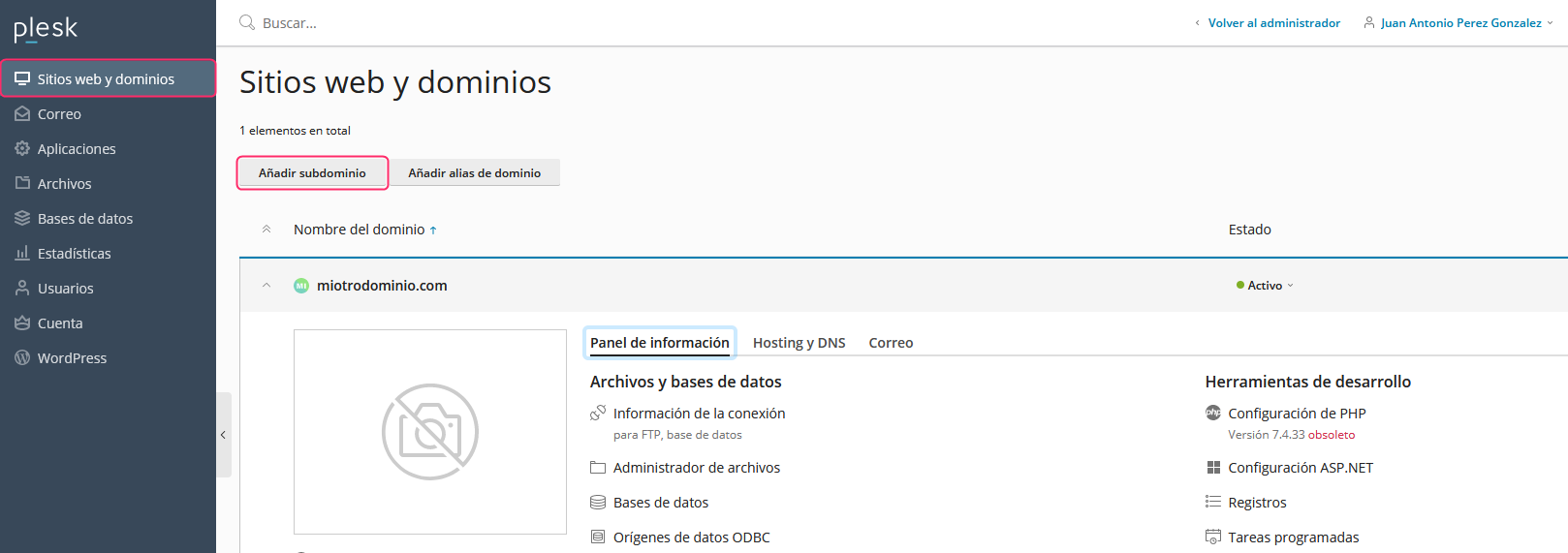
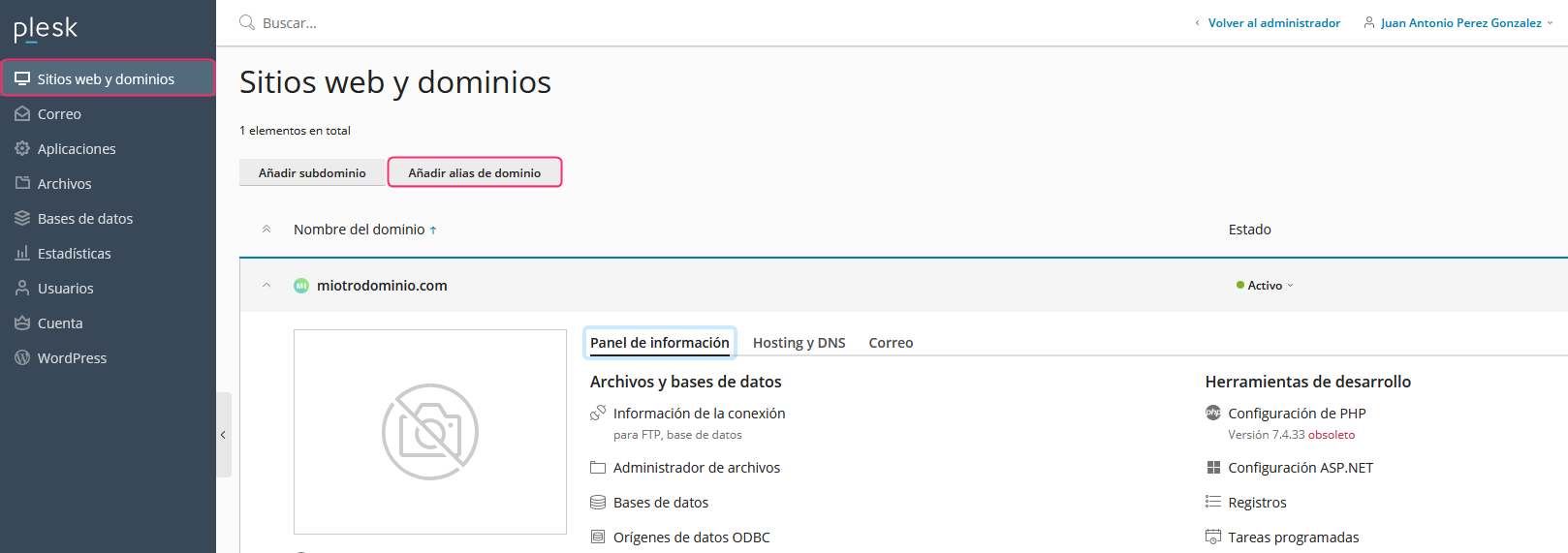
1) To create a Subdomain go to Add Subdomain. This option is inside Websites & Domains, in the left menu.
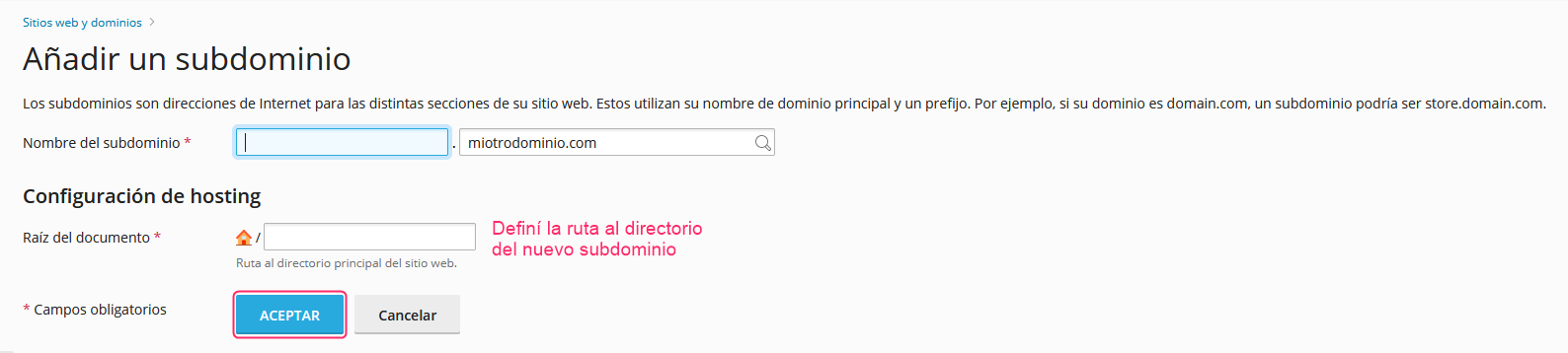
2) You will need to enter the subdomain name and define the path where the directory will be created; this is where you will upload the content that the new subdomain will display.
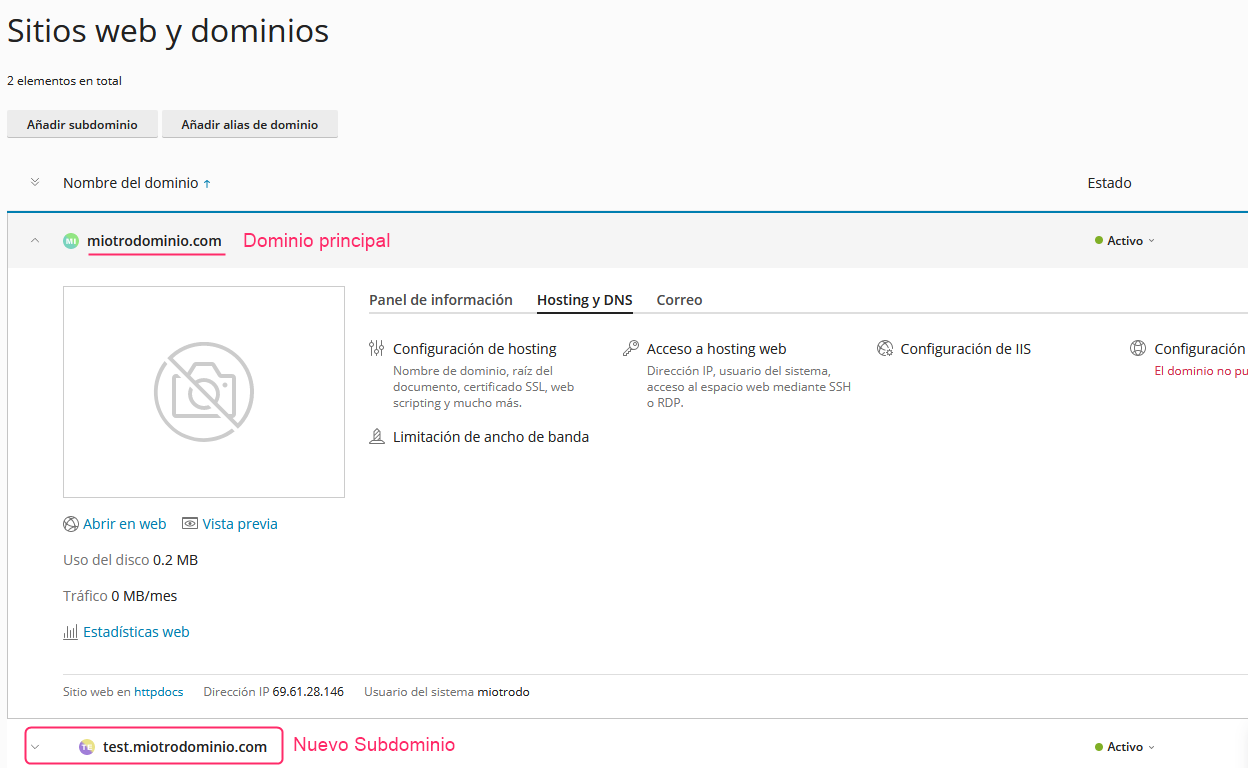
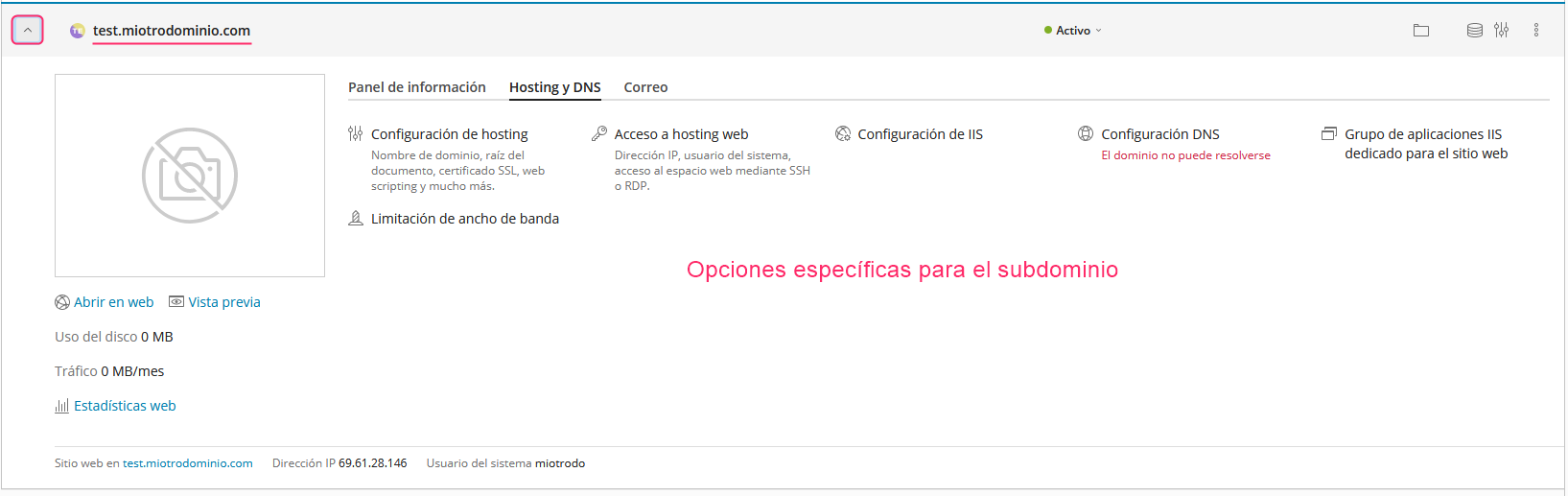
3) When you create a subdomain you will see, in Websites & Domains, your main domain with its options and below it the new subdomain. You can expand it to view its specific options.
The new subdomain will show the same options as your main domain so you can modify it as needed.
Creating an Alias:
A domain Alias will display the same website as your account’s primary domain. Additionally, it will allow you to create mailboxes with the new domain.
Follow these steps to create an Alias:
1) To create an Alias go to Add Domain Alias. This option is inside Websites & Domains, in the left menu.
2) The new screen will ask for the alias domain name and will select some options. All should be active (by default) but you can choose not to check Mail service. This option will allow you to create mailboxes with the alias domain.
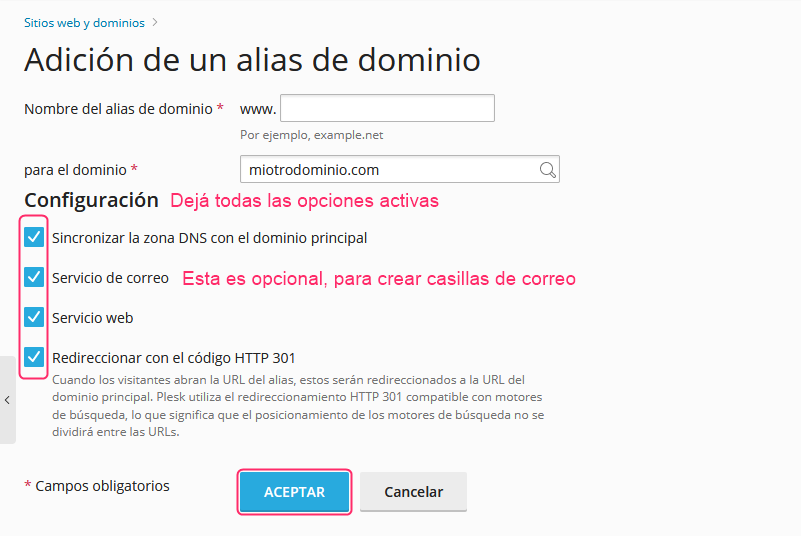
3) That’s it! You will have created an Alias for your primary domain. From now on, in fields where your primary domain appears, you can choose between it and the new alias domain to generate the desired configuration.