
How do I register as a client?
If you want to purchase a service and you haven’t registered as a client yet, follow these steps:
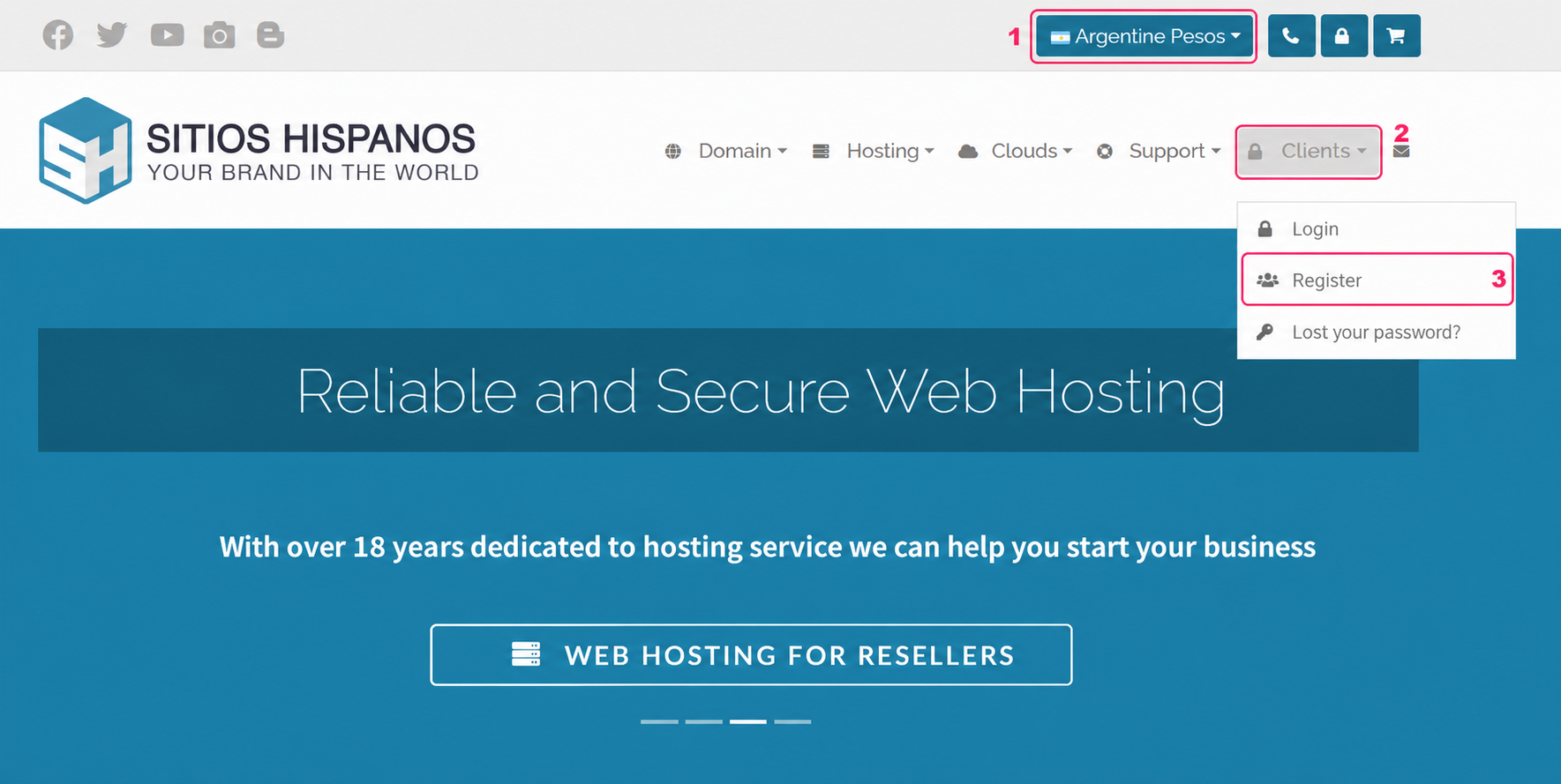
- First, choose the currency you want to use to pay your invoices when they are generated.
- Then, open the Clients dropdown menu on the right.
- Select the Register option from the menu.
- You will see the registration screen, where you will need to fill in your personal information.
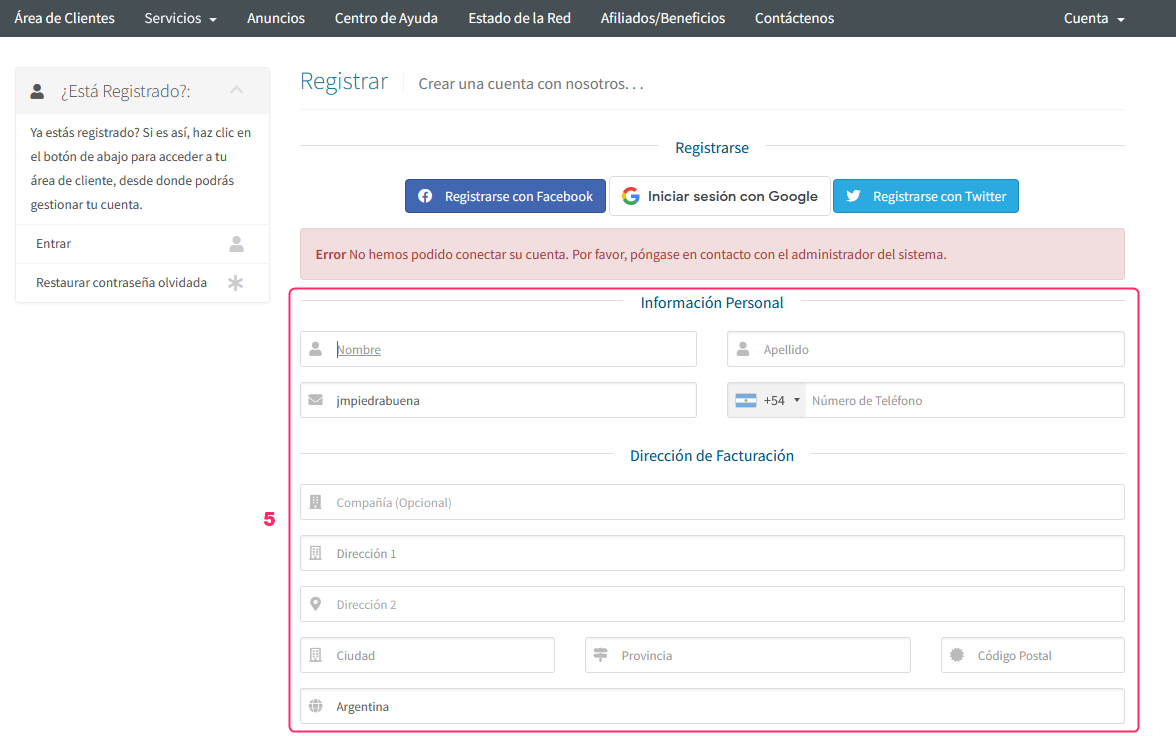
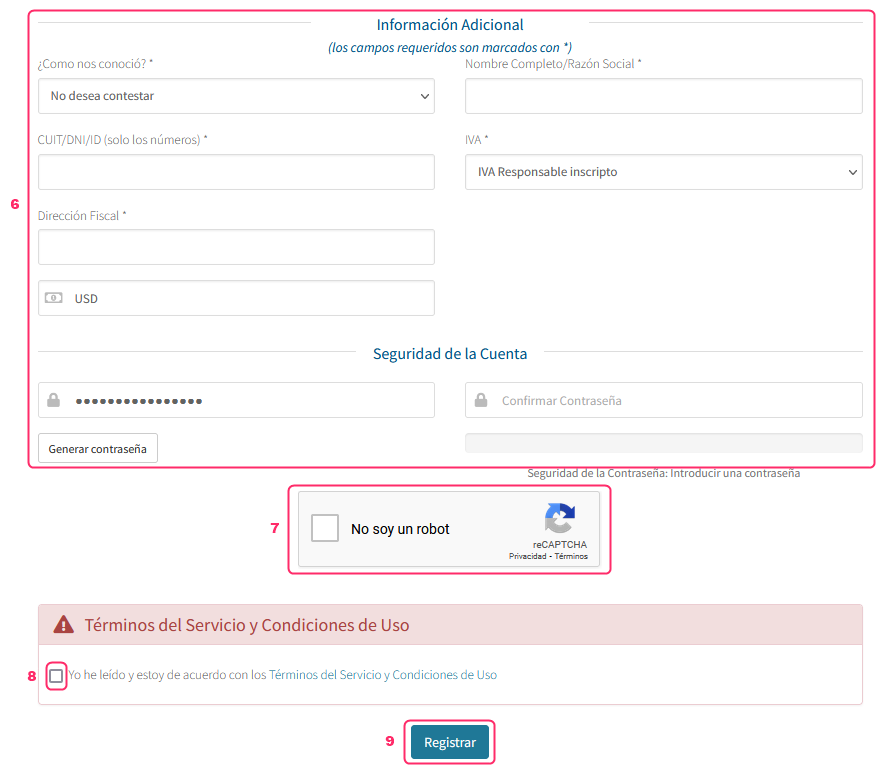
- Below your personal information you will see the billing details. It is very important to fill in this information with truthful data so that the invoices for your services are generated.\ \ The last field to complete, Account Security, will be the password to access your Client Area. The username will be your email address.
- Check the Captcha box to complete it.
- Check the box to accept our Terms of Service and Conditions of Use.
- Press the Register button to finish the registration.
Once registered as a client you can purchase any of our services by following these steps:\ How do I purchase my service?
Leer tambien How do I purchase my service?