
How do I set up my email account in Apple Mail?
Below, we will show you how to set up an email account in Apple Mail.
1) Open the Apple Mail application, in the menu click Mail and then choose Add Account.
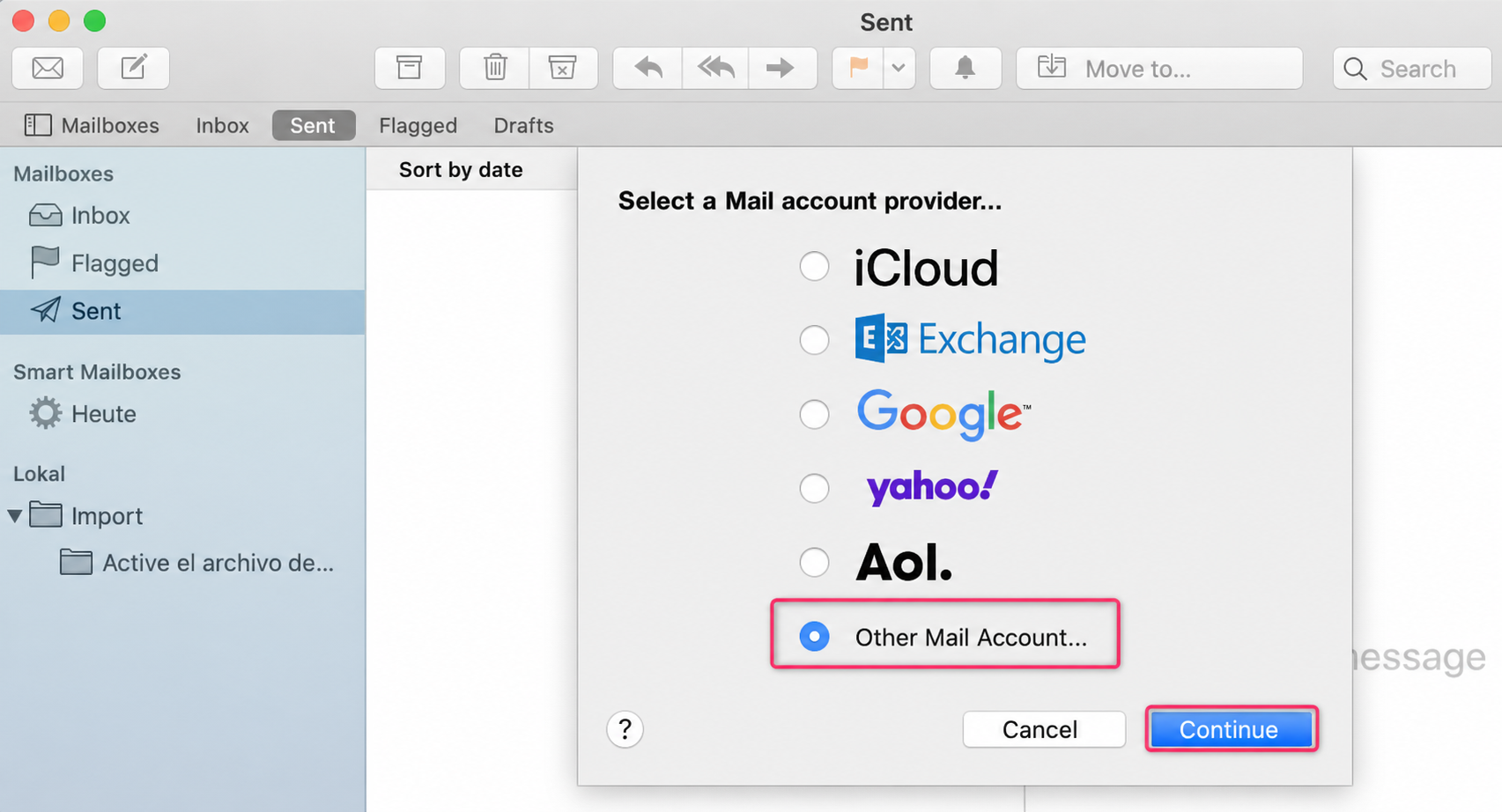
2) Select the Other Mail Account option. Then press Continue.
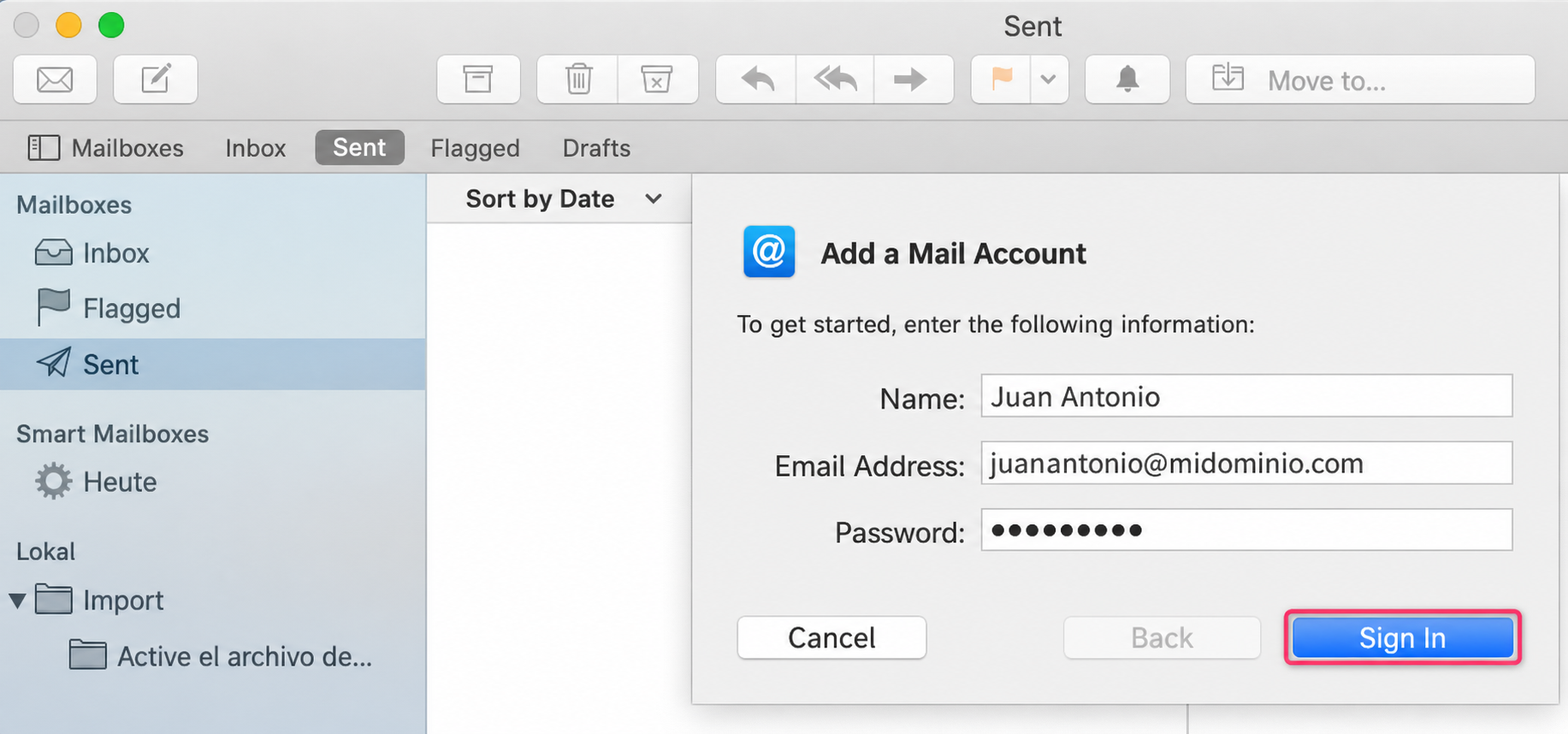
3) Enter your name, email address and password. Then press the Sign In button.
4) Fill in the fields with your details as shown in the image below.
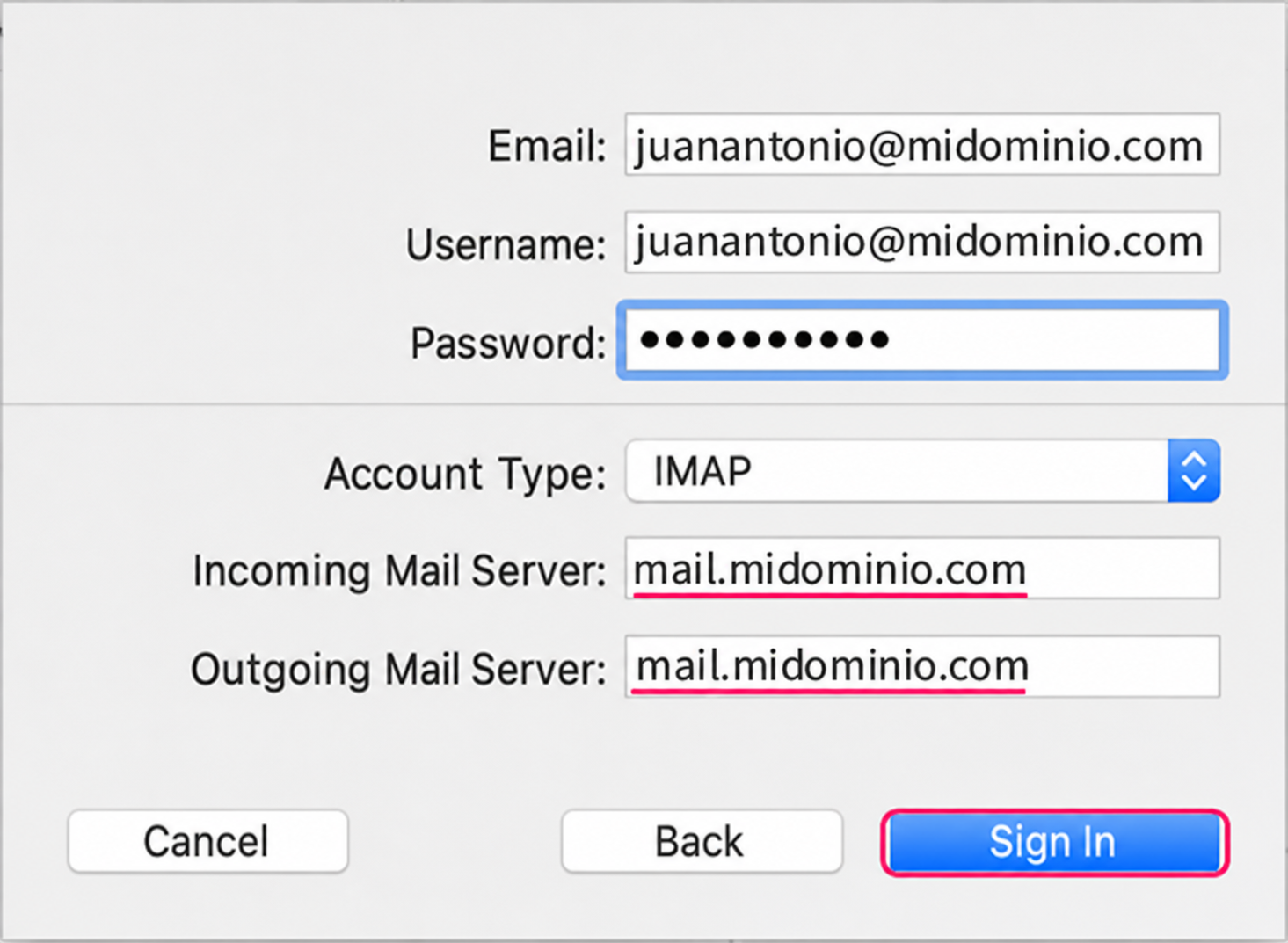
The POP3 account type will show the same options
5) Done, your account has been configured in Apple Mail.