
How to obtain the data to configure my email account as IMAP and POP3?
Below we will indicate which data are required to configure your mailbox and how to obtain them.
When you want to configure your mailbox in an external mail client such as Outlook, Thunderbird, Apple Mail, Gmail, etc., it will require the IMAP or POP3 connection details.
You will find these details by entering the area where mailboxes are created within your control panel cPanel or Plesk.
If you want to know the differences between IMAP and POP3 visit this link
IMAP and POP3 Data in cPanel
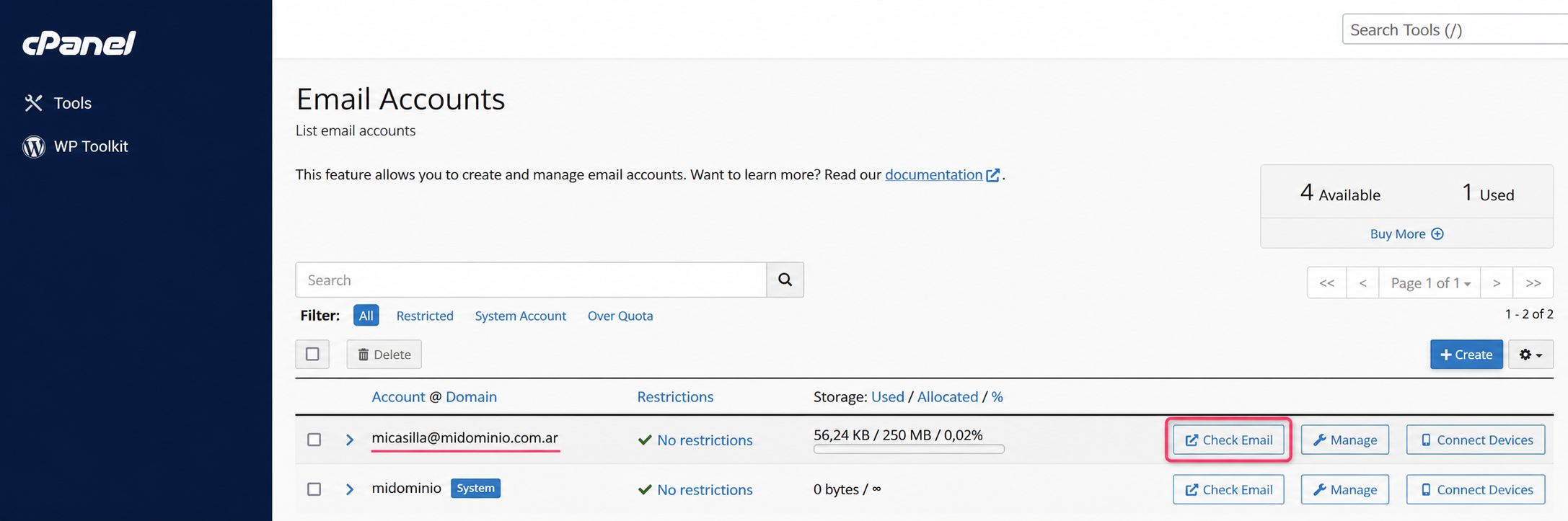
1) Enter the Email Accounts area in the control panel. Then press Check Email
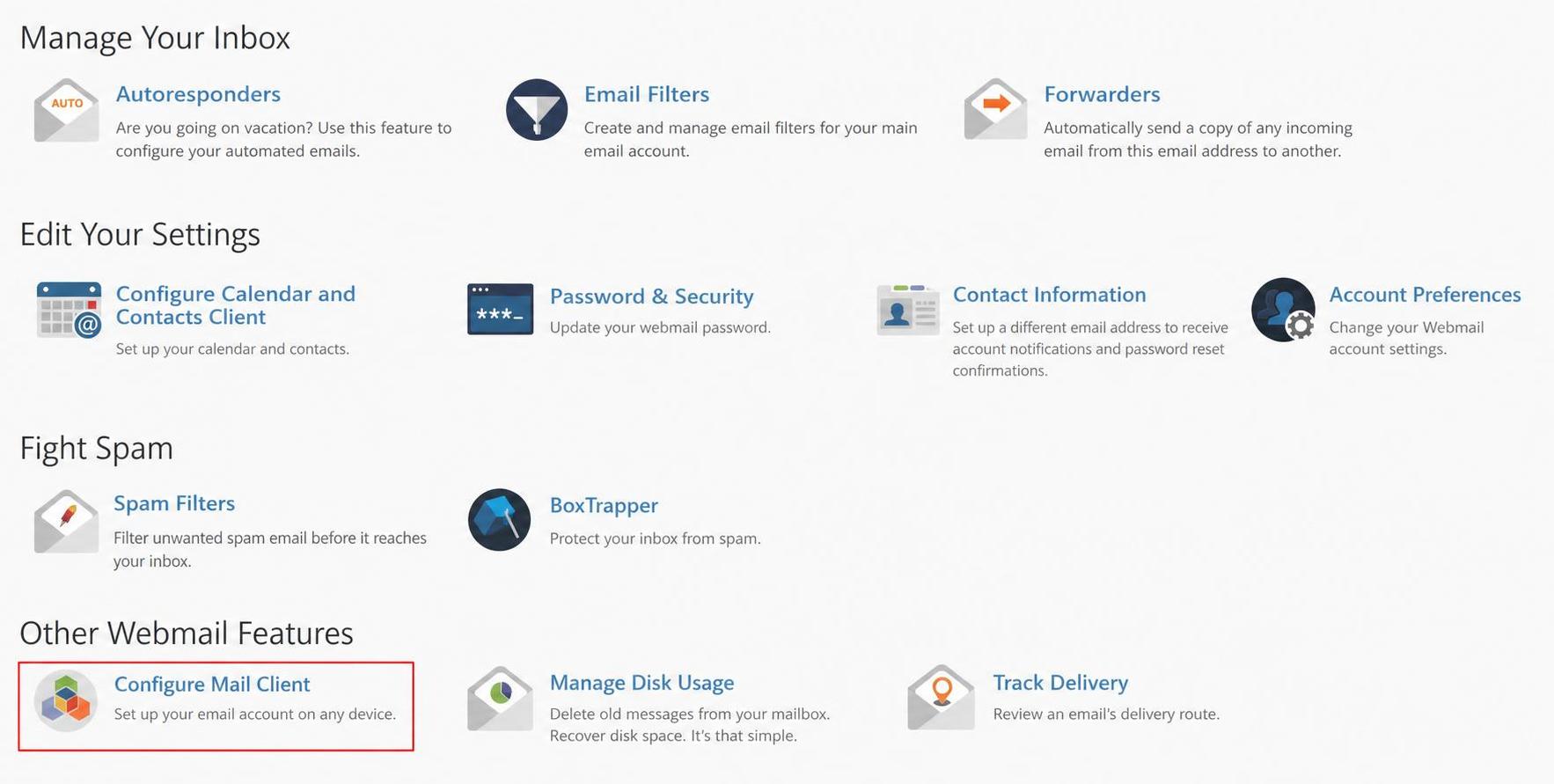
2) In the new screen go, at the bottom, to the Configure Mail Client option
3) On this screen you will see the details to configure your mailbox in POP3 or IMAP mode.
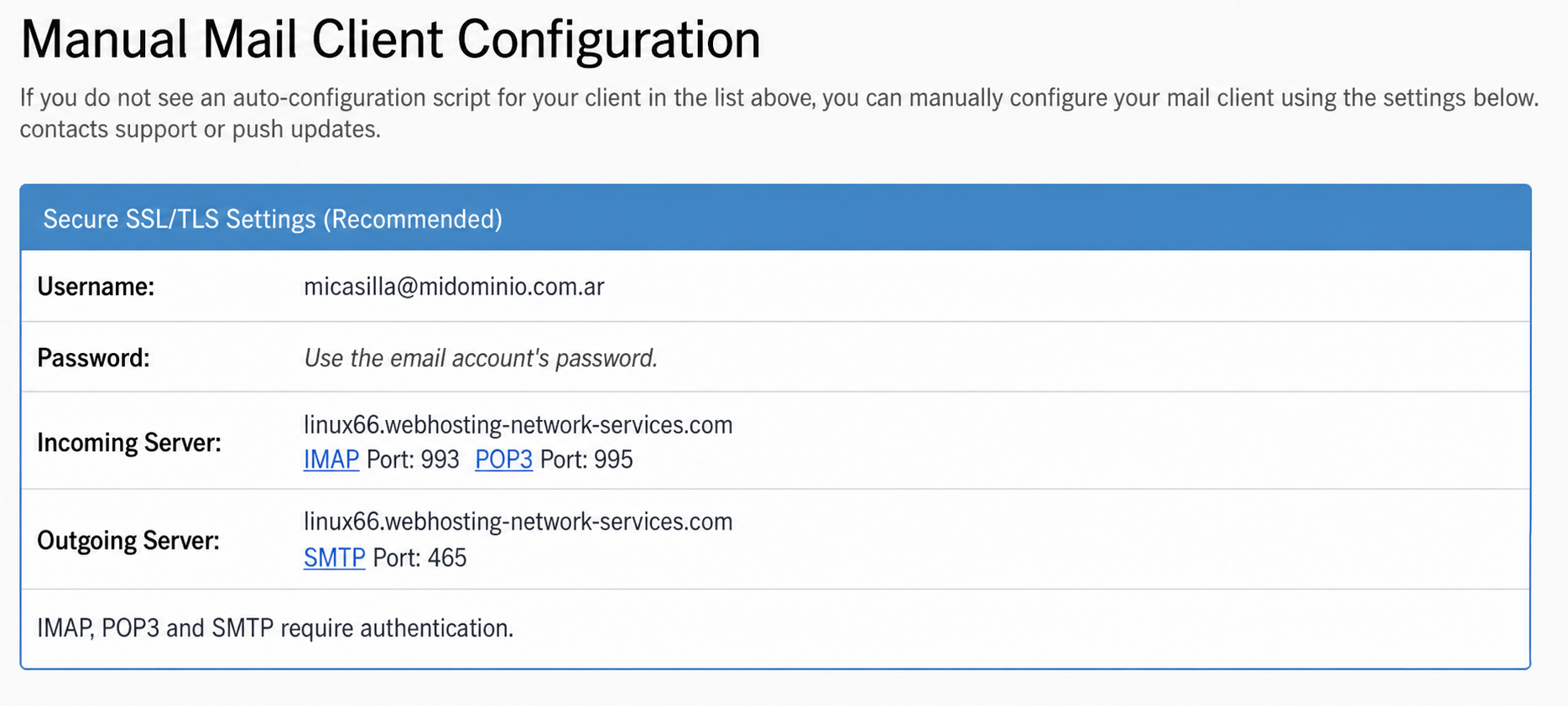
4) Done, with those details you can configure your mailbox on any external device.
IMAP and POP3 Data in Plesk
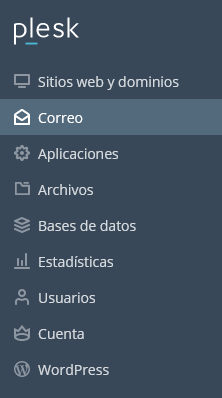
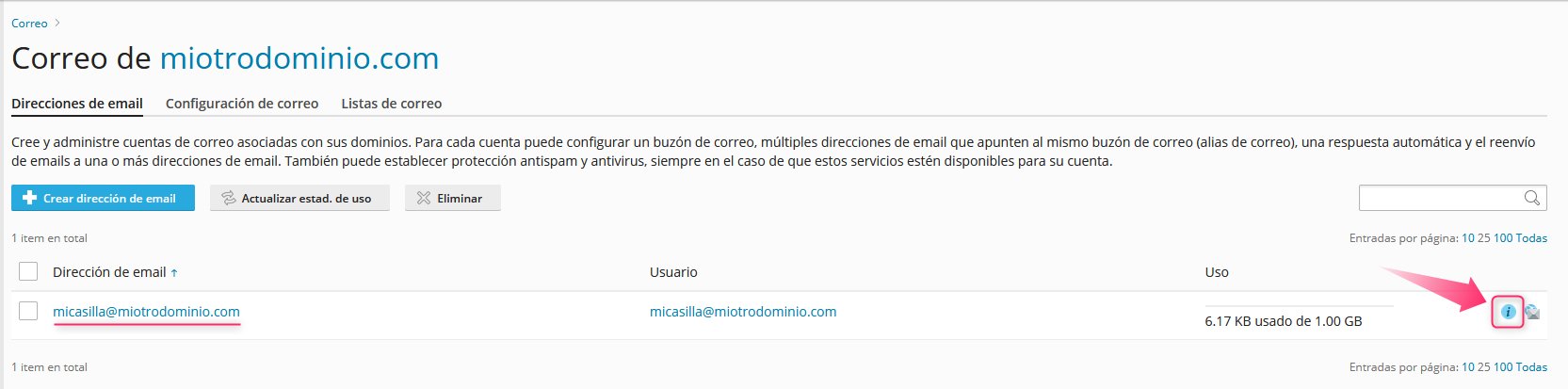
1) Enter the Plesk control panel. Then look for the Mail option in the left menu.
2) On this screen you will see the list of created mailboxes. On the right, you will see an icon to view the POP3 or IMAP configuration.
3) In the screen that opens press Manual Configuration. You will see the POP3/IMAP configuration details below.
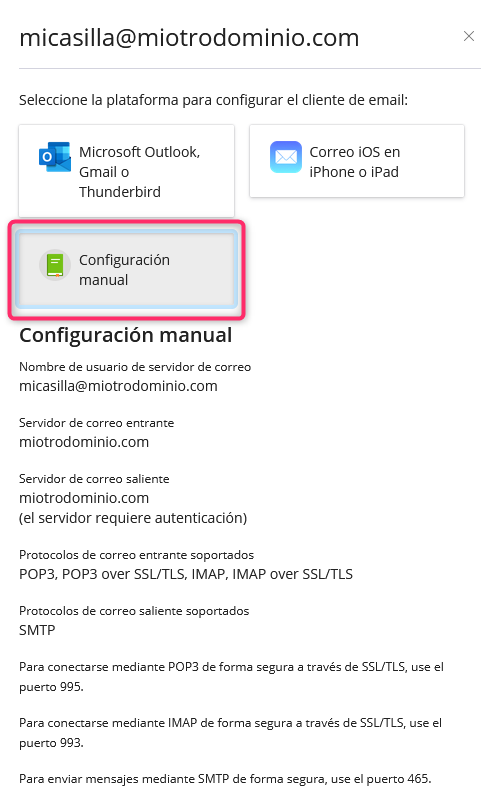
4) Done, with those details you can configure your mailbox on any external device.
Differences between IMAP and POP3
IMAP
An email mailbox configured in IMAP mode will allow you to synchronize your mail in real time with the server. Emails you receive in your mailbox will not be downloaded to your PC or device; instead you will see the content stored on the server. Modifications you make to the mailbox from any of your devices, such as deleting emails, will be reflected directly on the server.
POP3
The POP3 mode will download a copy of the emails that exist in your mailbox to your PC or device. Once downloaded to your computer, they will be removed from the server, unless you enable the option to leave a copy on the server. POP3 mode will allow you to check the same mailbox from different devices without affecting your content on the server.