
How to configure my email account on iOS?
Below, we will show you how to configure a mail account on iOS.
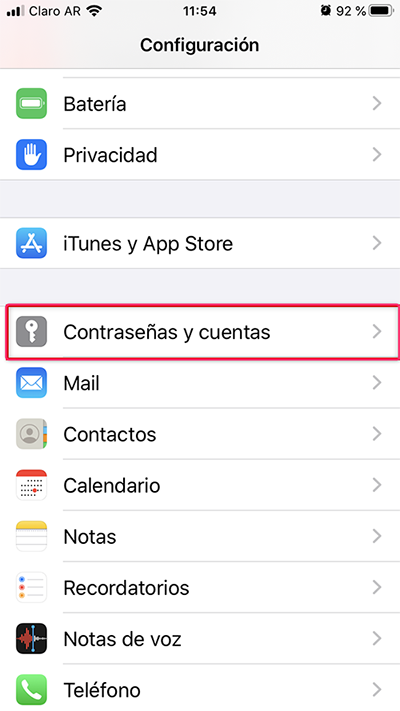
1) First go to Settings and then to Passwords & Accounts.
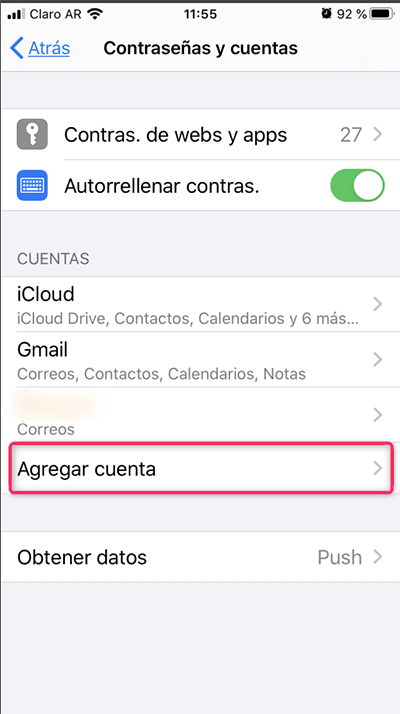
2) Then go to Add Account.
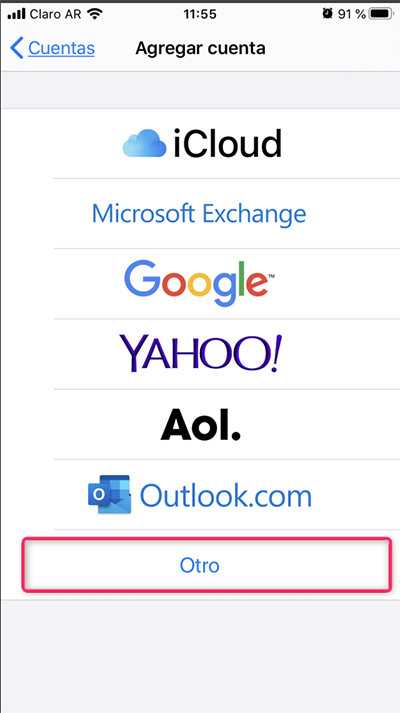
3) On the new screen tap Other.
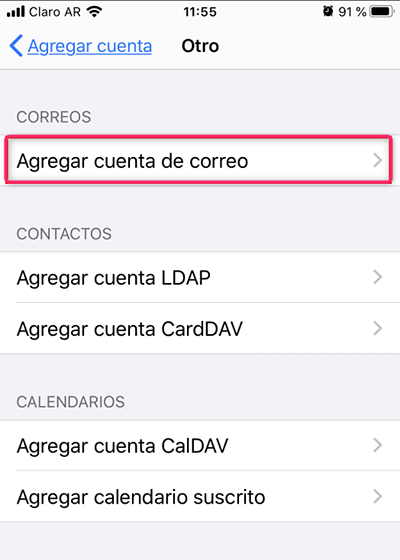
4) Within Other go to Add Mail Account.
5) Fill in your account details and tap Next.
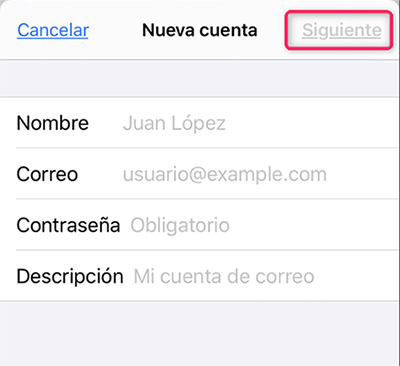
6) If the mailbox configuration is correct, tap Save to finish.
If an error occurs or the details are incorrect, you’ll have to modify them manually**.**
Select whether your account will be IMAP or POP and then configure it as shown below:
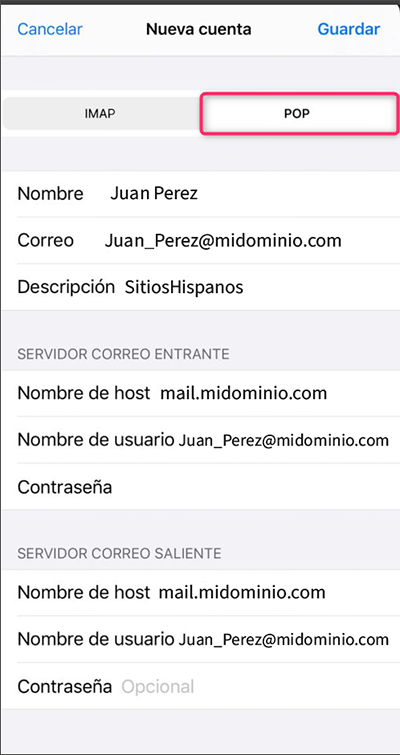
The same configuration will work for IMAP and POP
When you have finished modifying the details, tap Save.
7) That’s it. You will find your account added to your iOS device.