How to use Softaculous App Installer?
In Softaculous App Installer you’ll find a wide variety of tools, apps, CMS and modules to create your website. Follow these steps to install an application:
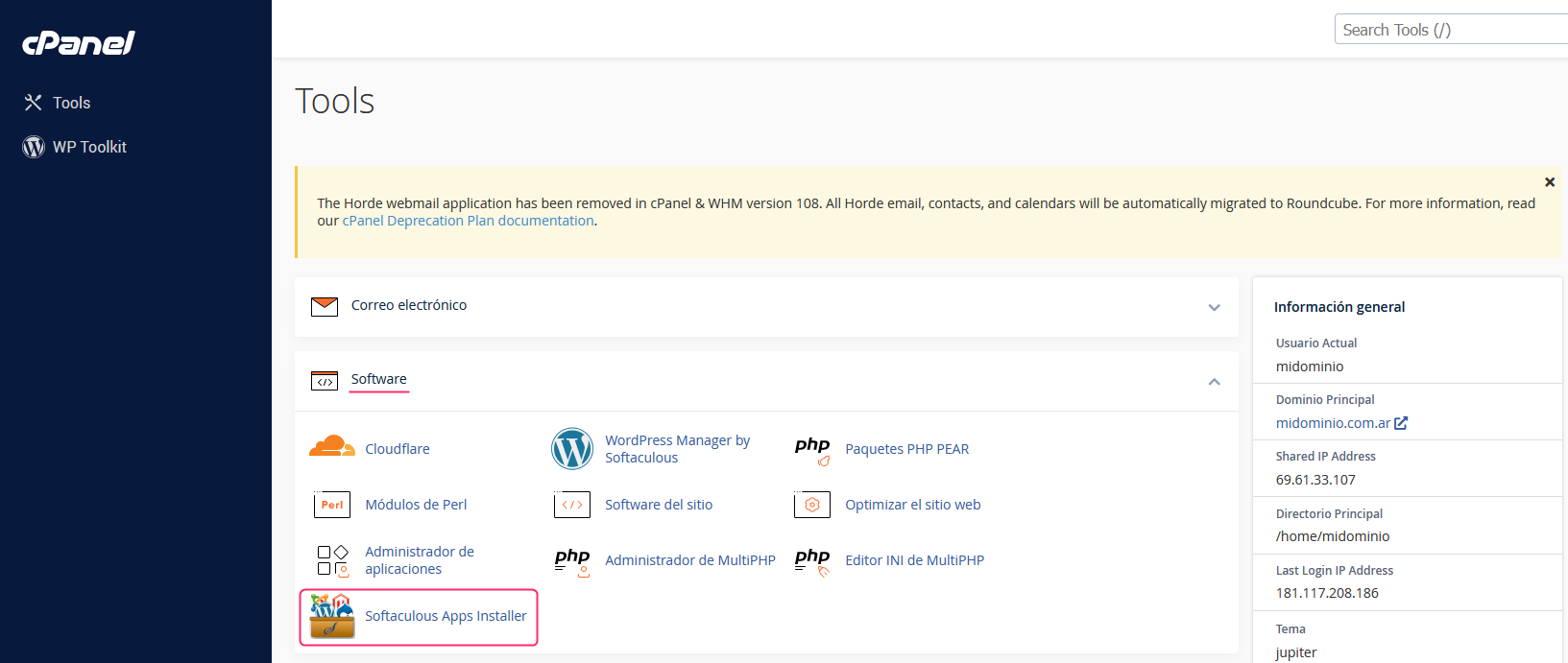
1) In the control panel go to Softaculous Apps Installer, in the Software box.
2) On the Softaculous screen you’ll find the most popular Apps and CMS. On the left you’ll see the different tools sorted by categories and the search box.
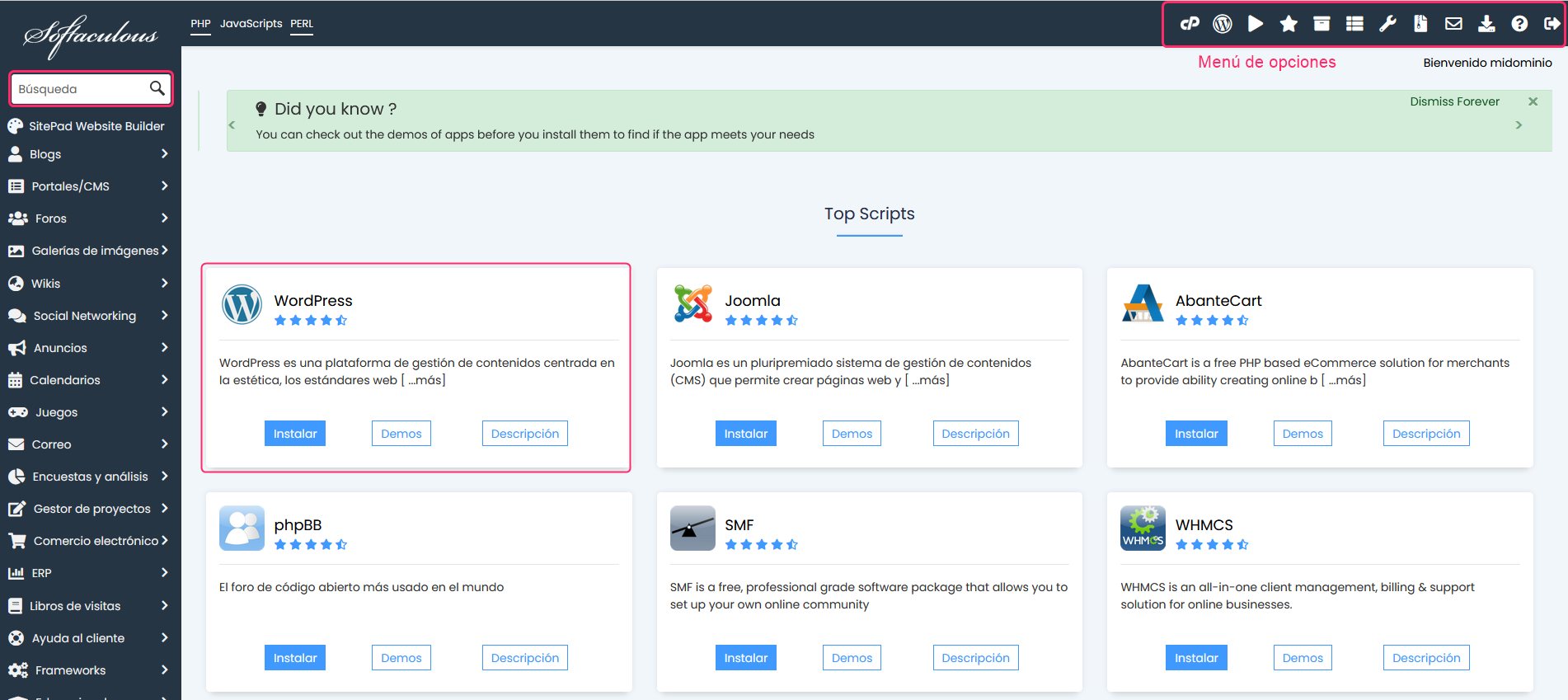
3) The installation method is very simple and intuitive. Very similar to the other tool WP Toolkit.
As an example, let’s look at a Moodle installation:
1) When choosing a CMS or App you will see the information required to install it.
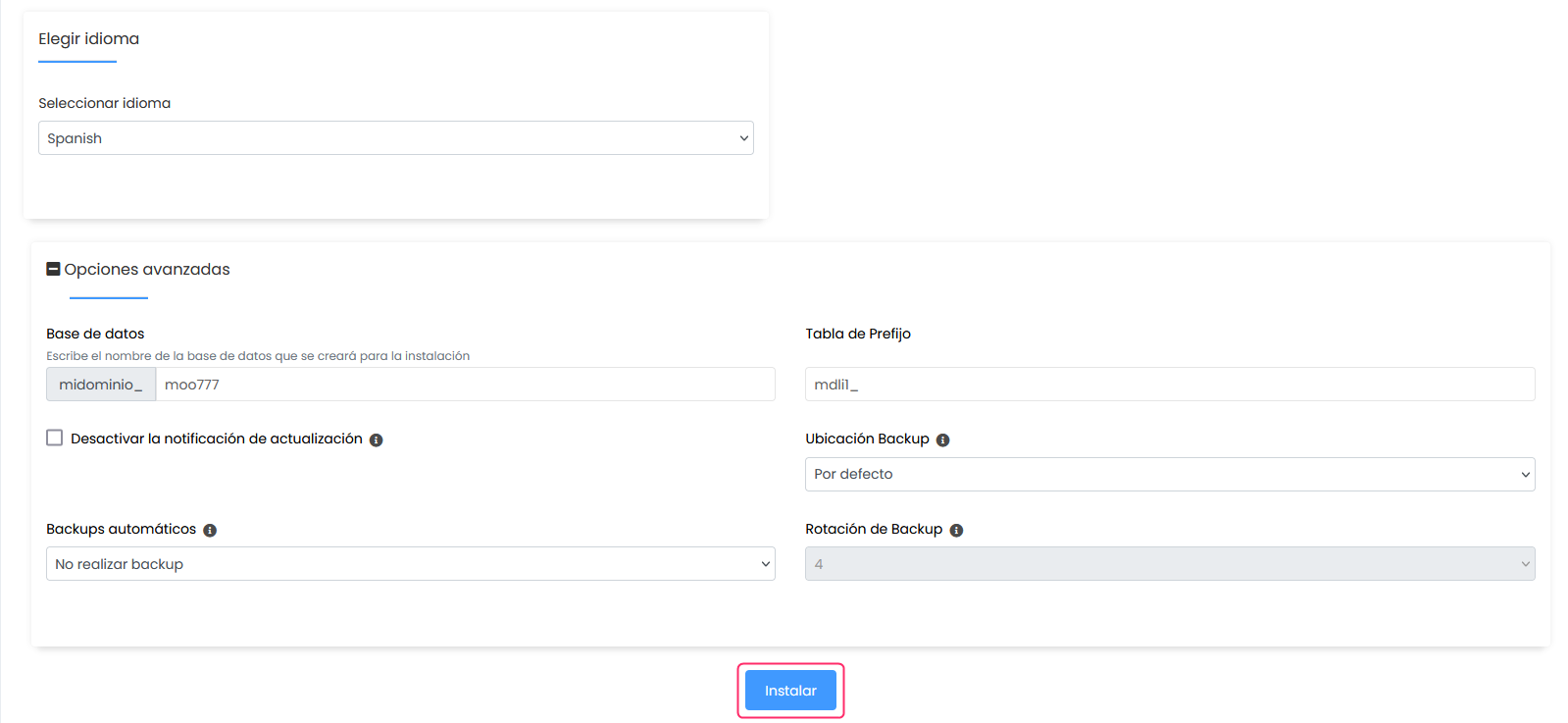
.png)
2) At the end of the installation details form you’ll see the Install button which will start the installation of the platform on your hosting plan.