

How to access the Correo Corporativo control panel?
There are two ways to access the control panel:
- Access from your Client Area.
- Access via web address.
Below we will explain the two access methods:
Access from your Client Area
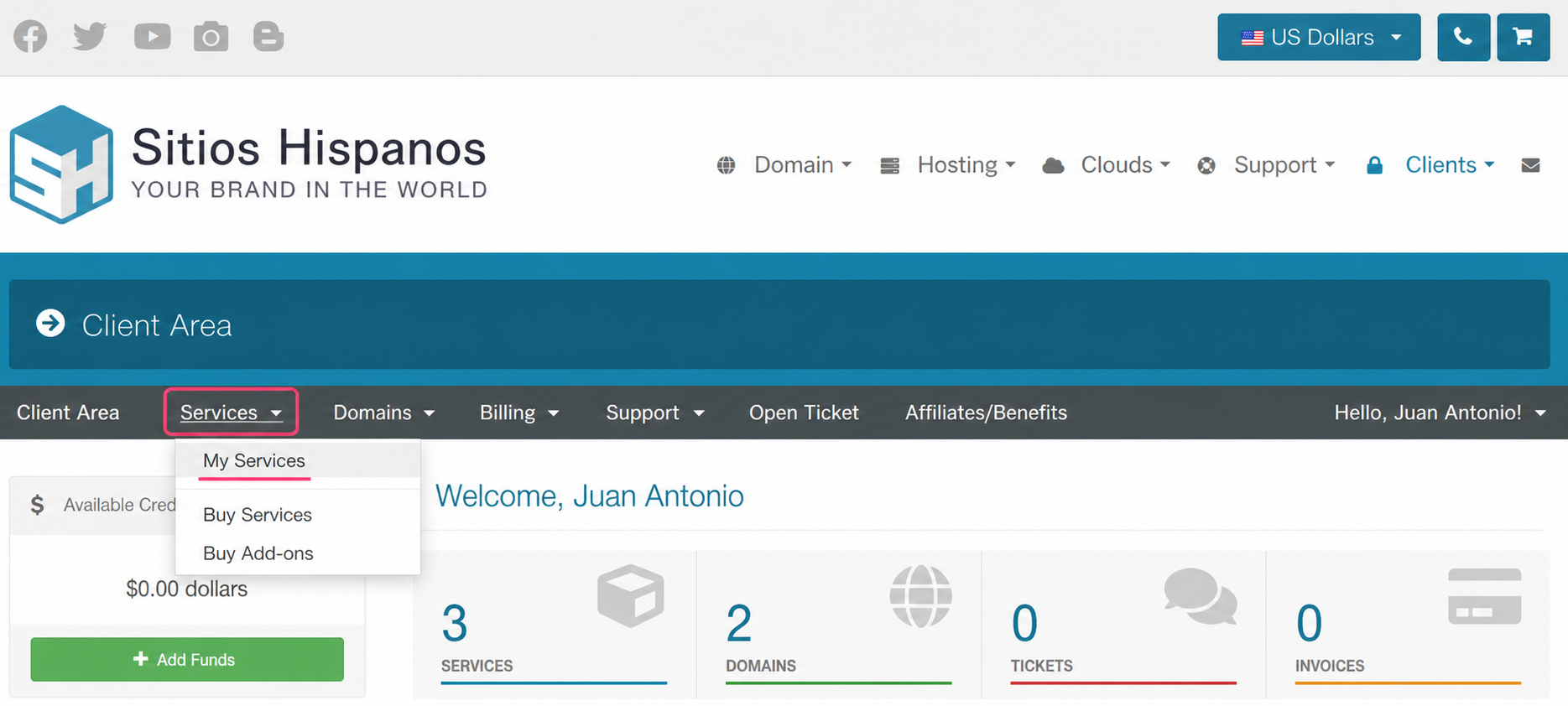
- Go to your Client Area and click on Services, then, My Services.
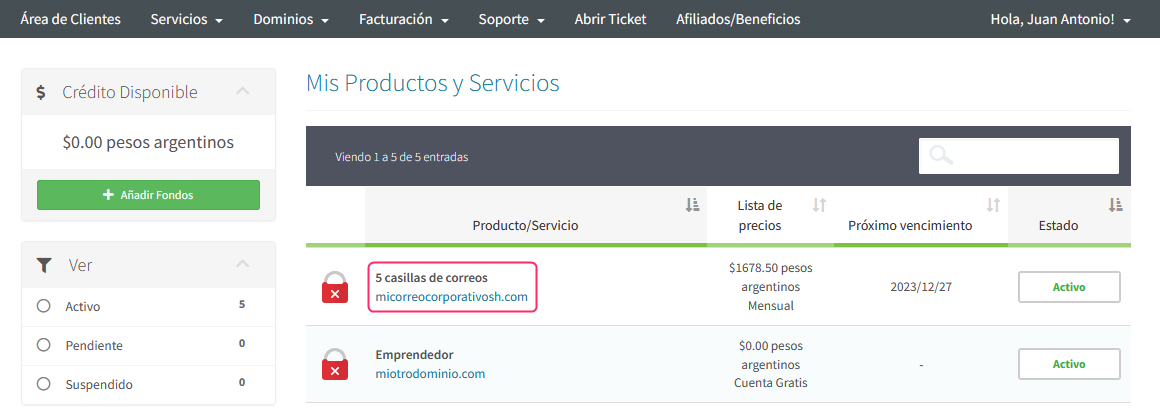
- Locate the Correo Corporativo plan in the list of contracted plans, click on the name of your plan.
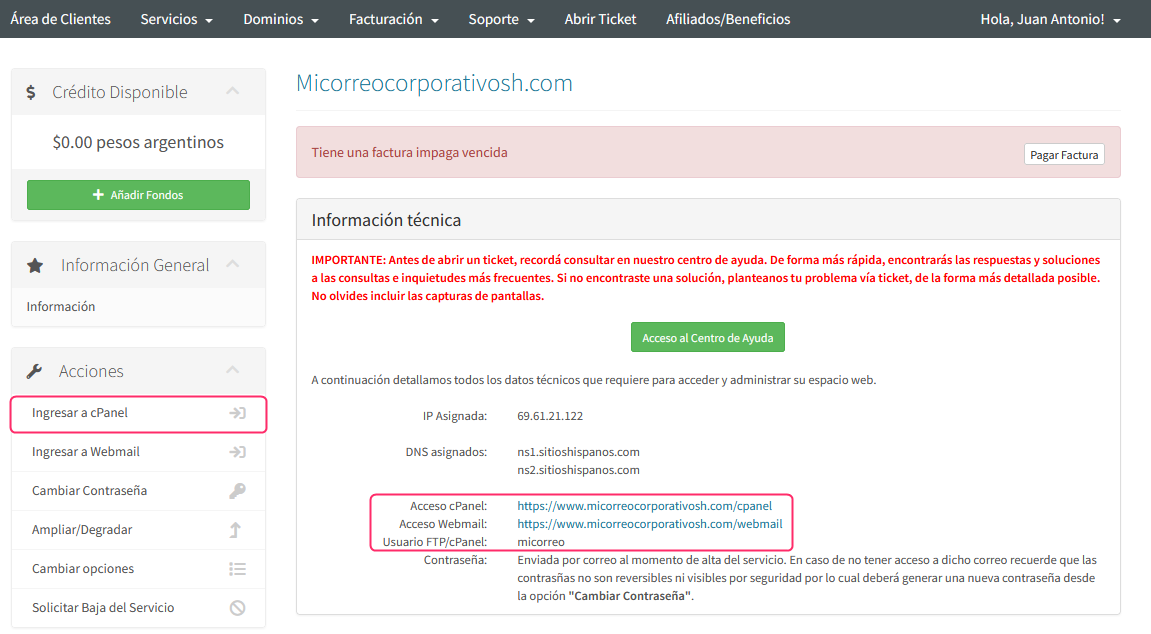
- On the new screen you will see, in the Actions box on the left, the option to access the control panel cPanel for your plan.
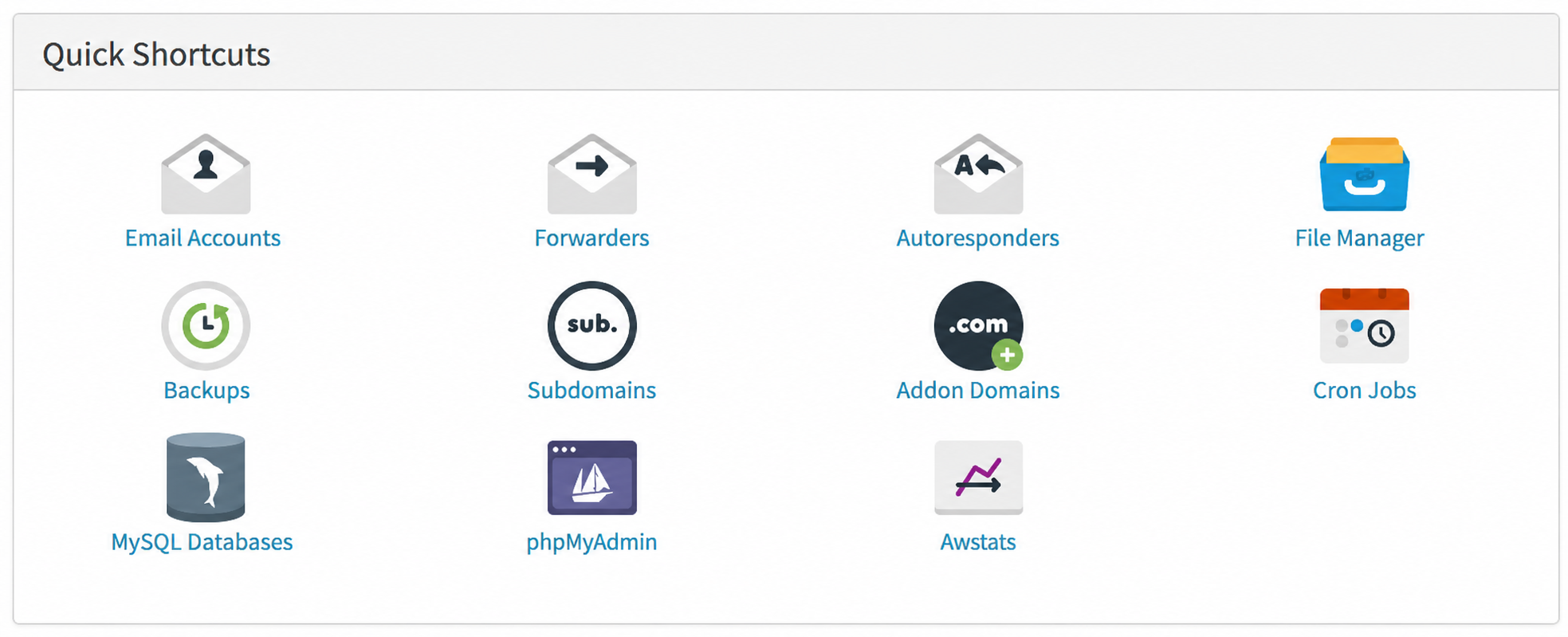
Further down on the same screen, you’ll see the Quick Shortcuts box. Clicking any of the icons will also take you to your account’s control panel.
Access via web address
Simply enter your account domain in the following way (replacing with your domain):
https://www.micorreocorporativosh.com/cpanel
Alternatively, you can enter with this address:
https://www.micorreocorporativosh.com:2087
If this is your first time accessing the control panel, first enter from your Client Area to see your username. You’ll see it in the Technical Information box.