How to create Subdomains, Aliases and Addon Domains in cPanel?
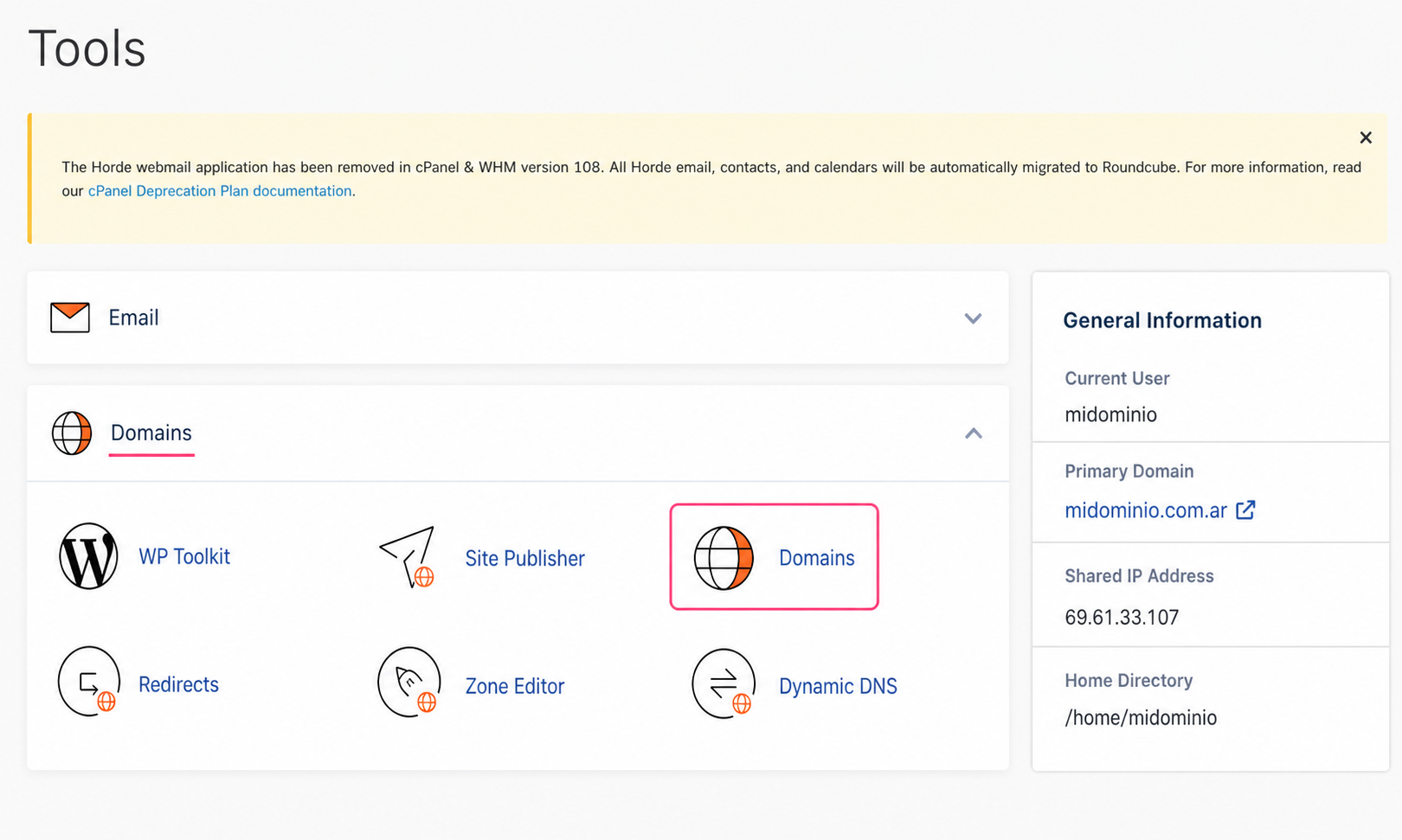
- To be able to create subdomains, aliases and addon domains, go to the Domains tool, in the Domains box.
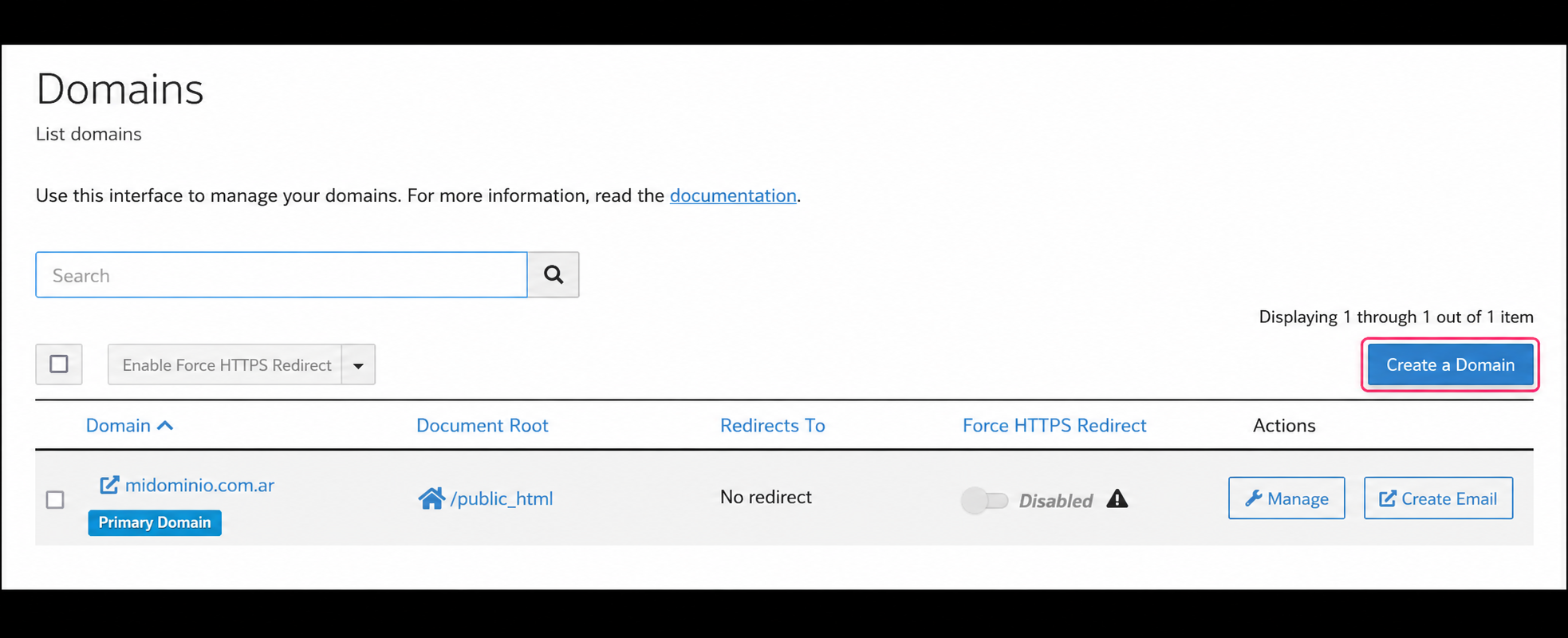
- On the Domains screen you will see the list of subdomains, aliases or addon domains you have created. At the top right, you will find the Create A Domain button to create them.
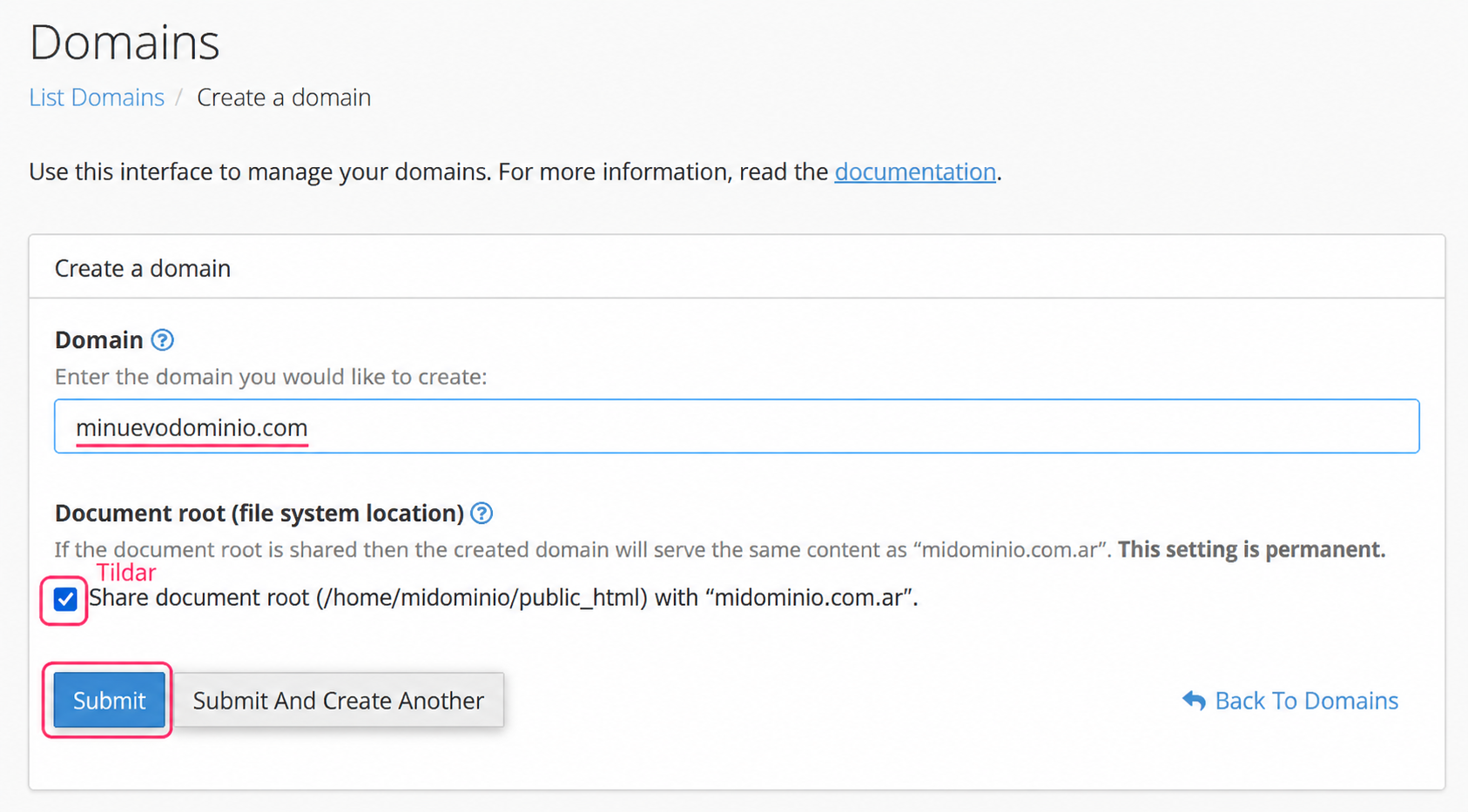
- On the new screen you will be able to create a subdomain, an alias or an addon domain. The domain type, pointed (alias/parked) or addon, will be determined by what you type in the Domain field and whether you check the Share document root option.
Creating an Alias
An Alias domain will show the same website as the primary domain of your account. Additionally, it will allow you to create mailboxes with the new domain.
To create an Alias you must enter the name of the new domain and enable the Share document root checkbox. This way, you are indicating that this new domain will share the content of the website displayed by the primary domain.
Creating a Subdomain
A Subdomain is a subdivision of a website within the same domain. Subdomains are usually used to separate functions of a complex website.
For example, mydomain.com could display a main site with product offers, while shop.mydomain.com would display the shopping cart to process an order.
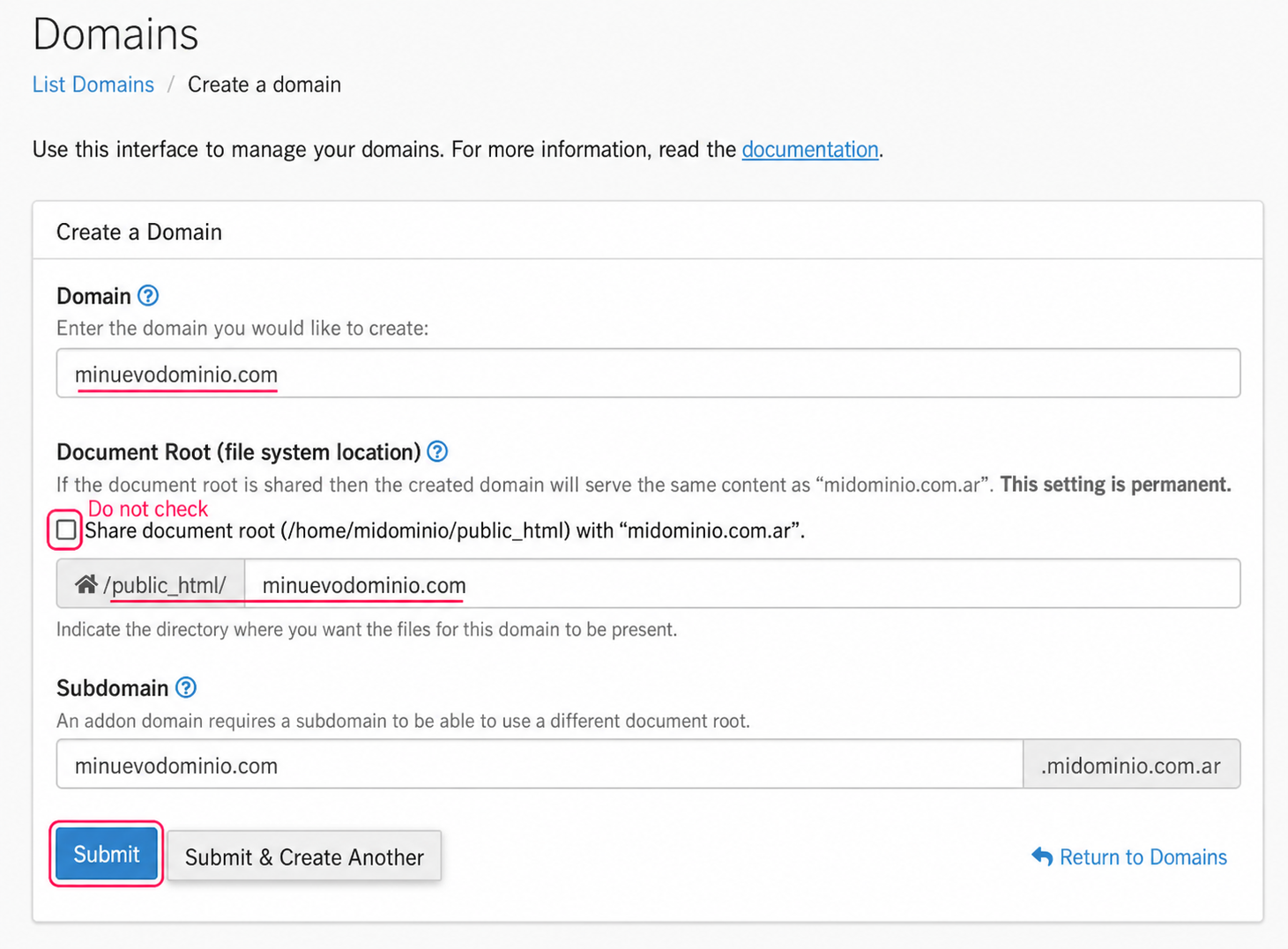
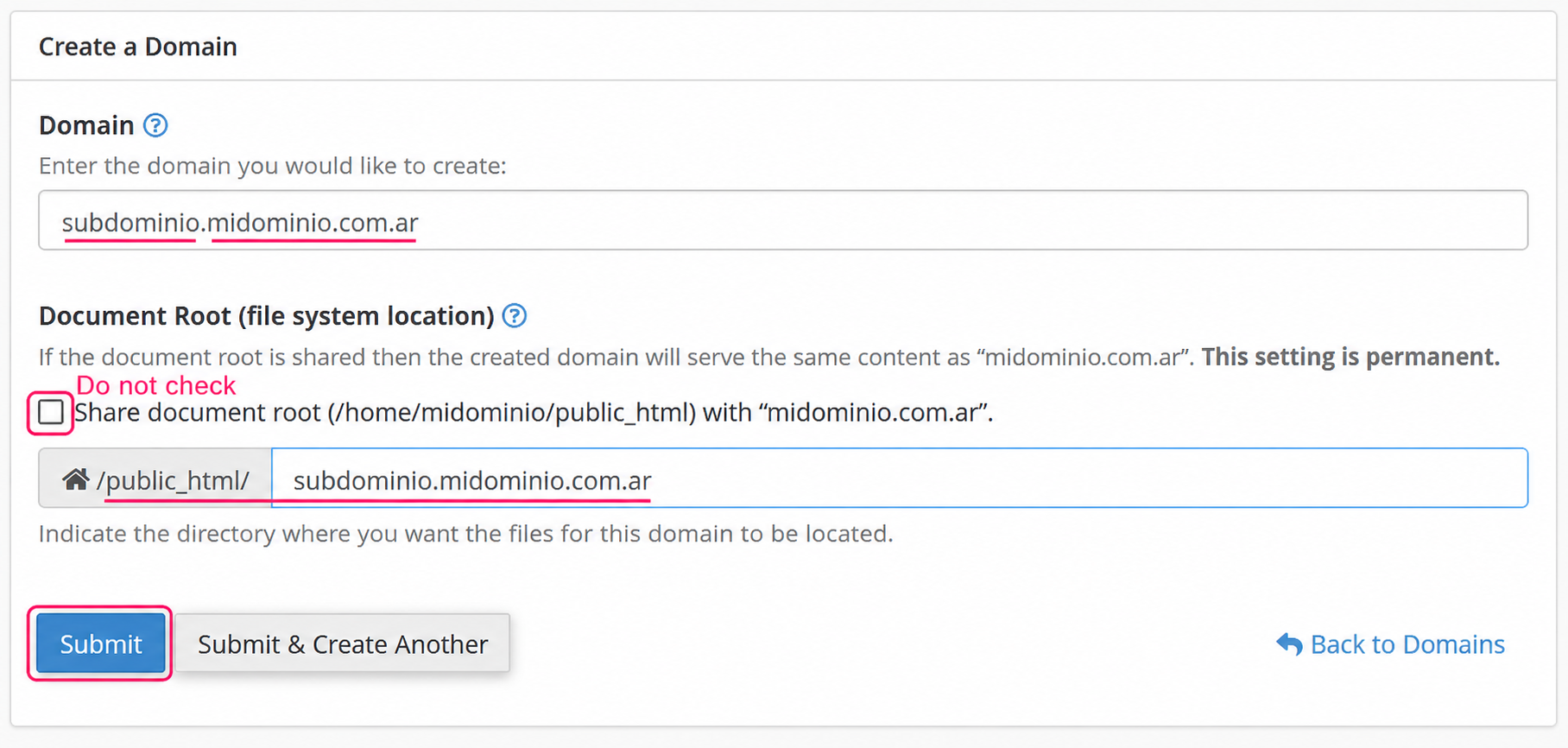
To create a Subdomain you must enter the subdomain name making sure to include the desired primary domain. You should not check the Share document root option.
This will create a directory within your web space where you will need to upload the files that the new subdomain will display.
Creating an Addon Domain
An Addon Domain is a domain that, when added, will allow you to create a new specific website. Additionally, it will allow you to create mailboxes with the new domain.
This type of domain is useful when you want to manage two websites, each with its own independent domain, from the same control panel. You should pay special attention to the resource usage of your hosting plan when splitting them into two websites.
To create an Addon Domain, you must enter the name of the new domain and disable the Share document root option. This way, the new domain will create a directory where the files for its website must later be uploaded.