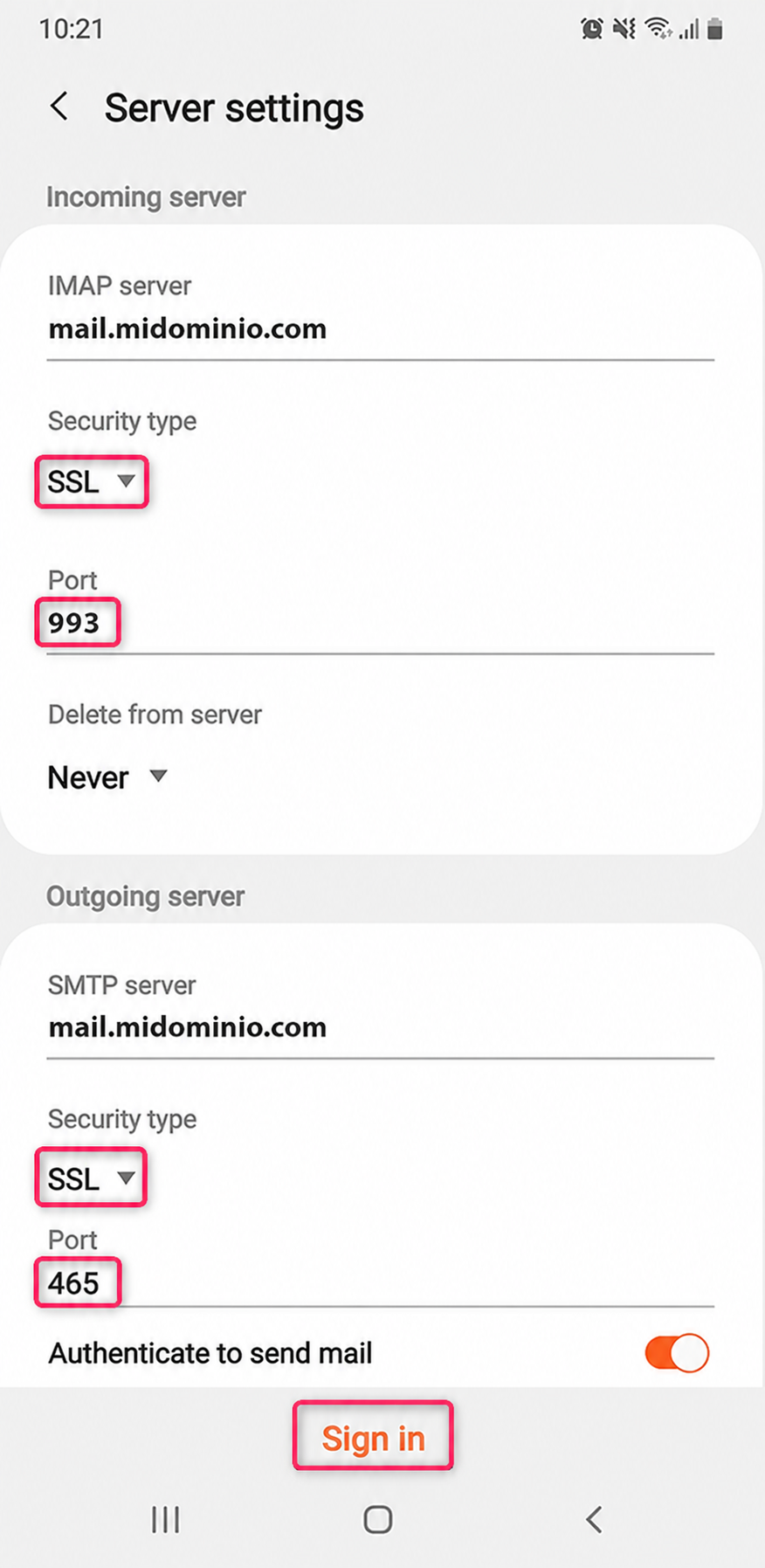
How to configure my email account on Android?
Below we will show you how to set up an email account on Android.
- From your Android device go to Settings and then to Accounts and backup
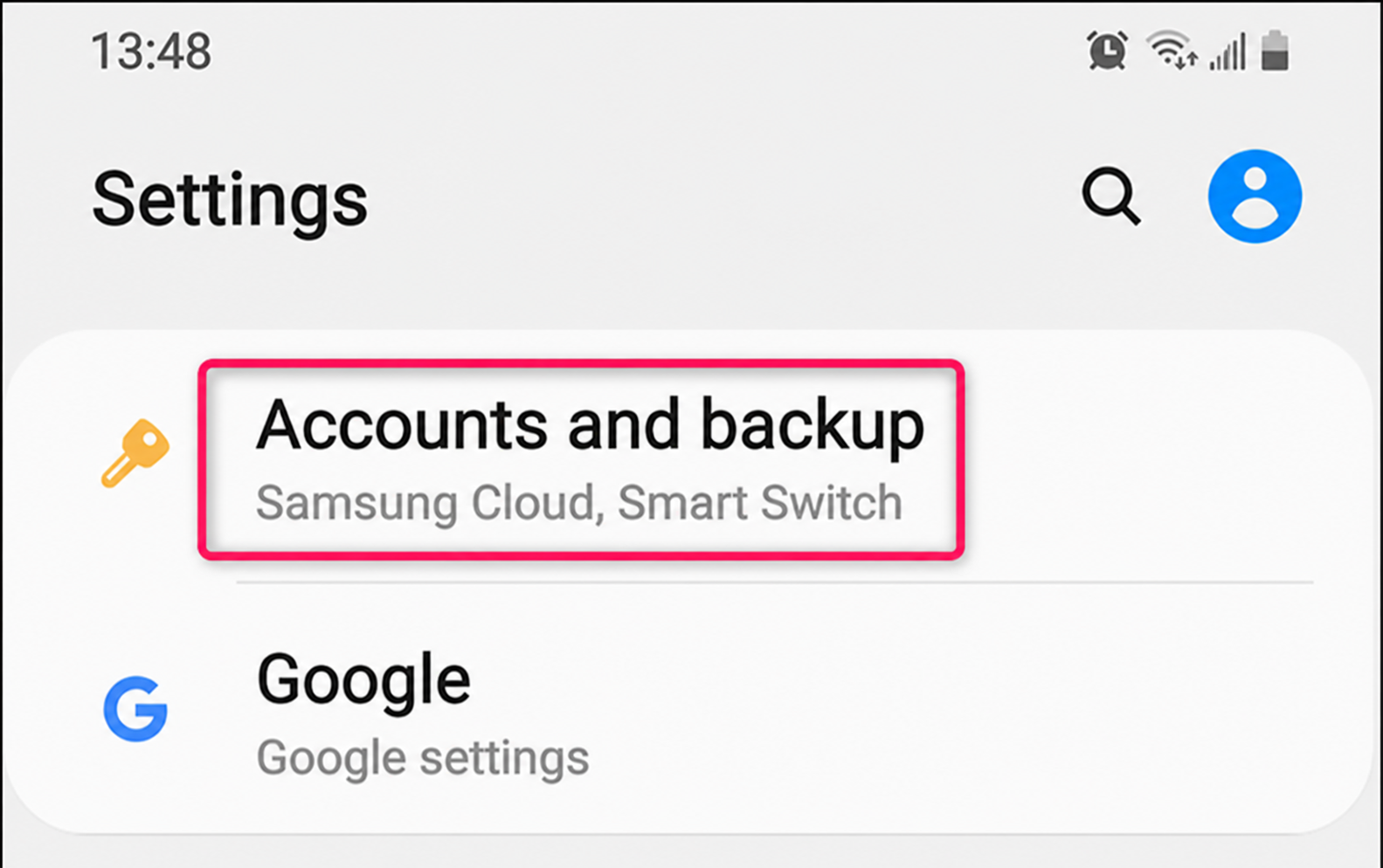
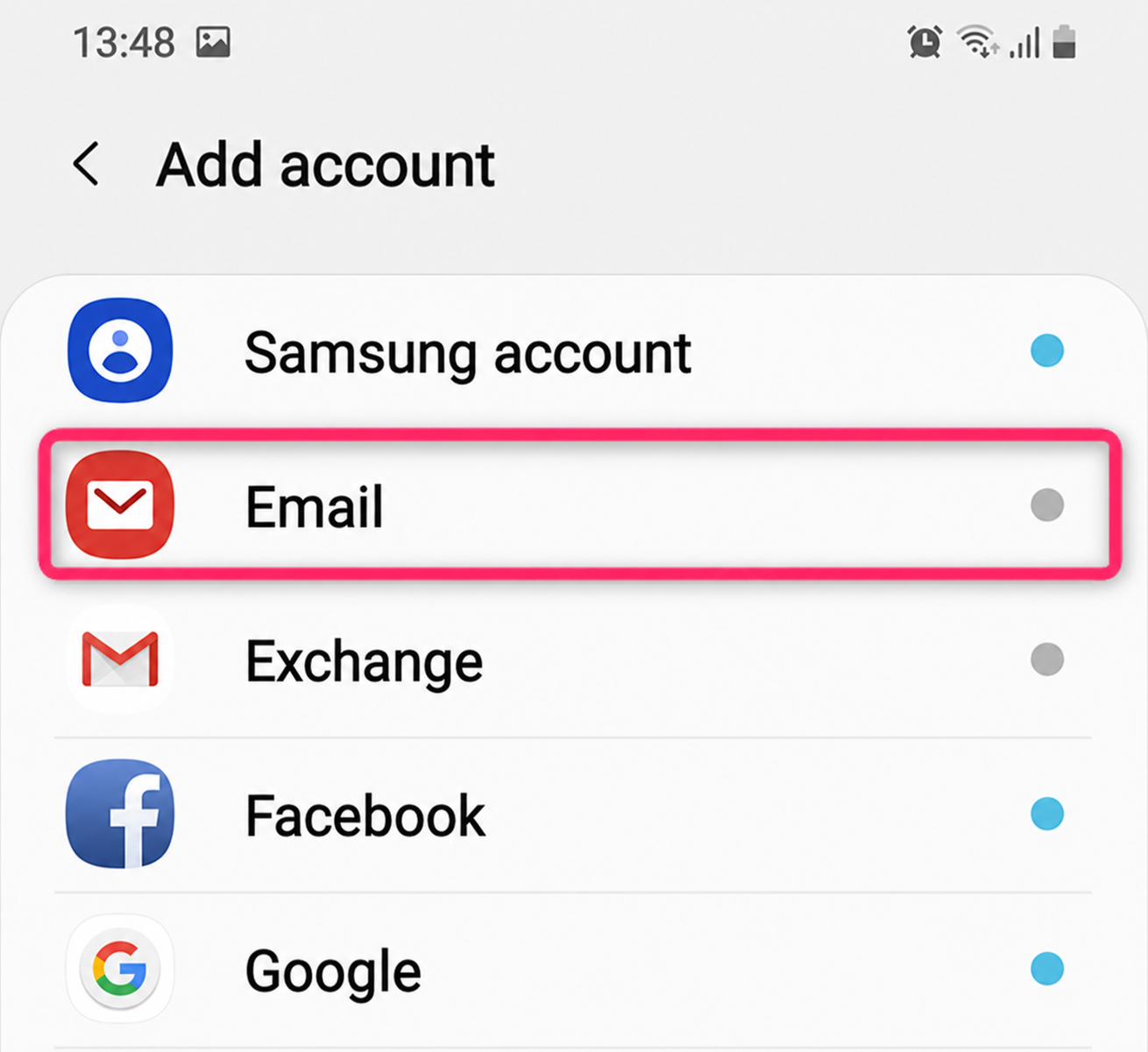
- Select Accounts and click Add account
- Select the Email option
- Select the Other option
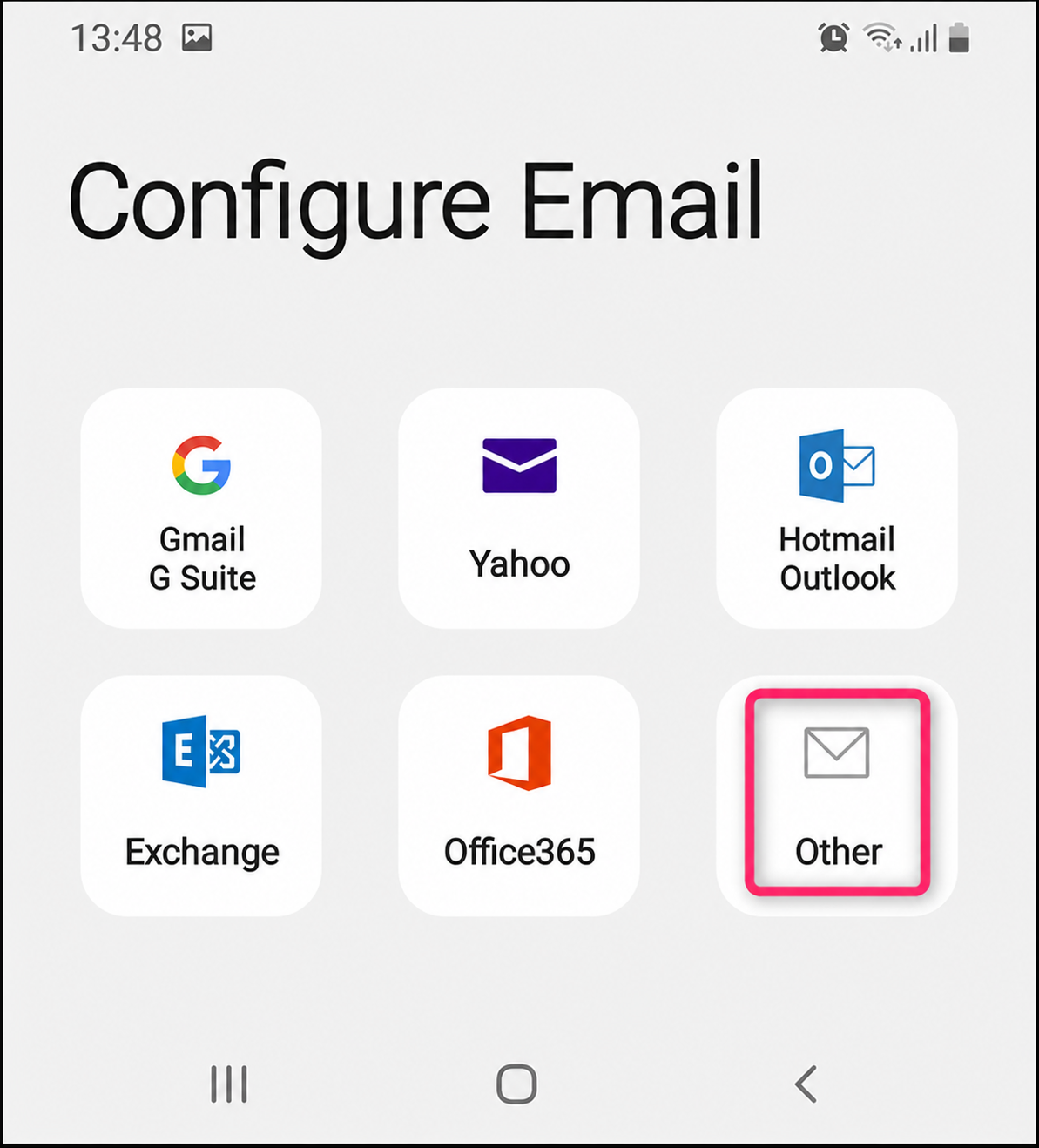
- Fill in the account details and press Sign in. Then, select the account type as POP3 account or IMAP account.
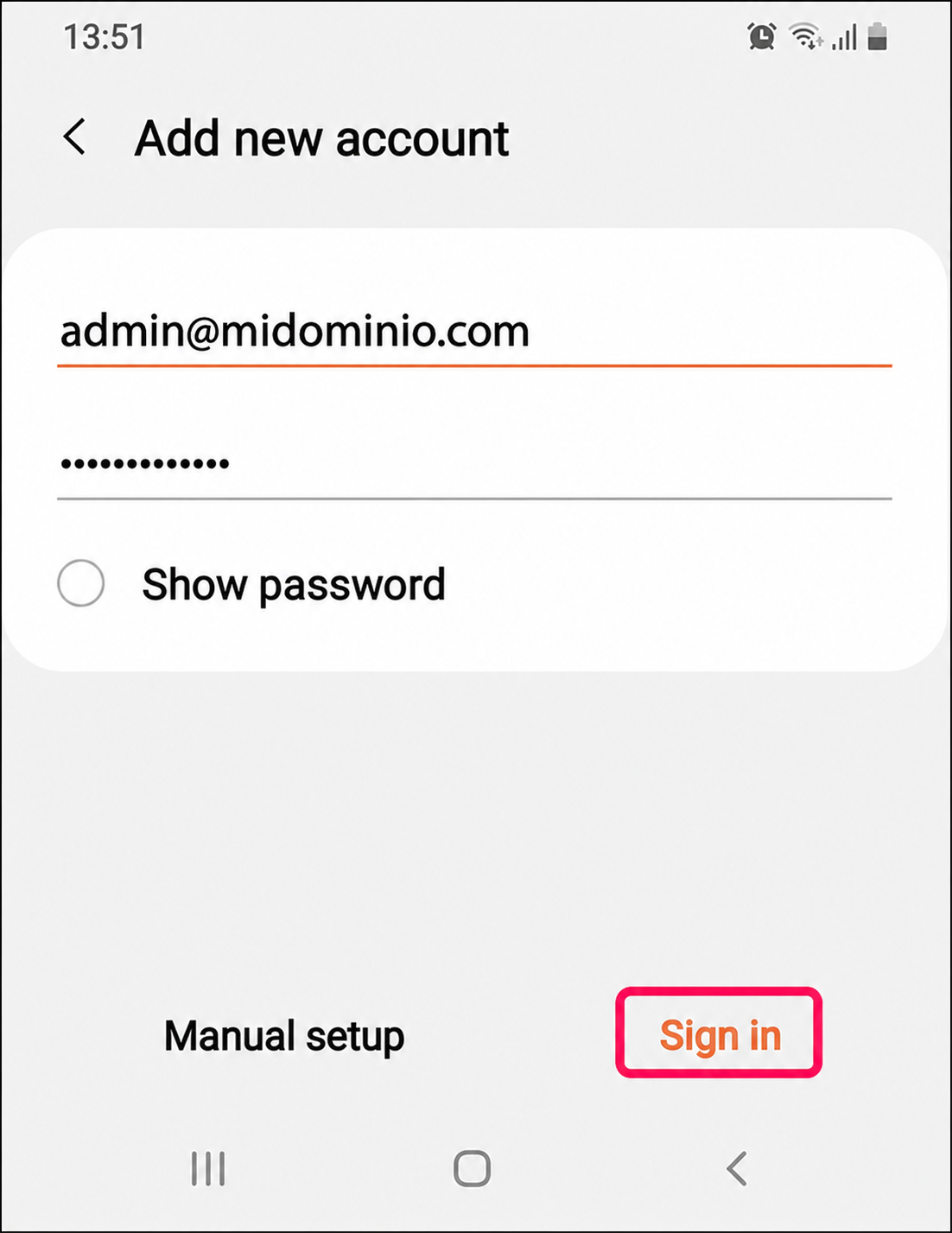
- Verify that the incoming and outgoing mail server settings are correct, press Sign in to finish.
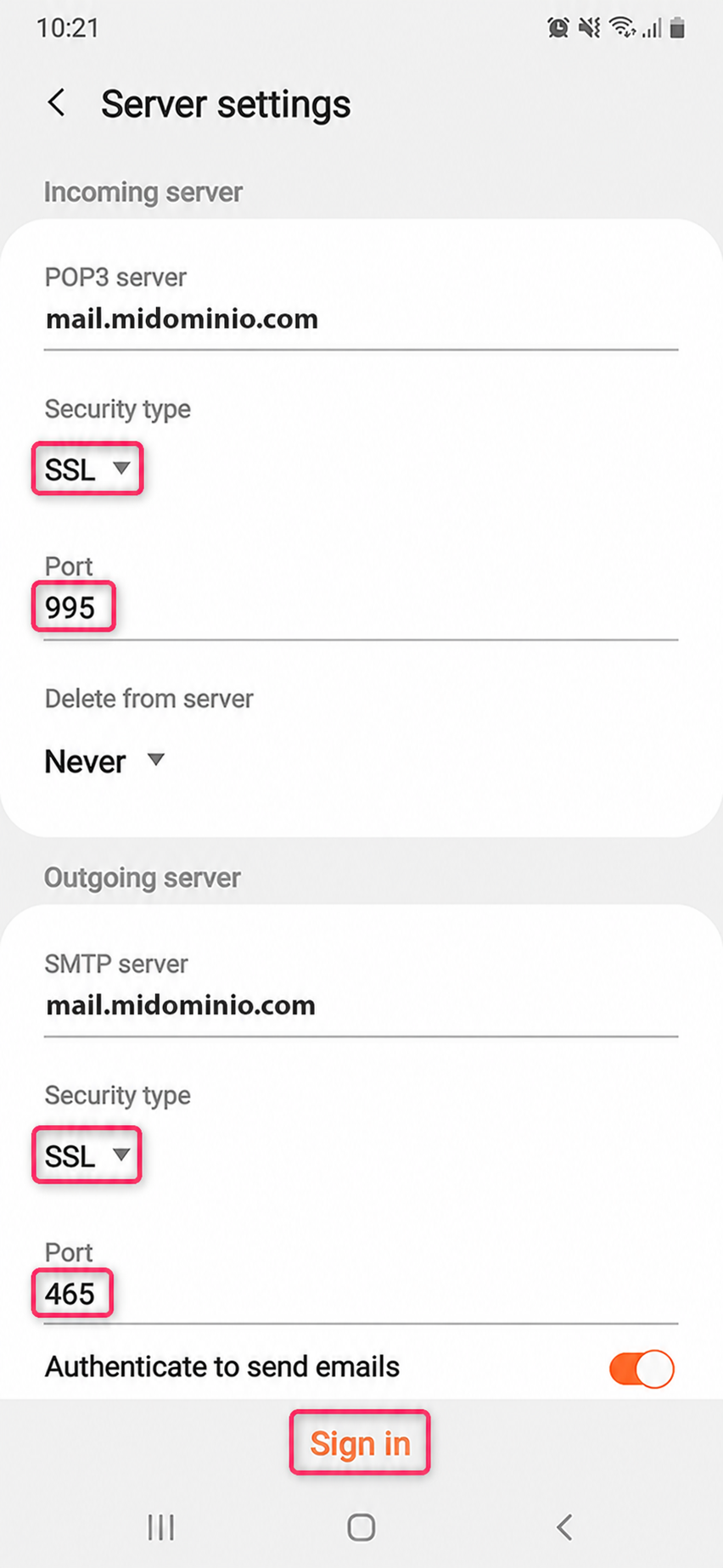
If an error occurs, you can modify the details manually from Server settings.
These are the steps to follow:
- Select IMAP or POP for your new account
- Complete the Incoming server and Outgoing server information
- Configure the incoming and outgoing server ports.
Once you’ve configured everything, press Sign in again.
POP3 example:
IMAP example: